
By Daily Carry Lab. Manufacturer documentation checked October 15, 2026 (Pacific).
Affiliate disclosure: As an Amazon Associate, Daily Carry Lab earns from qualifying purchases. Retailer links may earn us a commission at no extra cost to you.
Start with the sources you need to record at the same time. A singer with one guitar needs a different input arrangement from two people using XLR microphones. Then work out how the host, interface and headphones will connect and receive power. Buying the interface alone does not finish the kit.
We selected Focusrite Scarlett Solo and Scarlett 2i2 4th Generation because their exact manuals document these decisions. This is manufacturer research, not hands-on testing. We have not measured preamp noise, latency, headphone loudness, driver reliability or recording quality. These are two documented candidates, not a market-wide ranking.
Choose the input arrangement before the smaller box
The Solo has one XLR microphone input and a separate 6.35 mm line/instrument input. Its 48V phantom power serves the XLR input, not the instrument jack. It is a candidate for one microphone plus one guitar or mono line source; it is not a two-XLR-microphone interface. Solo hardware guide.
The 2i2 has two microphone inputs and two corresponding line/instrument jacks. These are two recording channels: plugging into a front jack disables that channel’s rear XLR input. Its 48V setting applies to both microphone inputs. Check each microphone’s manual before enabling phantom power. 2i2 hardware guide.
✓ means documented on this exact generation; — means absent from the cited arrangement.
| Feature | Solo 4th Gen | 2i2 4th Gen |
|---|---|---|
| One XLR microphone plus one instrument input | ✓ | ✓ |
| Two XLR microphones at once | — | ✓ |
| Separate USB-C 5V DC power socket | — | ✓ |
| 48V phantom power | ✓ | ✓ |
Drawback: the Solo cannot grow into a two-XLR interview kit. The 2i2’s extra sockets do not create four simultaneous analogue inputs. Count independent channels rather than visible connectors.
Check the tablet power path
Focusrite’s October 2 connection guide supports both models on iPhone/iPad, but says some USB-C Apple devices cannot supply enough power directly. Update the interface firmware before tablet use. A supported OS alone does not establish adequate bus power. Connection guide.
| Host arrangement | Candidate connection | Constraint |
|---|---|---|
| USB-C tablet supplies sufficient bus power | USB data cable to the interface’s USB socket | Tablet is not charging through this direct connection |
| USB-C tablet with insufficient interface power | Powered USB-C hub with PD; Focusrite recommends at least a 30W supply for this route | Hub needs a data port and enough downstream power as well as host charging |
| 2i2 4th Gen needs separate power | Data to USB; supply to the separate 5V DC socket | This does not charge the tablet; Solo has no equivalent separate socket |
| Lightning iPad/iPhone | Follow Focusrite’s powered-hub and Lightning-to-USB-3-camera-adapter instructions | Budget and pack the additional power connections |
Focusrite’s compatibility table lists Solo and 2i2 4th Gen for iOS/iPadOS 18 and 26 on both Lightning and USB-C iPads. Confirm the exact OS and recording app before purchase; this does not establish Android support or identical controls across apps. Dated compatibility table.
Our iPad hub guide covers the host expansion decision. Here the purchase question is whether the complete recording chain has the inputs and power it needs.
Pack a recording system, not just an interface
The Solo manual specifies 900mA USB power and a USB connection carrying power and audio. It says Windows installs the driver with Focusrite Control 2; macOS does not require that driver. Check current OS support rather than treating the connector as a compatibility guarantee. Solo manual, pages 7 and 15.
Both maker product pages list a USB-C-to-USB-A cable in the box. A USB-C-only host therefore needs a suitable data connection planned separately. Include your microphone/instrument cable and compatible headphones; phantom power is not a substitute for an interface power supply. Solo contents, 2i2 contents.
| Budget plan | Costs to check | Main drawback |
|---|---|---|
| One mic plus guitar, existing laptop | Exact Solo 4th Gen price, signal cables, headphones | One mic preamp limits later two-person XLR use |
| Two microphones | Exact 2i2 4th Gen price, two signal chains | More inputs do not solve an underpowered host |
| Tablet recording | Interface plus data cable, powered hub/adapter and supplies as needed | More kit and power connections to carry |
Current delivered prices and stock are unknown; these are shopping lists, not price bands. Match the exact generation and bundle contents at checkout. Test your full recording and monitoring path before a time-critical session. If you only need a self-contained USB microphone, start with our travel USB microphone guide before buying an external-input system.
Separate the monitoring path from the recording input
For Scarlett Solo 4th Gen, decide how you need to hear yourself before purchasing another interface to address monitoring delay. Focusrite’s Solo v4 manual, printed page 13, checked October 22, 2026, describes Direct Monitor as hearing the interface inputs without the computer processing path or software effects. Focusrite describes that path as having no latency; this is its documentation, not a DCL timing measurement.
| What you need to hear | Monitoring choice to evaluate | Drawback |
|---|---|---|
| Your incoming voice or instrument directly | Enable Direct Monitor; the Direct icon becomes green | You will not hear software effects through that direct path |
| The sound after a software effect | Check your recording application’s monitoring path | Computer and application settings matter |
| An existing recorded backing track with live inputs | Set the Direct Monitor mix in Focusrite Control 2 | Rehearse the balance rather than replacing hardware first |
| A combined feed for streaming | Follow the manual’s separate Loopback setup | A monitor mix is a different source from an individual analogue input |
Focusrite’s Loopback sections explain that a Direct Monitor mix combines interface inputs with software playback and can be sent to the Loopback channels. If you intend to record only a microphone, confirm the recording track uses that intended input rather than an unintended combined feed. Follow the full Loopback routing instructions, including their feedback precautions, before using that feature.
Our practical suggestion is to rehearse the chosen monitoring and recording path with headphones before the important session, then listen to the saved file. A comfortable headphone mix alone does not establish what the application recorded. If you hear unexpected doubling, examine which monitoring paths are active rather than assuming the microphone or interface is defective. This is troubleshooting advice, not a fault diagnosis or a measured latency comparison.
Direct monitoring does not add another microphone preamp, solve insufficient USB power or certify a particular tablet application. Current replacement-interface and headphone-adapter prices remain unknown. We have not tested either monitoring path, software-effect responsiveness or streaming. These exact Solo instructions should not be substituted for the 2i2’s own controls merely because both units are fourth-generation Scarlett products.
Check automatic gain controls against the planned sample rate
For a two-source recording kit, the 2i2’s automatic controls add a setup choice beyond input count. Focusrite’s Scarlett 2i2 4th Gen v4 manual, pages 15–17, checked October 24, 2026, describes Auto Gain as a ten-second input-level setup. Perform at the intended recording level during that interval; it is not a substitute for producing a representative signal.
| Control or outcome | What the manual establishes | Workflow drawback |
|---|---|---|
| Auto Gain on selected preamp | Select the channel and press Auto | Check which input you are setting |
| Auto Gain across channels | Hold Auto for two seconds | Supply representative sound to the sources being configured |
| Unsuitable signal, such as silence | Red indication; previous gain restored | Do not mistake completion for a successful setup |
| Clip Safe | Reduces preamp gain when clipping risk is detected | Not available at 176.4 or 192kHz; supported up to 96kHz |
The distinction matters if your recording specification calls for a high sample rate. Choose the rate and control workflow together; a higher number can exclude the safeguard you expected to use. Clip Safe is a gain-adjustment feature, not evidence that a damaged earlier recording can be repaired. Auto Gain and ongoing clipping protection are separate operations.
Our preparation advice is to configure the intended inputs, rehearse with representative levels and listen to a saved sample. Check the recording application’s selected rate and input routing as well as the interface indications. If levels need adjustment, resolve that before an important take rather than buying another microphone to address an unidentified setup issue.
Budget and drawback: no additional accessory cost is established for these built-in controls, while the interface and complete kit totals remain unknown. We have not tested clipping prevention, sound quality or unattended operation. These are exact 2i2 instructions, not a promise that Solo provides identical controls; retain the earlier input-count and host-power comparison when choosing.
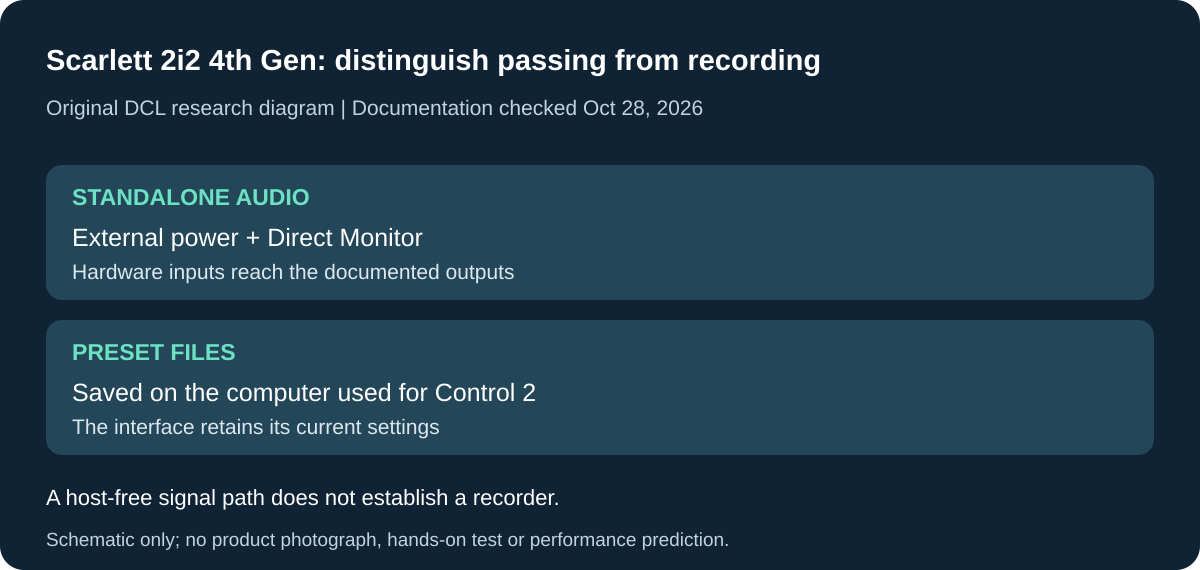
Original DCL research schematic, October 28, 2026. Documented boundaries, not a product photograph or DCL test; see the cited manual and qualifications below.
Use 2i2 without a computer only for the documented signal path
A computer need not stay connected for every Scarlett 2i2 4th Gen use. Focusrite’s v4 guide, printed page 36, checked October 28, 2026, describes Standalone Mode for passing audio without a computer. Its examples include feeding preamps into another mixer or interface’s line inputs and using instruments through speakers. This may change whether you need another small preamp or mixer; it does not make the interface a documented self-contained recording device.
| Job without the computer | Documented preparation | Buying limitation |
|---|---|---|
| Pass hardware inputs to line or headphone outputs | Supply mains USB power and turn on Direct Monitor | No computer means no computer playback source in this arrangement |
| Use one or two mono sources | Select mono direct monitoring | Rehearse the intended balance and output connections |
| Feed a stereo source | Select stereo direct monitoring | Two analogue channels remain the input limit |
| Reuse configured interface settings | Scarlett retains settings for another computer or standalone use | Saved Control 2 preset files reside on the computer where saved |
Focusrite allows either the USB connection or the separate 5V DC connection for standalone power. Use the documented power requirements; this mode does not establish battery operation or authorize an arbitrary supply. The input and output cables still form part of the setup. A stand-alone audio path also does not charge a phone or tablet through the interface.
The distinction between retained settings and a preset file matters when packing. The preset section on printed page 37 says Focusrite Control 2 saves presets to the computer being used, while Scarlett retains its settings. Do not assume a named preset library travels inside the interface or can be recalled without the necessary computer and software. Configure and rehearse the intended powered arrangement before leaving.
Selection and budget: if you already own the 2i2 and need a compatible two-channel signal path, investigate this capability before adding another box. If you need recordings saved without a host, require separate evidence for an appropriate recorder. Current supply, cable, mixer and recorder totals are unknown. DCL has not tested standalone retention, output levels or sound quality. These exact 2i2 instructions do not establish identical Solo behavior; the earlier microphone-count and tablet-power comparison still governs that choice.
Choose the recording rate and Air mode together
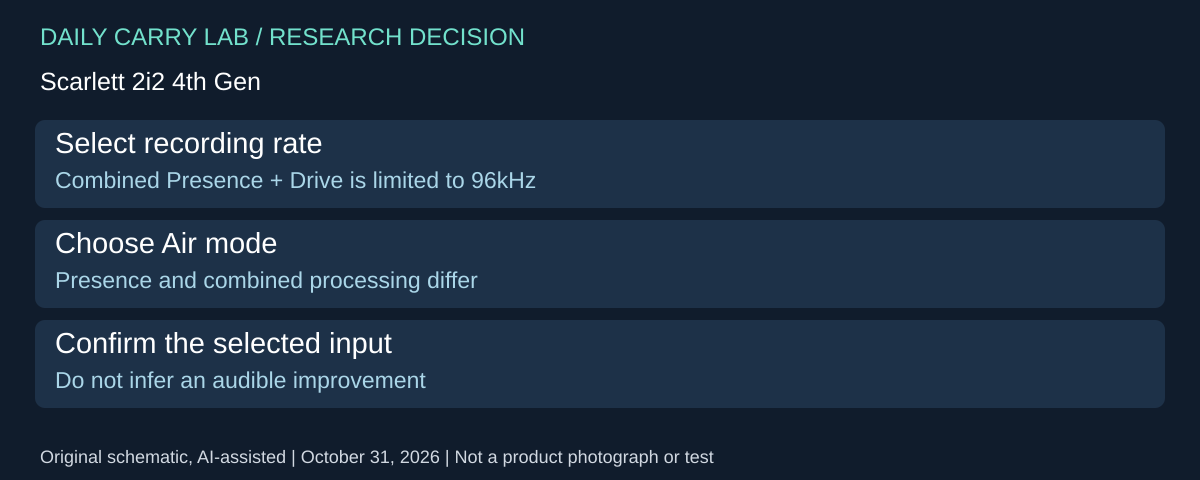
Input count is not the only reason to distinguish Scarlett models and generations. The Scarlett 2i2 4th Gen v4 manual, page 18, checked October 31, 2026, distinguishes two Air modes affecting microphone, line and instrument inputs.
| Selected mode | Manual’s description | Constraint |
|---|---|---|
| Air off | Clean preamp path | No Air processing selected |
| Air Presence | Analogue presence boost | Different from the combined mode |
| Presence plus Harmonic Drive | Adds harmonics alongside the analogue circuit | Available only up to 96kHz |
A project requiring 176.4 or 192kHz therefore cannot rely on the combined Presence-and-Drive mode. Select the input and intended mode before the take; the manual describes cycling the hardware Air button through the choices. Focusrite Control 2 also exposes mode selection.
Selection and budget: decide whether the documented processing matters before replacing a microphone or adding another processor. Built-in modes do not establish an audible improvement for your source. Current accessory and complete-kit totals are unknown. We have not compared sound, harmonic levels or software effects. This exact 2i2 evidence does not establish equivalent Solo controls or change the earlier power and channel-count limits.
Link 2i2 preamps only when the two sources should share settings
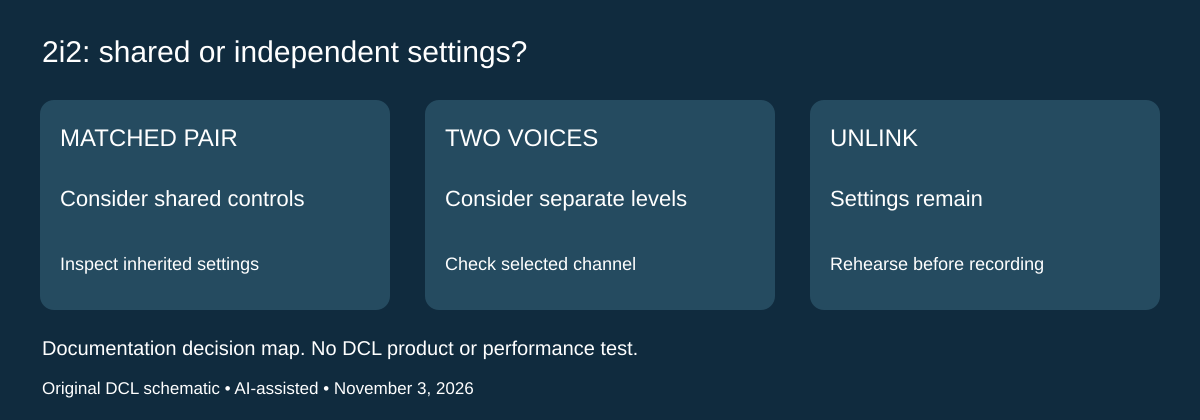
Research checked November 3, 2026. A stereo pair and a two-person interview can both use two inputs while needing different control arrangements. Focusrite’s Scarlett 2i2 4th Gen hardware guide, Linking Preamps describes holding Select for one second to link the preamps. Both channel numbers turn green. Gain moves to the lower of the previous values, other preamp settings follow the previously selected channel, and phantom power switches off. Either gain knob then adjusts both channels.
| Planned sources | Control decision | Check before recording |
|---|---|---|
| Stereo pair intended to use matched settings | Evaluate linked preamps | Check resulting gain and inherited settings |
| Two voices needing separate levels | Evaluate independent controls | Confirm which channel is selected |
| Switching from separate inputs to a linked pair | Expect a settings change | Recheck the connected devices and their power requirements |
| Returning to independent inputs | Unlink rather than assuming the old setup returns | Inspect both channels before the session |
The guide says holding Select for one second also unlinks the pair; existing gain and preamp settings remain until changed. Unlinking is therefore not a recall of each channel’s earlier configuration. Follow the full manual for the actual session. These controls belong to 2i2 4th Gen, not Solo or an unspecified Scarlett revision.
The practical purchase question is whether your two sources benefit from shared controls. An interview with speakers at different levels should not be planned as a stereo pair just because both microphones fit the interface. Conversely, someone deliberately recording a stereo source should include the setup check in their rehearsal. We have not measured channel matching, recorded a stereo pair or established a preferred microphone combination.
Budget and drawback: using a documented control on an owned 2i2 does not require another interface purchase. Actual microphone, cable and replacement-interface totals are unknown. Linked controls do not add recording inputs, solve tablet power or prove microphone compatibility. After changing the arrangement, rehearse and inspect a saved recording; that is our workflow recommendation, not a DCL recording result.
Shop the researched models
These Amazon links are affiliate links. Daily Carry Lab may earn a commission from qualifying purchases. Match the model and included contents to your needs; this guide is based on manufacturer-source research, without hands-on testing.
-
Focusrite Scarlett Solo 4th Gen
Standalone interface; not Studio pack
Check Focusrite Scarlett Solo 4th Gen on Amazon
Sources and limits
This guide compares published specifications and source documentation. Daily Carry Lab has not performed hands-on tests of the products in this guide. Consult the dated sources and verify the exact model and current terms before buying.
- Scarlett Solo 4th Gen v4 user guide
- Focusrite Scarlett Solo 4th Generation
- Focusrite Scarlett 2i2 4th Generation
- Scarlett Solo hardware features
- Scarlett 2i2 hardware features
- Focusrite iPhone and iPad connection guide
- Focusrite iOS and iPadOS compatibility
- Check automatic gain controls against the planned sample rate primary documentation
- Linking Preamps / Unlinking Preamps, lines291–328
Related guides
Portable document scanners: choose the feed, power and file workflow
Compare Epson ES-50 and ES-60W simplex workflows with discontinued Brother DS-740D duplex limits, USB power and current software checks.
USB-C Ethernet adapters: match the host, driver and network rate
Compare TP-Link, Plugable and Belkin INC012 Ethernet adapters by host connector, link rate, tether reach and complete kit. Research; throughput untested.
Bluetooth numeric keypads: check layout, host and charging
Compare Satechi ST-XLABKM with the documented Microsoft Number Pad Windows route. Check layout, host support and replaceable battery versus charging.
Compact drawing tablets: active area and current driver checks
Compare One by Wacom Small CTL-472 by drawing area, packed size and dated Windows/Mac driver support. Screenless pen input tradeoffs without testing claims.