By Daily Carry Lab. Primary documentation checked October 15, 2026 (Pacific).
Affiliate disclosure: As an Amazon Associate, Daily Carry Lab earns from qualifying purchases. Retailer links may earn a commission at no extra cost to you.
Research disclosure: This comparison uses manufacturer specifications and support documentation. We have not tested network throughput, connection stability, heat, battery use or these adapters on our own computers. No DCL ratings or measured results are assigned.
Choose a USB-C Ethernet adapter around the network you can actually connect to and the computer you can configure. A 2.5Gbps socket does not turn a hotel connection into a faster internet service. A driver that downloads automatically at home can still be a problem when the wired adapter is your only way online.
We selected TP-Link UE300C and Plugable USBC-E2500 because their documentation exposes two useful choices: a compact Gigabit USB-C adapter, and a 2.5Gbps adapter with a hybrid USB-C/USB-A host connector. This is a comparison of documented connection paths, rather than a market-wide speed ranking. If your computer already has a suitable Ethernet port, first check whether you need an adapter at all.
Compare the exact adapters
| Exact model | Host connection | Ethernet port | Decision and principal drawback |
|---|---|---|---|
| TP-Link UE300C | USB-C; published USB 3.0 interface | One 10/100/1000Mbps RJ45 port | Suitable candidate for a Gigabit network; cannot negotiate a 2.5Gbps link |
| Plugable USBC-E2500 | Hybrid USB-C and USB-A connection; USB 3.0 needed for full performance | Up to 2.5Gbps | Candidate for a multi-gigabit network and mixed-port computers; faster adapter alone cannot remove other bottlenecks |
Sources: TP-Link specifications and Plugable product documentation. Published rates describe interface capability, not measured file-copy or internet speed. Neither selection is the separately named Plugable USBC-E2500PD charging adapter.
For a typical laptop kit, start at the other end of the Ethernet cable. If the switch port negotiates only Gigabit, the UE300C’s rate may cover that connection. A 2.5Gbps adapter is more relevant when the switch and the device or service you access can also benefit. Plugable specifies Cat 5e cabling or better for its 2.5Gbps connection; that still leaves cable condition, host connection and the rest of the network to check.
Confirm OS and driver access before departure
| Adapter | What the manufacturer documents | What remains your responsibility |
|---|---|---|
| UE300C | Product page describes plug-and-play support for Windows 11/10, Mac OS X 10.9 and later, Chrome OS and Linux | Match the actual hardware revision and OS to the support page rather than treating that broad statement as a guarantee |
| USBC-E2500 | Product documentation covers Windows, macOS and current ChromeOS; Windows driver setup can use Windows Update | Arrange another internet path or obtain the appropriate driver before relying on Ethernet as your only connection |
| Either on a managed work computer | General OS support does not establish employer permission | Have IT approve the exact adapter and installation requirements before travel |
TP-Link’s UE300C download page separates V1, V2 and V2.60 hardware. At this check the selected V2.60 page supplied downloads for particular Windows, macOS and Linux versions. An adapter’s revision label matters; a file for one revision is not automatically the right file for another. We do not select a chipset-specific installer on the buyer’s behalf.
Plugable’s documentation includes both modern built-in/automatic driver paths and qualifications for older macOS versions. Check the current Get Started and driver entries for your OS. We have not established that every older Mac installation delivers the maximum Ethernet rate through its built-in driver. A machine recognizing the device and a machine reaching a particular throughput are separate claims.
Budget for the connection, including charging
| Choice | Exact delivered price evidence, October 15 | Extra cost or inconvenience to check |
|---|---|---|
| Keep a suitable built-in Ethernet port | No adapter purchase needed if it already meets the job | Cable and port access still required |
| UE300C, white | Current checkout total unknown | Ethernet cable and another laptop charging path if needed |
| USBC-E2500, black | Current checkout total unknown | A 2.5Gbps-capable network may require other equipment; no assumed upgrade budget |
Neither documented adapter in this comparison supplies a USB-C power pass-through socket. If your laptop has one available USB-C port and needs charging while wired, a separate charger connection or a different adapter design may be necessary. Do not transfer a similarly named product’s 100W charging specification to USBC-E2500. Our USB-C dock guide addresses combined display, Ethernet and charging requirements separately.
A practical pre-trip decision
Write down the host OS, available USB port and expected network rate, then compare those with the exact model’s support page. Connect through the intended cable and network before leaving, checking that your required applications can reach their services. A successful home connection does not establish hotel network permissions or employer VPN compatibility; confirm those independently where they matter.
Choose UE300C when its documented Gigabit path meets your network and the exact revision fits your host. Investigate USBC-E2500 when a 2.5Gbps network or mixed USB-C/USB-A computers makes its additional capability useful. Buy around the complete path and setup permission, with current checkout prices compared only after compatibility is settled.
A USB-C-only 2.5Gb option: check the tether and host first
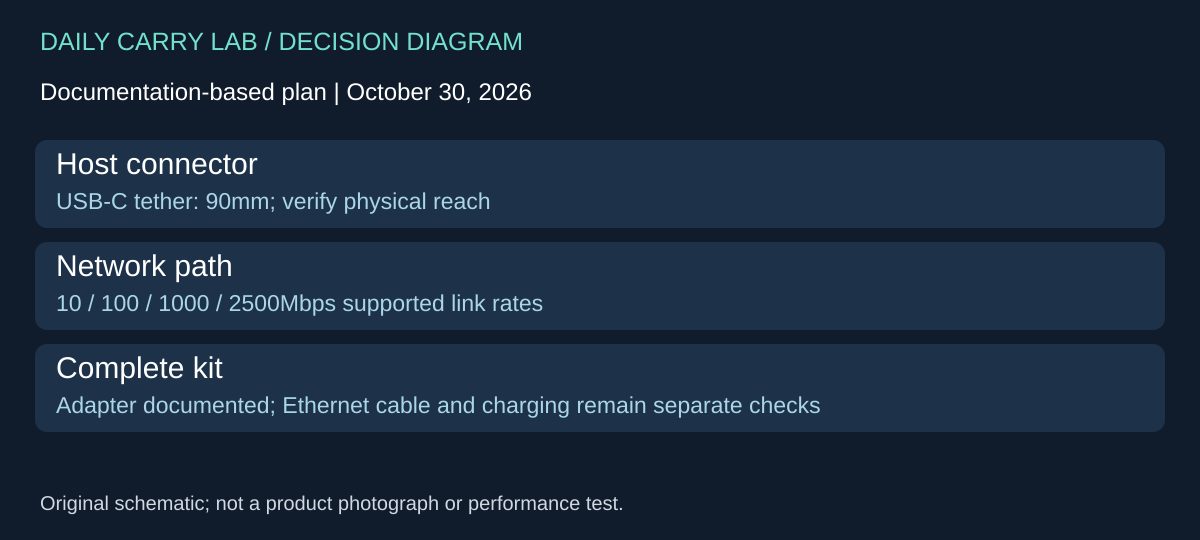
A third design to compare is Belkin Connect INC012btBK, the USB-C to 2.5Gb Ethernet Adapter documented on Belkin’s UK page. It adds a useful physical choice to the UE300C and USBC-E2500 comparison: a fixed USB-C connection with a 90mm tether, rather than a plan that depends on swapping among different host connector types. These are exact-model specifications, not our throughput results. Belkin INC012btBK specifications, checked October 30, 2026.
| Buying check | What this Belkin page establishes | Limit to keep in the decision |
|---|---|---|
| Network link | Supports 10/100/1000/2500Mbps | A supported link rate is not a measured internet or file-transfer rate |
| Laptop connection | USB-C with a 90mm tethered cable | Check port position and support for the adapter; no USB-A conversion kit is established here |
| Host platform | Mac, Windows and Chrome operating systems are listed | The broad list does not certify your exact OS release, tablet or managed-device policy |
| Supplied kit | The adapter is listed in the box | An Ethernet patch cable is not established as an included item |
Choose this design to investigate when every intended host has a suitable USB-C connection and the short tether reaches without loading the connector. For example, a laptop port high above the desk on a stand needs a different cable route from a port close to the table. The published 90mm length lets you check that geometry; it does not prove either arrangement is strain-free. We have not measured the adapter’s mass or temperature.
Keep the mixed-host alternative in view if the same adapter must move between USB-A and USB-C computers. Compare the exact supplied connection hardware in the Plugable documentation above rather than buying the Belkin and assuming another adapter is included. Conversely, owning a Gigabit network is a reason to evaluate the existing UE300C or built-in port before paying for a faster link capability you cannot use.
Budget and drawback: current delivered totals are unknown. Count the required Ethernet cable and the host’s separate charging path; this captured INC012 specification does not establish power pass-through. Belkin advertises optional dock utility features, but that does not establish that employer software installation is permitted or required for ordinary networking. Have IT check the intended setup before choosing it for a managed computer. The UK documentation establishes this model’s features, not US stock, warranty eligibility or an exact retailer offer. No new retailer link is approved by this comparison.
Shop the researched models
These Amazon links are affiliate links. Daily Carry Lab may earn a commission from qualifying purchases. Match the model and included contents to your needs; this guide is based on manufacturer-source research, without hands-on testing.
-
TP-Link UE300C
White; standalone adapter; hardware revision not guaranteed by listing
Check TP-Link UE300C, white, on Amazon -
Plugable USBC-E2500
Black; hybrid USB-C/USB-A;not E2500PD
Check Plugable USBC-E2500, black, on Amazon
Sources and limits
This guide compares published specifications and source documentation. Daily Carry Lab has not performed hands-on tests of the products in this guide. Consult the dated sources and verify the exact model and current terms before buying.
Related guides
Portable document scanners: choose the feed, power and file workflow
Compare Epson ES-50 and ES-60W simplex workflows with discontinued Brother DS-740D duplex limits, USB power and current software checks.
Single-port 65W laptop chargers: profiles, plugs and cable limits
Compare Anker A2663 and Supertiny 65W for one USB-C laptop, including PPS evidence, plug variants and cable limits.
E Ink note-taking tablets: Scribe, reMarkable or BOOX?
Compare exact Kindle Scribe, reMarkable Paper Pro and BOOX Go10.3 Gen II models by pens, file export, lighting and subscription limits.
iPad Air keyboard cases: match the model, support and packed weight
Compare Apple MDFV4LL/A and Logitech Combo Touch 920-012626 by exact iPad compatibility, Smart Connector, trackpad, support and weight evidence.