
By Daily Carry Lab. Manufacturer documentation checked October 15, 2026 (Pacific).
Research disclosure: We have not tested these products. This guide uses manufacturer documentation and practical compatibility checks. We have not measured performance, reliability or comfort.
Affiliate disclosure: As an Amazon Associate, Daily Carry Lab earns from qualifying purchases. Retailer links may earn a commission at no extra cost to you.
A separate numeric keypad can add number and navigation keys without replacing a compact keyboard. Start with the host and language layout: a physical key legend is not proof that the same character or shortcut will appear in every app and operating system.
We selected Satechi Bluetooth Extended Keypad in Space Gray, ST-XLABKM, because the current manufacturer page identifies its SKU, layout and host warnings. This guide addresses numeric entry rather than a programmable macro pad or a complete travel keyboard. We have not measured typing errors, key feel, battery endurance or productivity. Adding dedicated keys may fit your workflow; it does not establish faster work.
Daily Carry Lab publishes research guides for people choosing everyday carry, travel and desk accessories. This guide explains documented compatibility and buying tradeoffs.
Will a separate Bluetooth keypad suit your number-entry workflow?
A numeric keypad adds number and navigation keys alongside an existing keyboard. Consider Satechi ST-XLABKM when a separate pad fits your host and layout; verify the equals-key warning and exact operating-system requirements first. Its USB-C cable charges the battery; do not assume wired input or multi-device switching. This guide covers number entry, not a programmable macro pad. DCL has not measured typing speed or errors, and current delivered prices are unknown.
Host compatibility is narrower than a Bluetooth label
| Requirement | Current manufacturer evidence | Decision limit |
|---|---|---|
| US English layout | Explicit layout restriction | Check decimal/equal/navigation behavior with your host language |
| Apple host | Page lists particular Mac/iPad models | Check your exact host; listing is not evidence for every app function |
| Older Mac | Not recommended for 2011 and older models | Do not rely on a generic Mac compatibility label |
| Windows | Page explicitly says use Windows 10; excludes 7 and 8 | Windows 11 is not established by this reviewed page |
| Wired input | Connector type is listed as Bluetooth; USB-C described for charging | Do not buy it on an assumption of USB keyboard operation |
The Satechi product page contains the exact host list and warnings. We do not infer Windows 11 support from the presence of current laptop names in that list. If Windows 11 is your intended host, obtain a clear current support answer for ST-XLABKM before purchase. No compatibility is certified here for a phone/tablet merely because it can pair with some Bluetooth keyboards.
The page’s equal-key FAQ says switching away from a US English layout can change key correspondence. This matters if a keypad will be used for spreadsheets, accounting or mixed-language work. A key that looks correct in a listing may still be interpreted by the host’s active layout. Confirm the specific symbols and shortcuts you need rather than evaluating only the number block.
Physical layout and transport
Satechi lists a 5.8 × 4.5 × 0.4in body weighing 4.4oz, with numeric input, navigation arrows and macOS shortcut keys. Those are published specifications, not DCL measurements. Before ordering, mark the footprint beside your current keyboard and check which hand will use it. A second device can occupy mouse space even if the main keyboard remains compact.
| Fit question | Check before buying | Drawback |
|---|---|---|
| Desk width | Keyboard, keypad and mouse positions together | Extra dedicated keys consume additional surface area |
| Bag fit | Full body dimensions and charging cable storage | A slim body still needs a protected compartment |
| Shortcut dependence | Exact host, input layout and application | Mac legends do not establish identical Windows behavior |
| Rechargeable operation | Included USB-C cable and available charging socket | Charging provision is not evidence of wired input |
| Moving between devices | Obtain matching current instructions | Multi-device pairing/switching is not established here |
Satechi’s FAQ confirms a built-in rechargeable battery and charging via the included USB-C cable. It gives only a usage-dependent endurance description; we make no numerical battery promise. Its general shortcut FAQ is not used to promise arbitrary app remapping, universal F-key behavior or a programmable workflow.
The linked support/manual pages were inaccessible during the original preflight. The model-specific manual was readable through the web tool on October 22; the dated charging/indicator section below adds that evidence. Consult the matching guide before setup. The product page’s Windows 10 Control Panel pointer should not be treated as instructions for a different OS release.
Budget and alternatives
| Choice | Costs to compare | Tradeoff |
|---|---|---|
| Keep the laptop number row | No new device | Does not add a separate number block |
| Add ST-XLABKM | Exact space-gray keypad and complete delivered total | Layout/host limits, another item to charge and carry |
| Replace the keyboard with a full-size model | Entire keyboard and bag/desk fit | Changes the main typing setup as well as numeric entry |
| Choose a macro controller | Verify separate hardware/software requirements | A configurable action controller answers a different question |
Current checkout totals and stock are unknown. We assign no price band or speed ranking. The retail candidate under review is ST-XLABKM, ASIN B07YVPTY94; the silver ST-XLABKS is a different SKU, so colour and model should both match at checkout.
For the broader typing and device-switching decision, see our travel keyboard guide. Choose a numeric keypad when the missing number/navigation block is the specific problem and your host/layout requirements are established. Keep comparing if your main need is guaranteed Windows 11 support, wired input or detailed programmable app controls.
Check the charging cable before packing an all-USB-C kit
Satechi’s manual for ST-XLABKS/ST-XLABKM, checked October 22, 2026, specifies the included USB-C-to-USB-A charging cable and explicitly excludes USB-C-to-USB-C charging. It gives an approximate two-to-three-hour full-charge time. Do not assume the keypad can share every cable in a USB-C-only travel kit.
| Check | Manual guidance | Packing decision |
|---|---|---|
| Charging provision | Use the specified C-to-A cable | Plan a suitable USB-A source; connector shape alone is insufficient |
| Blue LED flashes rapidly | Pairing mode | Distinguish it from the slower low-battery indication |
| Blue LED stops after pairing | Connected state | An unlit blue LED alone is not proof of a dead battery |
| Red charging LED | On during charge; off when full | Read it separately from Bluetooth status |
| Long pause | Sleep after roughly one hour idle | Do not treat the sleep interval as battery endurance |
If this cable requirement defeats your intended kit, compare another documented keypad before buying adapters. Current accessory totals are unknown. This model-specific manual does not remove the earlier layout/Windows compatibility uncertainty or establish wired input. DCL has not tested charging, wake behavior or pairing.
Resolve the Windows support gap before choosing this keypad
For a Windows purchase, the open compatibility question deserves an answer before checkout. The Satechi Bluetooth Extended Keypad page, rechecked October 24, 2026, still directs Windows users to Windows 10 and excludes Windows 7 and 8. It does not give this guide an explicit Windows 11 support statement for ST-XLABKM. Do not infer one from the names of laptops in a general compatibility list.
Microsoft’s current Windows hardware-support guidance separately notes that ordinary Windows 10 support ended October 14, 2025, with free software updates, technical assistance and security fixes ending. This is an operating-system lifecycle statement, not a Satechi device test. Any extended-support entitlement is a separate question; it is not established here.
| Intended setup | Evidence needed before buying | Buying consequence |
|---|---|---|
| Windows 11 computer | Current exact-model answer from Satechi | Pause if Windows 11 compatibility is essential and unconfirmed |
| Existing Windows 10 computer | Your organization’s permitted OS/support plan as well as keypad compatibility | Do not choose an older OS solely to match this accessory page |
| Managed Windows laptop | Bluetooth permission and required key behavior in the actual app | Pairing capability does not establish spreadsheet or shortcut behavior |
| Mixed Windows/Mac use | Exact host, layout and connection instructions for each | One general product list does not verify both workflows |
Before contacting support, record ST-XLABKM, the operating-system version, active keyboard layout and the specific keys or application actions you need. Ask about that combination. A generic “works with Bluetooth” answer is less useful than confirmation for the intended job; it would not settle the earlier equals-key limitation or establish wired USB input.
Budget and drawback: retain the present number row or compare another keypad with explicit support for the intended host while that answer is missing. Current delivered totals remain unknown. No Windows upgrade, downgrade or new software purchase is assumed in the keypad budget. DCL has not tested either Windows version with this model, and this lifecycle checkpoint does not claim that the keypad is known to fail on Windows 11.
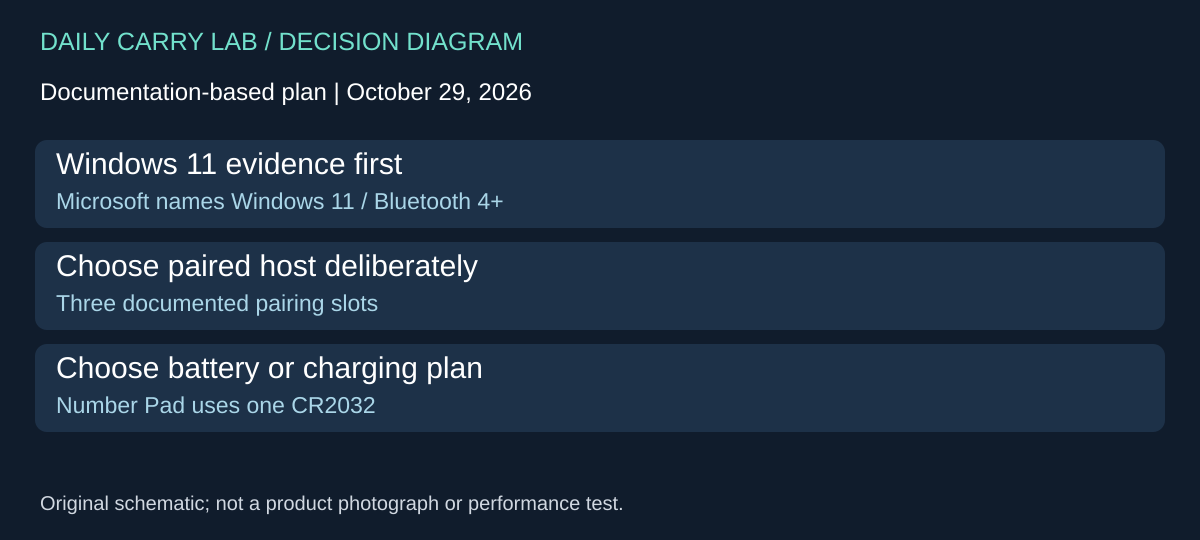
Compare Microsoft Number Pad for a documented Windows 11 route
The unresolved Windows 11 statement for Satechi need not stop the comparison at a generic Bluetooth label. Microsoft’s Number Pad support guide, checked October 29, 2026, explicitly specifies Windows 11 or Windows 10 with Bluetooth 4.0 or later. This is an alternative to investigate when explicit Windows 11 documentation is a purchase requirement, not a claim that the Satechi keypad is known to fail.
| Requirement | Microsoft Number Pad documentation | Tradeoff to decide |
|---|---|---|
| Supported Windows host | Windows 11/10, Bluetooth 4.0+ | Check the actual computer and permitted Bluetooth use |
| Several paired computers | Up to three paired devices, with Bluetooth slots selected using the pair button | Confirm the intended computer when pairing prompts appear on several PCs |
| Power arrangement | One replaceable CR2032 coin cell | Plan battery replacement instead of a charging cable |
| Calculator shortcut customization | Microsoft Keyboard and Mouse Center | Installation permission is a separate requirement |
The practical choice is broader than which pad has the most keys. List the operations missing from the laptop keyboard: numbers, navigation, or a particular application shortcut. Then compare each documented layout against that list. The Microsoft support page does not prove that it duplicates Satechi’s entire navigation block, Mac shortcuts or US-layout equals-key behavior. It also supplies no DCL typing-speed result.
For someone who moves between work and personal Windows computers, the documented pairing slots are a reason to investigate this alternative. Before buying, record which computer will receive input at each desk and whether its Bluetooth policy permits an accessory. Owning several computers does not by itself create a need for several keypads. A simple owner evaluation would check the required keys in the real application on each intended host; we have not conducted it.
Budget and drawback: current delivered price, stock and an exact offered color/model/package are unknown. The support page establishes the named Number Pad’s functions, not a qualified retailer offer or the contents of an arbitrary listing. Keep retailer mapping held until identity and package are verified. Retaining the laptop number row remains an option if it already meets the task. Choose the extra hardware only after the documented host route and required keys address a specific gap; no Mac compatibility or numeric battery-life claim is added.
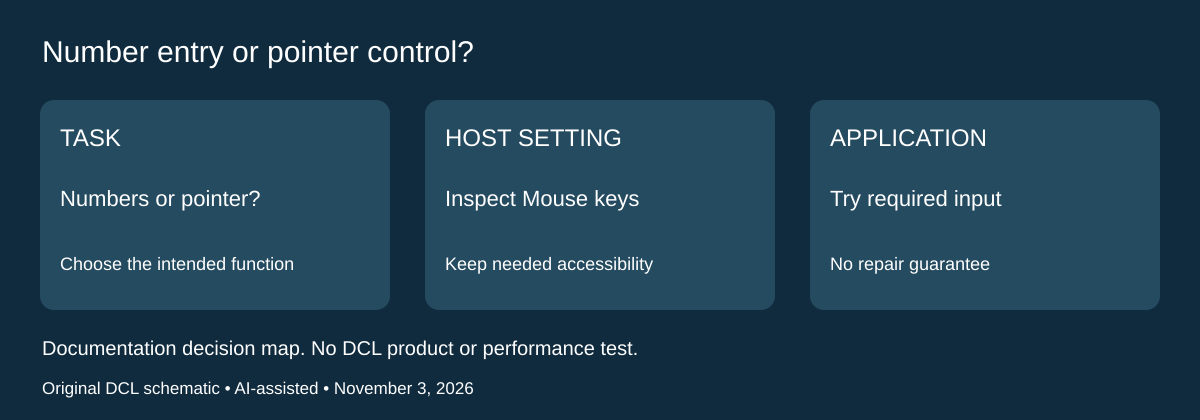
Check the keypad’s Windows role before replacing it
If number keys move the pointer instead of entering figures, the next purchase decision is about the host’s input mode. A replacement keypad may encounter the same setting. Microsoft’s Windows input accessibility guide, checked November 3, 2026, documents a Mouse keys option that uses a numeric keypad for pointer control.
| Intended job | Windows 11 setting to inspect | Limit of the check |
|---|---|---|
| Enter numbers in a spreadsheet | Settings, Accessibility, Mouse: inspect Mouse keys | This is a host setting, not proof that a keypad is defective |
| Move the pointer using number keys | The same Mouse keys control enables that accessibility function | Retain it when it is the function you depend on |
| Brief or repeated presses are ignored | Accessibility, Keyboard: inspect Filter keys | Microsoft describes a sensitivity setting; this does not diagnose every missing keystroke |
Microsoft gives Windows key + U as a shortcut to Accessibility. Its Windows 11 instructions place Mouse under Interaction and provide an on/off control for Mouse keys. The separate Filter keys control can ignore brief or repeated keystrokes. These host features do not establish new Satechi compatibility or change Microsoft’s Number Pad hardware requirements above.
Our suggested pre-purchase check is to write down the symptom and intended task, inspect the relevant setting, then try the required numbers and navigation in the actual application. Preserve an accessibility setup you need; do not switch off a useful function merely because a buying guide mentions it. If the keypad behaves correctly elsewhere but fails in one application, record that distinction before choosing more hardware. DCL has not performed this evaluation or measured typing speed.
Selection, budget and drawback: a keypad earns its place when it supplies a documented layout or input function missing from the laptop. Keeping the current number row or an existing compatible pad remains a valid choice if the host setting was the unresolved issue. Current accessory and software totals remain unknown. This check adds no battery-life, Mac support, universal key mapping or guaranteed repair claim. If the required host or application remains unsupported, compare an explicitly documented alternative rather than assuming every Bluetooth keypad will behave alike.
Shop the researched models
These Amazon links are affiliate links. Daily Carry Lab may earn a commission from qualifying purchases. Match the model and included contents to your needs; this guide is based on manufacturer-source research, without hands-on testing.
-
Satechi ST-XLABKM
Space Gray
Check Satechi ST-XLABKM on Amazon
Sources and limits
This guide compares published specifications and source documentation. Daily Carry Lab has not performed hands-on tests of the products in this guide. Consult the dated sources and verify the exact model and current terms before buying.
Related guides
Portable document scanners: choose the feed, power and file workflow
Compare Epson ES-50 and ES-60W simplex workflows with discontinued Brother DS-740D duplex limits, USB power and current software checks.
USB-C Ethernet adapters: match the host, driver and network rate
Compare TP-Link, Plugable and Belkin INC012 Ethernet adapters by host connector, link rate, tether reach and complete kit. Research; throughput untested.
Compact drawing tablets: active area and current driver checks
Compare One by Wacom Small CTL-472 by drawing area, packed size and dated Windows/Mac driver support. Screenless pen input tradeoffs without testing claims.
HDMI switches: choose direction and check the complete cable run
Compare two-source A83H1 with four-source A83H2 HDMI switching, remote placement and cable requirements. Research; exact kit totals unknown.