By Daily Carry Lab. Manufacturer documentation checked October 15, 2026 (Pacific).
Research disclosure: We have not tested these products. This guide uses manufacturer documentation and practical compatibility checks. We have not measured performance, reliability or comfort.
Affiliate disclosure: As an Amazon Associate, Daily Carry Lab earns from qualifying purchases. Retailer links may earn a commission at no extra cost to you.
Choose an HDMI switch when two source devices need to take turns using one display input. Count the sources and displays before comparing resolution labels. A switch does not create a second HDMI output on a computer, and the A83H1’s reverse mode does not show one source on two screens simultaneously.
We selected the standalone Anker A83H1, retailer candidate ASIN B0CJT6JBM8, because its product page and exact-model user guide document direction, switching and cable constraints. A bundle containing A83H1 plus an A8743 cable is a different retail configuration. We do not treat that bundle’s included cable or price as part of the standalone item.
Daily Carry Lab publishes research guides for people choosing everyday carry, travel and desk accessories. This guide explains documented compatibility and buying tradeoffs.
Do you need an HDMI switch to share one display between two sources?
An HDMI switch selects which source uses a display connection. Consider standalone Anker A83H1 when two sources need to take turns on one display. Its reverse mode selects one display at a time; it does not provide simultaneous two-screen output. Check the exact cable-length conditions for 4K60 and its ARC/eARC exclusion before buying. The standalone item is distinct from the cable bundle. Current delivered prices are unknown, and DCL has not tested switching or video performance.
Which connection problem are you solving?
| Desired setup | A83H1 documented behavior | Limit |
|---|---|---|
| Two HDMI sources, one screen | Two inputs to one output, selected with the top button | One source is viewed at a time |
| One HDMI source, two screens | Bidirectional mode lets you select a display | Both displays cannot operate simultaneously in this mode |
| One source mirrored to two screens together | Not provided by the documented switching mode | Investigate a separately verified splitter instead |
| Shared keyboard and mouse between computers | HDMI switching documentation does not establish USB sharing | Do not treat it as a KVM |
| USB-C computer without HDMI output | Requires a separately compatible video path | A USB-C connector alone does not establish video support |
The A83H1 user guide, reviewed in its Chinese-language version, explicitly describes both directions and prohibits simultaneous displays in one-in/two-out mode. Its reverse-mode heading should not be read as a promise of duplicated video. Plan the cable routes and button location before purchase; reaching behind a monitor to switch sources may be inconvenient even when the signal setup is correct.
4K60 is tied to a short documented cable path
Anker’s product page lists support up to 4K at 60Hz and 18Gbps. The user guide adds specific cable conditions. These are manufacturer limits, not our picture-quality or reliability tests.
| Requested mode | Guide’s input cable limit | Output cable limit | Total and gauge |
|---|---|---|---|
| 4K at 60Hz | Up to 1m | Up to 1m | Up to 2m total; 30AWG |
| 4K at 30Hz | Up to 1m | Up to 15m | Up to 16m total; 26AWG |
| 1080p at 60Hz | Up to 1m | Up to 20m | Up to 21m total; 24AWG |
Do not take the lower-resolution output lengths as permission for a long 4K60 cable run. Gauge and length are the guide’s conditions, not proof that any cable with those dimensions will deliver the desired mode. Check the source output, display input, cables and any adapter as a complete path. We make no 4K120, 8K or variable-refresh-rate claim.
The product page explicitly excludes ARC and eARC. If your current audio setup depends on a television’s audio-return connection, pause before inserting this switch in that path. A supported picture resolution does not override the audio-return exclusion. We have not tested HDR combinations, console modes or device handshakes; do not infer every feature of a console’s direct connection will survive a changed signal path.
Compatibility and setup checks
| Check | Evidence or action | Drawback to retain |
|---|---|---|
| Source output | Confirm it can output the required HDMI mode | Switch does not upgrade the source |
| Display input | Verify that particular socket’s supported mode | A display name alone may not identify the intended port behavior |
| Cable inventory | Check both sides against the appropriate guide row | Existing long cable may make a lower mode the documented option |
| Switch location | Reserve access to its physical selection button | Manual selection adds another step |
| Existing audio return | ARC/eARC explicitly unsupported | A different connection design may be necessary |
For portable USB-C display paths, see our USB-C cable capability guide. It covers a different connector and capability problem; it does not certify an HDMI adapter or this switch.
Budget by complete connection
| Option | Costs to include | Tradeoff |
|---|---|---|
| Use separate display inputs already available | No switch purchase | Display input selection remains necessary |
| Standalone A83H1 | Exact switch plus all required HDMI cables | Documented cable limits and one selected path |
| Add a USB-C-to-HDMI path | Separately verified adapter/cable and switch | Extra compatibility boundary |
| Need simultaneous displays | Separately verified hardware for that requirement | A83H1 reverse mode does not solve it |
Current delivered totals and stock are unknown. No price ceiling, gaming-performance ranking or connection reliability claim is made. Buy for the actual port count, cable run and audio requirements; the headline resolution is only one part of the decision.
Four sources: A83H2 changes the switching and accessory decision
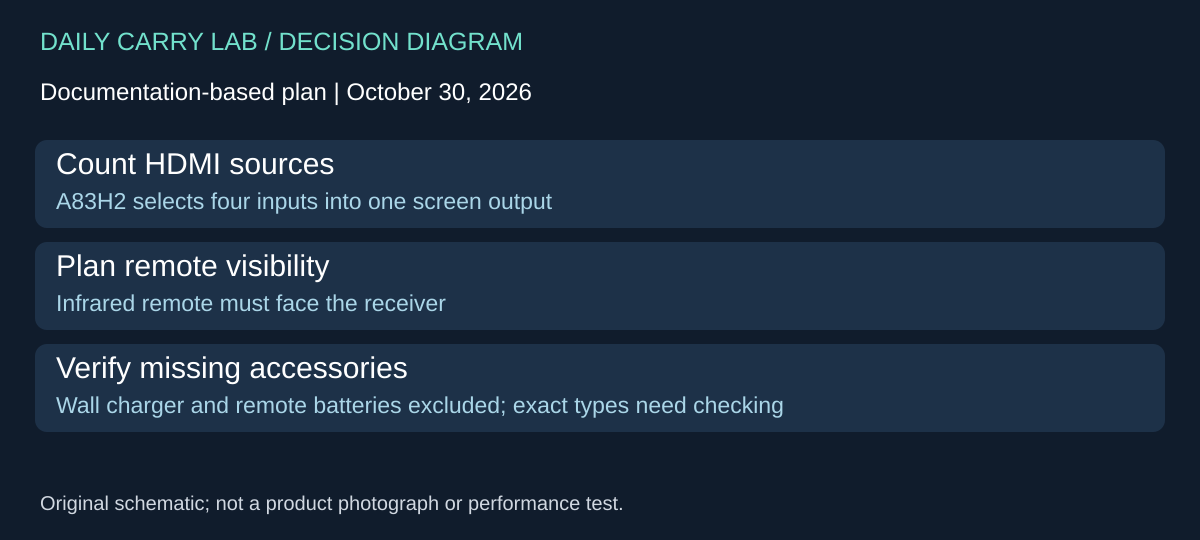
If more than two HDMI sources need one screen, Anker A83H2 is a separate candidate from A83H1. Its manufacturer page, checked October 30, 2026, specifies four HDMI inputs and one output. Select it for source count and remote placement; do not transfer the A83H1 bidirectional setup or cable-length table to this model.
| Decision | A83H2 documentation | Limit to preserve |
|---|---|---|
| Source count | Four inputs, one output | This is a source selector, not evidence of simultaneous multiple-screen output |
| Control placement | Infrared remote; aim toward its receiver | A hidden receiver may defeat the intended desk layout |
| Cable run | Page conditions 4K60 on input and output cables each up to 5m | This is a manufacturer condition, not our handshake or long-cable test |
| Size planning | Listed 125 × 58 × 18.3mm, 83g | Body figures exclude the complete connected cable arrangement |
The page explicitly says the wall charger and remote-control batteries are not included. Count those as items to verify in the chosen configuration. This retrieval does not establish the exact required supply profile, remote battery type or every box item, so confirm the full manual/package before ordering replacements. The captured A83H2Safety PDF is a safety leaflet; we do not use its title as proof of a complete operating guide.
Lay out all four source leads and the screen lead before committing to a position. Make the receiver visible from the seat where you will use the remote, and keep the selected source identifiable. That is a planning method to try with your own setup, not a claim that we tested remote range or switching response.
| Existing need | Budget decision | Drawback |
|---|---|---|
| Screen already has enough inputs | Use those inputs before buying another switch | Selection may still require the display’s controls |
| Only two sources | Keep the A83H1 comparison above in view | Four-input hardware may add unused capacity |
| Three or four sources | Investigate exact A83H2 plus leads, power and remote batteries | More connected items and another control to manage |
Current delivered totals, checkout stock and exact retailer bundle identity are unknown. Keep A83H2 source-only until those details are verified. We make no ARC/eARC, 4K120, KVM, automatic-switching or console-feature guarantee for it from this research. The correct upgrade is the one that solves your source count and access problem without leaving an undocumented power or cable assumption.
Shop the researched models
These Amazon links are affiliate links. Daily Carry Lab may earn a commission from qualifying purchases. Match the model and included contents to your needs; this guide is based on manufacturer-source research, without hands-on testing.
-
Anker A83H1
Standalone A83H10A1; not cable bundle
Check Anker A83H1 on Amazon
Sources and limits
This guide compares published specifications and source documentation. Daily Carry Lab has not performed hands-on tests of the products in this guide. Consult the dated sources and verify the exact model and current terms before buying.
Related guides
Portable document scanners: choose the feed, power and file workflow
Compare Epson ES-50 and ES-60W simplex workflows with discontinued Brother DS-740D duplex limits, USB power and current software checks.
USB-C Ethernet adapters: match the host, driver and network rate
Compare TP-Link, Plugable and Belkin INC012 Ethernet adapters by host connector, link rate, tether reach and complete kit. Research; throughput untested.
Bluetooth numeric keypads: check layout, host and charging
Compare Satechi ST-XLABKM with the documented Microsoft Number Pad Windows route. Check layout, host support and replaceable battery versus charging.
Compact drawing tablets: active area and current driver checks
Compare One by Wacom Small CTL-472 by drawing area, packed size and dated Windows/Mac driver support. Screenless pen input tradeoffs without testing claims.