
By Daily Carry Lab. Research consolidated October 28, 2026; manufacturer documents retrieved again on that date. No hands-on typing, battery or connection tests.
Affiliate disclosure: As an Amazon Associate, Daily Carry Lab earns from qualifying purchases. Retailer links may earn a commission at no extra cost to you. Manufacturer links below document our research.
Choose the maintenance plan as well as the packed shape. ProtoArc XK04 folds and recharges through USB-C. Logitech Keys-To-Go 2 Universal stays flat and uses coin cells that require a tool to replace. Logitech Pebble Keys 2 K380s uses AAA cells. Those three designs solve different travel constraints; none is a tested typing winner here.
We selected these models for their documented differences in folding, power and connection options. Exact regional layout and employer accessory policy remain purchase gates. Unverified Samsers variants remain excluded. This revision integrates the previously separate K380s material into the main comparison, so a reader can make the three-way decision before reaching setup instructions.
Start with the constraint that rules a keyboard out
Scroll horizontally to read all comparison columns →
| Your binding constraint | Candidate to examine first | Compatibility check | Drawback |
|---|---|---|---|
| A short compartment opening | ProtoArc XK04 | Measure the opening against its folded size and inspect the regional key layout | Folding adds thickness; the open keyboard still needs desk space |
| Flat packing, with replacement cells and a tool available | Keys-To-Go 2 Universal | Confirm Universal rather than Apple layout, OS and shortcuts | Its coin cells do not recharge from your USB-C kit |
| AAA maintenance instead of coin cells or a charging lead | Pebble Keys 2 K380s | Verify the exact keyboard package and Bluetooth or permitted Bolt route | Standalone keyboard and receiver bundle are different purchases |
| Bluetooth prohibited at work | Investigate permitted receiver or wired input before choosing | Administrator permission comes before a receiver order | A dongle does not remove company software or accessory restrictions |
| Integrated pointing surface required | Compare a keyboard-and-touchpad design | No integrated touchpad is established for these three models here | A separate mouse takes extra bag and desk space |
These are selection rules inferred from the documented features, not measured comfort or reliability results. If the laptop’s own keyboard already meets your needs, a separate keyboard may add no useful capability.
Compare packing and maintenance together
Scroll horizontally to read all comparison columns →
| Model | Documented packing information | Power plan | What to verify before paying |
|---|---|---|---|
| XK04 | Folded 145.9 × 103.5 × 17.9 mm; open 273.5 × 103.5 × 8.6 mm; 221 g | USB-C rechargeable, 90 mAh battery | Regional layout, cable and actual compartment opening |
| Keys-To-Go 2 Universal | 250 × 105 mm; listed thickness 4.35–8.97 mm; 222 g | Two CR2032 cells; T5 screwdriver for replacement | Universal versus Apple version and access to the cells/tool |
| K380s | Flat keyboard; dimensions not compared in this revision | Two AAA alkaline cells behind a removable compartment lid | Exact layout; receiver included only with Pebble 2 Combo per support guide |
Sources: XK04 specifications, Keys-To-Go 2 Universal specifications, Keys-To-Go 2 battery instructions, K380s instructions. Dimensions are manufacturer values, not DCL measurements. They do not certify bag fit or comfortable typing.
XK04: choose folding only when it solves a real packing limit
The folded XK04 is a candidate when a flat keyboard’s length prevents it fitting your chosen compartment. It includes a separate collapsible phone holder; that accessory is not a laptop stand. XK04 manufacturer manual.
Drawback: folding makes the packed keyboard thicker than its open profile. Examine punctuation, modifier and arrow-key placement in the exact US/UK or regional layout before buying. If your work involves shortcuts or coding, a missing or combined key may matter more than a few millimetres saved in your bag. That is a selection check, not a finding from a typing test.
Keys-To-Go 2: flat packing with a specific replacement plan
The Universal model is the candidate to compare when your bag accommodates 250 mm of length and you want to avoid a folding joint across the keyboard. Logitech lists Android 12 or later, Windows 10 or later, iPadOS/iOS 17 or later, macOS 14 or later and ChromeOS/Googlebook support on the captured page. Check the current requirements for your actual device and any optional software. Basic pairing does not establish every shortcut or app feature on every platform. Logitech requirements.
Drawback: the keyboard does not collapse to the XK04’s folded length. The Apple-labelled Keys-To-Go 2 is a separate layout choice; do not assume a retailer photograph or part number represents the Universal version. Confirm language, layout and included cover on the exact listing.
K380s: replaceable AAA power, with a separate receiver decision
The K380s guide documents two AAA alkaline batteries and replacement through the removable lid. It supports Bluetooth pairing with up to three hosts. To pair another host, select its Easy-Switch channel and hold the same button for three seconds until the LED blinks rapidly, then complete pairing in the host Bluetooth settings. After pairing, a short press selects that host. Discovery is distinct from everyday switching. Its compatibility section lists Logi Bolt support, with the receiver included only with Pebble 2 Combo. Do not infer receiver inclusion from a standalone K380s listing.
For a managed computer, confirm that the intended connection and pairing method are permitted. Logitech describes receiver pairing through software or a web pairing option; a receiver purchase does not establish administrator, browser or installation permission. The guide contains an inconsistent “M380s” reference in one paragraph; its exact K380s title and compatibility section govern this limited receiver statement.
Battery headlines do not establish the longest working life
The XK04 manual lists 48 hours working time and at least 120 days standby; the current page advertises 150-plus days standby. Those standby figures differ and neither means 120 or 150 days of continuous typing. We have not reconciled the difference through testing or a revision-specific manufacturer confirmation. Plan around actual charging access rather than treating the larger standby number as work endurance.
Logitech’s up-to-three-year claim is based on two hours of continuous typing per day, with user and computing conditions affecting life. It is not three years of uninterrupted use. Its replaceable coin cells trade charging-cable dependence for replacement-battery management. These figures come from different assumptions and are unsuitable for a simple “longest battery” ranking.
K380s has a manufacturer expectation of up to 36 months. It is also an estimate, not a DCL result or a directly comparable continuous-typing duration. Compare how you will replenish each model before comparing headline endurance.
Pairing, switching and work shortcuts are separate checks
Select a channel for an already paired host before assuming you need discovery mode again. The model-specific procedures below matter: Keys-To-Go 2 uses Fn + G for Android, whereas K380s uses Fn + P for Windows/Android. A shared Easy-Switch label does not make their OS mappings interchangeable.
For XK04, the accepted manual evidence documents Fn with Q, W or E for Bluetooth selection/switching and separate Windows, Android, iOS and Mac OS function-key tables. Use that exact manual for its discovery procedure; do not transfer Logitech’s hold timing or OS combinations to XK04. The earlier accepted guide did not establish a separate XK04 discovery timing, and this revision adds none.
Pair once, then switch channels deliberately
On Keys-To-Go 2, selecting an already paired device and making the keyboard discoverable are different actions. Logitech’s current getting-started instructions say to hold the chosen Easy-Switch button for three seconds to enter discovery mode; the LED blinks rapidly. Complete pairing in the host’s Bluetooth settings. After pairing, use a short press to switch channels. Holding the key every time is not the documented everyday switching method.
Scroll horizontally to read all comparison columns →
| Situation on Keys-To-Go 2 | Documented action | What still needs checking |
|---|---|---|
| Add a second or third host | Select its channel and hold that Easy-Switch button for three seconds; pair on the host | Work-device Bluetooth policy and the intended channel assignment |
| Return to an already paired host | Short press its Easy-Switch button | Confirm that host is awake and selected; this does not establish simultaneous input |
| Android layout is wrong | Hold Fn + G for three seconds | Actual language/input settings and shortcuts in your app |
| Manually choose another OS layout | Fn + O for Apple systems, Fn + P for Windows, Fn + C for ChromeOS, held three seconds | Do not apply these sequences to the ProtoArc XK04 |
Logitech documents automatic OS detection for iPadOS, iOS, macOS, Windows and ChromeOS. Android requires the stated Fn + G selection. The split key labels identify Android/Windows/ChromeOS functions above and Apple functions below. This helps explain why a keyboard can pair successfully yet produce an unexpected modifier or shortcut. A layout selection is not a factory reset, and this guide supplies no unverified reset procedure.
Customisation is another compatibility layer. Logitech describes Options+ on Windows and Mac, and Logitech Control for updates on iPadOS and Android. Do not assume the same customisation app or every remapping function is available on all paired hosts. On a locked-down work computer, check software permissions before buying for a particular shortcut workflow.
Battery replacement needs a small tool, not a charging cable
The support page specifies two CR2032 coin cells and a T5 screwdriver. Its replacement procedure loosens both battery-tray screws, uses the access hole to pull the tray out, and replaces the cells. A red battery-status LED means the remaining level is critical, 5% or lower. This is a replacement prompt, not a measured number of hours remaining in your workload.
That detail changes the packing decision: a USB-C charging kit cannot recharge these coin cells in the keyboard. If replaceable batteries are the reason you prefer Logitech, include access to the correct cells and tool in your maintenance plan. Current battery/tool costs are unknown. If you prefer to replenish from your existing charging cable, compare the XK04’s documented rechargeable design and its separate endurance assumptions instead.
Before a trip, assign one channel per device and record that assignment somewhere you can find it. Try the actual shortcuts you need in each app. Inspect the battery status while tools and replacements are accessible. These are preparation steps, not a DCL reliability test. For a decision involving an integrated pointing surface, use our keyboard-and-touchpad comparison; switching channels does not add a touchpad to either keyboard here.
XK04: distinguish low battery from idle sleep
If you choose XK04 for its shorter folded length, plan how to maintain it as well as where it fits. The XK04 US/UK manual, printed pages 3 and 9–11, rechecked October 21, describes two different interruptions. It warns that low power can cause typing delay or lag, with the active channel’s red light flashing. Separately, more than 60 minutes without use puts the keyboard to sleep; pressing any key wakes it, with the manual stating within three seconds.
Scroll horizontally to read all comparison columns →
| Situation | Manufacturer instruction or behavior | Packing consequence |
|---|---|---|
| Red light and low-power typing lag | Connect power to recharge in time | Do not assume re-pairing is the first solution to every delay |
| Idle for more than 60 minutes | Any key wakes the keyboard; documented wake within three seconds | Allow for wake-up before treating it as a lost pairing |
| Recharging away from home | Safety instructions specify the provided cable and a dry, ventilated charging area | Keep that cable in the travel kit; do not assume every spare cable is approved |
The manual’s packing list names the keyboard, Type-C charging cable, collapsible phone holder and manual; it does not list a wall power adapter. That list describes the documented manufacturer package, not a verified current retailer bundle. Check the offered regional layout and included items before paying. No new seller or package recommendation follows from this list.
These details favor a rechargeable keyboard when you can maintain its charging kit. They favor investigating the Logitech alternative when replaceable cells better match your maintenance plan, subject to its tool and battery requirements above. Current cable, adapter and replacement-battery totals remain unknown. DCL has not measured XK04 wake latency, low-battery lag or charging time, and the manual’s behavior should not be treated as a reliability result.
Check K380s function keys before installing customization software
If your work depends on function keys, a keyboard’s Bluetooth compatibility list is only the first check. A spreadsheet shortcut, development tool or remote session may expect F-keys where the keyboard normally offers media actions. Resolve that behavior before buying a receiver or assuming your employer must approve another customization app.
Logitech’s K380s getting-started guide, checked October 25, 2026, says media keys are the default and Fn + Esc swaps between media and function keys. It separately offers an Options+ setting. The documented key combination supplies a hardware-control starting point; it does not establish that every application or remote host handles the resulting key identically.
Scroll horizontally to read all comparison columns →
| K380s requirement | Documented starting point | What you should rehearse |
|---|---|---|
| Direct F-row access | Toggle Fn Lock with Fn + Esc | The actual app’s required F-keys |
| Mac OS modifier mapping | Hold Fn + O for three seconds when manual selection is needed | Your modifier shortcuts and host language settings |
| iOS modifier mapping | Hold Fn + I for three seconds | The intended iPad/iPhone app, not a Mac substitute |
| Windows or Android mapping | Hold Fn + P for three seconds | Each host’s shortcuts separately |
| Chrome mapping | Hold Fn + C for three seconds | Actual browser or managed-host restrictions |
The guide says Bluetooth normally detects the current host’s OS automatically; manual selection addresses a receiver connection or failed detection. These sequences are specific to K380s. The Keys-To-Go 2 Android sequence above differs, so do not transfer it simply because both keyboards use Easy-Switch.
Our preparation advice is to pair the intended host, select the correct mapping and try one representative work task before departure. Treat app-specific remapping as a separate requirement if the hardware controls do not suffice. Budget and drawback: current software, receiver and keyboard totals remain unknown. Verify permissions before purchasing for an optional software feature. DCL has not tested shortcut behavior, managed-device compatibility or remote sessions; a documented toggle is not a guarantee that this keyboard suits every workflow.
Budget for the complete kit
Scroll horizontally to read all comparison columns →
| Cost component | Why it matters | Current evidence |
|---|---|---|
| Exact keyboard and regional layout | Similar product names can hide different layouts or packages | Current delivered checkout totals unknown |
| Replacement cells and T5 tool | Keys-To-Go 2 maintenance differs from K380s AAA replacement | Current cell/tool totals unknown |
| Receiver, if required and permitted | K380s standalone and Combo inclusion differ | No standalone receiver bundle or seller approved here |
| Mouse and device support | A separate keyboard does not necessarily supply pointing or screen support | Cost and packed fit depend on your existing kit |
Do not buy a receiver or replacement keyboard before checking the constraint it is meant to solve. Compare final regional totals and practical return terms; this guide establishes no price ceiling or budget winner.
Check fit before departure
Measure the bag opening and closure clearance, then allow room for the keyboard in its working shape, a pointing device and the device support you actually need. Published exterior dimensions do not prove that an item passes through a narrow zipper. Avoid concentrated charger pressure on the keyboard.
Use our tech-pouch guide for the separate charging kit and our keyboard-and-touchpad comparison when pointing must be integrated. Neither link certifies keyboard fit.
What remains unknown: typing feel, hinge durability, real endurance, managed-host compatibility and Bluetooth reliability in your environment. Our selection is manufacturer research with explicit limits. A suitable layout, a workable maintenance plan and return terms matter more than an unsupported overall ranking.
MX Keys Mini for Business: receiver convenience versus carry footprint
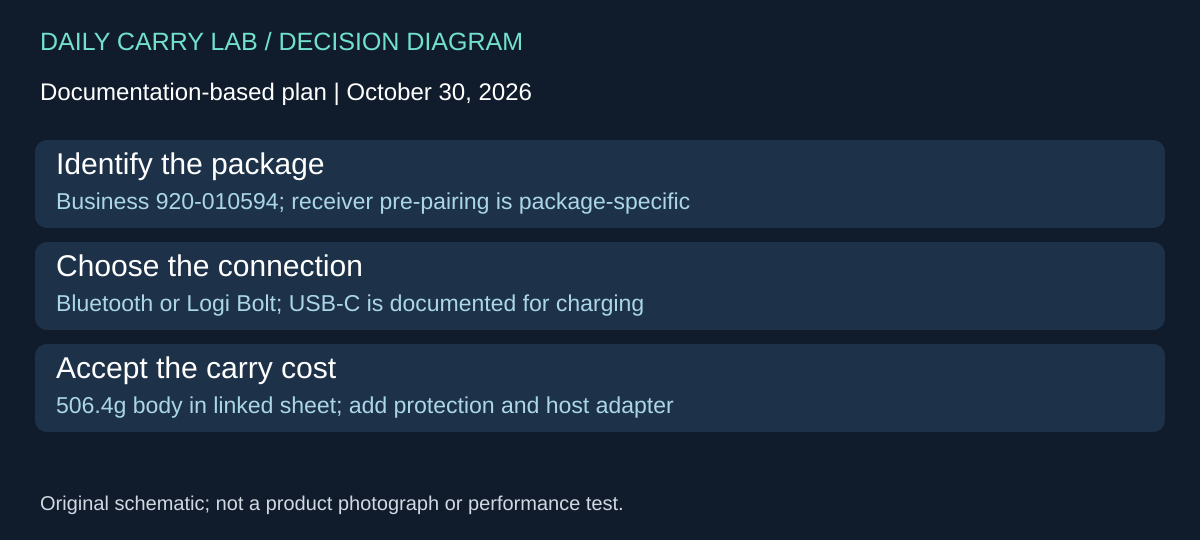
October 30, 2026 research addition: consider Logitech MX Keys Mini for Business, specifically US English Graphite 920-010594, when a pre-paired receiver and backlighting matter more than the smallest travel keyboard. This is a different buying decision from the folding XK04 and the replaceable-cell Keys-To-Go 2 and K380s above. DCL has not compared their key feel, wireless reliability or typing speed.
Logitech’s Business model page describes Bluetooth Low Energy and Logi Bolt receiver connections. Its linked business datasheet identifies 920-010594 and says the receiver is pre-paired out of the box. Do not transfer that package statement to a consumer MX Keys Mini or a different regional bundle. Confirm the actual contents on the listing you intend to order.
Scroll horizontally to read all comparison columns →
| Buyer decision | Documented Business model detail | Constraint or drawback |
|---|---|---|
| Use a supplied receiver for a work computer | Pre-paired Logi Bolt USB receiver | Needs a suitable host USB connection and employer permission |
| Use an existing Logitech receiver | Datasheet says Bolt products do not pair with other Logitech USB receiver families | A familiar Logitech logo does not establish receiver interchangeability |
| Move among devices | Up to three paired channels with Easy-Switch | Check the intended connection and OS for each device |
| Pack a backlit keyboard | Datasheet lists 506.4g and 295.99 × 131.95 × 20.97mm | Add protective storage and receiver; body measurements are not a bag-fit test |
Its USB-C port is documented for charging, while Bluetooth and Bolt are the listed wireless connections. The manufacturer says it can be used while charging. That does not establish a wired typing mode through the charging cable. If a work policy prohibits wireless keyboards, obtain a product with explicitly documented wired operation rather than assuming plugging this one in changes its input connection.
The current model page quotes up to ten days per charge, or up to five months with backlighting off, qualified by use and computing conditions. The older linked datasheet supplies useful identity and package detail but names Logitech Options; the current page names Options+. Treat software and OS requirements as versioned information. Verify the current app and permissions for the shortcuts you actually need, especially on a managed computer. Basic typing support and advanced customization are separate claims.
Budget and selection: exact regional checkout and complete-kit prices are unknown. Include any necessary host-port adapter and a protective sleeve if you will carry it daily. A business receiver package may remove a separate receiver purchase, but we have no verified price comparison proving that the bundle is cheaper. Choose it for a documented work setup that benefits from receiver access and illumination. Choose one of the lighter or folding options above when packed size dominates and their connection method already works. No security audit or interference test is implied by relaying Logitech’s connection choices, and the consumer and Business models should not be substituted silently at checkout.
Buying for backlighting: check when illumination is disabled
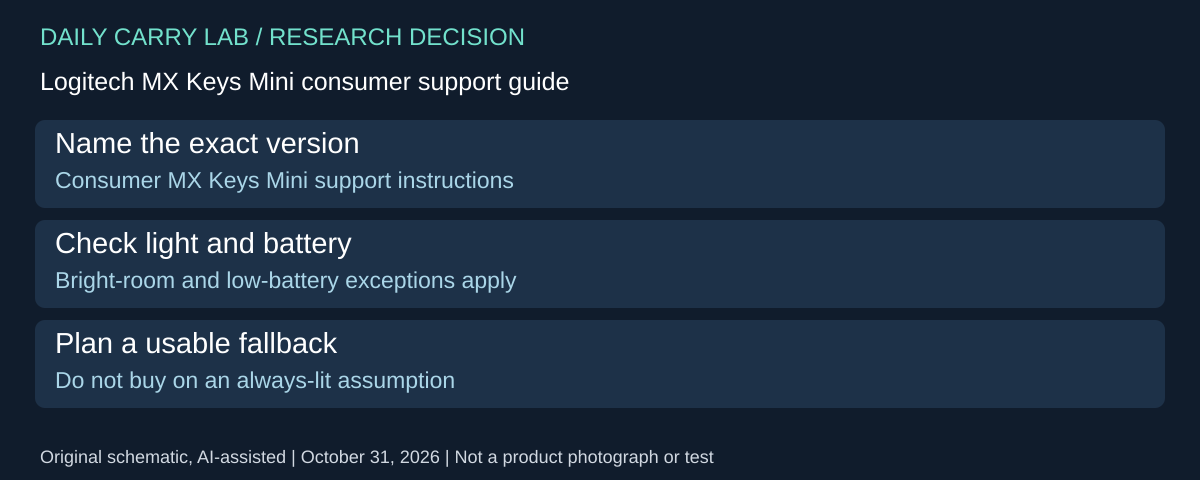
Illuminated keys can be a reason to carry a larger keyboard, but first decide whether illumination must be available whenever you ask for it. Logitech’s consumer MX Keys Mini setup guide, checked October 31, 2026, documents conditions that disable the backlight. These details concern that consumer guide; the Business 920-010594 package above needs its own version-specific confirmation.
The guide describes an ambient-light sensor and eight illumination levels. It says the backlight cannot be enabled in a bright room above 100 lux or when the keyboard battery is low; its notifications section identifies 10% remaining battery as a shutoff point. It directs the user to charge when illumination is needed again. These are maker instructions, without a DCL measurement of the thresholds or remaining endurance.
Scroll horizontally to read all comparison columns →
| Your requirement | Selection check | Drawback to accept |
|---|---|---|
| Lit keys for a dim workspace | Confirm the exact keyboard’s low-battery behavior | Typing availability does not promise illuminated keys |
| Manually keep illumination on in a bright space | This consumer guide documents a bright-room override restriction | An advertised brightness control is not unconditional control |
| Carry one keyboard for several hosts | Verify the version and controls before purchase | A related Business model name does not establish identical firmware behavior |
Our practical advice is to decide whether losing illumination would interrupt the work or merely be inconvenient. In the first case, include the charging cable and usable supply in the kit, and confirm the control behavior for the exact version before buying. In the second, a suitable keyboard you already own may meet the requirement without a backlight upgrade. DCL has not tested either route.
Budget and selection limits: current complete consumer-keyboard, receiver, cable and protective-storage totals are unknown. This addition admits no consumer retail package or purchase link and does not change the approved Business package identity. No battery-life comparison or always-on lighting guarantee follows from the number of brightness levels. The older guide names Options software; check current supported software separately rather than installing an obsolete package solely to reproduce its notification screenshots.
K250: choose an integrated number pad before a folding body
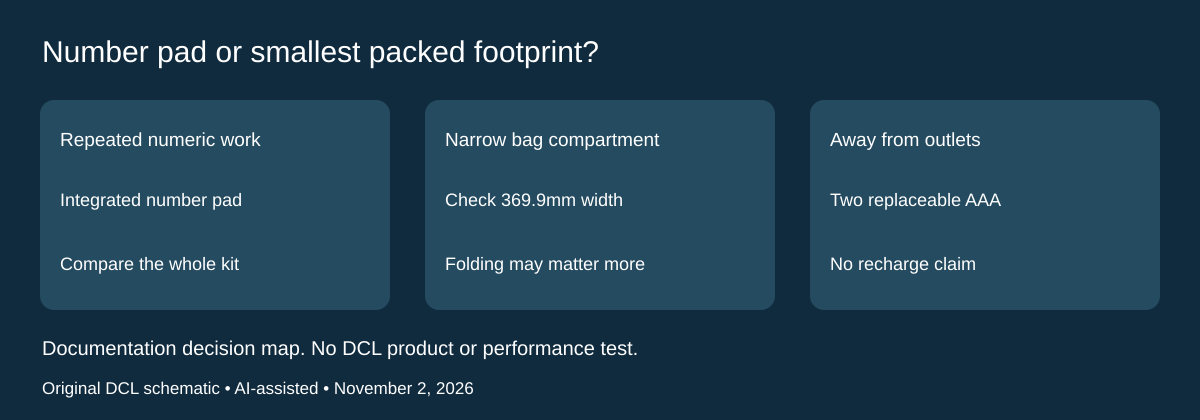
November 2, 2026 research update: If your trip includes repeated numeric entry, consider whether an integrated number pad is worth more bag width. Logitech’s current K250 Compact Bluetooth Wireless Keyboard is a different option from the folding and multi-device examples above. It does not fold to match a narrow compartment. We selected it for this comparison because the maker documents its keyboard identity, battery replacement and package, rather than because DCL has tested its typing feel.
The US graphite product page names part 920-013442 and shows an integrated number pad. The K250 specification identifies keyboard model YR0107 on the underside. Check both identities and the required regional layout; the support page lists different key counts by region. Do not buy solely from a shortened K250 marketplace title.
Scroll horizontally to read all comparison columns →
| Your requirement | What the documentation establishes | Buying consequence |
|---|---|---|
| Numeric entry without a separate keypad | Integrated number pad | Compare one wider keyboard with your current keyboard-plus-keypad kit |
| Narrow packed space | 369.9 × 136.9 × 22.8mm body | Measure your actual compartment and allowance for protection; exterior size does not prove packed fit |
| Replace batteries away from an outlet | Two user-replaceable AAA batteries; 380g with batteries | Budget and pack replacements if appropriate; no USB charging cable is listed in the package |
| Keep a USB port free | Bluetooth Low Energy connection | Confirm your device’s Bluetooth and OS requirements; this is not evidence of receiver support |
Logitech’s specification lists the package as keyboard, documentation and two AAA batteries. It lists Windows 10/11 or later, macOS 12 or later, ChromeOS, Linux, iPadOS/iOS 15 or later and Android 12 or later at release. That platform list does not certify a particular shortcut, app or keyboard-layout behavior. Check the workflow you need before departure, especially if you are buying for a managed work device.
The maker’s 12-month battery headline varies with use. It cannot be compared as measured travel endurance against another keyboard’s standby claim. The product page also qualifies spill resistance with limited testing and warns against immersion; it is not a reason to store this keyboard loose with wet gear.
Budget and drawbacks: current delivered price, local layout availability and replacement-battery cost are unknown here. Keep a folding keyboard if width is your limiting factor. Choose an integrated number pad only when it removes a real nuisance from your work, and compare the whole kit rather than the keyboard alone. DCL has not measured typing comfort, noise, reliability, battery life or bag fit. The existing multi-device choices above remain separate options; no multi-device-switching claim is added for K250.
Buying for call shortcuts: verify what the microphone key needs
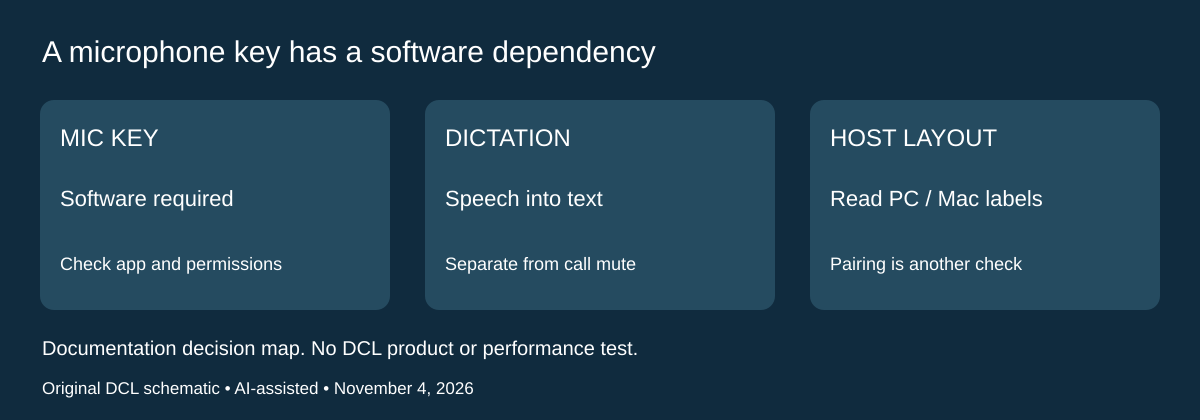
Documentation checked November 4, 2026. A keyboard with a microphone symbol is not automatically a hardware mute switch for every meeting app. For the consumer MX Keys Mini, Logitech’s Getting Started guide, New F-row keys, describes microphone mute/unmute during video calls and says to download Logi Options to enable that key. That requirement matters when software installation is restricted on the computer you carry.
The same guide separately describes dictation as speech-to-text in active text fields and an emoji key for opening emojis. These are different actions. A key that starts dictation does not establish a meeting-microphone mute state, and a visible microphone icon does not prove the intended app accepted the command.
Scroll horizontally to read all comparison columns →
| Travel work requirement | Check before selecting the keyboard | Limitation to retain |
|---|---|---|
| Mute a meeting with the dedicated key | Verify supported software, installation permission and the actual meeting app | Basic typing support is insufficient evidence for the shortcut |
| Use a locked-down work laptop | Check whether the required Logitech software can be installed | Do not budget the shortcut as available solely because Bluetooth typing works |
| Dictate into a document | Check the intended text field and platform’s dictation setup | Speech-to-text is separate from muting a call |
| Move between PC and Mac layouts | Consult the guide’s printed-key mapping for each host | A symbol printed twice can have different host meaning |
The consumer guide places Windows, Linux and Android special characters on the right side of the printed keys, with macOS and iOS characters and special keys on the left. Use that mapping when checking the characters and commands your work needs. It is a different question from which Easy-Switch channel is paired. Neither mapping nor pairing proves that a work application’s shortcut is supported.
Before paying for call controls, check the complete workflow on the intended computer: current compatible software, permission to install it, the meeting app’s control and the displayed mute state. This is DCL preparation advice; we have not tested app compatibility or the privacy behavior of the shortcut. The setup guide names Logi Options, while current product material elsewhere names Options+. Verify the currently supported software for the exact model and OS rather than treating the older name as an instruction to install an obsolete version.
Budget and drawback: delivered keyboard and complete-kit totals remain unknown. Keep an existing keyboard when the meeting app’s own supported controls already meet the job. If a dedicated control is essential, obtain exact hardware/software support before buying for that single feature. The separate Business 920-010594 receiver bundle above does not inherit a consumer package statement, and this section does not establish universal mute control for Business, K250, tablets or every operating system.
Shop the researched models
These Amazon links are affiliate links. Daily Carry Lab may earn a commission from qualifying purchases. Match the model and included contents to your needs; this guide is based on manufacturer-source research, without hands-on testing.
-
ProtoArc XK04
bundle with phone stand and USB cable
Check ProtoArc XK04 on Amazon (bundle with phone stand and USB cable) -
Logitech Keys-To-Go 2 Universal 920-012867
Check Logitech Keys-To-Go 2 Universal 920-012867 on Amazon
Sources and limits
This guide compares published specifications and source documentation. Daily Carry Lab has not performed hands-on tests of the products in this guide. Consult the dated sources and verify the exact model and current terms before buying.
- Keys-To-Go 2 getting started and battery replacement
- ProtoArc XK04 specifications
- XK04 manual
- Logitech Keys-To-Go 2 Universal
- pebble exact-model manufacturer documentation
- pebble-guide exact-model manufacturer documentation
- October 30 keyboard-business primary documentation
- October 30 keyboard-sheet primary documentation
- Buying for backlighting: check when illumination is disabled primary documentation
- Logitech US graphite920-013442 product, numpad, Bluetooth and spill limitation
- Logitech YR0107 identity, dimensions, batteries, package and at-release platforms
- Consumer MX Keys Mini setup: New F-row keys / Multi-OS keyboard
Related guides
Portable document scanners: choose the feed, power and file workflow
Compare Epson ES-50 and ES-60W simplex workflows with discontinued Brother DS-740D duplex limits, USB power and current software checks.
USB-C Ethernet adapters: match the host, driver and network rate
Compare TP-Link, Plugable and Belkin INC012 Ethernet adapters by host connector, link rate, tether reach and complete kit. Research; throughput untested.
Bluetooth numeric keypads: check layout, host and charging
Compare Satechi ST-XLABKM with the documented Microsoft Number Pad Windows route. Check layout, host support and replaceable battery versus charging.
Compact drawing tablets: active area and current driver checks
Compare One by Wacom Small CTL-472 by drawing area, packed size and dated Windows/Mac driver support. Screenless pen input tradeoffs without testing claims.