By Daily Carry Lab. Primary documentation checked October 15, 2026 (Pacific).
Affiliate disclosure: As an Amazon Associate, Daily Carry Lab earns from qualifying purchases. Retailer links may earn a commission at no extra cost to you.
Research disclosure: We have not tested these products. We select exact models using manufacturer documentation, documented compatibility and the practical decisions below. No DCL ratings, measured results or health outcomes are claimed.
A wired microphone is useful when you record or join calls at a desk and want a direct connection rather than a wireless transmitter and receiver. Choose it by host support, headphone monitoring, positioning and packed setup. A USB-C socket alone is not proof that every phone or app will accept it.
This guide compares RØDE NT-USB Mini with Audio-Technica ATR2500x-USB. We selected two exact USB-C condenser models with documented cardioid pickup and headphone outputs. They are desk microphones, not wireless lavalier kits. For a moving presenter or a camera receiver, see our wireless microphone guide.
Compatibility and monitoring
Scroll horizontally to read all comparison columns →
| Exact microphone | Documented recording format | Monitoring and controls | Host evidence | Travel drawback |
|---|---|---|---|---|
| RØDE NT-USB Mini | Cardioid;24-bit/48kHz;USB-C;bus powered | 3.5mm headphone output with zero-latency monitoring | Datasheet minimum macOS10.12/Windows10; describes computer or tablet use | Datasheet lists585g; a compact body is not automatically the lightest kit |
| Audio-Technica ATR2500x-USB | Cardioid;up to24-bit;44.1/48/96/192kHz;USB-C;5V USB power | 3.5mm headphone jack and volume up/down buttons | Manual lists Mac OS X and Windows7/8/10; includes USB-C-to-C and USB-C-to-A cables | Desk stand and cable need packing; a higher maximum sample rate is not proof of clearer calls |
These are manufacturer’s specifications, not our recording results. Consult the NT-USB Mini datasheet and ATR2500x-USB manual. Older OS minimums in a manual are documentation boundaries; they are not an instruction to use an unsupported operating system or a guarantee for every later release.
The RØDE’s local zero-latency path lets you hear the microphone without relying on the recording application’s round trip. That does not remove internet-call delay. Audio-Technica documents a headphone jack and headphone level controls; do not confuse headphone volume with an input-gain control. Confirm which signal your chosen app sends back to the headphones.
Laptop and phone checklist
For a laptop, check the actual port and cable first. A microphone’s USB-C connector can sit at the device end while the included computer cable ends in USB-A. ATR2500x-USB’s manual explicitly includes both cable types. RØDE’s reviewed datasheet identifies an SC20 cable in its box; verify its connectors and the listing’s regional bundle before assuming you already have the required host cable.
For a phone, verify the exact phone, OS version, recording/calling app and available USB power. The microphones’ connector shape does not establish universal iPhone or Android operation. The Audio-Technica manual labels its included C-to-C cable USB On-The-Go compliant, which is cable evidence rather than an all-phone microphone compatibility list. RØDE’s general tablet description is likewise not a guarantee for every mobile app. Neither model earns an unconditional phone recommendation from the documents used here.
If the app lets you choose input and output devices, confirm both after connecting the microphone. Make a short recording before the important session and listen for the intended microphone signal. That is a suggested setup check for the buyer; DCL has not performed it on these products.
Positioning and packing
Both models are cardioid condensers. Their documented directional pattern does not establish how much noise they reject in a specific room. Do not buy one expecting it to eliminate air conditioning, keyboard noise or other speakers. Position it according to its manual and make space between the microphone and objects that can transmit vibration.
RØDE documents a detachable magnetic desk base. Audio-Technica includes a tripod desk stand and stand mount. Compare the complete packed arrangement, not just a microphone-body measurement or the highest sample-rate number. Secure any loose stand parts and protect the USB connector from pressure in a bag. We have not tested either product’s travel durability.
Budget and drawbacks
Scroll horizontally to read all comparison columns →
| Purchase decision | Budget evidence checked October15 | Additional items to price | Main limitation |
|---|---|---|---|
| NT-USB Mini for a desk call setup | Current exact-bundle total unknown | Compatible host cable,headphones and suitable support if needed | 585g specified weight; mobile app support must be verified |
| ATR2500x-USB for a documented dual-cable kit | Current exact-bundle total unknown | Headphones and packed stand protection | Older manual OS list and no universal phone guarantee |
| Keep the laptop’s built-in microphone | No new microphone spending required | Quiet positioning may still help | Cannot assume an external model improves your actual call without comparing recordings |
Choose the RØDE for its explicitly documented local monitoring and detachable base if those fit your setup. Choose the Audio-Technica when its supplied cable options and documented recording formats meet your workflow. We do not rank sound quality or claim studio results from specifications alone.
Price the complete monitoring and mounting kit
For NT-USB Mini, the kit decision includes where the headphones connect and how the mic will stand on the desk. RØDE’s current quick-start PDF, checked October 22, 2026, says to select the Mini as both computer input and output, then connect headphones to its rear 3.5 mm output.
Scroll horizontally to read all comparison columns →
| Kit component or setting | Documented setup | What to include in the buying decision |
|---|---|---|
| Headphones for the local monitor path | Connect to the microphone’s headphone output | Do not assume headphones attached elsewhere receive that direct path |
| Monitoring control | Turn the knob for headphone level; press it to toggle direct monitoring | Distinguish listening setup from a recording-quality fault |
| Supplied magnetic desk support | Seat the swivel mount in the base | Allow space for the whole support and cables |
| Separate stand or arm | QSG says remove the swivel-arm base plug to expose a mounting thread | Verify the exact stand/thread/load separately before ordering |
RØDE’s monitoring explanation describes the direct mic signal alongside computer playback. It suggests muting the microphone channel’s software output while recording with direct monitoring, to avoid hearing that signal twice. That concerns a monitoring route; it is not an instruction to mute the track you intend to capture or your call’s outgoing audio. Check the particular application’s controls.
Write down microphone, suitable host cable, monitoring headphones and support as one purchase total. Current bundle/accessory prices are unknown. An existing suitable stand or headphones could avoid another purchase, but this guide certifies no arbitrary accessory pairing. We have not tested mounts, echo recovery or application routing. The QSG’s threaded-mount option does not establish a thread size or load rating for your arm, and the monitoring instructions do not guarantee mute-button behaviour inside every RØDE application.
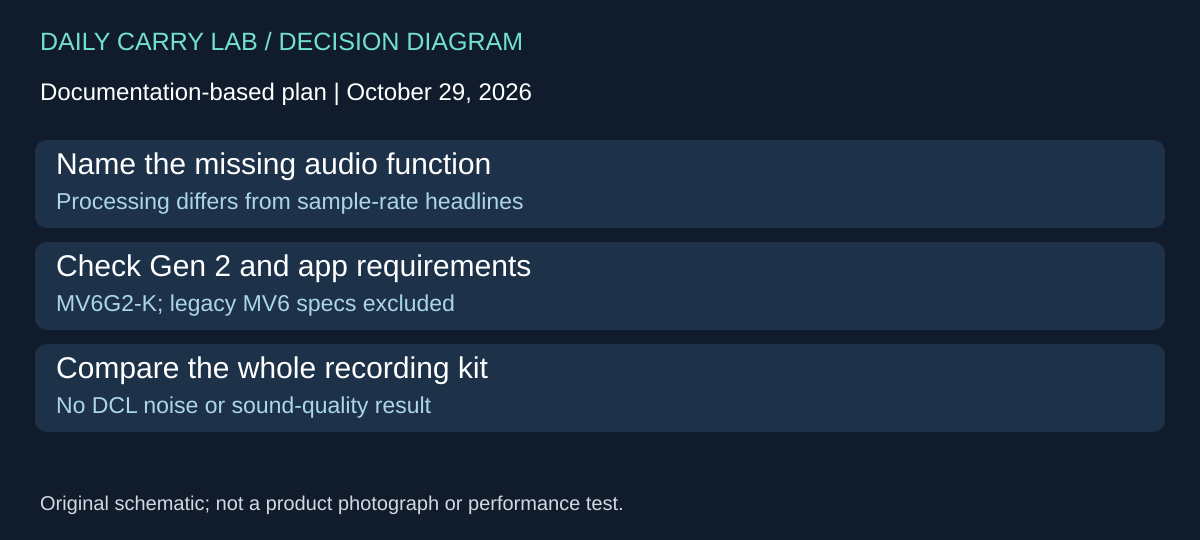
MV6 Gen 2 adds a processing-first alternative to the condenser shortlist
If automatic voice processing is your main reason to replace a desk microphone, compare the current Shure MV6 Gen 2 Black, MV6G2-K, as a separate candidate. The current US product page, checked October 29, 2026, identifies that generation and SKU even though the address retains “mv6.” Do not substitute older MV6 guide specifications or package contents for the Gen 2 selected here.
Shure documents a dynamic cardioid capsule, adjustable Auto Level behavior, adjustable Real-time Denoiser, presets and a five-band EQ. These are configurable functions, not proof that unwanted sound disappears or a call sounds clearer than the RØDE and Audio-Technica condensers. Their purchase value depends on whether you want that processing and can configure it on the host you use.
Scroll horizontally to read all comparison columns →
| Requirement | Current Gen 2 documentation | Comparison with the earlier shortlist | Drawback |
|---|---|---|---|
| Adjustable automatic processing | Auto Level targets/response and denoising amount documented | Adds a different selection criterion from highest sample rate | More settings to evaluate in the actual workflow |
| Desktop configuration | MOTIV Mix: Windows 10+ 64-bit or macOS 14+ 64-bit on this page | Check the app requirement separately from a USB socket | Managed-laptop software permission may matter |
| Mobile configuration | MOTIV Audio/Video: iOS 17+ or Android 14+ on this page | Stronger boundary than assuming every USB-C phone works | Confirm the exact device/app combination separately |
| Packing the selected Black kit | Current page lists stand and 2m USB-C-to-C cable | Compare reach and support with the retained desk microphones | A supplied desk stand is not a packed-size measurement |
The product page describes USB-C operation across PC, Mac, iOS and Android. That broad connection statement should not erase the specific software requirements in its Compatibility section. Shure also directs readers to each app’s current requirements. Check both before purchase, especially if your work computer permits basic audio but prohibits configuration software. A mobile connector does not establish every calling application’s behavior.
Our comparison method is to name the problem first. If the current microphone already works and local monitoring is the need, investigate its documented controls above before replacing the entire setup. If configurable onboard processing is the missing requirement, use Gen 2’s specific controls as questions for your shortlist. Rehearse a representative call or recording and listen to the saved output before relying on any new settings. This is suggested buyer verification, not a test DCL performed.
Budget and drawback: current complete kit, adapter and service totals are unknown. We add no retailer link, sample-rate ranking, noise-rejection measurement or sound-quality winner. Legacy MV6 dimensions, weight and one-metre cable evidence are excluded from this Gen 2 comparison. The alternative remains source-only until the exact offered generation and package are independently qualified.
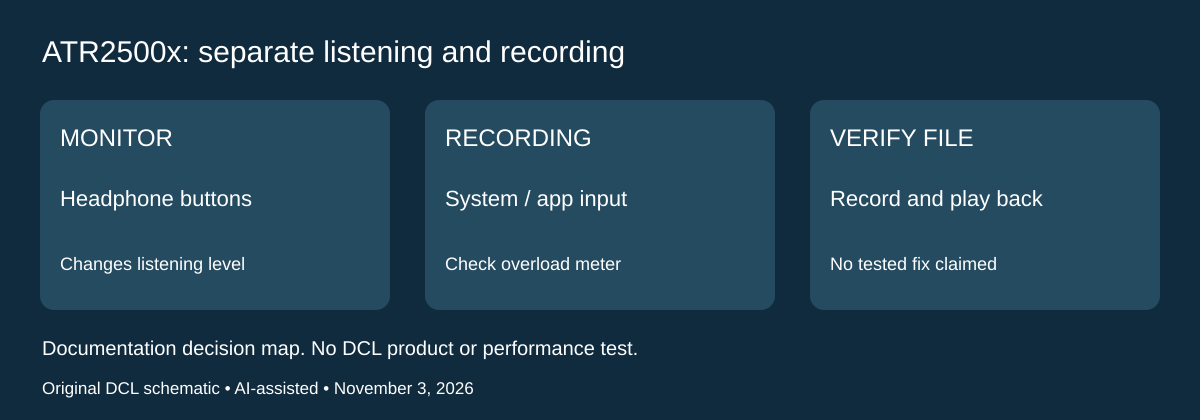
ATR2500x-USB: diagnose the recorded level before buying a different microphone
Research checked November 3, 2026. The headphone buttons and the recorded signal need separate checks. The ATR2500x-USB manual, printed page 15, says the front Up/Down buttons adjust headphone output only. For an overloaded or insufficient recording level, it instead directs the user to the computer’s input controls or recording software. This is a reason to inspect the signal path before replacing a microphone because listening volume seems wrong.
Scroll horizontally to read all comparison columns →
| What you observe | Documented control to inspect | What the observation does not prove |
|---|---|---|
| Headphone listening level is uncomfortable | Microphone headphone Up/Down buttons | Changing it does not change the microphone input level |
| Recorded signal distorts or the recording meter repeatedly overloads | Reduce the microphone level in system input controls or recording software | Headphone volume is not a clipping repair |
| Recording level is insufficient | Increase input gain through the documented computer/software path | A quiet monitor alone does not establish a quiet saved file |
| Results change after repositioning | Check placement and input level again | A previous setup is not automatically suitable for a new distance or source |
The manual describes placing the microphone on axis with the source, directly in front for speech or singing, and experimenting with placement. It does not supply a universal input percentage, meter target or distance for every voice. Use the actual recording application’s controls and current OS guidance. The manual’s historical Mojave and Windows 10 menus are not proof that today’s software uses the same labels or permits microphone access automatically.
Our recommended preparation is to choose the intended input, make a disposable sample at representative loudness and distance, inspect its meter and play back the saved file. Change the relevant input control and check again if necessary. Compare the recorded result separately from the local headphone level. This is a proposed owner workflow, not a DCL test or a guarantee that every distortion problem comes from gain; room sound, routing and application processing still need their own diagnosis.
Selection, budget and drawback: retain an owned microphone if the complete setup meets your recording requirement after the appropriate checks. A different cable or a higher maximum sample rate is not established as the solution to an input-level problem. Current replacement, mounting and accessory totals remain unknown. If accessible hardware input gain is essential to your workflow, establish that feature in the exact alternative’s documentation before buying. Do not assign this ATR2500x control arrangement to NT-USB Mini or MV6 Gen 2.
Shop the researched models
These Amazon links are affiliate links. Daily Carry Lab may earn a commission from qualifying purchases. Match the model and included contents to your needs; this guide is based on manufacturer-source research, without hands-on testing.
-
RODE NT-USB Mini
Black · NTUSBMINI · standalone microphone
View RODE NT-USB Mini — Black · NTUSBMINI · standalone microphone on Amazon -
Audio-Technica ATR2500x-USB
ATR2500XUSB · standalone microphone
View Audio-Technica ATR2500x-USB — ATR2500XUSB · standalone microphone on Amazon
Sources and limits
This guide compares published specifications and source documentation. Daily Carry Lab has not performed hands-on tests of the products in this guide. Consult the dated sources and verify the exact model and current terms before buying.
Related guides
iPhone 18 Pro: Wrist Strap or Crossbody Strap, with the right case
Compare exact Apple Wrist and Crossbody strap packages for iPhone 18 Pro by attachment, length, complete cost and limitations.
Portable label makers: choose phone control or a built-in keyboard
Compare Brother PT-P300BT CUBE and PT-H110 by phone dependence, TZe tape widths, power and cable-label workflow.
Travel AA/AAA chargers: match the cells, slots and USB input
Compare four-slot AA/AAA charging systems by exact chemistry and USB input. Includes conditional XTAR BC4 research and explicit operating-manual limits.
USB-C bike front lights: compare modes, mounts and charging
Compare Lezyne Micro Drive 800+ and Fenix BC15R using exact modes, rated runtime, battery design and mounting limits, without road-certification claims.