
By Daily Carry Lab. Primary sources checked October 15, 2026 (Pacific); the LG hardware specification below is explicitly dated October 2014.
Affiliate disclosure: As an Amazon Associate, Daily Carry Lab earns from qualifying purchases. Retailer links may earn us a commission at no extra cost to you.
A portable DVD drive solves an optical-media access problem. Before buying, identify whether you need to read files, write blank discs or watch a commercial DVD movie. Those jobs do not have identical hardware and software requirements. A USB connection is only one part of the chain.
We use the LG GP65NB60 as a documented CD/DVD example because LG provides an exact-model format table. This is research, not hands-on testing or an unconditional recommendation for a current computer. We have not verified this model on current Windows or macOS, measured its power demand or tested disc recovery. Confirm your host and software before purchase.
Match the actual disc before choosing a drive
LG’s October 2014 sheet identifies GP65NB60 as a DVD/CD writer with M-DISC DVD support. Its table distinguishes formats such as DVD±R, DVD±R DL, DVD-RAM, DVD-ROM, CD-R, CD-RW and CD-ROM. It lists up to 8× DVD±R writing and 24× CD writing; these are manufacturer maxima, not our transfer measurements. LG format sheet, pages 1–2.
| Your task | What to verify | Avoid this assumption |
|---|---|---|
| Read an existing CD or DVD | Exact format in the drive’s read table; condition of the disc | A matching physical diameter guarantees readable files |
| Write a new disc | Exact blank-media format and supported write mode | Every blank disc supports the same speed |
| Use M-DISC media | DVD media explicitly supported by this model | M-DISC DVD support includes M-DISC Blu-ray |
| Read or write Blu-ray | A drive explicitly specifying the required BD format | This DVD/CD example is a Blu-ray recommendation |
Do not transfer a different LG model’s Blu-ray support to GP65NB60. For an irreplaceable disc, plan how you will verify the copied files and keep another copy; we have not established recovery success or archival lifetime.
Separate data access from DVD movie playback
A drive appearing in a computer does not establish that a movie will play. Microsoft’s current Windows Media Player support page states that DVD playback is not included with Windows Media Player Legacy on Windows 10 or 11. Check the playback application’s supported disc format, OS, licensing and any regional restrictions before spending. Microsoft playback guidance.
Do not buy on the strength of an old bundled-software logo. Confirm that the exact package contains usable software and that it supports the OS you actually run. We have not validated a bundled license or recommended a paid playback app.
Treat modern host compatibility as an unanswered purchase check
The retrieved LG sheet lists older Windows releases and Mac OS X 10.7.5. It does not establish Windows 11 or current macOS compatibility. This guide makes no such promise. LG maintains an exact-model support page, but a currently reachable support page is not proof that every listed accessory, firmware file or modern host combination is compatible. LG support.
The sheet lists USB 2.0 with a maximum interface rate of 480Mbit/s. That bus rate is not an optical read/write result and does not define the USB power requirement. Before ordering, establish the drive connector, supplied cable, host data port and documented power arrangement. A USB-C adapter must carry data; its charging wattage alone answers a different question. Our USB-C cable guide explains that distinction.
| Budget item | Evidence needed before paying | Drawback or unknown |
|---|---|---|
| Exact GP65NB60 package | Correct model, contents and current delivered price | Price and stock are not established here |
| Host connection and power | Current manufacturer confirmation for your OS, cable and port | Modern-host support and measured power remain unverified |
| Blank media or movie software | Supported format and current software license | Hardware alone may not complete the intended task |
| Repeat access to important data | A separate verified copy and storage plan | An optical drive is not a complete backup system |
Choose a DVD/CD drive only when the exact disc, software and host checks all pass. If the material is already accessible as ordinary files, compare the need for optical access with a portable SSD kit. Buying a newer connector cannot resolve an unsupported disc format or an unverified operating system.
A travel DVD collection needs a region plan as well as a drive
Before replacing a drive that reads data but rejects a movie, check whether the disc’s region matches the drive. Apple’s DVD Player guide for macOS Tahoe 26, checked October 22, says the first coded DVD sets the drive’s region. A mismatch can produce a request to change that setting. Recognition of the drive and successful movie playback therefore remain separate purchase checks.
Apple limits the region to five settings including the initial one; the last permitted setting is permanent. It says incompatible discs are ejected once that limit is reached. These statements concern Apple’s documented DVD Player workflow. They do not certify the GP65NB60 on current macOS, establish its remaining changes, or describe every Windows player. The exact modern-host uncertainty above remains open.
| What you intend to play | Resolve before buying or changing a setting | Drawback if unresolved |
|---|---|---|
| Movies from one region | Match the actual discs to the drive’s documented setting | A replacement connector does not resolve a region mismatch |
| A mixed-region collection | Ask the drive and playback-software makers about the supported workflow | Region changes are not an unlimited travel toggle |
| A previously owned drive | Establish its current setting and remaining changes, if exposed by supported tools | A low purchase price does not establish an unused region history |
| Ordinary files on CD/DVD | Verify disc format and readable files separately | Movie-region guidance is not a diagnosis of every data-access failure |
Do not spend a setting merely to see whether a disc works when the consequences are unclear. Check the disc packaging and the applicable player documentation first. If playback already works, leave a working configuration alone. If it does not, separate region, unsupported format, disc condition, power and software questions before deciding that new hardware is necessary.
For the complete budget, include usable playback software and a compatible host connection, and establish the collection’s requirements before comparing drive prices. Current delivered totals and any replacement-software cost remain unknown. We have not inspected a customer’s drive, changed a region, tested playback, or verified a way to reverse an exhausted setting limit. No region-free promise or circumvention procedure is supplied. A faster USB label, bundled-software logo or different cable cannot by itself answer this movie-compatibility question.
Check the host ejection workflow before replacing a drive that retains a disc
A disc that will not eject presents a different problem from a movie that will not play. Check what is holding the disc before buying another optical drive or adapter. Apple’s macOS 27 ejection guide, checked October 24, 2026, documents software ejection for an external optical drive and several reasons it can remain in use.
For ordinary ejection, Apple describes selecting the disc on the desktop and choosing File, Eject, or using the eject control beside it in Finder’s sidebar. If an application is using the disc, quit that application and try again. Its next checks include closing the file being used and logging out another user who is using the disc. Coordinate with that person and save ongoing work before a logout or restart.
| Observation | Supported check to try first | What it does not establish |
|---|---|---|
| Finder shows the disc | Use its software eject control | Movie playback or write support |
| A player or file remains open | Close the file or quit the relevant app | That the drive has a mechanical fault |
| Another signed-in user uses the disc | Ask them to finish, save and log out | Permission to interrupt their work |
| Normal checks fail | Consult the complete Apple procedure and exact drive support | That a new USB adapter will solve the problem |
Our suggested preparation is to rehearse reading and normally ejecting an unimportant supported disc before relying on the kit away from home. This is a workflow check, not a DCL drive test. Keep unfinished writing or file-copy operations separate from an idle movie disc, and finish those operations before packing the drive.
Budget and compatibility boundary: software checks may help identify the next question without an immediate purchase; replacement costs remain unknown. Apple’s general instructions do not certify GP65NB60 on modern macOS, provide a model-specific mechanical-release procedure or establish recovery from a jam. The exact host, disc-format and movie-region limits above remain. Do not force the mechanism based on a generic guide.
Check the Mac’s working space before buying more blank discs
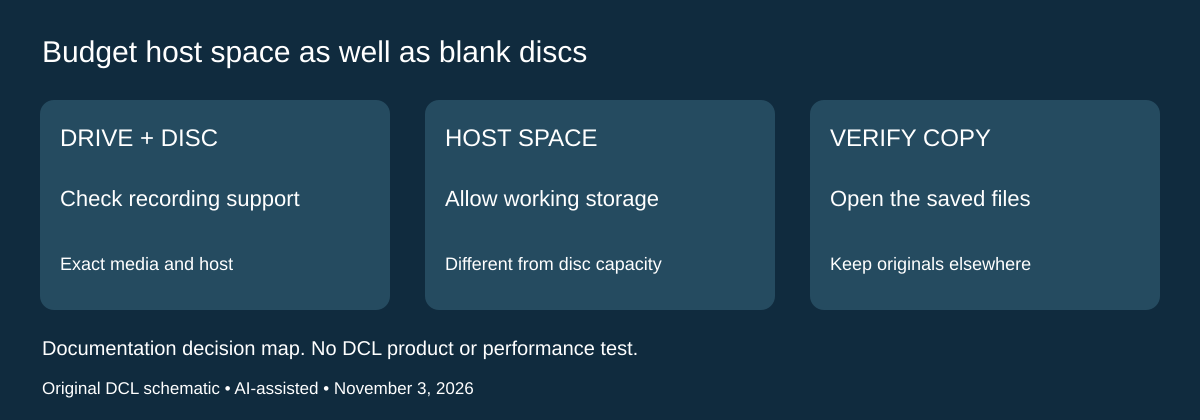
A supported blank disc and a writable optical drive still leave a host-storage requirement. Apple’s Mac disc-burning troubleshooting guide, checked November 3, 2026, says internal disk space is used during burning. Its current guide lists 700MB for a CD, 4GB for a DVD and 8GB for a dual-layer DVD. These figures describe the host’s working-space requirement; they are not added disc capacity or a DCL measurement of the files that fit.
| Part of the write workflow | Evidence to check | Why another purchase may not solve it |
|---|---|---|
| Drive and media | System Report’s Disc Burning Information identifies supported recording types | A reader-only drive or unsupported medium remains the wrong match |
| Destination disc | Check available space and the size of the intended files | More free internal storage does not enlarge the blank disc |
| Mac internal storage | Allow the working space Apple lists for the intended disc type | Another pack of blanks leaves a host-space shortage unchanged |
| Custom disc application | Follow that app’s own instructions | A drive’s format table does not document the app’s complete workflow |
These are Apple’s general Mac checks. They do not close the GP65NB60’s modern-macOS compatibility gap identified above, promise success on a particular hub, or verify a bundled writing application. Obtain exact current host, drive, cable/power and software support before buying. We have not burned a disc, measured temporary-space use or verified this hardware on the current OS.
The useful pre-purchase exercise is to separate the source files, the space on the blank disc and the Mac’s working space. Keep a separate accessible copy of important originals. Check available storage before planning a last-minute burn on a nearly full travel laptop; do not delete the only copy of a file merely to make temporary room. Removing files or reducing their quality changes the material being preserved and deserves a separate decision.
Budget and drawback: price usable software, supported blank media, the complete connection and any genuinely needed storage arrangement together. Current delivered totals and per-disc costs remain unknown. If a compatible existing drive already handles the required media, freeing appropriate working space may address a different constraint from a new optical drive. If compatibility is still unverified, extra internal capacity alone is insufficient purchase evidence. No archival lifetime, recording-speed or successful-write claim is added; verify the resulting files on the intended destination before relying on a disc copy.
Shop the researched models
These Amazon links are affiliate links. Daily Carry Lab may earn a commission from qualifying purchases. Match the model and included contents to your needs; this guide is based on manufacturer-source research, without hands-on testing.
-
LG GP65NB60
Black DVD/CD writer; M-DISC DVD
Check LG GP65NB60, black, on Amazon
Sources and limits
This guide compares published specifications and source documentation. Daily Carry Lab has not performed hands-on tests of the products in this guide. Consult the dated sources and verify the exact model and current terms before buying.
- LG GP65NB60 specification sheet, printed October 2014
- LG GP65NB60 current support page
- Microsoft Windows Media Player playback limitations
- October 22 primary documentation
- Check the host ejection workflow before replacing a drive that retains a disc primary documentation
- Apple MacUserGuide troubleshooting: DiscBurningInformation, destination/internalspace, appinstructions
Related guides
Portable document scanners: choose the feed, power and file workflow
Compare Epson ES-50 and ES-60W simplex workflows with discontinued Brother DS-740D duplex limits, USB power and current software checks.
USB-C Ethernet adapters: match the host, driver and network rate
Compare TP-Link, Plugable and Belkin INC012 Ethernet adapters by host connector, link rate, tether reach and complete kit. Research; throughput untested.
Bluetooth numeric keypads: check layout, host and charging
Compare Satechi ST-XLABKM with the documented Microsoft Number Pad Windows route. Check layout, host support and replaceable battery versus charging.
Compact drawing tablets: active area and current driver checks
Compare One by Wacom Small CTL-472 by drawing area, packed size and dated Windows/Mac driver support. Screenless pen input tradeoffs without testing claims.