
By Daily Carry Lab. Manufacturer documentation checked October 15, 2026 (Pacific).
Affiliate disclosure: As an Amazon Associate, Daily Carry Lab earns from qualifying purchases. Retailer links may earn us a commission at no extra cost to you.
Choose a portable document printer only after checking the page you must hand over, the paper it needs and the complete power arrangement. A printer-only box can leave you unable to print away from a desk, even when a USB cable connects it to your computer.
The Brother PocketJet PJ-883 is a documented candidate for full-page thermal documents. We selected this exact model because its manual explains battery, USB and mobile printing separately. This is a research-based evaluation, not a tested ranking. We have not measured legibility, speed, battery yield, print longevity or wireless reliability.
Decide whether thermal full-page output fits the job
Brother specifies direct thermal printing at 300 × 300 dpi and paper sizes including A4, Letter and Legal. Its manual requires thermal paper; ordinary office paper is not an interchangeable supply. This is a full-page output decision, separate from scanning a document or printing adhesive labels. Brother specifications, User’s Guide.
Before buying, ask the recipient whether the required document, signature process and storage rules accept this output. We have not established archival suitability. If your job requires colour photographs or ordinary-paper output, do not choose this model merely because it fits a bag.
Drawback: portability brings a consumables commitment. Carry the correct thermal media and protect it as the manual directs; an empty paper pack stops the job regardless of remaining battery.
A USB-C connection does not finish the power kit
Brother’s US product page describes PJ883 as printer-only, requiring DC power or an optional battery, a USB cable and printing supplies. Treat a retailer bundle as a separate identity: check its exact contents rather than assuming a battery or adapter is included. Manufacturer configuration.
The manual states that a computer’s USB connection alone is insufficient to power the printer. Install the rechargeable Li-ion battery or connect a supported external supply. Its optional AC adapter for USB Type-C is for charging; without the rechargeable battery installed, that adapter cannot supply the printer. User’s Guide, external-power and USB-connection sections.
| Intended setup | Items to confirm | Important constraint |
|---|---|---|
| Printing away from outlets | Exact compatible battery, charged before departure, thermal media | Printer-only does not include a ready mobile power system |
| USB-connected laptop | Data cable plus installed battery or supported external power | Laptop USB alone is insufficient |
| USB-C battery charging | Installed rechargeable battery and documented charger/cable | Charging capability does not mean battery-free printing |
| Vehicle-based printing | Compatible Brother power arrangement and safe mounting plan | Do not assume any phone charger replaces the specified supply |
Brother’s support specification lists an optional 10.8V rechargeable battery, 15V AC adapter and car-adapter options. Match the exact accessory part and regional cable with Brother before ordering. A charger wattage printed on a generic USB-C supply does not establish printer compatibility. Power specification.
Choose the phone or computer print path first
The PJ-883’s manual documents AirPrint for Apple devices and Mopria Print Service for Android, alongside Brother apps. Model matters: do not transfer PJ-883 networking features to every PocketJet 8. The name iPrint&Scan does not give this printer a scanner. Mobile software table, User’s Guide pages 64–66.
| Device | Route to investigate | Check before travel |
|---|---|---|
| iPhone or iPad | PJ-883 AirPrint | Actual document app, network arrangement and page size |
| Android phone/tablet | PJ-883 Mopria or supported Brother app | Exact Android/app support and network access |
| Windows or Mac laptop | Model-specific Brother driver/software | Select the actual OS version on Brother’s downloads page |
Connectivity labels do not guarantee that an employer’s managed device permits a driver or wireless printer. Verify permissions and print a representative document before relying on the kit. Our USB-C cable guide helps distinguish a charging cable from the data connection your setup needs.
Budget for the complete document kit
| Budget item | What to price | Drawback if omitted |
|---|---|---|
| Printer configuration | Exact PJ-883 printer-only or clearly itemized bundle | Similar model names can hide different connections |
| Mobile power | Compatible battery and charging equipment | A USB cable alone cannot make the printer operational |
| Consumables | Correct thermal paper, storage and replacement supply | Ordinary paper cannot substitute |
| Transport and workflow | Case, cables and any required mounting/accessories | The complete kit occupies more space than the printer body |
Current delivered prices and stock are unknown; no numerical budget ceiling is supported. Compare the total kit against how often you truly need a physical full-page handoff. Choose the PJ-883 only when its thermal output, exact device path and documented power arrangement satisfy the job together.
Check which side of thermal paper faces the print mechanism
A PJ-883 that moves a blank sheet has a different symptom from one whose motor runs without feeding paper. Before replacing a cable, buying another printer or looking for an ink cartridge, check the paper path. This is a direct thermal printer; the consumable and its orientation remain part of a usable kit.
Brother’s PocketJet 8 guide, printed page 173, rechecked October 24, 2026, explicitly covers PJ-883. For paper that feeds but stays blank, it calls for thermal paper, with its print surface facing the back when you view the printer from the front, and a check of print density in the Printer Setting Tool. That orientation instruction is more specific than simply using a sheet of the correct size.
| Observed result | Documented starting point | Purchase implication |
|---|---|---|
| Sheet feeds but stays blank | Thermal media, print-side orientation and density setting | Another data cable does not establish a paper-side fix |
| Motor runs but paper does not feed | Fully closed Release Cover, specified paper and platen-roller maintenance | Determine the feed problem before replacing the whole kit |
| Paper still fails after the documented checks | Brother dealer or customer support | A hardware fault needs its own diagnosis |
| Representative document prints correctly | Check the recipient’s output and storage requirements | Successful feeding alone does not establish document suitability |
Our preparation advice is to mark the paper pack’s loading orientation using the actual instructions, keep compatible media together and rehearse a representative page before departure. Do not guess which side is printable from a generic paper description. For roller maintenance, use the manual’s complete maintenance procedure rather than improvising a solvent or dismantling the feed mechanism.
Budget and drawbacks: current media, maintenance and repair totals remain unknown. A blank sheet does not by itself justify buying a battery, a different phone app or another printer. Conversely, these checks do not guarantee recovery or prove that a damaged unit is safe to keep using. We have not tested print density, feed reliability or service life. Preserve the printer-only package and power dependencies above: resolving paper orientation does not add a battery, adapter or suitable thermal paper to the box.
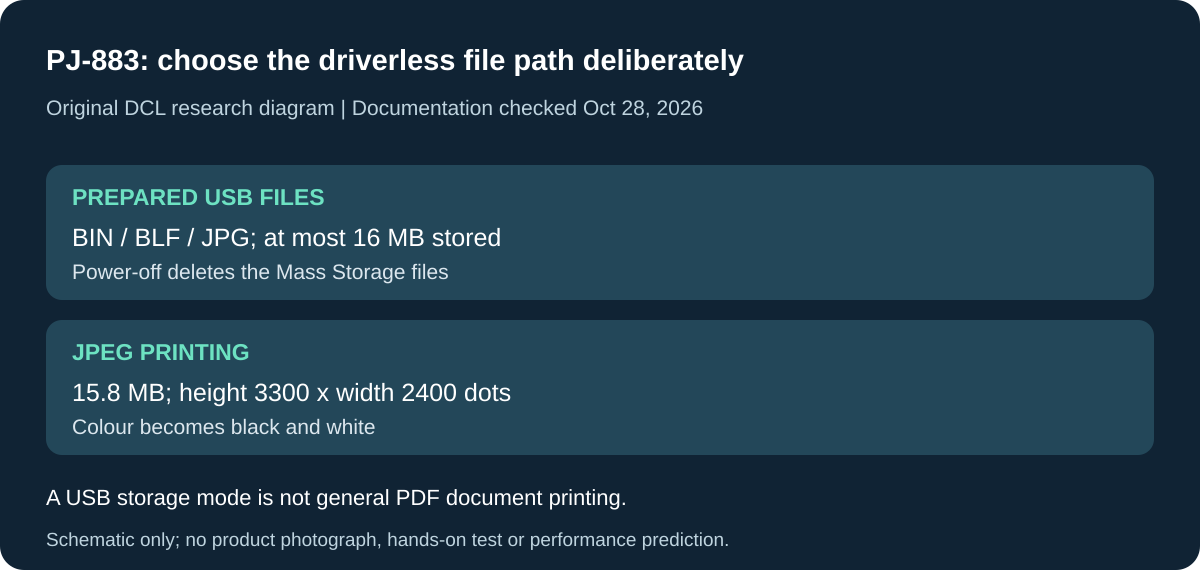
Original DCL research schematic, October 28, 2026. Documented boundaries, not a product photograph or DCL test; see the cited manual and qualifications below.
Check driverless printing against the files you actually carry
If a managed laptop prevents driver installation, do not buy PJ-883 on the assumption that dragging any document onto its USB storage will print it. Brother documents a separate Mass Storage mode with a restricted file workflow. That restriction can decide whether the printer fits the job before you buy batteries, paper or another cable. PocketJet 8 guide, printed pages 53–54, checked October 28, 2026.
| Driverless requirement | Documented boundary | Buying implication |
|---|---|---|
| Send a prepared file over USB | Mass Storage supports BIN, BLF and JPG files and stores at most 16 MB | An ordinary PDF or word-processing file is not established as directly printable through this mode |
| Print an image without the driver | JPEG with a .jpg extension; maximum 15.8 MB | Check actual file size and type rather than its filename alone |
| PJ-883 image dimensions | Maximum height × width of 3300 × 2400 dots | Brother says oversized image data is discarded rather than printed |
| Keep templates in the printer between trips | Files in the Mass Storage area are deleted when power is turned off | Keep the source files separately; this area is not permanent document storage |
The manual also says files inside folders in that area cannot be accessed, only USB connection mode is available while Mass Storage mode is active, and larger commands may need to be handled one file at a time. Those conditions differ from ordinary driver-based or phone printing. The supported BIN and BLF files concern prepared commands and templates; their presence in the list does not mean a computer document can simply be renamed to one of those extensions.
For JPEG output, the printer converts colour to black and white using dithering, and Brother warns the result can be fuzzy. Its documented mapping is one pixel to one printed dot. We have not tested small text, barcodes, document acceptance or image conversion. Rehearse a disposable representative file through the intended path before relying on it for an important handoff.
Selection and budget: if the required document app and approved driver or mobile path already work, Mass Storage need not drive the purchase. If driverless use is essential, check the prepared-file workflow with the person managing your device. Additional software or preparation costs and complete kit totals are unknown. Keep the earlier thermal-paper and power requirements: a supported file format does not make USB alone sufficient to power the printer.
Shop the researched models
These Amazon links are affiliate links. Daily Carry Lab may earn a commission from qualifying purchases. Match the model and included contents to your needs; this guide is based on manufacturer-source research, without hands-on testing.
-
Brother PocketJet PJ-883
PJ883 printer-only listing; accessory contents unverified
Check Brother PJ-883 printer-only listing on Amazon
Sources and limits
This guide compares published specifications and source documentation. Daily Carry Lab has not performed hands-on tests of the products in this guide. Consult the dated sources and verify the exact model and current terms before buying.
Related guides
Portable document scanners: choose the feed, power and file workflow
Compare Epson ES-50 and ES-60W simplex workflows with discontinued Brother DS-740D duplex limits, USB power and current software checks.
USB-C Ethernet adapters: match the host, driver and network rate
Compare TP-Link, Plugable and Belkin INC012 Ethernet adapters by host connector, link rate, tether reach and complete kit. Research; throughput untested.
Bluetooth numeric keypads: check layout, host and charging
Compare Satechi ST-XLABKM with the documented Microsoft Number Pad Windows route. Check layout, host support and replaceable battery versus charging.
Compact drawing tablets: active area and current driver checks
Compare One by Wacom Small CTL-472 by drawing area, packed size and dated Windows/Mac driver support. Screenless pen input tradeoffs without testing claims.