By Daily Carry Lab. Primary documentation checked October 13, 2026 (Pacific).
Affiliate disclosure: As an Amazon Associate, Daily Carry Lab earns from qualifying purchases. Retailer links may earn a commission at no extra cost to you. Manufacturer links here document sources.
Research disclosure: This guide uses primary documentation, not hands-on testing. Product figures are manufacturer limits; no DCL rating or benchmark is assigned.
A travel wireless station solves an overnight placement problem: where the phone, watch and earbud case sit while connected to power. It does not replace a battery bank for time away from an outlet. Start with the devices that actually support the station’s modules, then compare the open footprint and complete packed kit.
We compare Anker MagGo A2557 (Foldable 3-in-1) and A25M8 (3-in-1, Foldable Pad) because their manufacturer documents distinguish physical form and power setup. The October 30 addition also compares an exact iPhone 18 Pro single-puck configuration. This is a specification comparison, not a test of charging speed, hinge durability or travel-bag fit. A watch-only kit belongs in the Apple Watch travel charging guide.
Compare open and folded states
| Exact station | Manufacturer dimensions | Planning consequence |
|---|---|---|
| A2557 | Folded 89 × 60 × 25mm; listed mass 195.6g | Add cable and adapter before estimating packed size/mass |
| A25M8 | Expanded 8.39 × 2.36 × 0.47in; closed 2.36 × 2.36 × 1.4in | Open bedside footprint and folded depth answer different questions |
Sources: Anker A2557 specifications, Anker A25M8 dimensions, checked October 13, 2026. The figures retain the source units and states. We do not infer a full bag envelope from bare-product dimensions.
Measure the usable bedside surface and your intended pouch opening. The phone and watch can extend beyond the charger’s base, and cable bends need space. A small folded base does not prove that the station is convenient on a narrow shelf, fits a specific pouch or supports every watch band position.
Supply the input it needs
The manufacturer lists module ceilings of 15W for the phone, 5W for the watch and 5W for earbuds. Those individual limits are not measured simultaneous device outputs. Product-page sections use inconsistent total-wattage wording, so this guide does not turn their sum into a verified shared-output guarantee.
| A25M8 power check | Primary documentation | Meaning |
|---|---|---|
| Supported input profiles | 12V/3A, 15V/2.66A or 9V/3A | Match the adapter’s actual output profile |
| Recommended third-party supply | USB-PD output of 36W or higher | A generic wattage badge without the needed profile is insufficient |
| Inadequate/incompatible input | Guide describes slow charging and flashing indicator behavior | A working plug does not establish normal module performance |
| External power | Connect USB-C to a suitable power adapter | This station does not store travel energy |
Source: A25M8 manufacturer user guide. Its FAQ recommends the supplied 40W PD adapter or an appropriate third-party supply. The current product page has differing package statements, so check the exact selected bundle rather than assuming the adapter is included. A2557’s page recommends its 40W PD setup; do not substitute A25M8’s input table for that model.
If using a shared wall charger, verify the station’s allocated port output with every other device connected. The multiport wall charger guide explains that separate allocation problem. Charger nameplate total alone does not tell you what the station receives.
Verify all three device interfaces
| Device | A25M8 documented condition | Do not assume |
|---|---|---|
| Phone | Guide specifies magnetically charging iPhones from iPhone 12; non-magnetic or over-2.5mm cases are not recommended | Qi2 wording establishes compatibility with every Android phone or case |
| Earbud case | AirPods case must support wireless charging | Every case with the same earbud name has a wireless receiver |
| Watch | Guide separates older Series 1–6 charging from Series 7–9/Ultra fast-charge examples | A 5W module number proves the fastest mode for every later watch |
| Watch band | Guide describes raising the watch module for a loop band | Every stiff band sits correctly without an actual placement check |
Source: A25M8 compatibility and setup guide. The guide predates newer device generations; consult the current manufacturer’s exact-model compatibility list before buying for a later device. We do not reuse its Series 9 promotional charging time as a prediction for another watch.
For either station, check alignment with your actual case and band. Remove incompatible attachments and follow the manufacturer’s placement instructions. These are setup checks, not DCL-tested stability or charging efficiency.
Budget and drawbacks
| Choice | Budget evidence on October 13, 2026 | Useful when | Drawback |
|---|---|---|---|
| A2557 documented form | Exact transaction price unknown; no price band | Its folded dimensions suit your measured packing plan | Adapter/cable add bulk; open device clearance untested |
| A25M8 documented form | Exact bundle price unknown; included-adapter status must be checked | Its open layout fits the bedside plan | Expanded footprint and input requirements still matter |
| Keep separate compatible chargers | New station cost avoided if already owned; accessories unknown | You need fewer modules or prefer flexible placement | More individual connections to manage |
Choose after every device interface, supply profile and available surface has been checked. Neither station is a power bank, and this update gives no retailer identity, temperature test, universal fastest-charge ranking or guaranteed pouch fit.
Read A25M8 indicator timing before replacing the station
A light that turns off is not automatically a failed charging pad. The A25M8 user guide’s LED Light Guide, checked October 22, distinguishes timed confirmation signals from fast and slow flashing. Use the exact pad model when interpreting them; the table does not establish A2557’s behavior.
| A25M8 indication | Meaning assigned by its guide | Decision before buying parts |
|---|---|---|
| White for three seconds, then off | Connection to power | The indicator going dark after this confirmation alone does not establish a defective pad |
| White for five seconds, then off | Charging the wireless earbud case | Do not require a continuously lit indicator as the only sign of operation |
| Fast flashing, every 0.25 seconds | Metal object detected on the charging surface | Remove the object as directed and check placement before assuming adapter failure |
| Slow flashing, once each second | Incompatible AC adapter detected | Check the actual supply and allocation against the documented input requirements |
The guide’s slow-flash entry mentions Quick Charge 2.0/3.0 or Power Delivery with at least 27W, while its optimal-performance recommendation is a PD adapter of 36W or more. Its setup note says a supply below 27W can charge slowly while the indicator keeps flashing. Keep those contexts separate: a lower-power setup being able to do something does not establish that it meets the recommended complete-station setup.
For a replacement-supply decision, follow the guide’s clearer optimal recommendation and the input profiles above, or ask Anker to confirm the exact arrangement. A shared adapter must still give the pad the required allocation while other ports are occupied. The total watts on the wall adapter do not establish what this one port supplies. No new adapter or universal charging-speed claim is approved here.
If removing an object or changing to a documented compatible supply does not resolve the problem, consult current exact-model support rather than buying a succession of unverified cables and adapters. Check the actual device’s charging status as well as the station light. The guide assigns status meanings; it does not provide a full fault diagnosis or a battery-health measurement.
This creates a reuse-first budget choice: keep a working station when the issue is normal indication, placement or an incompatible supply, and replace hardware only after the actual compatibility question is resolved. Current replacement-pad, cable and adapter totals remain unknown. We have not observed these signals on hardware, measured simultaneous output or tested any repair. Case, band and newer-device limitations above still apply, and no retailer package or included-adapter promise changes.
Compare a documented complete bundle before sourcing a pad kit separately
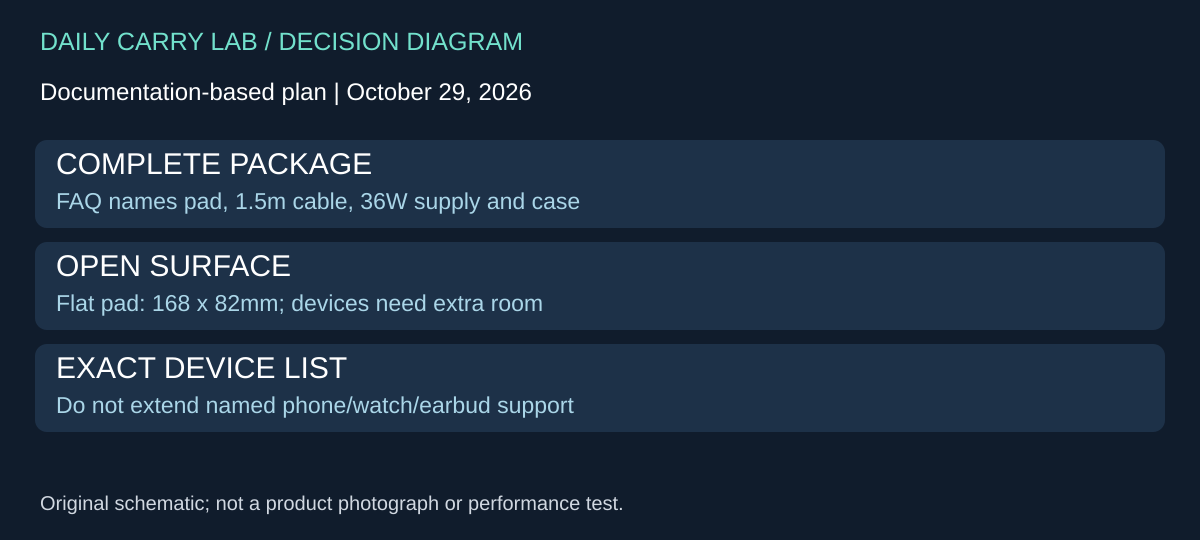
The Anker stations above require an exact package check. Belkin WIZ024 offers another sourcing approach worth comparing when you want a foldable station with a documented cable, supply and case. We include it for the complete-kit decision; it is not an assumed replacement for every Anker-compatible device.
Belkin’s WIZ024 FAQ, retrieved October 29, 2026, lists the pad, a 1.5m USB-C-to-C cable, 36W USB-C supply and travel case. It gives a folded envelope of 82 × 82 × 28mm and flat dimensions of 168 × 82 × 11.5mm. The source does not establish that those bare-pad dimensions describe the entire packed bundle. Confirm the regional offer and included plug before checkout; a family FAQ is not proof of a particular seller’s contents.
| Complete-kit decision | What to investigate | Drawback to resolve |
|---|---|---|
| Avoid selecting a supply separately | Exact WIZ024 offer matches the documented bundle | Regional plug and seller contents still need confirmation |
| Use a small bedside surface | Measure the flat pad plus devices and cable bends | Folded dimensions alone do not establish usable placement |
| Charge earbuds from another brand | Obtain exact compatibility confirmation first | Belkin expressly does not guarantee other-brand headphone compatibility |
| Use newer phone/watch generations | Check those exact models separately | Do not extend the FAQ’s named-device list automatically |
Belkin’s list includes iPhone 12 through 16 families, with the 12 mini and 13 mini limited to up to 12W, and specific wireless-capable AirPods cases. It also names Watch Series 4 through 10 and Ultra/Ultra 2. This is compatibility information, not a promise of each device’s fastest mode. The FAQ recommends indoor use. Its electrical specifications describe supply input and PDO profiles; do not read them as wireless power delivered to the phone or add them into a three-device charging guarantee.
For an existing Anker owner, a documented working pad/supply combination may remain the more practical kit. Buy another station only if the package, device support or placement resolves an actual gap. Lay out the three devices where you intend to charge and consider whether you need a watch-only setup instead; the linked watch guide covers that separate decision.
Budget and drawback: current delivered WIZ024, replacement-supply and regional-adapter totals are unknown. Exact retailer identity is unverified and no new retailer link is added. DCL has not tested this bundle, compared simultaneous charging, measured its packed mass or checked band/case fit. Check all three receiving devices and the offered package before treating a bundled station as a complete solution.
One iPhone 18 Pro: compare a separate MagSafe puck with a full station
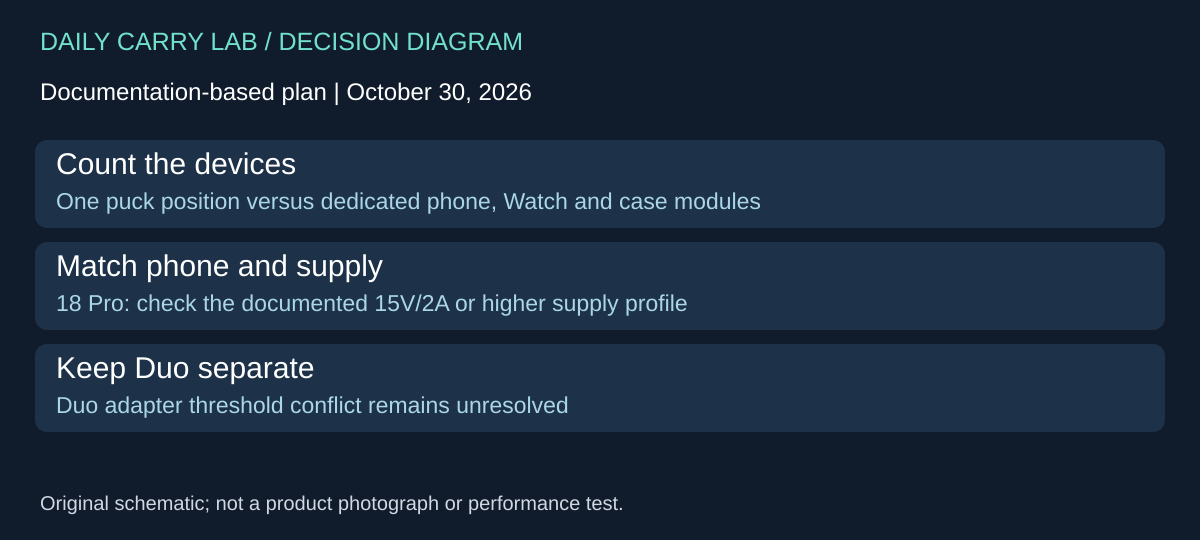
Research addition checked October 30, 2026. If the only wireless device at the bedside is an iPhone 18 Pro, a separate puck is another configuration to compare with the multi-device stations above. Apple lists the MGDM4LL/A MagSafe Charger, 2m for this phone. It provides one charging position rather than dedicated Watch and earbud modules. Choose the station only if you have a use for those additional positions and can accommodate its open footprint.
Apple’s exact two-meter product page lists the puck and integrated cable in the box; the adapter is separate. The MagSafe setup document lists iPhone 18 Pro with a 30W-or-greater supply providing 15V/2A or higher, and current charger model numbers including A3503. The store footnote identifies A3503 as the two-meter charger. These are compatibility boundaries for the stated phone and charger, not a measured charging result.
| Kit decision | Separate 2m MagSafe puck | Multi-device station |
|---|---|---|
| One phone overnight | One position with an integrated lead | Additional modules may go unused |
| Phone plus Watch and earbuds | Separate charging arrangements still needed | Check each module against the actual watch and case |
| Existing wall supply | Check the exact voltage/current profile | Apply that station’s own input requirements |
| Packed and open space | Allow puck, phone, adapter and lead routing | Allow station plus every device and cable bend |
A supply’s total wattage is insufficient if the chosen port cannot provide the required profile, especially with another device connected. Keep this decision separate from the multiport charger comparison: an adapter may need a different allocation when all ports are occupied. No shared-output guarantee is made here.
Apple says to connect the puck to power before placing the phone, lay it face up on a flat surface clear of metal or foreign objects, and keep sensitive cards and similar items out of the space between phone and charger. A wallet or case attachment can change that setup. Check the accessory instructions and placement before replacing a charger that appears slow; we have not tested your case clearance or bedside arrangement.
Budget and drawback: the complete delivered price is unknown. Compare the exact puck plus a qualifying adapter against a documented station bundle; the integrated 2m cable does not include the power brick. Reusing a suitable supply may change the comparison, while needing separate Watch and earbud chargers may favor another layout. No charging-time, fastest-charge or lowest-cost winner is established.
Duo remains a separate qualification hold. Although the store lists Duo, its 30W recommendation differs from the Duo-specific specification’s 35W-or-higher condition. The current general MagSafe support table does not settle that discrepancy for Duo. This iPhone 18 Pro section must not be reused as a Duo adapter recommendation. We are retaining that conflict rather than transferring one phone’s conditions to another.
Sources and limits
This guide compares published specifications and source documentation. Daily Carry Lab has not performed hands-on tests of the products in this guide. Consult the dated sources and verify the exact model and current terms before buying.
Related guides
iPhone 18 Pro: Wrist Strap or Crossbody Strap, with the right case
Compare exact Apple Wrist and Crossbody strap packages for iPhone 18 Pro by attachment, length, complete cost and limitations.
iPhone Duo cases: Apple Case versus Folio with Kickstand
Compare exact Apple iPhone Duo Case and Folio parts by coverage, viewing support, charging arrangements, separate equipment and dated US prices.
Portable label makers: choose phone control or a built-in keyboard
Compare Brother PT-P300BT CUBE and PT-H110 by phone dependence, TZe tape widths, power and cable-label workflow.
Travel AA/AAA chargers: match the cells, slots and USB input
Compare four-slot AA/AAA charging systems by exact chemistry and USB input. Includes conditional XTAR BC4 research and explicit operating-manual limits.