By Daily Carry Lab. Primary documentation checked October 15, 2026 (Pacific).
October 23, 2026 research update: A2688 versus A2343 same-name100W selection: three-port89W aggregate, incomplete exact splits, cable excluded, regional identity. Earlier observations retain their stated dates.
Affiliate disclosure: As an Amazon Associate, Daily Carry Lab earns from qualifying purchases. Retailer links may earn a commission at no extra cost to you.
Research disclosure: We have not tested these products. We select exact models using manufacturer documentation, documented compatibility and the practical decisions below. No DCL ratings, measured results or health outcomes are claimed.
Multiport GaN chargers: choose the power split your laptop actually needs
A multiport charger’s headline wattage is not the wattage every connected device receives. Start with the laptop’s USB-C charging requirement, then add the phone or tablet you expect to connect at the same time. A 65W brick that gives the laptop 45W alongside a phone is a different purchase from a 100W model with a documented 65W plus 35W USB-C combination.
Our selection focuses on the Anker 735 Nano II 65W A2667 and Anker Prime 100W A2343 because their primary documentation describes both single-device output and shared operation. These are distinct from the similarly named 735 GaNPrime A2668. Check the model number on the listing and charger; the family name alone is insufficient. Existing verified retailer mappings for A2667 and Prime 67W A2669 are retained; A2669 is not interchangeable with A2343.
Compatibility and allocation
The following are published maximums, not measurements. Actual power depends on the device’s negotiated profile, cable, temperature and load. The A2343 manual also warns that its protection system may adjust output.
| Exact charger | One USB-C device | Two USB-C devices | USB-C plus USB-A | Three connected devices |
|---|---|---|---|---|
| Anker 735 Nano II A2667 | C1 or C2 up to 65W | C1 45W + C2 20W | C1 40W + A 22.5W; C2 + A 12W each | C1 40W + C2 12W + A 12W |
| Anker Prime A2343 | C1 or C2 up to 100W; manual lists 20V/5A maximum | Product specification lists C1 65W + C2 35W; manual specifies 100W combined maximum | Manual specifies 100W combined maximum; USB-A alone up to 22.5W | Manual specifies 100W combined maximum; do not assume 100W remains available to the laptop |
Anker’s A2667 specifications identify the port combinations. The A2343 manual gives individual profiles and shared ceilings; the A2343 product specification supplies the two-USB-C split. We do not use that product page’s mislabeled third-USB-C row: this charger has two USB-C ports and one USB-A port.
Which configuration is useful?
Choose A2667 when the laptop can accept a 45W supply while the phone is connected, or when you are comfortable charging devices separately. Put the laptop on C1. Moving it to C2 while using USB-A changes the published allocation to only 12W per port. That is a material limitation for a laptop, even though the front of the charger says 65W.
Consider A2343 when the laptop needs a higher single-port supply or a documented 65W laptop/35W second-device combination. The 100W claim applies to a compatible single USB-C device with a suitable cable. Adding another device changes the operating combination; it does not create two independent 100W supplies.
A laptop whose original adapter exceeds either charger’s available power may charge slowly or lose charge during demanding work. Check its manufacturer’s USB-C input requirements before replacing the original adapter. PPS support is not a guarantee of a particular phone’s maximum charging rate; its required voltage/current range must also match.
Budget and drawbacks
| Buying situation | Budget evidence checked October 15 | Extra cost to check | Principal drawback |
|---|---|---|---|
| Existing A2667 owner adding a phone | Current local checkout total unknown; no price ceiling assigned | Cable if yours cannot support the required profile | Laptop allocation drops from 65W to 45W with two USB-C devices |
| Buyer needing a higher laptop allocation | A2343 current local checkout total unknown | Correct high-current USB-C cable | Published shared maximum is not sustained output verified by DCL |
| Buyer comparing Prime 67W A2669 | Existing exact mapping retained; current price and stock unknown | Check exact model and bundle before checkout | Different model from both comparison entries; do not substitute its specifications |
Both comparison models document 100–240V input. This describes electrical input, not an interchangeable regional plug. Verify the plug variant and destination socket separately. Neither model’s documentation establishes the weight, fit or performance of a complete travel charging kit.
Before you buy
Write down the exact port combination you will use, the laptop’s required profile, and the cable rating. Compare that combination rather than adding the maximum labels of every port. If the laptop alone is the entire task, use the single-device guide once available; if you need a vehicle input, see our USB-C car-charger guide. A wall charger and a car charger solve different input problems.
We have not measured charging speed, thermal behavior or reconnect interruptions. We do not promise interruption-free power when another device is inserted. Keep critical work saved, and verify your actual combination before relying on one charger for a trip.
Match the voltage profile before counting spare watts
The A2343 manual, rechecked October 21, lists single-port USB-C profiles of 5V/3A, 9V/3A, 12V/3A, 15V/3A and 20V/5A. The 100W headline comes from the last combination. It does not mean 100W is available at each listed voltage. At 15V/3A, the listed combination is 45W by multiplication; that arithmetic is not a charging measurement.
| Your device requirement | What this exact manual establishes | Remaining buying check |
|---|---|---|
| A listed fixed USB-C voltage | Compare both voltage and available current | Device input specification and suitable cable |
| 20V/5A single-device charging | A documented profile, up to 100W | Cable current capability and device acceptance |
| A particular PPS phone mode | PPS support is stated, without a numeric PPS range in this manual | Obtain exact range evidence before buying for that mode |
| Laptop and another device together | Use the shared-port allocation table above | Single-port profiles alone do not establish shared performance |
Do not subtract the phone’s advertised charging number from 100W and call the remainder a guaranteed laptop allocation. Use the documented connection combination. If your required phone mode remains unverified, a higher charger headline does not resolve that evidence gap. Likewise, the A2667 and A2669 retailer options are different models; these A2343 profiles do not apply to them.
The manual lists an operating temperature of 0–25°C and separately notes that output may fluctuate under high load at ambient 26–35°C through ActiveShield. This is a manufacturer qualification, not our thermal test or a promise of sustained maximum output in a warm room. It also does not authorize an undocumented operating environment. Consider whether the stated conditions suit the intended workspace before replacing separate supplies with one brick.
For the complete purchase, record the exact charger, regional plug, cable and simultaneous device combination. Keep an existing suitable charger if it already answers those requirements. Current delivered costs remain unknown, and we assign no new budget winner. Our USB-C cable guide addresses the separate cable-capability decision; a wattage label does not settle every device protocol.
Prime 100W A2688 is a different purchase from A2343
A listing named “Anker Prime 100W, three ports” is not sufficient to choose the shared-power arrangement. Anker also documents model A2688 under that description. Compare the exact number on the offer and unit before applying the A2343 table above. This model check matters when replacing separate laptop, phone and accessory supplies with one charger.
The A2688 regional product specification, checked October 23, 2026, lists two USB-C ports and one USB-A port, single-port USB-C up to 100W, two-port combined up to 100W, and three-port combined up to 89W. Its general 100W headline therefore does not establish 100W total with every port occupied. These are manufacturer ceilings, not DCL measurements.
| Purchase question | A2343 evidence above | A2688 regional specification | Decision |
|---|---|---|---|
| One compatible USB-C device | Up to 100W | Up to 100W | Match exact voltage/current and cable, not only the headline |
| Two USB-C devices | Product table documents 65W + 35W | Retrieved text establishes a 100W combined ceiling, without an exact per-port split | Do not transfer A2343’s split to A2688 |
| All three ports occupied | Manual states a 100W combined maximum | Specification states 89W combined maximum | Model choice changes the documented total |
| Cable supplied | Confirm selected package | Page says charging cables are separate | Include the needed cables in the delivered budget |
For A2688, the listed single-port fixed USB-C profiles are 5V/3A, 9V/3A, 15V/3A and 20V/5A. Do not copy A2343’s documented 12V profile into this model’s table. An omitted profile is a proof gap for a buyer who requires it, rather than a reason to assume support from the brand name.
Anker recommends the upper USB-C port for a laptop when both USB-C ports are in use. That guidance does not provide the missing exact shared split or prove a particular laptop will maintain charge during demanding work. If two devices need specific simultaneous allocations, obtain the exact A2688 revision’s allocation documentation before purchase. We do not subtract a phone’s label from the combined ceiling to invent the laptop’s supply.
This is a regional manufacturer page, not a verified US plug or retail-package match. The existing approved A2667/A2669 retailer choices remain those distinct models; they do not purchase A2688 or A2343. No new Amazon link, stock claim or speed result is added.
Budget and drawback: current local charger, cable and delivered costs are unknown. A2688 may suit a documented compatible single-device task, but an exact simultaneous allocation remains necessary for the multi-device decision. Keep an adequate existing charger if it already supplies the required combination. The practical comparison is the whole supported kit and port plan, including regional plug and cables, rather than whether both boxes say 100W.
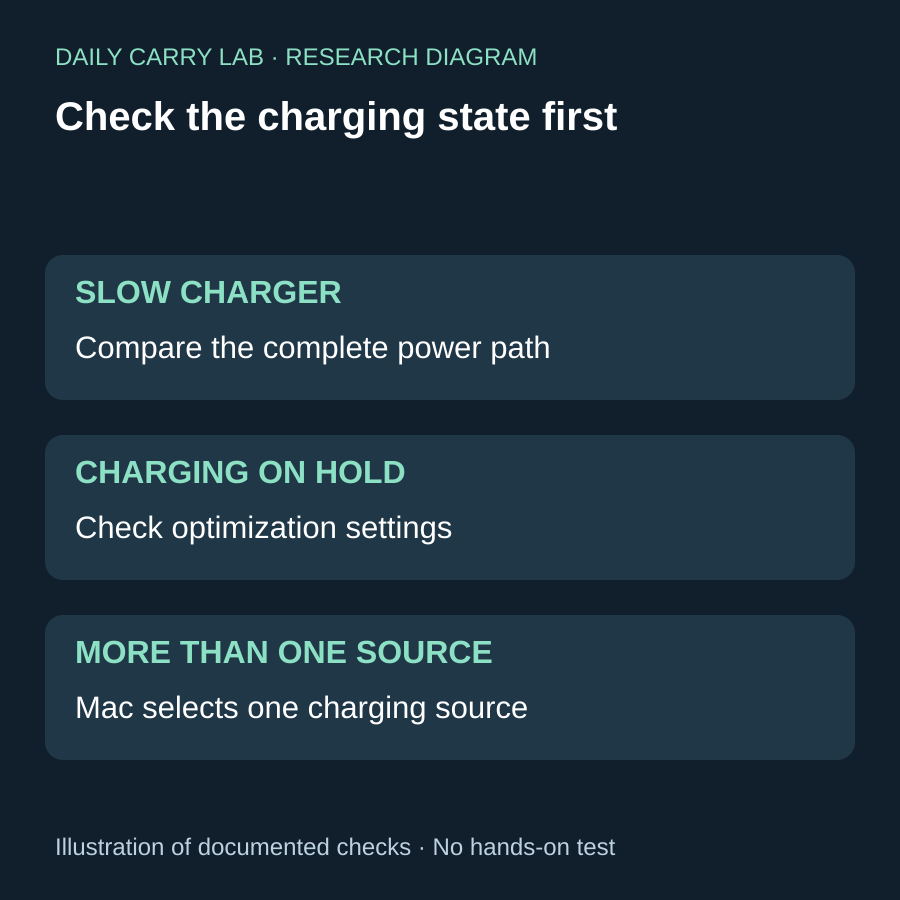
Daily Carry Lab research diagram, October 28, 2026. Original illustration of the documented checks below; no product photograph or hands-on testing.
Check the Mac’s power report before buying a bigger shared charger
Research added October 28, 2026. When a Mac charges slowly on a shared brick, distinguish available power from a deliberate charging limit. Apple’s Mac charging guide says macOS Tahoe 26.4 and later can display Slow Charger when the charging solution supplies too little power for the model. Charging On Hold and a reached Charge Limit describe separate states; they do not automatically call for more watts.
| What the Mac reports | What to inspect | Replacement boundary |
|---|---|---|
| Slow Charger | Recommended power, exact cable and occupied charger ports | A larger label alone does not prove the needed allocation |
| Charging On Hold | Charging optimization and the available Charge to Full Now action | Do not infer a failed adapter from a deliberate pause |
| Charged to a selected limit | The configured limit and immediate travel need | Additional wattage does not remove that policy |
| Multiple power sources connected | Which source the Mac selects | Do not add their ratings together |
Apple says a compatible Mac with multiple charging connections uses one source at a time, selecting the most powerful; connecting more does not charge it faster. For the connected adapter’s reported wattage, its power-adapter guide points to System Information, Power, AC Charger Information. This report is not a DCL meter measurement or a sustained-output guarantee.
Our proposed check is to record the reported source with the laptop alone and with the intended second device attached, then compare the exact manufacturer’s sharing table above. Record the cable too. The software message does not certify Anker allocations or identify a faulty component.
Budget and drawback: current replacement totals remain unknown. Keep a documented adequate kit when it meets the task; otherwise choose the complete port-and-cable arrangement. DCL has not measured this diagnostic or charging performance, and no new fixed profile or simultaneous allocation is inferred.
Display charger: decide which devices share the 100W budget
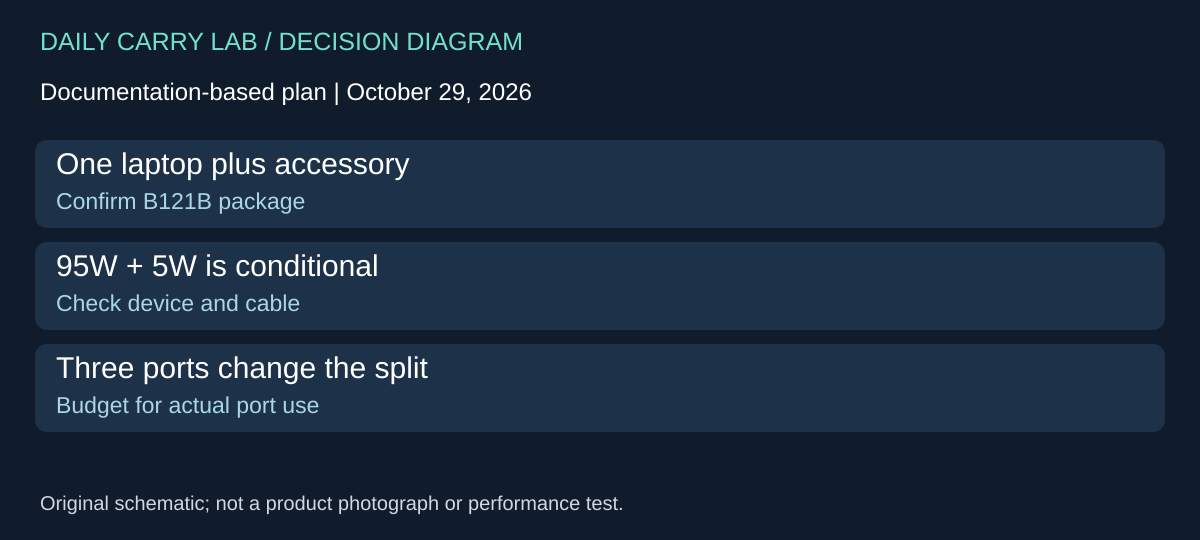
A display can make a shared charger easier to inspect, but the allocation still determines whether it suits the laptop. The Anker US B121B, 100W three-port Smart Display charger with USB-C cable, is a separate package from A2688 and A2343 above. Its product address contains A121B; the retrieved US specification block identifies B121B. Match that block and the package before comparing offers. Anker US specifications and FAQ, checked October 29, 2026.
| Connected ports on B121B | Manufacturer allocation | Decision before purchase |
|---|---|---|
| One USB-C port | C1 or C2: up to 100W | Check the laptop and cable requirements; this is a port ceiling |
| C1 and C2 | 70W + 30W or 95W + 5W | A second higher-demand device can change the laptop budget |
| One USB-C and USB-A | 67W + 33W or 95W + 5W | The higher laptop allocation has conditions |
| C1, C2 and USB-A | 80W + 12W + 7.5W | Three occupied ports do not provide three high-power outputs |
The FAQ ties automatic USB-C/USB-A 95W + 5W operation to a low-current USB-A device, typically below 6V and 1A, after about a minute. It does not establish that every accessory triggers this behavior or define the same trigger for the two-USB-C alternative. Connecting another device can briefly interrupt charging as power is redistributed. Treat the published alternatives as conditional rather than a manual promise of any split you choose.
For a buyer who normally charges a laptop and a small accessory, the useful comparison is the complete two-device arrangement. Write down both devices and the connector each needs. Then consider the occasion when a phone joins them: if the laptop needs more than the published three-port allocation, using every socket is the wrong plan for that session. Keeping the laptop on its own charger may meet the requirement without replacing the whole carry kit.
The display provides charging information; DCL has not calibrated it or established measurement accuracy. A lower reading alone does not diagnose a bad charger, cable or laptop. Confirm the actual host power requirements using the checks above. We also have not tested reconnection behavior with a device that needs uninterrupted power.
Budget and drawback: current delivered totals and a qualified third-party offer are unknown. Compare charger, required cables and regional plug together. The package name includes a USB-C cable, but the reviewed allocation table does not by itself prove that cable’s identity, length or suitability for every host. Do not buy a display upgrade solely to solve an allocation mismatch. No retailer purchase link is admitted for this new package.
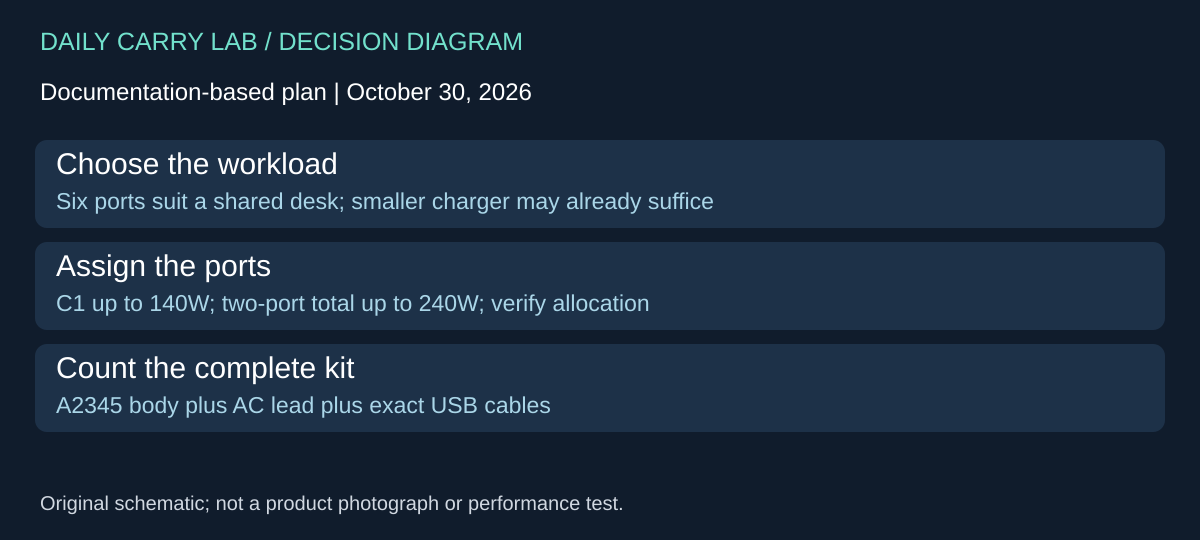
A2345: when a corded six-port station earns its place in the kit
October 30, 2026 research addition: a charger for a shared work desk is a different packing choice from the smaller wall bricks above. The Anker Prime 250W, six-port, model A2345 is worth considering when several wired devices need power at one surface. It adds an AC lead and a larger object to pack. If the existing 65W or 100W arrangement meets your actual simultaneous load, extra ports alone do not establish an upgrade benefit.
The US A2345 product page and its linked A2345 guide, checked October 30, distinguish four USB-C ports and two USB-A ports. Only USB-C1 lists a 140W single-port maximum; C2, C3 and C4 each list 100W single-port maxima. These are limits for supported negotiated connections, not six simultaneous promises.
| Planned arrangement | Published boundary | What to verify before buying |
|---|---|---|
| One higher-power laptop | C1 lists up to 140W | Exact laptop charging path and suitably rated cable |
| Two occupied ports | Aggregate up to 240W | Required output on each port in the selected allocation mode |
| Three through six occupied ports | Aggregate up to 250W | A total ceiling does not establish the distribution your devices receive |
| A desk kit carried between locations | Body 106.2 × 40.2 × 92.5mm; listed 640g | Add AC lead, USB leads and any socket adaptation to packed size and weight |
Anker warns that illustrated distribution can vary with firmware or OTA updates. Treat the display and allocation controls as a way to inspect and manage the setup, not proof that any arbitrary combination keeps every device at its maximum. In particular, do not multiply four USB-C single-port labels to calculate available total power. Device demand and battery state also change what is drawn.
The cord is part of selection. Anker’s page says that a separately purchased cable should be a standard C7 two-pin AC cord with a current rating greater than 4.0A. Follow the exact unit’s instructions and local plug requirements rather than selecting a lead solely because its connector fits. The guide lists 100–240V AC input, but that does not identify the wall plug shipped in every regional package. The page and guide quote different input-current figures; we do not resolve that discrepancy by treating either as a universal replacement-cord calculation. Confirm the supplied unit and lead with Anker if changing markets.
Budget and drawbacks: complete delivered cost is unknown; include the exact regional package, any required higher-power USB cable and the AC lead. This is a substantial documented carry mass compared with a minimalist wall-brick setup, but no loaded-bag measurement or efficiency comparison has been made. Select the station when its ports and controllable shared allocation address your desk workload. Keep the smaller charger when it already handles the laptop and phone, and check the laptop cable guide before assuming a power upgrade also carries the required signals. No charging-speed, temperature or sustained-output result has been measured by DCL.
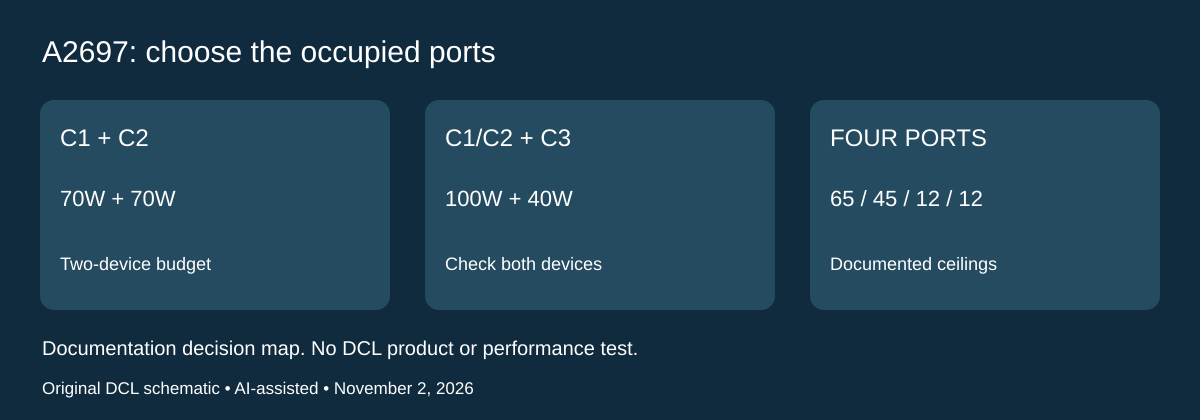
A2697: a 140W label does not define every two-device setup
Research added November 2, 2026. Anker A2697, the 140W four-port charger, introduces a useful contrast with the three-port and corded models above. Its three USB-C sockets are not interchangeable when other sockets are occupied. Treat this as a source-only allocation comparison; it does not approve a new retailer offer or a bundled cable.
Anker’s exact-model specification and power-distribution guide agree on the combinations below. These are documented output budgets, not power that every connected device will draw.
| Occupied sockets | Documented allocation | Selection consequence |
|---|---|---|
| C1 or C2 alone | Up to 140W | Check the laptop’s supported input and cable before planning around the ceiling |
| C1 + C2 | 70W + 70W | Two USB-C laptops cannot each receive the single-port ceiling |
| C1 or C2 + C3 | 100W + 40W | Compare this arrangement when the second device needs less power |
| C1 or C2 + USB-A | 100W + 33W | Confirm the accessory’s actual protocol; the ceiling is not universal delivery |
| C3 + USB-A | 24W combined | Avoid treating these as independent 40W and 33W supplies |
| All four | 65W + 45W + 12W + 12W | Put the highest-demand job in the appropriate socket; reassess whether one charger meets the whole kit |
This can change the purchase decision for a laptop-plus-tablet bag. If the laptop’s requirement exceeds the C1/C2 paired budget, write down whether the tablet can use C3 within its documented ceiling. If both devices need more than the available combination, compare staged charging or a different documented configuration. DCL has not tested those device pairings, and changing sockets does not guarantee a device’s fastest advertised mode.
Anker’s model hub identifies A2697 and a three-C/one-A layout. Its weight differs from the dedicated specification page, so this update gives no weight-based packing advantage. Exact regional plug, cable bundle, condition and delivered price remain unverified. Confirm those details for the actual package instead of transferring them from another Anker model or a similarly named listing.
Budget and drawbacks: price the complete suitable kit, including cables you lack and an additional supply only if the simultaneous-load plan requires one. Current totals are unknown. Keep an existing charger that already satisfies the required occupied-port configuration. The display does not establish calibrated measurement accuracy, uninterrupted reconnection or sustained thermal performance; none was tested by DCL. This addition leaves earlier A2345 evidence limits intact and does not resolve them by borrowing A2697’s table.
Shop the researched models
These Amazon links are affiliate links. Daily Carry Lab may earn a commission from qualifying purchases. Match the model and included contents to your needs; this guide is based on manufacturer-source research, without hands-on testing.
-
Anker 735 Nano II 65W A2667
Two USB-C ports and one USB-A port
View Anker A2667 Nano II 65W on Amazon -
Anker Prime 67W A2669
Two USB-C ports and USB-A · charger and welcome guide; no cable bundle
View Anker Prime A2669 on Amazon
Sources and limits
This guide compares published specifications and source documentation. Daily Carry Lab has not performed hands-on tests of the products in this guide. Consult the dated sources and verify the exact model and current terms before buying.
- anker-735 primary documentation
- anker-100-manual primary documentation
- anker-100-vn primary documentation
- prime primary documentation
- October 28 gan decision evidence
- October 28 gan decision evidence
- October 29 anker exact-model documentation
- October 30 gan primary documentation
- October 30 gan-guide primary documentation
- A2697 exact specification and output table
- A2697 port combinations and variable actual performance
- A2697 model identity and unresolved weight conflict
Related guides
Action-camera microSD cards: match class, capacity and exact revision
Compare exact 256GB SanDisk Extreme and Samsung PRO Plus revisions by camera requirements, speed classes and offload limits, without speed-test claims.
USB-C cable testers: wiring checks, e-markers and their limits
Compare Bit Trade One Checker 3 and Lite by cable wiring, e-marker readout and port diagnosis. Learn what neither establishes about throughput or sustained power.
USB-C power meters: choose voltage range and protocol tests
Compare POWER-Z KM003C and FNIRSI FNB58 by voltage limits, PD functions and e-marker checks. Research without measured accuracy claims.
iPhone Duo wired charging kit: adapter, included cable and complete cost
Build a complete iPhone Duo wired kit using the included cable; understand Apple A3351/MGKN4AM/A, dated cost and fast-charge test conditions.