By Daily Carry Lab. Primary documentation checked October 14, 2026 (Pacific).
Affiliate disclosure: As an Amazon Associate, Daily Carry Lab earns from qualifying purchases. Retailer links may earn a commission at no extra cost to you.
Research disclosure: We have not tested these products. Selection uses primary documentation and the compatibility decisions below; no DCL ratings or measured performance are claimed.
A USB-C power meter helps answer “what is this connection doing right now?” It cannot by itself certify a cable, prove a charger is safe or tell you how much energy has reached a phone’s battery. Pick the instrument for the voltage and protocol you need to inspect before comparing display features.
We selected POWER-Z KM003C and FNIRSI FNB58 because both makers document electrical measurement and protocol functions, but their published ranges differ materially. They are diagnostic tools for different setups, not two interchangeable routes to 240W testing. This guide excludes maker testimonials and user-review claims about accuracy.
Compare measurement ranges before connecting
| Exact model | Manufacturer’s electrical limits | Interface and display | Compatibility consequence |
|---|---|---|---|
| POWER-Z KM003C, current page revision | Up to 50V/6A; page separately says 240W in PD | Two USB-C input/output connections, additional USB-C HID connection; 1.54-inch display | Compare for higher-voltage USB-C PD inspection; do not multiply limits into a 300W promise |
| FNIRSI FNB58 | Monitor voltage 4–28V, current 0–7A, power 0–140W | USB-A, Micro-USB and Type-C interfaces; 2.0-inch TFT display | Its reviewed voltage range does not cover a 48V PD setup |
Sources: POWER-Z KM003C official product page, FNIRSI FNB58 official specifications. Range is not an accuracy certification or proof of every simultaneous extreme. Follow the exact unit’s manual and current firmware instructions.
POWER-Z KM003C: compare for USB-C PD and higher-voltage inspection
The current official page describes PD3.2 support, PDO/protocol tests, e-marker tests and capacity/energy measurement. It also documents a separate HID connection for PC connection and power. A listing using the same KM003C name may predate this firmware or revision; verify which version you receive and follow official update instructions rather than assuming a historical manual describes the current software.
Drawback: the additional software and protocol features add setup work. We have not established PC operating-system support for every release. The maker’s 20-bit ADC description does not establish end-to-end measurement accuracy or calibration traceability. We do not compare it with FNB58 by counting ADC bits.
FNIRSI FNB58: compare for the mixed connector setup
FNIRSI lists voltage/current/power monitoring, capacity/energy recording, e-marker reading and protocol triggering. Its page names PD2.0/3.0 among supported trigger protocols. It offers distinct FNB58 BT and FNB58 Std. store variants; confirm the variant before expecting Bluetooth features. The comparison applies to the FNB58 specification table, not another FNIRSI tester.
Drawback: 140W and a 28V voltage ceiling are meaningful restrictions. A charger capable of a higher-voltage mode needs an instrument documented for that mode. The larger display does not establish that this meter measures more accurately, and the included customer reviews are not primary evidence of performance.
Passive observation, protocol triggering and cable identification
| Reader question | Useful function | What it cannot establish |
|---|---|---|
| What voltage and current are negotiated now? | Inline V/A/W display | Every possible charger profile or a device’s future draw |
| Which modes does the charger advertise? | PDO/protocol inspection | That the attached phone will select each advertised mode |
| Does a cable expose an e-marker? | E-marker reading | Cable authenticity, connector endurance or USB certification |
| How much energy passed this point? | Wh/capacity logging | Phone battery capacity without accounting for conversion and device use |
| Why does charging drop after adding another device? | Compare before/after readings | The charger’s complete shared-output table unless independently documented |
A protocol trigger actively requests a power mode; it is a different operation from watching a normal phone/charger connection. Do not experiment with forced modes while an attached device’s accepted input is unknown. Disconnect ordinary devices for procedures where the manual calls for a test load, and use a load rated for the requested voltage, current and heat. Neither product is a substitute for a load or oscilloscope solely because its screen shows watts or a waveform.
The meter also becomes another connection in the path. Compare the setup with and without it when diagnosing unexpected behavior; do not immediately blame the cable or charger. Screens on a charger, meter and power bank can measure at different points. No DCL insertion-loss or data-passthrough test is claimed.
Logging and firmware access can change the buying decision
Choose the recording workflow as carefully as the voltage range. The FNB58 product documentation, rechecked October 20, lists ten switchable recording groups, low-speed waveform drawing at 2–100 samples per second and a separate high-speed ripple-drawing figure up to 4 million samples per second. These are different advertised functions. The high-speed figure does not establish the interval of a long capacity log, measurement accuracy or the bandwidth of a calibrated oscilloscope.
| What you need to keep | Evidence to obtain before purchase | Main limitation |
|---|---|---|
| Compare several charging sessions | Exact recording-group workflow and whether it retains the fields you need | Ten groups is not proof of unlimited storage or automatic file export |
| Inspect a changing charging trace | Select the relevant logging function and rate | Ripple-drawing and long-duration records are not interchangeable specifications |
| Keep phone-app records | Exact BT/Std. hardware variant and supported current app | An unspecified FNB58 listing does not establish Bluetooth or your phone’s compatibility |
| Maintain firmware with a Mac-only kit | Read the manufacturer’s update requirements before choosing | FNIRSI’s download portal requires Windows 10/11 for firmware updates and explicitly excludes macOS |
The official download portal linked from FNB58 warns that using macOS for firmware updates can leave a device unresponsive or damaged. That is the portal’s update restriction; it does not mean the meter cannot make stand-alone readings beside a Mac. We have not verified a current FNB58 firmware file, version-specific upgrade procedure or every logging application’s OS support. Do not substitute another tester’s firmware or infer that a Bluetooth feature removes the update restriction.
For a purchase dependent on records, make a short acceptance list: the exact fields, recording duration, export format, host and variant you require. Check those against the exact manual and software before paying. If the maker has not established one of them, leave it unresolved rather than buying on a sample-rate badge. We have not installed the software, updated firmware or tested a trace. The KM003C comparison remains subject to its own firmware and host requirements; FNIRSI’s portal does not establish those for another brand.
Budget and drawbacks
| Situation | Practical first step | Budget status |
|---|---|---|
| One phone seems slow | Check its charging support and a known suitable cable/charger first | A meter purchase may be unnecessary |
| Repeated USB-C protocol troubleshooting | Match voltage range and needed PDO/e-marker functions | Current delivered totals unknown |
| Need Bluetooth records | Verify the exact FNB58 BT variant and software | Std. variant must not inherit BT features |
| High-voltage load testing | Budget for suitable load, cables and an appropriately rated instrument | No price ceiling or lowest-cost ranking |
Use our USB-C cable buying guide to separate power rating from data capability, and the multiport charger guide for occupied-port allocations. A low reading can reflect phone demand or shared power rather than a faulty charger. Buy the tester when its documented measurement boundary answers a recurring question you actually have.
Check the environment before choosing a meter for field use
A meter that covers the voltage can still be unsuitable for the place you intend to use it. The FNB58 official operating precautions, checked October 24, specify an operating environment of −5 to 40°C and relative humidity no greater than 80%. The page also says to avoid rain or fog and to store the instrument clean and dry in a soft case. We do not infer an ingress-protection rating.
| Planned diagnostic job | Check before purchase | Drawback or unresolved requirement |
|---|---|---|
| Charging equipment in a parked vehicle | Actual operating temperature against the stated range | A travel label does not establish hot-car suitability |
| Outdoor power-bank diagnosis | Dry conditions and the stated humidity limit | Rain/fog use is excluded by these precautions |
| Carrying beside tools and cables | Protective storage and mechanical protection | Current complete-kit price is unknown |
The onboard temperature display does not expand the allowed environment or establish the temperature inside a charger or battery. Choose a different documented instrument or change the test location if these conditions cannot be met. We have not tested environmental durability. These are FNB58 constraints; they do not establish KM003C’s limits.
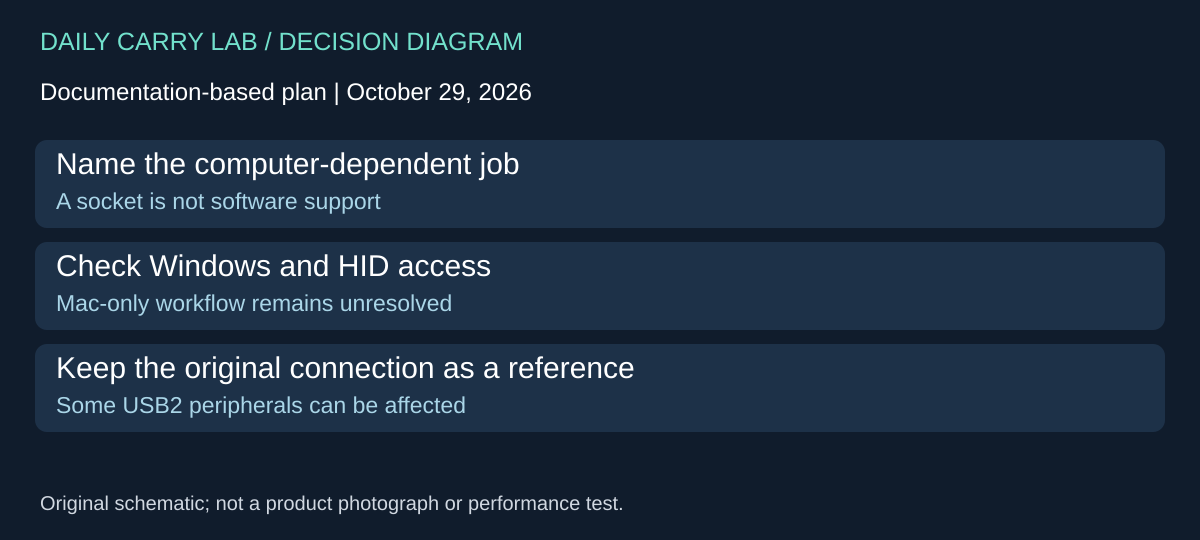
KM003C computer functions need a supported host, not just a USB-C socket
If you are buying a KM003C to use its computer functions, settle the host requirement before adding it to a Mac-only kit. The POWER-Z KM003C/KM002C support FAQ, checked October 29, 2026, specifies Windows 10 or later for the PC connection and directs that connection to the side HID port. Its firmware-update instructions also use HID and the PC software. This resolves the earlier open host question for that documented software route; it does not establish support for every future release.
| Your intended job | Documented requirement or limitation | Purchase consequence |
|---|---|---|
| Use the manufacturer’s PC software | Windows 10 or later and the HID connection | A Mac USB-C port alone is insufficient evidence |
| Update through that software | Connect through HID and follow the firmware instructions | Confirm you can access the supported computer first |
| Keep a USB2.0 peripheral in the measured path | FAQ reports some USB2.0 devices, including mice/keyboards, may fail because of the tester’s internal hardware | A changed connection can create the symptom being investigated |
| Use Linux tools | FAQ mentions an enthusiast HWMON driver but disclaims responsibility for it | Do not treat a community driver as equivalent maker support |
For a buyer, this separates two reasons to carry a meter. Watching a stand-alone reading beside a laptop is different from depending on desktop software. The computer restriction above should not be extended into a claim that the meter cannot display a reading near a Mac. Conversely, a functioning screen would not demonstrate that the computer workflow has passed.
The peripheral caveat matters when deciding whether this is the right diagnostic purchase. Write down what must remain connected during the investigation. If the important symptom concerns a mouse or keyboard, adding an instrument that changes that path can make the result harder to interpret. A proposed owner check is to compare the original setup before drawing conclusions from the instrumented one; DCL has not performed that check.
Budget and drawback: current complete totals are unknown. If your reason for buying requires a Windows computer you do not have, resolve access or compare a separately documented alternative before paying. No virtual machine, borrowed computer or additional software purchase is assumed. We have not installed POWER-Z software, tested passthrough or authenticated a retailer package; this adds no purchase link or accuracy claim.
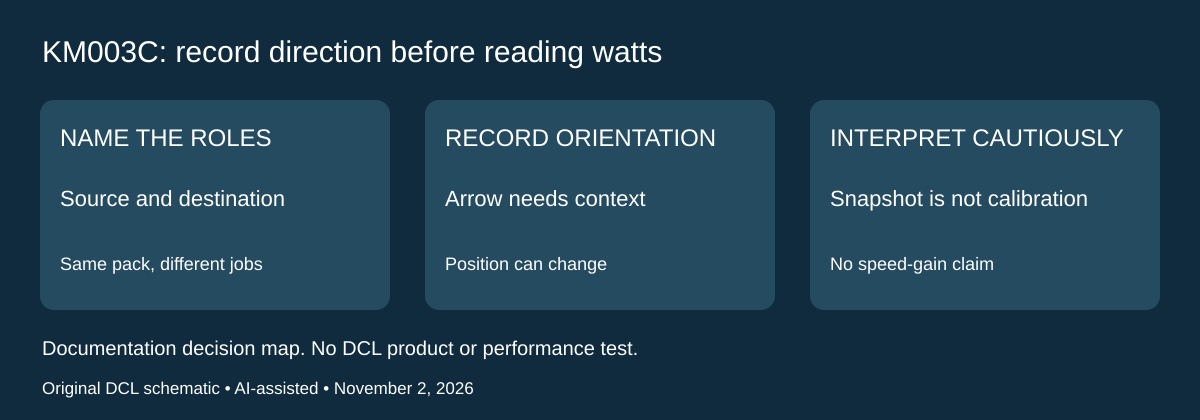
KM003C: choose direction visibility when the same USB-C device can give or take power
November 2, 2026 research addition: before buying an instrument to troubleshoot a bidirectional charging kit, name which device is meant to supply power in the connection being observed. The same battery pack may be used for two different jobs over a trip. A current number without a clear source, destination and tester orientation leaves the comparison ambiguous.
ChargerLAB’s KM003C bidirectional-current explanation, published May 11, 2023 documents a circuit for detecting current in both directions and illustrates different arrow directions when the tester’s male connector is placed at the charger versus at the phone. This is maker-associated evidence of the feature, not an independent calibration or DCL measurement.
| Recurring diagnostic question | What to record along with the reading | Boundary for buying the meter |
|---|---|---|
| Is the pack receiving energy from the charger? | Intended source, pack, physical tester orientation and displayed direction | A watt number by itself does not document the intended roles |
| Is the pack supplying the phone? | New connection arrangement and direction indication | Do not compare arrows across reversed tester positions without noting the change |
| Does the USB-C female-side arrangement fail to start the tester? | Exact connection and the maker’s activation guidance | A blank display alone does not diagnose a dead supply |
| Does a different orientation show a different current? | Load, battery state, cable and observation time | Two snapshots do not establish accuracy or an orientation-induced speed gain |
The article explains that female-socket-side activation is orientation-dependent and describes trying the connector flipped for that activation path. Keep this separate from the earlier protocol-trigger discussion: starting the tester and deliberately requesting another charging mode are different operations. Use the exact current unit’s manual and firmware instructions; this older feature article does not establish every later firmware screen or control sequence. We add no experimental forced-voltage procedure.
Our practical recommendation is to label the setup before interpreting the result. Record what was connected where, then preserve that context with any screenshot or log. If the result changes after a physical reconnection, do not assign the entire difference to the meter: the supplied example uses separate observations rather than a controlled DCL comparison. It does not show how much energy entered the battery after conversion and device use.
Budget and drawback: current meter, suitable cables and complete diagnostic-kit totals are unknown. Direction visibility can justify comparing KM003C for a recurring two-role problem; one unexplained slow charge may still be better investigated with the device’s requirements and known suitable accessories first. This addition does not establish reverse-voltage protection, cable certification, high-voltage compatibility beyond the earlier range table, FNB58 feature parity or measurement accuracy. We have not tested bidirectional detection, startup behavior or data passthrough.
Sources and limits
This guide compares published specifications and source documentation. Daily Carry Lab has not performed hands-on tests of the products in this guide. Consult the dated sources and verify the exact model and current terms before buying.
Related guides
Action-camera microSD cards: match class, capacity and exact revision
Compare exact 256GB SanDisk Extreme and Samsung PRO Plus revisions by camera requirements, speed classes and offload limits, without speed-test claims.
USB-C cable testers: wiring checks, e-markers and their limits
Compare Bit Trade One Checker 3 and Lite by cable wiring, e-marker readout and port diagnosis. Learn what neither establishes about throughput or sustained power.
Multiport GaN chargers: compare 65W and 100W shared power
Compare multiport chargers by exact occupied-port output. A2697 offers different two-device budgets; check cables, package identity and simultaneous needs.
iPhone Duo wired charging kit: adapter, included cable and complete cost
Build a complete iPhone Duo wired kit using the included cable; understand Apple A3351/MGKN4AM/A, dated cost and fast-charge test conditions.