By Daily Carry Lab. Research expansion updated October 14, 2026 (Pacific); earlier price observations retain their original dates.
October 23, 2026 research update: A2738 retractable45W/30W alternative versus removable100W cable; identify maximum fixed voltages, reach and nonreplaceable-cable tradeoff. Earlier observations retain their stated dates.
Affiliate disclosure: As an Amazon Associate, Daily Carry Lab earns from qualifying purchases. Retailer links may earn us a commission at no extra cost to you. Manufacturer source links below are provided for verification.
For road trips with a laptop and phone, start with the power available from each USB-C port. A charger’s total wattage does not describe what one laptop can receive. Among the initial two options researched here, the Anker Nano 167.5W is the stronger candidate when you need more power for a second USB-C device; the UGREEN 130W is worth comparing when that second device needs less.
This is a manufacturer-source buying guide. We have not tested these chargers in a vehicle, measured sustained output or heat, or verified fit in your socket. Recommendations reflect published specifications and the needs below, rather than a performance ranking.
Two options to compare
Anker Nano Car Charger, 167.5W, three ports (A2737 family)
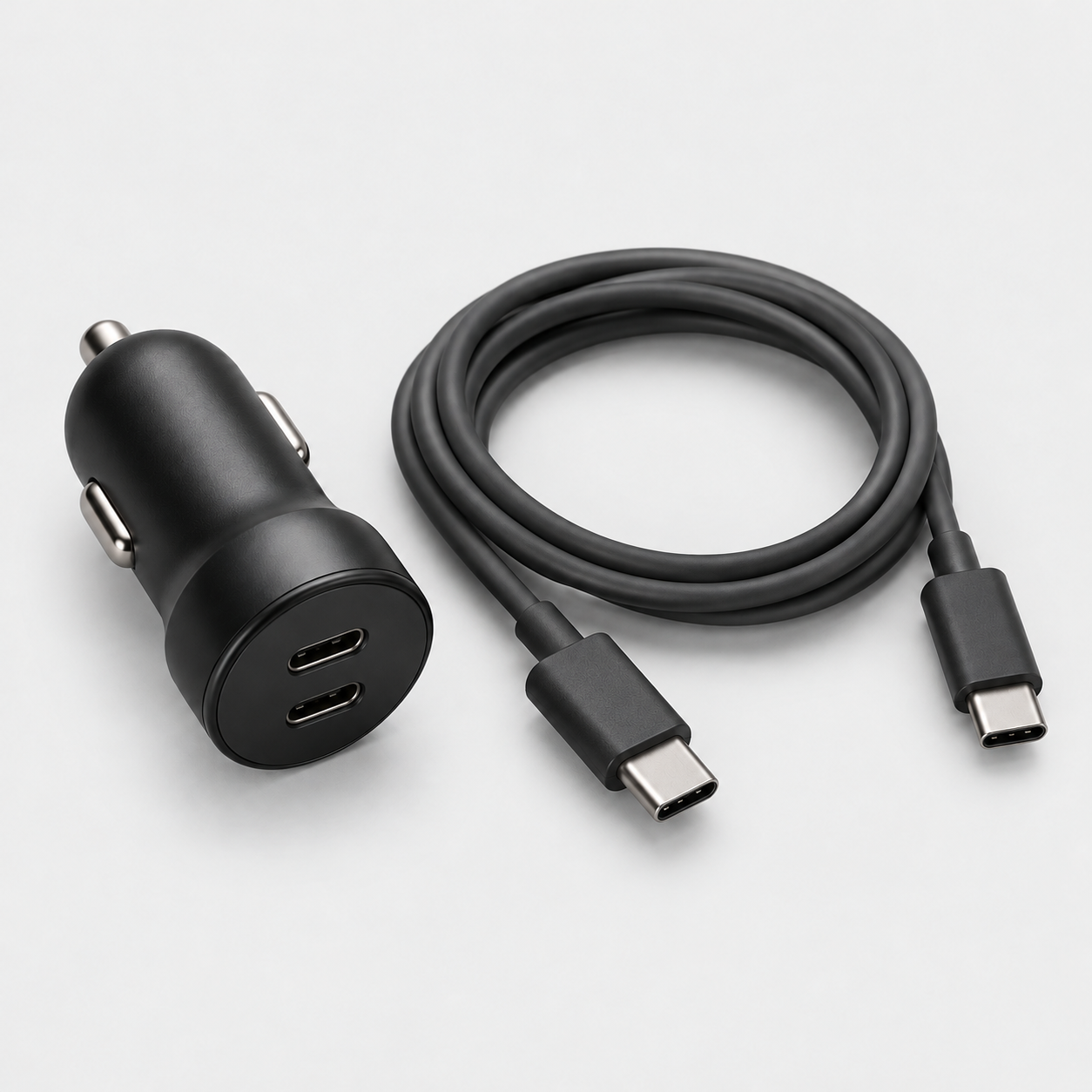
Anker specifies up to 100W from USB-C1, 45W from USB-C2 and 22.5W from USB-A. Use the first USB-C port for the more demanding device. It has two USB-C ports and one USB-A port. The 167.5W headline is total output; it does not mean 140W from one port. Anker’s manual lists 145W maximum with two ports and 167.5W with three. Its USB-C2 table lists 5V/3A, 9V/3A and a 5–11V/5A range; do not assume every tablet can negotiate the advertised 45W. Anker specifications.
Choose it when: a 100W USB-C ceiling meets your laptop’s requirements and your second device supports the USB-C2 output profile it needs. This is a use-case recommendation based on specifications, not measured charging performance.
Price context: Anker’s US page displayed $53.99 alongside a $20 savings promotion when checked October 12 Pacific / October 13 UTC, 2026. We did not verify a checkout total; compare the final price and exact bundle before buying. Anker US listing.
UGREEN 130W USB-C Car Charger (US model 90889)
UGREEN’s US listing specifies two USB-C ports and one USB-A port, with advertised outputs of PD 100W, PD 30W and SCP 22.5W/QC 18W. Do not add those individual ceilings to assume simultaneous output: the product’s headline total is 130W. The manufacturer’s diagrams label USB-C2 as 100W and USB-C1 as 30W when both USB-C ports are used. With all three ports occupied, they show USB-C2 at 100W, USB-C1 at 12W and USB-A at 12W. Adding a USB-A device therefore lowers the advertised phone-port ceiling. UGREEN allocation diagrams. UGREEN US specifications.
Choose it when: your laptop’s requirements fit within 100W and your phone fits the advertised 30W USB-C1 ceiling with USB-A unused (12W when all ports are occupied). Verify the model and sharing behavior rather than treating every UGREEN car charger as interchangeable.
Price context: the US page displayed $22.49, with $39.99 struck through, on October 12 Pacific / October 13 UTC, 2026. It also showed an “Only Charger” selection while its specifications mentioned a cable. Confirm bundle contents at checkout; our recommendation does not assume a cable is included. These are manufacturer-page observations, not verified Amazon prices or stock claims.
Check your laptop before choosing
Find the charging requirements for your exact laptop, including whether its USB-C port accepts charging. Use its maker’s recommended adapter wattage as a starting point. A 100W ceiling does not establish full-speed charging for every laptop.
Apple says USB-C Macs can charge from adapters offering higher or lower wattage, but recommends the appropriate adapter and cable for the best experience. That is not a promise that either car charger will maintain your battery under every workload. Apple’s adapter guidance.
For a laptop demanding more than either charger can provide, use the vehicle’s suitable supported power option or charge before departure. Buy for the laptop you own rather than the biggest number on the charger box.
Check the cable, socket and passenger setup
For the advertised 100W laptop output, use a USB-C cable explicitly rated for at least 100W and 5A; a 60W cable is insufficient for that target. A 240W cable provides headroom but cannot raise a 100W charger’s output. USB-IF’s current certified cable logos distinguish 60W and 240W capability. Match the cable to your device’s connector and charging instructions. USB-IF cable power labels.
Check the vehicle manual for the accessory socket’s permitted load and operating conditions. Anker’s A2737 manual lists inputs of 12V/18.2A or 24V/9.2A; that is an input specification, not permission to exceed your vehicle socket’s limit. UGREEN’s Canadian 90889 page specifies 12–24V sockets, while its US specification table lists 24V. Check the label/manual for the exact unit; we have not independently established equal output at both vehicle voltages. Anker manual, UGREEN 90889 regional specification. Do not rely on the old assumption that every 12V socket can supply 180–240W.
Plan which devices use which ports before departure. Check the manufacturer’s multi-port allocation diagram, because individual port ceilings may not all remain available together. Neither guide prices nor total wattages establish phone fast-charging compatibility; check the required protocol for your exact phone.
Questions buyers ask
Does 167.5W mean a laptop receives 167.5W? No. For the Anker model above, the published first USB-C ceiling is 100W. Total and per-port figures answer different questions.
Which should I choose for a laptop and tablet? Match the tablet’s voltage/protocol requirements to the second port. Anker advertises 45W on USB-C2 but its manual’s output profiles do not establish 45W for every tablet. UGREEN advertises 30W on USB-C1 with both USB-C ports used, falling to 12W with all three ports occupied.
Will either charger fit my car or drain its battery while parked? We have not measured fit or standby draw. Socket behavior varies by vehicle; consult its manual about power when the ignition is off and unplug the charger when appropriate.
Are these the best-performing chargers? We have not run a comparative test. They are two documented candidates for this use case. Sustained output, temperature, fit and long-term reliability remain untested by Daily Carry Lab.
Prices and promotions can change. Check the current exact model, bundle and checkout total before buying.
Plan the rest of your travel charging kit
Browse our USB-C cables and adapters for cable options and our portable-charger guides for power away from the vehicle. Apply the same exact-model and cable-rating checks to those purchases.
Third candidate: Baseus Qualcomm 160W, TZCCZM-0G
For a third documented 100W-port option, compare Baseus Qualcomm USB-C Car Charger 160W, exact SKU TZCCZM-0G. Its European primary page specifies USB-C1 at up to 100W, USB-C2 at up to 30W and USB-A at up to 30W. It gives 100W + 30W for USB-C1 plus either secondary port, 30W + 30W for the two secondary ports, and 100W + 30W + 30W with all three occupied. Those are manufacturer allocation ceilings, not our measurements. The distinct reason to consider it is the documented three-port allocation, rather than a higher laptop ceiling than the existing two candidates. Baseus exact-SKU specifications.
Baseus describes USB-C1 as a buck-boost port supporting its 100W ceiling from a 12V vehicle input. It separately says USB-C2’s 15V and 20V profiles require a 24V input. Do not plan a second laptop on USB-C2 in a 12V car just because its headline ceiling is 30W. Confirm the exact unit’s label and your device’s required voltage; this regional SKU’s documentation does not establish every similarly named Baseus product’s behavior.
The captured page identifies a 12–24V input range and an included 1 m 100W USB-C-to-USB-C cable. An exact US Amazon listing for TZCCZM-0G remains unmatched; use the manufacturer source to verify the model and do not substitute an unrelated 160W or retractable model. Current price, stock and a US checkout total are unknown. We have not measured its sustained output, temperature or socket fit.
Allocate the laptop and phone before adding a third device
| Exact model and port plan | Laptop port ceiling | Second USB-C ceiling | With USB-A occupied | Compatibility condition |
|---|---|---|---|---|
| Anker A2737: laptop on USB-C1 | Up to 100W | Up to 45W on USB-C2 | Manual advertises 167.5W total across three ports | USB-C2’s listed 5–11V profile does not establish 45W for every tablet/laptop |
| UGREEN 90889: laptop on USB-C2 | Up to 100W | Up to 30W on USB-C1, USB-A unused | Diagram shows USB-C1 12W and USB-A 12W | Third-device use changes the phone-port ceiling |
| Baseus TZCCZM-0G: laptop on USB-C1 | Up to 100W | Up to 30W on USB-C2 | Manufacturer lists 100W + 30W + 30W | USB-C2’s 15V/20V profiles require 24V vehicle input |
Sources: Anker A2737, UGREEN allocation diagrams, Baseus allocation table. These are model-specific advertised ceilings, not guaranteed negotiated wattages or simultaneous DCL test results.
If the phone needs a particular PPS or proprietary charging profile, verify that exact profile rather than treating the second-column number as universal fast charging. For a laptop plus two phones, decide whether reduced secondary-port power is acceptable. If maintaining a laptop under heavy load is the priority, confirm its required input against the 100W ceiling and charge the less important devices separately when appropriate.
The vehicle socket can be the limiting input
Use the manual for your actual vehicle and socket. As a specific example, Ford’s captured auxiliary-power-point instructions specify a 12V socket with a maximum 15A load, equivalent to 180W, and warn that exceeding the capacity can blow a fuse. That is an example from that manual, not a universal rating for every car. Its instructions also describe ignition and battery-voltage behavior. Ford auxiliary power points.
The charger draws input power and converts it to USB output; an advertised output total does not establish its input draw at your vehicle’s voltage or under your actual load. Keep within the vehicle’s documented socket rating and the charger’s own input requirements. Do not replace a fuse with a larger one to make a high-output charger work. If power repeatedly cuts out, stop using that setup and consult the vehicle and charger instructions rather than assuming the headline watts are safely available.
Budget and drawbacks for the complete setup
| Choice | Budget status for this October 14 expansion | Useful reason | Drawback to resolve |
|---|---|---|---|
| Anker A2737 charger + cable bundle | Current checkout total unknown; earlier price observation above is historical | Documented 100W laptop / 45W secondary USB-C ceilings | Secondary output profiles; vehicle load and fit untested |
| UGREEN 90889 Black Normal + cable | Current checkout total unknown; earlier price observation above is historical | Documented 100W laptop / 30W phone with USB-A unused | Phone allocation falls when all ports are used |
| Baseus TZCCZM-0G | Current US checkout total unknown; exact US Amazon identity unmatched | Documented 100W + 30W + 30W three-port ceiling | Secondary high-voltage output needs 24V; regional purchase/label check |
| Keep a suitable charger you own | No new charger purchase if it meets the plan | Inspect its exact port profiles, cable and vehicle rating first | An older total-watt label may omit the sharing information you need |
The preserved retailer identities remain Anker B0CZ7BL16W, charger + cable bundle, and UGREEN B0B3CSLPZR, Black Normal + cable. Baseus stays source-only until an exact retailer match is established. No photograph reuse permission, current stock, universal phone charging speed or tested reliability is claimed. Research for this expansion was checked October 14, 2026; earlier dated price observations remain explicitly historical.
Buying for MagSafe charging: identify the cable as well as the brick
The Anker A2737 quick-start guide, checked October 21, gives a specific laptop example: connect a 2021 16-inch MacBook Pro using a USB-C to MagSafe 3 cable to obtain the stated single-port maximum of 20V/5A. That is 100W, not 140W. This example identifies a cable requirement that the charger’s total-watt headline cannot answer.
The retained Amazon mapping is an A2737 charger-and-cable bundle. That identity does not establish that the included cable terminates in MagSafe 3. Before paying, compare its actual contents with the connection you intend to use; a generic “cable included” description is insufficient for this example. Keep a suitable cable you already own when it meets the laptop maker’s instructions. The cost of a separate MagSafe cable and the complete delivered total are unknown here.
| Purchase decision | What to establish | Drawback if unresolved |
|---|---|---|
| Reproduce the manual’s 2021 16-inch MacBook Pro example | Exact laptop and USB-C to MagSafe 3 cable | A USB-C-to-C bundle alone does not establish this documented connection |
| Use another laptop or another charging connector | That device’s own charging instructions and required cable | This one example cannot certify every MacBook, charging port or fastest-charge mode |
| Fit the charger into a crowded console | Socket access, unobstructed controls and a supported cable route | Electrical compatibility does not prove physical installation fit |
The same guide prohibits hanging accessories or an accessory bracket from the plug and instructs routing the cord so it is not stepped on, tripped over or stressed. Do not plan to hang a phone holder from the charger to solve a short-cable problem. Determine the device’s supported location and cable route separately, while parked, without forcing the plug or straining a connector. We have not tested console clearance or retention in any vehicle.
Choose this setup only when both the documented charging connection and the physical installation suit the trip. This section adds no new retailer mapping, laptop recommendation, measured charging result or claim that the retained bundle includes a MagSafe cable. UGREEN and Baseus require their own instructions; the Anker example does not transfer to them.
Choose a retractable cable only if its lower power and reach fit
Anker Nano A2738 offers a different tradeoff from the 100W-port models above: a built-in retractable USB-C cable plus one separate USB-C port. It can reduce the loose cable you pack, but the attached cable sets a different charging ceiling and reach. We include it for that complete-kit decision, not as a fourth interchangeable 100W charger.
The A2738 quick-start guide, English specifications and usage diagram, checked October 23, 2026, lists 75W total, an attached cable rated up to 45W, and a separate USB-C port up to 30W. The drawing labels a 0–75 cm cable extension. Those are manufacturer limits; we have not measured cable reach in a vehicle or simultaneous sustained charging.
| Connection | Documented fixed profiles | Buyer consequence |
|---|---|---|
| Attached USB-C cable | 5V/3A, 9V/3A, 12V/3A, 15V/3A, 20V/2.25A; 45W maximum | A laptop needing more than this ceiling needs another arrangement |
| Separate USB-C port | 5V/3A, 9V/3A, 12V/2.5A, 15V/2A; 30W maximum | The fixed-profile list does not include 20V; do not buy it as a second equivalent laptop port |
| Whole charger input | 12V/8A or 24V/4A | Verify the actual vehicle socket’s rating separately |
The manual separately lists a 5–11V/3A variable range for each output. That does not certify a particular phone’s fastest mode. Match the exact device’s input requirements to the selected connection. The total 75W label is not a single-device output rating.
Measure the route from the accessory socket to the intended supported device location while parked. Allow for the connector’s position and a cable route that does not cross controls or strain the plug. A retracting mechanism is useful only if the available reach fits that arrangement; DCL has not tested retention, durability or console clearance.
The cable is built into the charger. This guide has no documented owner replacement procedure for it. If a removable cable is important to your repair or spare-cable plan, the existing detachable-cable candidates remain relevant. The A2738 manual says not to operate it with a damaged cord or connector; a detachable spare cable is not a documented repair for this model.
Budget and drawback: current delivered cost and exact retailer package are unknown. The built-in lead may remove one cable purchase for a compatible device, while a second device still needs a suitable cable. Retain the A2737/UGREEN approved retailer identities above; no A2738 Amazon mapping or universal laptop compatibility is added. Choose by required port profile, physical route and complete cost before comparing total watts.
Inspect damage before buying a spare or using a stored A2737
A spare car charger is useful only when its condition and the vehicle setup are suitable. Before putting an A2737 back into service after storage or an impact, inspect the charger and connected cable while disconnected. Extra wattage does not resolve a damaged plug or cord, and a successful phone connection is not a condition assessment.
The A2737 quick-start guide, English safety instructions 7–10, rechecked October 25, 2026, prohibits use with a damaged cord or cigarette-lighter connector and calls for replacement. For a charger that received a sharp blow, was dropped or is otherwise damaged, it calls for a qualified serviceperson. It prohibits disassembly and requires unplugging before maintenance or cleaning; turning off controls is insufficient. These are manufacturer instructions, not DCL fault diagnosis.
| Buying or reuse decision | Starting check | Unresolved drawback |
|---|---|---|
| Reuse a stored A2737 | Condition of charger, plug and separately connected cable | Appearance alone cannot establish internal condition |
| Buy an open-box or used unit | Damage history, exact identity and appropriate support terms | Headline wattage does not settle condition |
| Restore a unit after a drop or sharp impact | Follow the qualified-service instruction | A new detachable cable does not establish that the charger is undamaged |
| Replace a damaged setup | Resolve which component needs replacement through its instructions/support | Current service and replacement totals are unknown |
The guide also reports laboratory safety testing at ambient 0–25°C and says the unit can be used normally at vehicle-interior temperatures. It supplies no numeric upper cabin temperature in that clause. Do not present 25°C as a documented universal cabin cutoff, or turn the broader vehicle wording into a DCL promise of sustained 167.5W output in a hot parked car. We have not established that performance or an upper-temperature operating guarantee.
Our purchase advice is to resolve condition, serviceability and the actual vehicle’s socket limits before comparing replacement prices. Keep the original manufacturer’s support path available; do not open the charger or improvise fuse work to restore output. This section supplies no additional fuse-replacement procedure and makes no finding that a particular used unit is suitable. UGREEN, Baseus and retractable A2738 require their own exact instructions. Existing approved retailer identities remain unchanged; current prices, stock and condition of an individual offer are unknown.
A2731: choose a 67W kit only when its shared allocation is enough
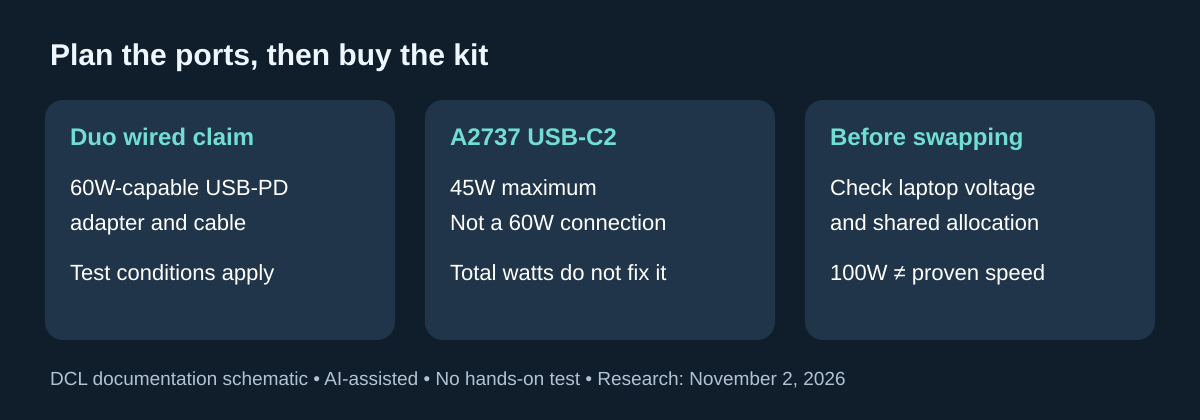
October 30, 2026 research addition: the Anker 535 Car Charger 67W, model A2731, is a smaller-power alternative to the higher-output car chargers above. It is a sensible comparison when one laptop or a phone-led kit fits its documented limits. It is not a way to obtain the A2737’s output from a smaller headline number, and the model numbers must remain separate at checkout.
Anker’s New Zealand B2731 package page identifies charger model A2731 and two USB-C ports plus USB-A. Its A2731 manual states a 67W total and USB-C single-port profiles reaching 20V/3.35A. The following choices depend on which sockets are occupied, rather than adding the separate single-port ratings.
| Actual load | Documented boundary | Buyer implication |
|---|---|---|
| One USB-C device | USB-C1 or C2 up to 67W | Confirm the laptop or phone accepts a listed profile and suitable cable |
| Three devices connected | Product page says C1 supplies 45W | A laptop needing more than that concurrently is a poor match for this arrangement |
| C2 and USB-A occupied together | Product page says each is limited to 9W | Do not count on either socket keeping its individual fast-charge maximum |
| A device needing 100W from one port | A2731 is limited to 67W total | Compare the higher-output options already documented above |
The page’s “all three” C1 statement and its C2-plus-A statement are useful limits, but they do not establish every other two-port split. We leave unlisted splits unknown. A phone also does not draw a published maximum simply because the charger offers it. Choose for the negotiated requirement and realistic simultaneous workload, not a promise that every connected battery charges at the same speed.
For package planning, the retrieved New Zealand B2731 page lists a USB-C-to-USB-C lead of approximately one meter. That is a regional package statement, not proof that an A2731 listing elsewhere contains the same lead. Cable reach, the laptop’s charging connector and the passenger arrangement still need checking. Current delivered price and complete-kit cost are unknown; no availability claim for your market follows from this page.
The manual lists 12–24V input and shows a conventional vehicle accessory-socket connection. It also specifies a maximum ambient operating temperature of 25°C. Read that restriction before selecting it for a cabin that may be hot; we have not measured temperature behavior or verified a special hot-weather mode. Follow both the charger instructions and the vehicle socket guidance already discussed above. A higher charger headline cannot override the vehicle’s limits.
Selection: keep an adequate existing car charger, consider A2731 when its smaller shared budget is sufficient, or compare A2737/other documented alternatives when the laptop and passengers need more concurrently. Include any missing correct cable in the budget. We have not tested socket retention, charging speed, safety-system behavior or radio interference. This addition expands the compatibility decision without creating another near-duplicate car-charger page or a DCL performance ranking.
iPhone Duo changes the laptop-and-phone port plan
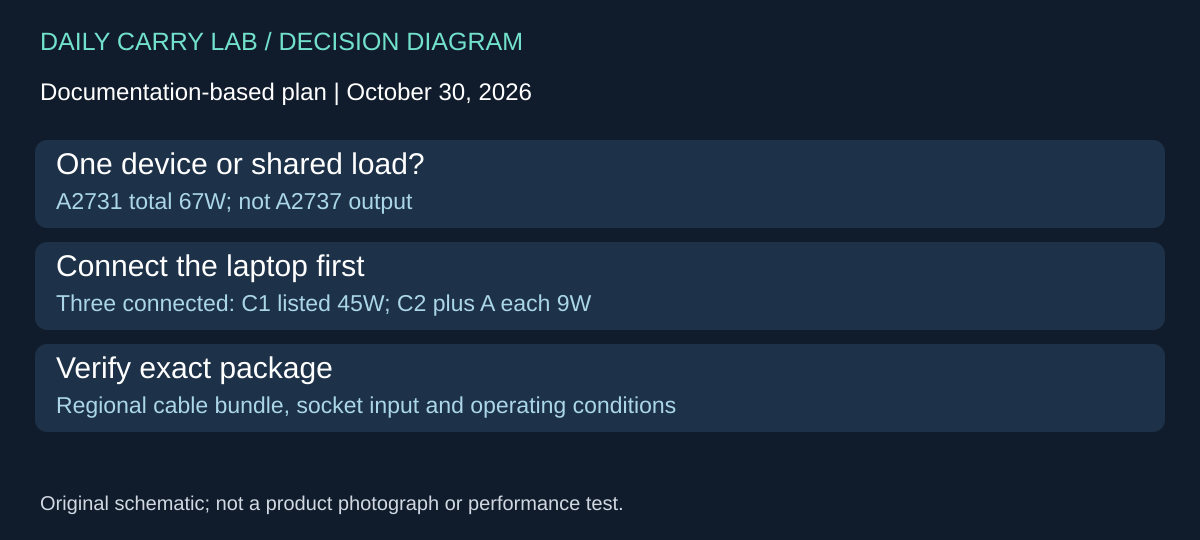
Research checked November 2, 2026. If you are buying for an iPhone Duo and a laptop together, do not assume that the secondary USB-C port reproduces the phone maker’s wired fast-charge claim. Apple’s Duo technical specifications, Power and Battery and footnote 9 specify a 60W-capable or higher USB-PD adapter and a suitably capable cable for that claim. The A2737’s USB-C2 ceiling is 45W. That makes the second port an unsuitable basis for promising Apple’s stated wired fast-charge result, even though the charger’s total is 167.5W.
This does not mean Duo cannot charge on a lower-power port. It means the advertised charging-time claim and ordinary charging compatibility are different questions. We have not measured either combination. A slower connection may still meet your travel needs if the phone starts charged and time is not critical; assess that need before buying a replacement charger.
| Intended arrangement | What the documents establish | Decision before purchase |
|---|---|---|
| Laptop on A2737 USB-C1, Duo on USB-C2 | USB-C1 up to 100W; USB-C2 up to 45W | Do not promise the Duo wired fast-charge claim from USB-C2 |
| Duo on A2737 USB-C1, laptop on USB-C2 | The ports have different voltage profiles as well as different ceilings | Confirm the laptop can use USB-C2; the manual does not list fixed 15V or 20V output there |
| Give each device its preferred charging connection at different times | Only the connected device’s actual charging path matters | Sequential charging may avoid another purchase if it meets the trip’s needs |
| Need laptop charging and Duo’s specified wired fast-charge conditions together | A large combined-output number is insufficient evidence | Seek exact simultaneous port profiles for both devices; this guide certifies no untested pairing |
The A2737 quick-start guide, English specifications on PDF page 3 lists USB-C1 fixed outputs through 20V/5A, while USB-C2 lists 5V/3A, 9V/3A and 5–11V/5A, with a 45W maximum. Its 145W two-port headline does not turn either port into a different voltage source. Swapping the laptop onto USB-C2 simply to free the 100W port for the phone can therefore create a new laptop compatibility problem.
Nor does the 100W marking prove that Duo will negotiate the exact input needed to match Apple’s result. Apple’s timing footnote describes preproduction phones, a particular Apple adapter, drained batteries and the phone open; it also qualifies charging time by settings, use and environment. Treat that as manufacturer’s test context, not a DCL car-charging benchmark. The lower 30W secondary ceilings on the retained UGREEN and Baseus examples likewise cannot establish a 60W-capable connection. Their exact sharing and voltage limits remain in the tables above.
Selection and budget: keep a suitable existing charger when ordinary charging meets the trip. If both devices need a particular faster mode, obtain the exact simultaneous-output evidence before ordering; include the required cables and check the vehicle socket limit separately. Current replacement-charger, cable and delivered-kit totals are unknown. No new retailer identity, tested charge time or promise that a higher-priced unit solves the problem is added here. For the separate transfer-speed decision, use our USB-C cable guide.
Shop the researched models
These Amazon links are affiliate links. Daily Carry Lab may earn a commission from qualifying purchases. Match the model and included contents to your needs; this guide is based on manufacturer-source research, without hands-on testing.
-
Anker Nano Car Charger A2737
Charger + USB-C cable bundle
View Anker A2737 charger + cable bundle on Amazon -
UGREEN 130W Car Charger 90889 / CD293
Black · Normal · charger + 3.3 ft USB-C cable
View UGREEN 90889 Black Normal + cable on Amazon
Sources and limits
This guide compares published specifications and source documentation. Daily Carry Lab has not performed hands-on tests of the products in this guide. Consult the dated sources and verify the exact model and current terms before buying.
- Apple iPhone Duo charging specifications and test conditions
- Anker specifications
- Anker US listing
- UGREEN US specifications
- Apple’s adapter guidance
- USB-IF cable power labels
- Anker manual
- UGREEN 90889 regional specification
- Baseus TZCCZM-0G specifications
- Ford auxiliary power point example
- car-manual primary documentation
- October 30 car-nz primary documentation
- October 30 car-manual primary documentation
Related guides
Sling Bag Tech Kits vs AirTag Trackers for Airport Security
Sling Bag Tech Kits vs AirTag Trackers for Airport Security: practical carry guidance on fit, real-world tradeoffs, and the specs worth comparing before you buy.
Travel Charging Kit for Rental Car Pickup Days
Travel Charging Kit for Rental Car Pickup Days: practical carry guidance on fit, real-world tradeoffs, and the specs worth comparing before you buy.
Best Cable Organizer Bags Under $150 for AirTag Luggage Tracking in 2026
Best Cable Organizer Bags Under $150 for AirTag Luggage Tracking in 2026: practical carry guidance on fit, real-world tradeoffs, and the specs worth comparing before you buy.
Best Electronics Organizers Under $100 for One-Bag Travel in 2026
Best Electronics Organizers Under $100 for One-Bag Travel in 2026: practical carry guidance on fit, real-world tradeoffs, and the specs worth comparing before you buy.