By Daily Carry Lab. Primary documentation checked October 14, 2026 (Pacific).
Affiliate disclosure: As an Amazon Associate, Daily Carry Lab earns from qualifying purchases. Retailer links may earn a commission at no extra cost to you. Manufacturer links below are evidence sources.
Research disclosure: This guide uses primary documentation. We have not tested these products and assign no DCL rating or measured performance result.
For a laptop that needs up to 100W over USB Power Delivery, look for a documented 5A cable and compatible charger. For a new purchase, a 240W EPR cable can cover that charging requirement without implying that your laptop will receive 240W. If you also need a monitor or fast storage, add an explicit data/video requirement before buying.
We selected the Apple 240W USB-C Charge Cable (2m) and Cable Matters 201440 USB-C 2.0 charging cable because both manufacturers clearly describe their high-power charging and limited data roles. This is a charging-focused comparison, not a ranking of transfer performance, cable toughness or measured charging speed. Other cables may meet the same requirements.
Match the laptop’s power requirement
USB-IF’s March 2026 Type-C specification requires electronic marking for cables rated above 3A. At 20V, 3A equals 60W and 5A equals 100W. Those calculations explain why the current rating matters; they are not measured laptop charging rates. EPR cables also identify their extended power capability electronically.
| Laptop charging situation | Cable requirement to investigate | Remaining constraint |
|---|---|---|
| Up to 60W at 20V/3A | Documented cable meeting the required power | Charger and laptop still must support the needed profile |
| Up to 100W at 20V/5A | Documented 5A electronically marked cable | A 60W cable is below that cable power requirement |
| Above 100W USB-PD EPR charging | Documented EPR cable plus matching source/device | 240W cable alone does not create EPR charging |
| Charging plus monitor or dock | Required power and explicit video/data capability | Charging-only cable can be the wrong connection |
USB-IF replaced its 100W certification category with 240W and stopped new 100W certification in December 2021. Existing 100W-rated cables are not automatically defective because the certification program changed. Check their documentation and condition before deciding to replace them.
Two documented charging options
| Exact product | Manufacturer power/data statement | Length choice | Practical drawback |
|---|---|---|---|
| Apple 240W USB-C Charge Cable, MYQT3AM/A | Up to 240W; USB 2 data rates | 2m | Not selected for high-speed storage or video |
| Cable Matters 201440 USB-C 2.0 charging cable | Up to 240W; up to 480Mbps; explicitly no video; e-marker | Product page lists 3.3, 6.6 and 9.8ft options | Choose the exact length; USB2 data remains the limit |
Sources: Apple’s exact 2m product page and Cable Matters 201440. We do not assign either product a DCL durability score or claim an independent USB-IF listing verification. Cable Matters explicitly documents its e-marker and no-video limitation; Apple’s page states USB 2 transfer rates. Do not interpret either high wattage as evidence of fast file transfers.
For a charging-only laptop kit, choose the length that reaches the outlet with reasonable slack. The 2m Apple cable is a defined option when you want that length. The Cable Matters family offers different listed lengths, but verify the selected size at checkout. We have not measured connector clearance, packed bulk or resistance for those versions.
Check the charger with other ports occupied
A laptop’s charging path is a combination of source, cable and device. The total wattage on a multiport charger’s box can exceed what its laptop port provides with another device attached. Read the occupied-port allocation for the exact charger. The multi-device GaN charger guide addresses that source-side decision.
Keep a dedicated data/video cable when your workflow needs one. Changing from a supplied monitor cable to a high-power charge cable can remove the required signal path. For an external SSD, compare a documented data rate rather than the power number. The USB-C buying explainer explains how the markings differ; the right-angle guide covers connector geometry.
| Budget approach | Evidence on October 14, 2026 | Cost or drawback |
|---|---|---|
| Keep an existing suitable 5A cable | No new purchase if documentation supports your use | Identity and condition need checking |
| Buy Apple 2m or Cable Matters 201440 | Delivered checkout prices not compared | Charging capability does not supply fast storage/video |
| Buy a separate documented data/video cable | No current price comparison established | Another cable to pack; can solve a different need |
Choose by the highest actual requirement in your kit, not the largest number in a listing. For phones and mixed smaller devices, our general USB-C charging cable guide covers the broader decision. A laptop-specific cable purchase is worthwhile when it resolves a verified power or length gap; replacing a suitable cable merely to obtain a bigger wattage label has no demonstrated benefit here.
One cable for power and signals: check capability and reach together
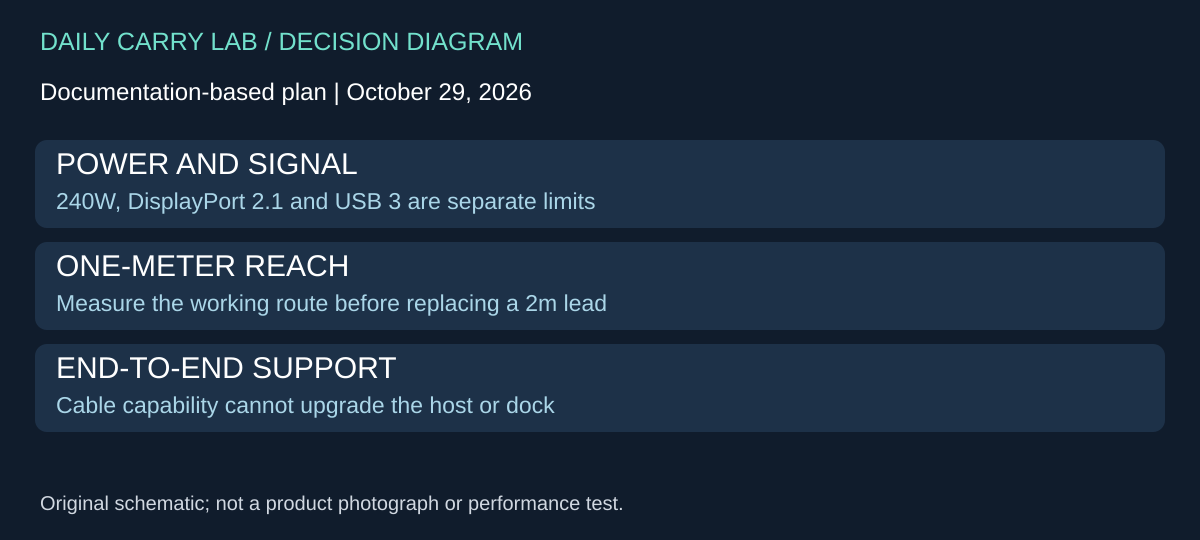
A laptop cable chosen only for charging can be the wrong spare for a dock or display. If your travel kit needs one cable to carry power and a documented data/video signal, compare an explicitly signal-capable option before ordering another USB 2 charge cable. That is a separate requirement from increasing the wattage printed on the jacket.
Apple’s MDW94AM/A Thunderbolt 5 Pro Cable, 1m, retrieved October 29, 2026, is documented as a passive cable supporting up to 240W, DisplayPort 2.1 video and USB 3 data up to 10Gb/s. Those capabilities distinguish its role from the charging-focused Apple 2m and Cable Matters USB 2 options above. They do not establish a particular display mode or storage-copy speed on your devices.
| Requirement | Compare first | Remaining drawback |
|---|---|---|
| Charging only, with an existing compatible 5A cable | Keep that cable if it meets the device’s requirement | A newer data standard supplies no demonstrated charging benefit by itself |
| Charging plus dock/display signal | Explicit signal-capable cable, such as the documented 1m Pro cable | Verify host, dock/display, power delivery and required mode end to end |
| Charging plus USB 3 storage | Cable’s stated data capability as well as power | Drive and host can still set a lower limit |
| Reach from a distant outlet | Required length and connector route | This 1m cable gives less nominal reach than the existing 2m charge option |
Do not treat the cable’s Thunderbolt name as a host upgrade. Identify the actual port on the laptop and the input on the other device. The cable cannot supply a protocol missing at either end, and a device compatibility listing does not promise every optional speed or display configuration. We deliberately do not use the page’s broad older-Thunderbolt transfer wording to assign an 80Gb/s capability to an older host.
For packing, measure the connection route in the working arrangement, not just the distance between the two products. The correct cable must reach without pulling the laptop, dock or charger out of position. If a long charge lead and a short data lead already solve the two jobs, replacing them with one shorter cable may remove needed reach. Conversely, a combined cable is worth investigating when it actually removes a redundant lead without sacrificing a required connection.
Budget and selection: current delivered totals are unknown; no premium-versus-budget winner is established. Keep the exact 1m identity separate from other Apple cable lengths and model numbers. No retailer offer, measured durability, signal test or universal display compatibility is approved here. DCL has not tested the candidate. Choose it only when its documented signal role and reach meet an identified gap in the complete kit.
Shop the researched models
These Amazon links are affiliate links. Daily Carry Lab may earn a commission from qualifying purchases. Match the model and included contents to your needs; this guide is based on manufacturer-source research, without hands-on testing.
-
Apple MYQT3AM/A
Check Apple MYQT3AM/A on Amazon -
Cable Matters 201440
Check Cable Matters 201440 (2m, black) on Amazon
Sources and limits
This guide compares published specifications and source documentation. Daily Carry Lab has not performed hands-on tests of the products in this guide. Consult the dated sources and verify the exact model and current terms before buying.
Related guides
iPhone Duo wired charging kit: adapter, included cable and complete cost
Build a complete iPhone Duo wired kit using the included cable; understand Apple A3351/MGKN4AM/A, dated cost and fast-charge test conditions.
Ethernet wiremap testers: what PASS does and does not tell you
Use an RJ45 wiremap tester to investigate wiring faults while keeping network speed, PoE and cable certification separate.
Action-camera microSD cards: match class, capacity and exact revision
Compare exact 256GB SanDisk Extreme and Samsung PRO Plus revisions by camera requirements, speed classes and offload limits, without speed-test claims.
USB-C cable testers: wiring checks, e-markers and their limits
Compare Bit Trade One Checker 3 and Lite by cable wiring, e-marker readout and port diagnosis. Learn what neither establishes about throughput or sustained power.