
By Daily Carry Lab. Primary documentation checked October 13, 2026 (Pacific).
Affiliate disclosure: As an Amazon Associate, Daily Carry Lab earns from qualifying purchases. Retailer links may earn a commission at no extra cost to you. Manufacturer links here document sources.
Research disclosure: This guide uses primary documentation, not hands-on testing. Figures are manufacturer specifications; no DCL rating or benchmark is assigned.
For a travel Apple Watch kit, start with your watch generation and the charging cable you already own. A USB-C plug is only one part of the setup. The puck, power adapter and regional charger version determine whether the fast-charge path is available.
This guide selects a charging method rather than ranking unverified pocket chargers. The baseline is Apple’s documented magnetic fast-charge cable with a suitable supply. Keep an existing compatible cable when it meets your watch’s requirements; choose a separate puck or watch-charging bank only after its exact model documents support for your generation. The October 29 WIZ015 section documents a limited package and placement comparison; newer-watch fast-charge compatibility remains unverified.
Identify the watch and cable together
| Check | Documented requirement | Buying implication |
|---|---|---|
| Watch eligibility | Apple lists Series 7 and later, SE 3, and Ultra and later | Earlier SE generations are not included in that fast-charge list |
| Cable identity | Apple USB-C Magnetic Fast Charging Cable; aluminum around puck | A USB-C connector alone does not identify a fast-charge puck |
| Regional exception | WPT-labeled compliant pucks do not support fast charging | Inspect your actual puck rather than assuming the retail name settles it |
| Newer watch/cable pairing | Apple identifies A3277 on the USB-C plug for the cable supplied with Series 12 and Ultra 4 | Apple says those watches charge faster with their supplied cable than older chargers |
Source: Apple’s current fast-charge requirements, checked October 13, 2026. These are eligibility statements, not measured charging results for your kit.
Record the model before shopping. A listing that merely says “for Apple Watch” may establish magnetic charging without documenting the fastest supported mode. Do not transfer Series 9 promotional charging times to a different watch or puck. For a watch outside the fast-charge list, use its documented charging setup; this guide does not assign a new time estimate.
Add the right power source
Apple lists compatible Apple USB-C adapters and a comparable third-party USB-C adapter supporting USB Power Delivery of at least 5W. This is the support requirement, not a claim that every 5W supply gives every watch its fastest result. Apple’s guidance favors the cable supplied with the watch for that model’s best charging speed. Apple supply and cable guidance.
| Travel arrangement | What to verify | Drawback |
|---|---|---|
| Existing Apple fast-charge cable plus wall supply | Exact cable and USB-PD adapter compatibility | Two separate items and access to a wall outlet |
| Compact USB-C watch puck | Exact puck model explicitly supports your watch and charging mode | Small size does not prove fast charging or suit every band position |
| Watch-charging battery bank | Exact watch module, stored energy and cable/input documentation | Added bank mass and recharge plan; unverified models excluded here |
| Three-device station | Input adapter and all device modules fit the overnight kit | More equipment if you only need a watch charger |
Use the wireless travel station guide when the phone and earbud case need charging too. It answers the different footprint and module-power question. For a USB wall supply, consult the multiport charger guide, then check the actual port allocation when other devices connect.
Make the travel setup usable
Set out the cable, adapter and watch with its real band before departure. Check whether the watch sits on the puck without pulling the cable taut and whether the plug is accessible in your intended arrangement. These are reader checks, not DCL fit tests. A compact pack can still be inconvenient if the cable or band prevents normal placement.
Apple notes that temperature, an active display, updates and media transfers can lengthen charging. Reserve an outlet opportunity instead of treating a promotional charge time as a deadline guarantee. We have not measured your watch, temperature or battery condition.
Budget and selection limits
| Choice | Budget evidence on October 13, 2026 | Reason to choose | Limitation |
|---|---|---|---|
| Keep compatible supplied cable/adapter | No new cable cost if already owned; other costs unknown | Exact identity is easy to inspect | Your adapter and regional puck still need checking |
| Buy the correct Apple cable | Current exact US cable price not established | Manufacturer documents the charging path | Confirm the generation-specific cable rather than a generic title |
| Investigate a puck/bank/station | Price and exact compatibility not established here | A specific packing or outlet constraint requires it | No recommendation until the module and power requirements are documented |
There is no price ceiling, DCL speed score or retailer identity claim in this update. Choose the smallest complete setup whose charging path you can document, rather than the smallest advertised puck.
Check charging optimization before replacing the travel kit
A watch pausing near 80% does not, by itself, establish that the cable or adapter is wrong. Apple’s Optimized Battery Charging can delay charging beyond that point. Supported watches also have a dynamic Optimized Charge Limit. Inspect the charging screen before buying replacement equipment. Apple’s charging-optimization guidance, checked October 21, 2026.
| Observation or need | Documented action | Decision boundary |
|---|---|---|
| Open charge ring with Optimized Charge Limit active | Check the watch’s charging screen | A deliberate limit differs from failure to connect |
| Need a full charge before departure | Leave the watch connected, show the charging screen, tap the charging icon, then Charge to Full Now | A one-time request avoids assuming a new charger is necessary |
| Different behavior at home and during a trip | Apple says optimization learns habits and is designed around familiar locations | Do not expect identical behavior during variable travel routines |
Check the resulting charge before packing. This does not diagnose a watch that never starts charging, guarantee completion by departure, or establish battery condition. If the cable, power source or temperature remains suspect, use the requirements above and Apple’s support instructions. We have not tested this behavior on a travel kit.
Separate an empty watch from a failed charging kit
A travel charger that appears inactive is not enough evidence to replace the whole kit. Apple distinguishes an exhausted watch from a missing charging connection. A red lightning symbol indicates insufficient power to start; once connected, that symbol appears inside a ring. A blank display or charging-cable image can require up to 30 minutes on the charger before startup. Apple’s charging troubleshooting, published September 17 and checked October 22, 2026.
| What you observe | Manufacturer check | Purchase implication |
|---|---|---|
| No charging indication | Seat cable and adapter fully; reposition watch on puck | Establish a connection before comparing advertised charging speed |
| Contact seems unreliable | Check clean watch/puck surfaces and remove remaining charger wrap | Inspect the placement path before adding another adapter |
| Still no charge | Try another suitable Apple magnetic cable and another USB power adapter | Borrow known working components if available to narrow the suspect part |
Apple notes that a deeply discharged watch can take up to 30 minutes even to display the lightning indication. Persistent failure after its checks can require service. Follow the full support procedure for your watch; this is not a battery-health diagnosis or a promise of recovery.
For troubleshooting, change one component at a time and record the result. That is our suggested method for avoiding an unnecessary multi-item purchase, not an Apple charging-speed measurement. A replacement cable cannot be selected by connector alone: return to the generation and regional requirements above once you know which part needs replacing.
The earlier optimization section addresses a watch that is charging but deliberately limiting its charge. This section addresses startup and connection. Keep those observations separate when describing the problem to support. Current service and replacement prices are unknown, so no cost saving or repair-versus-replacement threshold is claimed.
Decide whether the charging position also works as your bedside alarm
A stand can change how conveniently you see and control a charging watch, but Nightstand Mode is a watch feature. Before buying a travel stand for an alarm-clock role, check whether the existing charging arrangement already meets that need. This is a placement decision alongside the electrical compatibility checks above.
Apple’s watchOS 27 alarm guide, checked October 24, 2026, enables Nightstand Mode under Settings, General. It describes a watch connected to its charger facing up displaying charging status, time, date and the next set alarm. Tapping the display or nudging the watch reveals the time. This does not establish an always-lit display or require a particular third-party stand.
| Intended bedside task | Check with your actual band and cable | Drawback to resolve |
|---|---|---|
| See the time while charging | Read the screen from your intended position | A small packed stand may still place the screen poorly |
| Stop a watch alarm | Keep access to the side button | A holder or band must not obstruct the control |
| Snooze a watch alarm | Keep access to the Digital Crown | Rehearse which control performs which action |
| Also hear the alarm on iPhone | Check the alarm’s actual source and settings | Apple says a watch alarm does not alert the iPhone |
For an alarm made in the watch’s Alarms app, Apple assigns dismissal to the side button and snooze to the Digital Crown. Set an unimportant rehearsal alarm using the intended setup before depending on it for departure. That rehearsal is our advice; DCL has not tested alarm reliability or a stand’s stability.
Budget and selection: compare using the existing compatible cable and placement first. A stand purchase should answer an identified viewing, band-clearance or control-access problem; its current total and exact fit remain unknown. This feature supplies no evidence of faster charging, iPhone alarm mirroring or guaranteed wake-up. Keep the generation, puck and power-source requirements above as separate checks.
Use the Slow Charger message to narrow the replacement decision
Research added October 28, 2026. If the watch charges but a short travel stop yields less charge than expected, inspect Settings, Battery before replacing every component. Apple’s charge-speed guidance says watchOS 26 and later can display Slow Charger when the charging experience could improve. Apple explicitly says that message does not mean the watch or charger is faulty.
| Observation | Next comparison | Buying limit |
|---|---|---|
| Slow Charger message while connected | Supplied watch cable and a dedicated USB-C PD charger | The message alone does not identify a broken component |
| Slower charging through a shared hub or computer | Direct dedicated supply versus the occupied shared arrangement | A port’s connector does not establish available power |
| Kit uses an older watch cable | Exact supplied cable versus that older version | A new wall brick alone may not address the cable difference |
| No charging connection at all | Use the startup troubleshooting section above | A speed message is a different problem |
Apple recommends a direct dedicated USB-C charging connection and the cable supplied with the watch. It notes that shared multiport supplies, computers and hubs can reduce available output. That makes the complete connected arrangement the useful comparison; it does not certify any unlisted compact puck or bank.
Our suggested pre-trip check is to keep the same watch and cable, compare an available documented dedicated supply with the planned shared setup, and inspect the result. This is a reader check, not a DCL speed test. Do not buy solely to remove a message if the existing kit already meets your charging window.
Budget and drawback: exact replacement totals remain unknown. Reuse a suitable supply if available before shopping. This diagnostic adds no promised charge time, thermal result or new watch-generation compatibility; retain the exact-model requirements above.
Check the WIZ015 package suffix before adding a bedside charger
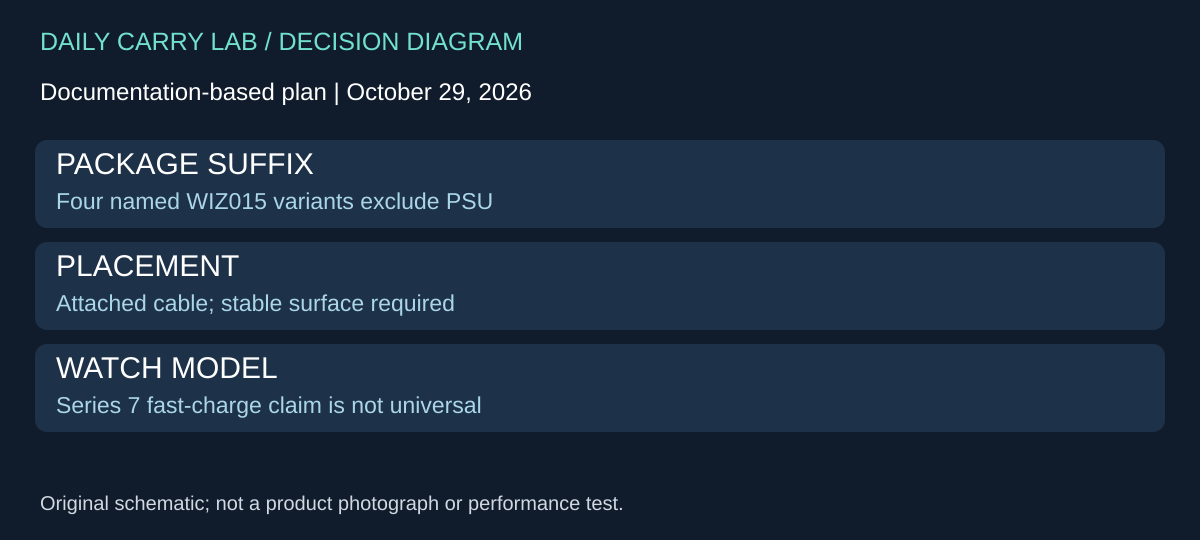
Research added October 29, 2026. A travel stand is a complete electrical kit only when the actual package includes, or you already own, the required supply. An attached lead and a product-family name do not settle what arrives in the box. This is particularly relevant when comparing an existing Apple cable with an integrated bedside charger.
Belkin’s WIZ015 FAQ describes an attached 1.2m USB-C cable and flat or Nightstand positions. Its package section explicitly lists WIZ015btBK, WIZ015dsBK, WIZ015btWH and WIZ015dsWH without PSU, despite a broader preceding package statement mentioning a supply. Use the exact suffix rather than treating that general line as proof of a bundled adapter.
| Decision | FAQ evidence | Purchase consequence |
|---|---|---|
| Need a complete wall-powered kit | Four named suffixes exclude PSU | Include an independently compatible supply in the budget |
| Want an integrated bedside cable | Attached 1.2m USB-C lead | Verify that reach suits the intended outlet and surface |
| Charge phone and watch together | One device at a time; not Qi-compatible | This is not a general wireless phone pad |
| Use away from a desk | FAQ requires a solid, stable surface and rejects vehicle use | Do not select it as an in-car charging solution |
The cited FAQ ties its fast-charge claim specifically to Series 7 and lists older watches and Ultra for charging. It is insufficient evidence of the fastest mode on every later generation. We therefore add this as a source-only package and placement comparison, not a newly verified universal fast-charge recommendation. Keep Apple’s exact watch/cable and regional checks above.
This source also presents ambiguous dimension labels and an inconsistent storage-temperature line. We omit those figures rather than silently correcting them. The FAQ’s minimum-5W USB-C PSU statement does not establish that an arbitrary supply produces a particular fast-charge time; confirm current exact-watch guidance with Belkin before purchasing for a short charging window.
Budget and drawback: current charger, supply and delivered totals are unknown. Keeping a compatible cable may already solve overnight charging. Buy a stand to address an identified placement or band-access problem, after checking the actual package. We have not tested band fit, surface stability, charging speed or alarm reliability. No new retailer identity, price, stock or compatibility for unlisted watch generations is approved here.
Ultra wearing temperatures do not define its charging conditions
Research added October 31, 2026. A watch that slows or stops charging in heat presents a different decision from the Slow Charger message or optimized charge limit above. Before buying a higher-output travel adapter, check the environment and the watch’s temperature indication. A larger supply does not establish that the watch can resume charging under those conditions.
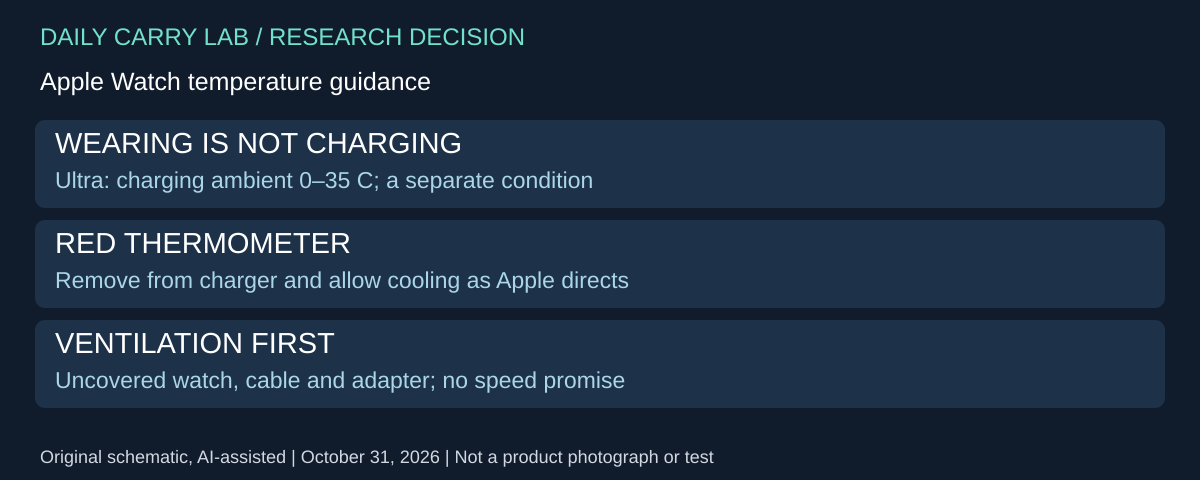
Apple’s temperature guidance, published September 19, 2026 and retrieved for this update, gives Apple Watch Ultra a 0–35°C ambient charging range, separately from its −20–55°C wearing range. Do not use the broader wearing range to plan a charging stop. The same document says Series and SE models work best at 0–35°C; it does not transfer the Ultra wearing range to those watches.
| Situation | Documentation boundary | Kit decision |
|---|---|---|
| Ultra worn in conditions outside ordinary room temperature | Wearing and charging have separate published ranges | Plan a suitable charging location before choosing a faster kit |
| Charging slows or stops as temperature is managed | Apple lists both as possible thermal responses | Output wattage alone does not diagnose the limitation |
| Red thermometer and time appear | Apple directs removal from the charger and cooling | Stop the charging attempt and follow the complete manufacturer procedure |
| Charging on a covered bedside surface | Apple requires a well-ventilated, uncovered arrangement | Check placement of watch, cable and adapter together |
For the red-thermometer condition, Apple says to remove the watch from the wrist if worn, remove it from the charger if charging, and move it to a cooler place. Let it cool before wearing or continuing to charge. This is the maker’s response to that displayed condition, not a DCL diagnosis of every warm watch. Apple notes that the watch and accessories can warm during normal charging too; ordinary warmth and a displayed temperature warning are different observations.
Our purchase advice is to resolve the location before selecting a stand: a closed pouch, covered charger or hot parked car does not become a suitable charging site because the adapter is compact or powerful. Apple’s document specifically cautions against leaving the watch in a car on hot days. Keep the exact watch/cable/region requirements earlier in this guide after resolving the environment. Thermal guidance approves no new third-party puck or charge time.
Budget and selection: an available suitable surface and the existing compatible kit may avoid an unnecessary purchase. Current stand, cable, adapter and service totals remain unknown. If you cannot provide the documented conditions, defer the charging arrangement rather than selecting by wattage. DCL has not measured watch temperature, recovery time or adapter behavior; this section makes no promise of resumed charging or battery recovery.
Verify the charging accessory before replacing the travel kit
Research added November 2, 2026. If a replacement cable or stand is the next purchase, establish its identity before comparing charging times. A listing that says “for Apple Watch” is not enough to establish Apple manufacture or certification. That is a different check from the watch-generation, power-source and package-suffix decisions above.
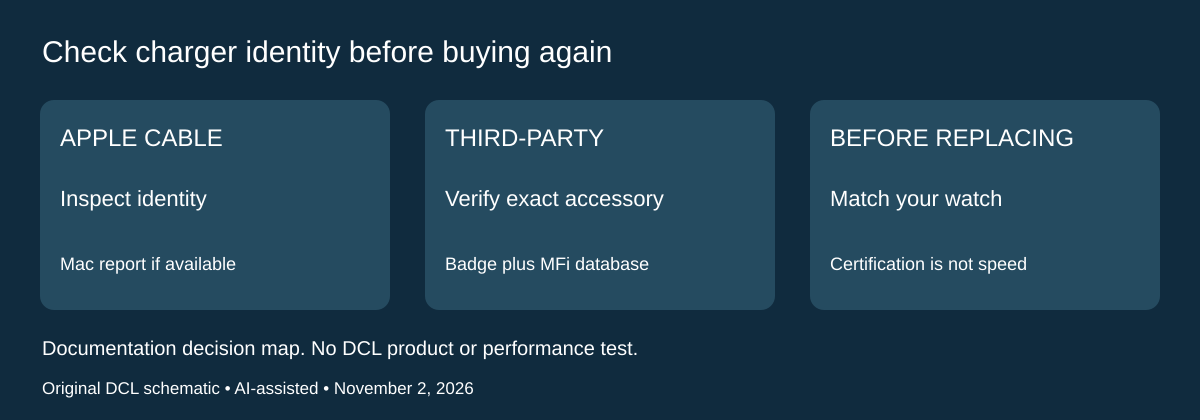
Apple’s charger identification guidance, published September 17, 2026, recommends Apple-made or MFi-certified accessories carrying the Made for Apple Watch badge. It describes inspecting markings and, for an Apple cable, checking the manufacturer under the Mac’s System Report > USB details. Apple-made chargers report Apple Inc. there. For third-party certification, Apple links a public MFi accessory database.
| What you have | Identity check | What it does not establish |
|---|---|---|
| Existing Apple cable | Compare its markings with Apple’s guide; inspect USB manufacturer details on a Mac if available | A complete fast-charging setup for every watch |
| Third-party stand or cable | Check the actual accessory/package badge and exact accessory in the linked certification database | Contents of a different seller’s bundle |
| Marketplace listing without clear model information | Obtain the actual model and package identity before selection | “Compatible” wording alone is insufficient |
Use those checks as separate pieces of evidence. A photo of a badge in a listing does not prove what will arrive, and a model number copied into a description does not authenticate an individual unit. This guide has not inspected a charger offered by a seller. If the supplied cable already meets your needs, retain it while an uncertain replacement is investigated.
Apple also distinguishes certification from the fastest supported charging arrangement: its current guidance favors the cable supplied with the particular watch. Do not turn a certification check into a promise about charging time. Keep the exact-generation checks above, especially when replacing a cable across watch generations or using a multi-device stand.
Budget and drawbacks: current authentic-cable, certified-stand and complete-kit totals are unknown. A cheaper accessory without traceable identity is not an equivalent verified offer. Conversely, replacing a working cable solely because another product advertises a larger number may add cost without solving your actual charging window. Record the watch model, existing cable identity and needed reach before comparing alternatives. DCL has not authenticated physical units, calibrated charging times or certified any new retailer offer in this update.
Sources and limits
This guide compares published specifications and source documentation. Daily Carry Lab has not performed hands-on tests of the products in this guide. Consult the dated sources and verify the exact model and current terms before buying.
- Primary documentation 1
- watch-optimized added primary documentation
- October 22 added primary documentation
- Decide whether the charging position also works as your bedside alarm primary documentation
- October 28 watch decision evidence
- October 29 watch primary documentation
- Ultra wearing temperatures do not define its charging conditions primary documentation
- Apple charger identification: markings, USB manufacturer, MFi and supplied-cable guidance
Related guides
iPhone 18 Pro: Wrist Strap or Crossbody Strap, with the right case
Compare exact Apple Wrist and Crossbody strap packages for iPhone 18 Pro by attachment, length, complete cost and limitations.
iPhone Duo cases: Apple Case versus Folio with Kickstand
Compare exact Apple iPhone Duo Case and Folio parts by coverage, viewing support, charging arrangements, separate equipment and dated US prices.
Portable label makers: choose phone control or a built-in keyboard
Compare Brother PT-P300BT CUBE and PT-H110 by phone dependence, TZe tape widths, power and cable-label workflow.
Travel AA/AAA chargers: match the cells, slots and USB input
Compare four-slot AA/AAA charging systems by exact chemistry and USB input. Includes conditional XTAR BC4 research and explicit operating-manual limits.