
By Daily Carry Lab. Primary documentation checked October 14, 2026 (Pacific).
Affiliate disclosure: As an Amazon Associate, Daily Carry Lab earns from qualifying purchases. Retailer links may earn a commission at no extra cost to you.
Research disclosure: We have not tested these products. Selection uses primary documentation and the compatibility decisions below; no DCL ratings or measured performance are claimed.
For travel, a smart ring is an app-and-charger purchase as much as a piece of jewelry. Choose by phone support, model-specific sizing, charging access and continuing software requirements. This guide does not evaluate health measurements, medical usefulness or sensor accuracy.
We selected Oura Ring 4 and Samsung Galaxy Ring because their manufacturers document different phone and charging arrangements. This is specifically Ring4, not another Oura generation or Ceramic variant. The Samsung comparison uses the documented Galaxy Ring model family; the ring size and finish must be selected before any retailer mapping is approved.
Compare the carry requirements
| Requirement | Oura Ring 4 | Samsung Galaxy Ring |
|---|---|---|
| Sizing | Ring4-specific sizing kit; support page distinguishes white size4–15 sizers | Dedicated Galaxy Ring sizing kit; do not use an ordinary jewelry size alone |
| Maker-rated battery | Typically5–8 days, with size/settings/use/age caveats | Up to7 days for sizes12/13 in reviewed footnote; up to6 days for smaller sizes |
| Charging hardware | Included size-specific charger and USB-C cable | Charging case can charge from its own battery; USB and wireless case charging documented |
| Phone/app route | Oura app on iOS and Android | Samsung documentation lists Android11+ and more than1.5GB memory; current phone/app compatibility still needs checking |
| Continuing software cost | Oura Membership documented; full feature access differs without membership | Samsung’s launch documentation describes Samsung Health access without a subscription |
| Water specification | Manufacturer100m rating; support excludes diving | Manufacturer10ATM and IP68 ratings with stated test conditions |
Sources: Oura Ring4 official store, Oura Ring4 support, Oura Membership, Galaxy Ring current product page, Samsung’s launch specifications. Battery figures are manufacturer estimates, not DCL travel tests; they do not support a universal battery winner.
Oura Ring 4: compare for the documented iOS/Android route
Oura’s store lists a size-specific charger in the box. That is a useful packing constraint: a spare charger should match the Ring4 size and generation. Do not assume a charger for another Oura ring fits. The support page gives typical charging time20–80minutes depending on starting charge, rather than one guaranteed full-charge time.
Drawback: evaluate the membership arrangement before purchasing hardware. The membership page offers continuing app features, while the no-membership experience differs. This guide omits subscription prices and makes no promise about which future features will remain available. Check current terms and the precise features you intend to use.
Samsung Galaxy Ring: compare for its portable charging case
Samsung’s charging instructions explain that the case has its own battery. Once charged, it can recharge the ring without an additional power source. Place the ring correctly against the case marker. When ring and case are charging together, the ring charges first, then the case. That makes case charge another item to check before leaving the hotel.
Drawback: a compatible phone and apps remain necessary. Samsung documents Galaxy Wearable for connection and Samsung Health for its app experience; certain features require a Galaxy phone/account. We do not infer an iPhone option from Bluetooth support. Verify current requirements for your exact phone, country and intended features before buying.
Sizing is a pre-trip task
| Step | Practical reason | Boundary |
|---|---|---|
| Get the exact model’s sizing kit | Oura generations and Samsung use model-specific fitting guidance | A jewelry-size number is not a substitute |
| Follow maker’s wear period | Samsung recommends trying the sample for at least24hours | DCL has not assessed comfort or swelling |
| Check removal and chosen finger | A ring must fit your actual routine | No all-day comfort guarantee |
| Select exact finish and size | Retailer identity and charger compatibility depend on the variant | A family-level listing is not final identity |
| Pack matched charger/case and cable | Battery estimates do not remove charging needs | No promise of a charger-free week |
Oura’s support page distinguishes Ring4’s sizing kit from newer-generation kits. Samsung’s reviewed page contains both expanded-size marketing and an older5–13 sizing-video description. We therefore do not treat the old video as the complete current size inventory. Confirm the exact size offered at checkout; do not transfer one size’s battery claim to a newly added size.
Water-resistance ratings are manufacturer conditions, not guarantees for every underwater activity. Oura’s support excludes diving. Samsung provides specific10ATM/IP68 test conditions and advises rinsing residue and drying after wet use. Follow the current care instructions rather than treating a depth number as permission for any sport.
Budget for ownership
| Situation | Decision to make | Budget status |
|---|---|---|
| Existing wearable meets your needs | Decide whether a ring adds a distinct benefit | No new hardware may be needed |
| Ring4 with app features you want | Review membership and charger requirements | Current hardware/subscription totals unknown |
| Galaxy Ring with compatible phone | Confirm current app/account needs and charging case contents | No current price or cheapest-ring claim |
| Long trip | Include spare charging access and matched accessories | Manufacturer battery rating is not guaranteed itinerary coverage |
Our fitness-tracker guide covers the separate wrist-device choice. The tech pouch guide helps plan charger storage. Ring4 and Galaxy Ring have official storefront identities recorded in the ledger, with exact size/finish mappings held until selected and verified. No Amazon link is embedded in the manuscript.
Choose only after the sizing kit, phone requirements and continuing app arrangement work for you. This research offers no health outcome, diagnostic, accuracy or security guarantee. It also makes no hands-on comfort ranking: those conclusions require different evidence from a manufacturer’s specification sheet.
Keep the charger accessible if you plan to use Oura airplane mode
A charger can be needed for reconnection even when a ring still has battery charge. Oura’s Airplane Mode instructions, updated October 1 and checked October 24, 2026, say that this mode disables the ring’s radio transmissions, including its Bluetooth link to the app, while it continues collecting and storing data. This changes what you should keep accessible during a trip.
To leave the mode, Oura directs you to put the ring on its charger and wait a few seconds for connection. If connection fails, its first advice is to close and reopen the app. Data then syncs; a backlog of several days can take longer. These instructions do not establish a precise sync time or guaranteed recovery from every fault.
| Travel plan | Preparation | Limitation |
|---|---|---|
| Use airplane mode, then sync before reaching home | Keep the matched charger available | Phone Bluetooth alone does not complete the documented exit procedure |
| Leave the charger in another bag | Decide when you next need app synchronization | Remaining battery does not remove the charger dependency |
| Remain in the mode for an extended period | Review Oura’s seven-day maximum per activation | Re-enabling after removal from the charger is a separate action |
| Connection still fails | Follow current connection troubleshooting | Do not assume all connection failures are airplane mode |
Our packing recommendation is to rehearse enabling and leaving the mode with the actual Ring 4, app and matched charger before departure. Store that charger where you can reach it at your planned sync point. This is workflow advice, not a DCL connectivity test, and it does not transfer Oura’s controls to Samsung Galaxy Ring.
Budget and selection: first decide whether carrying the included matched charger solves the access problem. A spare charger’s exact compatibility and current total remain unknown. Do not buy another ring to solve a mode setting before checking this documented dependency. No battery-life improvement, health outcome or sensor-accuracy claim follows from using the mode. This guidance also makes no statement about an airline’s device rules.
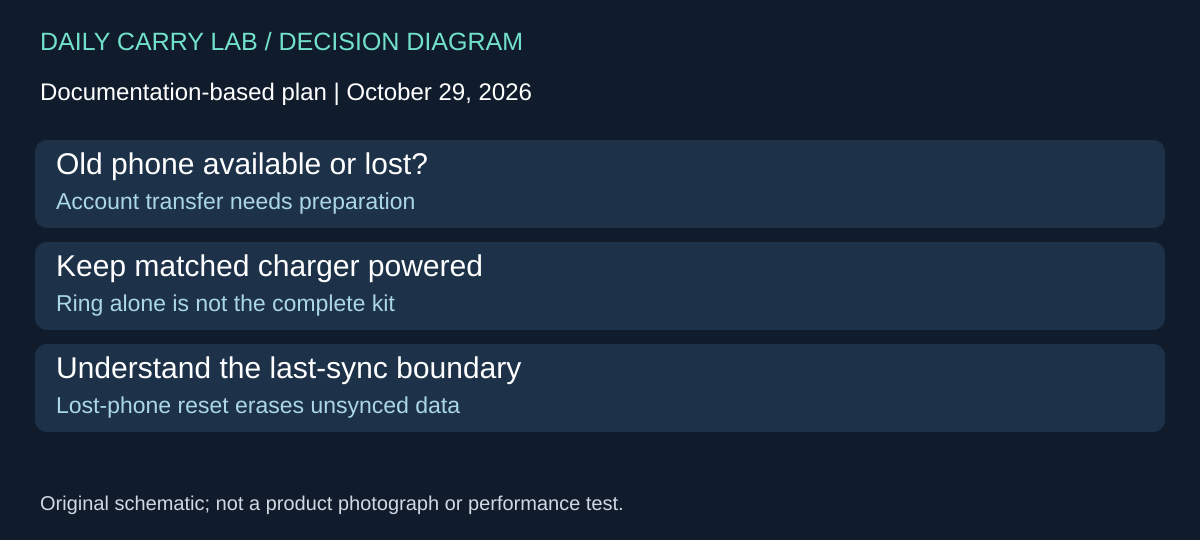
Plan the phone transfer before treating a ring as a self-contained travel device
A ring purchase can depend on what happens when the phone changes. Oura’s Transfer Your Oura Data to a New Phone guide, updated July 14 and checked October 29, 2026, describes a transfer through the existing account. For the Ring 4 buyer, this adds a recovery question to the earlier sizing, membership and airplane-mode decisions.
| Situation | Oura’s documented dependency | Planning consequence |
|---|---|---|
| Old phone still works | Stable internet; charge ring to at least 50%; sign out to back up app data, then remove its old Bluetooth pairing | Plan the transfer before discarding the old setup |
| Connecting the new phone | Keep ring on a powered charger and sign in with the current account | Carrying the ring alone does not complete this workflow |
| Old phone is lost or unusable | New pairing enters Restricted Mode; app prompts a factory reset | Understand the data boundary before proceeding |
| Reset in that lost-phone case | Unsynced ring data is erased; previously saved history remains | Recovery of history does not promise recovery of every recent record |
Follow the full current guide and its in-app instructions for a real transfer. This section explains a purchase and packing dependency; it is not a replacement reset procedure. DCL has not performed a transfer or verified recovery for a particular account. A new ring purchase should not be assumed necessary solely because a phone is being replaced.
Before choosing a travel wearable, write down the point at which you would need access again after changing phones. Would the matched charger be available, would you have account access, and would your plan depend on information not yet synced? Those questions expose requirements that a battery-life headline does not answer. They are also a useful reason to keep the charger accessible instead of evaluating only how small the ring is.
Budget and drawback: first consider whether the already included charger and a planned account transfer meet the need. Exact spare-charger costs and delivered ring totals remain unknown; no new purchase is assumed. This evidence concerns Oura’s account-transfer process and must not be transferred to Samsung’s workflow. It gives no health outcome, accuracy, backup-frequency guarantee or promise that every connection fault has the same cause. If the actual transfer differs from the documented case, obtain current Oura support before relying on a reset to preserve data.
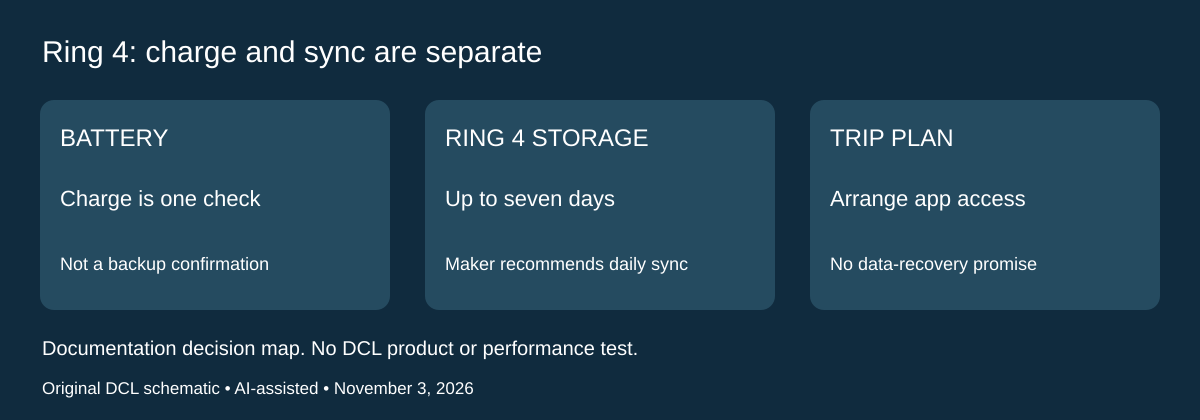
Ring 4: plan synchronization separately from charging
Research checked November 3, 2026. A charged ring and a backed-up record are different requirements. Oura’s Product Safety & Use page, Memory Capacity recommends daily app synchronization. It specifies up to seven days of unsynced data for Ring 4 and Gen3, while listing a different limit for Ring 5. This guide’s Ring 4 selection must use its own row. The storage allowance is not a recommended interval between syncs or a guarantee that every record survives a trip.
| Trip requirement | Decision before departure | Remaining drawback |
|---|---|---|
| Keep recent records available | Plan a daily opportunity to sync the actual ring and app | A battery percentage does not establish that records reached the account |
| Spend several days away from the phone | Compare the actual no-sync interval with Ring 4’s documented storage ceiling | Do not treat a maximum as reserve capacity |
| Travel longer than a week | Arrange access to the paired app during the trip | Carrying only a charger does not establish a completed backup |
| Change phones at the same time | Follow the transfer section above before discarding the old setup | A transfer plan and routine syncing answer different questions |
Our buying advice is to decide which part of the wearable workflow you actually want. If the purpose depends on preserving a continuous personal record, app access deserves the same attention as the charger and ring size. Write down where the phone will be available and confirm that synchronization has completed before leaving it behind. Those are DCL preparation suggestions; we have not tested offline retention or recovered missing records.
This also offers a reason to retain an existing suitable setup. A different ring is not automatically the solution to an inconvenient phone routine. First determine whether your current device, account access and planned sync opportunities meet the requirement. If the trip cannot accommodate that routine, compare the tradeoff explicitly instead of buying on the longest battery claim.
Budget and limits: current ring, spare-charger and replacement-phone totals are unknown. No extra hardware purchase is assumed. This update makes no health, accuracy or loss-recovery claim, and it does not assign Oura’s storage specification to Samsung Galaxy Ring. The existing airplane-mode and phone-transfer limits remain applicable.
Sources and limits
This guide compares published specifications and source documentation. Daily Carry Lab has not performed hands-on tests of the products in this guide. Consult the dated sources and verify the exact model and current terms before buying.
- oura-ring4 primary documentation
- oura-ring4-store primary documentation
- oura-membership primary documentation
- samsung-ring-spec primary documentation
- samsung-ring-announcement primary documentation
- samsung-ring-charge primary documentation
- samsung-ring-support primary documentation
- Keep the charger accessible if you plan to use Oura airplane mode primary documentation
- October 29 ring primary support
- Memory Capacity; current model-specific table
Related guides
iPhone 18 Pro: Wrist Strap or Crossbody Strap, with the right case
Compare exact Apple Wrist and Crossbody strap packages for iPhone 18 Pro by attachment, length, complete cost and limitations.
Portable label makers: choose phone control or a built-in keyboard
Compare Brother PT-P300BT CUBE and PT-H110 by phone dependence, TZe tape widths, power and cable-label workflow.
Travel AA/AAA chargers: match the cells, slots and USB input
Compare four-slot AA/AAA charging systems by exact chemistry and USB input. Includes conditional XTAR BC4 research and explicit operating-manual limits.
USB-C bike front lights: compare modes, mounts and charging
Compare Lezyne Micro Drive 800+ and Fenix BC15R using exact modes, rated runtime, battery design and mounting limits, without road-certification claims.