By Daily Carry Lab. Primary documentation checked October 14, 2026 (Pacific).
Affiliate disclosure: As an Amazon Associate, Daily Carry Lab earns from qualifying purchases. Retailer links may earn a commission at no extra cost to you. Manufacturer links support the documented claims.
Research disclosure: We have not tested these products. Selection is based on primary documentation and the compatibility decisions below; no DCL ratings or measured performance are claimed.
Choose Fitbit Charge 6 if a documented built-in GPS option is central to your plan. Choose Garmin vívosmart 5 only if its phone-connected GPS workflow fits how you travel. We selected these two to explain that substantial difference alongside charging and app requirements; we have not tested tracking accuracy or health measurements.
A band that looks simple can still require a particular phone, account, app and cable. Resolve those dependencies before buying it for a trip. Neither tracker should be treated here as a medical instrument or a primary navigation or emergency device.
Decide whether the phone must come on the activity
Google documents built-in GPS and GLONASS for Charge 6. Its overview describes seeing pace and distance without carrying the phone for that exercise function. That does not make every feature independent of the phone: setup, synchronization, notifications and other connected functions have their own requirements. Charge 6 specifications, product overview.
Garmin documents connected GPS for vívosmart 5. Its manual explains that the watch uses the phone’s GPS during activities and requires the Garmin Connect app’s location permissions to allow sharing. If you leave the phone at the hotel, do not expect that connected path to become an independent GPS receiver. Garmin vívosmart 5, Garmin manual, Connected GPS.
| Documented requirement | Charge 6 | vívosmart 5 |
|---|---|---|
| GPS workflow | Built-in GPS + GLONASS; phone-GPS option also documented | Connected GPS through the phone |
| Rated ordinary endurance | Up to 7 days; usage-dependent | Up to 7 days, excluding pulse-ox sleep tracking |
| Important battery distinction | Continuous GPS rating up to 5 hours | Phone supplies the connected GPS path; no independent-GPS endurance claim |
| App in current documentation | Google Health app and Google Account | Garmin Connect |
| Charging attachment | Magnetic cable with pins aligned to rear port | Model charging/data cable plugs into the watch port |
Sources: Google technical specifications, Google battery guidance, Google charging guidance, Garmin product, Garmin manual.
Seven days is not a continuous-GPS promise
Google’s Charge 6 specification gives up to seven days and says always-on display and SpO2 features require more frequent charging. Its battery-help page separately gives Charge 6 up to five hours with continuous GPS. Do not use the ordinary seven-day rating to plan an all-day GPS activity. Charge before the activity and establish what other equipment you need for navigation.
Garmin’s seven-day product rating excludes pulse-ox sleep tracking. Its manual makes clear that enabled features and use affect endurance. These are manufacturer ratings under different conditions; we do not declare a winner by comparing the shared seven-day headline or promise a week away from charging.
Pack the model-specific cable
Google’s charging instructions tell Charge 6 users to align the magnetic cable’s pins with the rear port. They state that Charge 5, Charge 6 and Luxe use the same cable; this is not permission to assume every Fitbit cable fits. The safety guide specifies using the included cable or compatible accessories and keeping the port and connector dry and clear before charging. Google charging instructions, Charge 6 safety guide.
Garmin’s manual shows the small cable end plugging into the watch’s charging port and the large end going to a USB charging port. Carry that model’s cable rather than expecting an ordinary phone USB-C lead to attach directly to the band. Check the host end of the cable against your charger, particularly if your travel kit now uses only USB-C outputs.
Confirm the current app and phone requirements
The current Google specification page names Google Health, with iOS 16.4 or later or Android 11 or later for a compatible phone. It requires Bluetooth LE and internet for synchronization; the overview states a Google Account requirement. Check the current compatibility page before checkout rather than relying on an old retailer operating-system field or old app name.
Garmin lists iPhone and Android compatibility and pairing with Garmin Connect. We have not established a precise minimum OS version in this capture, so check the app’s current requirements for your exact phone. Grant only the permissions needed for your chosen features; for connected GPS, inspect location and background behavior before the trip.
Neither a map-related feature nor an emergency-related feature establishes a standalone emergency plan. Garmin’s manual calls safety/tracking features supplemental. We make no diagnosis, medical accuracy, calorie accuracy or sleep-quality validation claims for either tracker.
Water ratings do not protect charging accessories
Google describes Charge 6 as designed to a 5 ATM rating under ISO 22810:2010 at manufacture, with water resistance that can diminish, and says it is not waterproof. Garmin’s manual lists 5 ATM. Those documented ratings do not mean unlimited diving, hot-water use or permission to charge while wet. Follow each manufacturer’s activity and care instructions, and keep the separate cables dry.
| Choice | Budget status checked October 14, 2026 | Useful reason | Drawback |
|---|---|---|---|
| Charge 6 Obsidian/Black GA05183-NA | Current checkout total unknown; optional service costs not assumed | Built-in GPS option | GPS reduces rated endurance; current Google app/account requirements |
| vívosmart 5 Black S/M 010-02645-04 | Current checkout total unknown | Connected-GPS workflow with Garmin Connect | Phone must accompany connected-GPS use; dedicated cable |
| Keep a suitable band you own | No new tracker purchase if it meets the plan | Check its cable, battery and app first | A new phone may change compatibility |
Retailer identities checked October 14 are Charge 6 B0CC62ZG1M, Black tracker GA05183-NA, and vívosmart 5 B09VY63659, Black S/M 010-02645-04. The band size and exact kit matter; do not substitute a large band, renewed device or accessory-only listing. No bundled subscription eligibility or photograph reuse permission is established. Store the cable with the travel charging kit and choose by the workflow you can actually support.
Choose how activities become saved records
For vívosmart 5, an automatically recognized walk is not necessarily a saved timed activity. Garmin says Move IQ events show activity type and duration on the timeline but do not appear in the activities list or newsfeed. It separately documents automatic timed walking/running activities with configurable time thresholds. Garmin’s manual, Move IQ and synchronization sections, checked October 21, 2026.
| Desired record/workflow | What to establish | Boundary |
|---|---|---|
| A saved timed activity | Select timed recording or configure the supported automatic-start threshold | A timeline event alone is not the same record |
| Phone synchronization | Bring the watch near the phone and open Garmin Connect; manual Sync is also documented | Verify the activity appears in your account |
| Computer synchronization | Install Garmin Express and connect the watch by USB | Carry the model cable; a laptop alone is insufficient |
Before choosing the band for a trip log, decide whether you want general movement detection or saved activity records. Check one representative recorded activity and its sync path before departure. This verifies your preparation, not DCL tracking accuracy. We make no unlimited offline-storage claim, and these Garmin workflows are not transferred to Charge 6. Phone-connected GPS requirements still apply to the route information discussed above.
Separate a wrist alarm from finding a lost phone
A travel band may be useful for simple timekeeping even when a phone is not in your hand. That does not make all its travel features independent. The vívosmart 5 manual, checked October 22, 2026, documents alarms, stopwatch and countdown separately from Bluetooth-connected phone finding. These functions answer different reasons for carrying the band.
| Intended job | Documented vívosmart 5 function | Boundary for the buying decision |
|---|---|---|
| A scheduled wrist reminder | Multiple alarms, each once or repeating | Check the time and repeat choice before depending on it |
| Timing an interval | Start/stop/reset stopwatch or a set-duration countdown | Not evidence of navigation or independent GPS |
| Locating a misplaced paired phone nearby | Find-my-phone requires a Bluetooth-paired phone currently in range | Not a remote stolen-phone recovery service |
| Recovering a phone outside that connection | No such ability established by these manual sections | Keep a separate account/device recovery plan |
Garmin’s clock instructions allow setting an alarm time and an optional repeat pattern, and deleting an alarm separately. For the countdown, the manual includes selecting the duration and starting it; setting a value is not the same as running the timer. Use the illustrated manual controls because extracted button icons do not reliably identify every on-screen symbol.
Before departure, our practical suggestion is to rehearse the specific reminder or interval you need and confirm the displayed time after a time-zone change. This is preparation advice, not a claim that we tested alarm delivery, time-zone synchronization, vibration strength or whether an alert wakes a sleeping person. Retain a suitable backup for an important departure deadline.
For purchase totals, consider whether your existing phone or watch already covers those simple jobs before buying a band for them. Current tracker and replacement-cable prices remain unknown. If connected GPS, activity records and Bluetooth phone finding are all part of the plan, keep the phone/app/cable dependencies in the total kit. We have not certified equivalent alarm or phone-finding behavior for Charge 6 from this Garmin manual, and these convenience features do not change the emergency and navigation limits above.
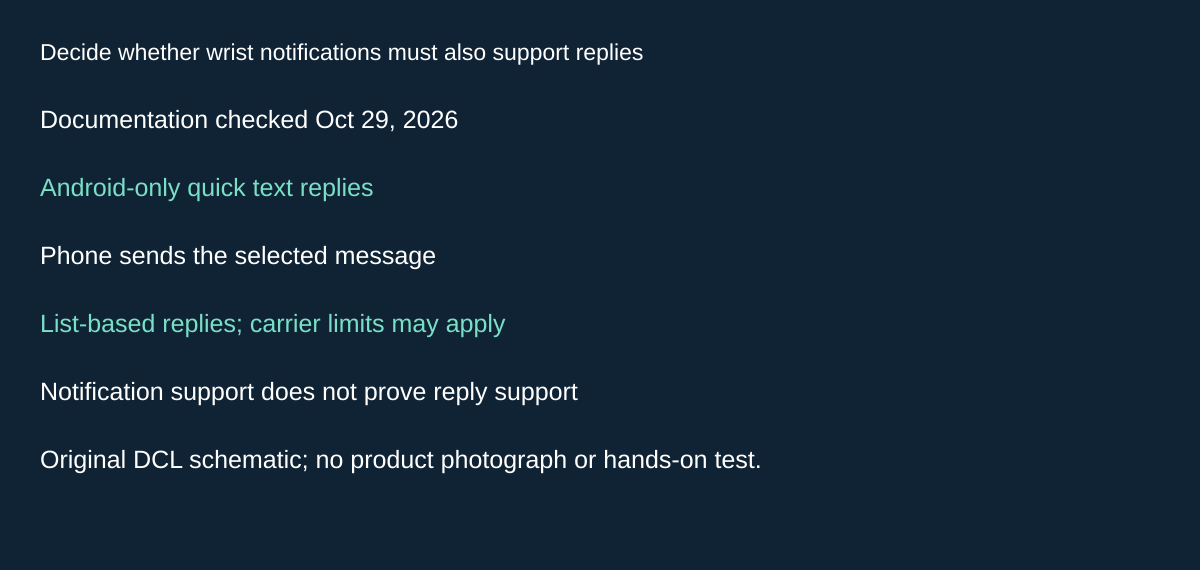
Original DCL research schematic, October 29, 2026; documented boundaries, not a product photograph or test.
Decide whether wrist notifications must also support replies
Receiving an alert and sending a reply are different purchase requirements. The vívosmart 5 manual limits its quick-text-reply feature to Android phones. The reply is selected from a list and sent by the phone; carrier text limits and charges can apply. This does not establish independent messaging from the band. Garmin manual, Replying to a Text Message, printed page 11, checked October 29, 2026.
| Requirement | Evidence to check | Purchase consequence |
|---|---|---|
| Read an incoming alert | Actual phone pairing and notification permissions | A notification feature alone does not establish reply support |
| Send a quick text reply from vívosmart 5 | Android phone and the documented list-based reply workflow | Do not choose it for this feature on the assumption that iPhone support is equivalent |
| Communicate without carrying the phone | A separately documented independent connection | This phone-mediated reply is insufficient evidence |
| Avoid unexpected service costs | The phone’s carrier terms | Tracker price is not the entire messaging-cost question |
Before buying a band primarily to keep a phone in a bag, write down which action matters: noticing a message, reading it, or answering it. A device can satisfy the first two without meeting the third. Our suggested preparation is a disposable message exchanged with a consenting contact through the intended phone and account, followed by checking the outcome on that phone. We have not performed that test.
Budget and drawback: current tracker, cable and carrier totals are unknown. Keep an existing device if it already meets the required workflow. This Garmin evidence does not establish Charge 6 reply behavior, universal app replies, typing arbitrary messages, or medical or emergency capability. The connected-GPS and dedicated-cable requirements above still matter when comparing the complete kit.
Music controls do not establish phone-free playback
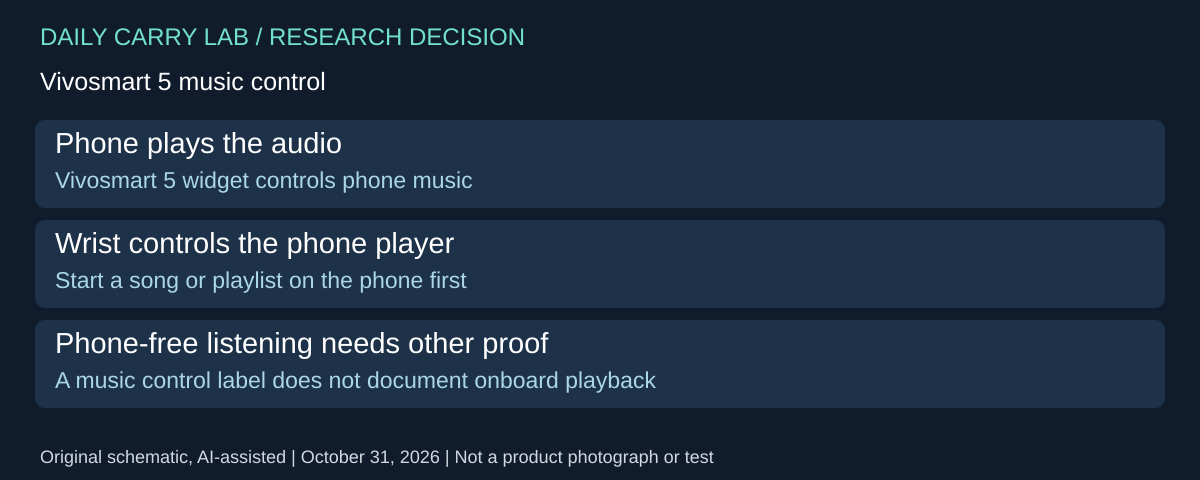
When choosing a band to keep your phone in a bag, distinguish controlling playback from leaving the phone behind. Garmin’s vívosmart 5 music-control instructions, checked October 31, 2026, document a widget that operates the music player on the phone. They do not document a standalone music library on the band.
| What you want | Documented workflow | Decision before purchase |
|---|---|---|
| Wrist control of phone playback | Start a song or playlist on the phone, then open the watch widget | Keep the phone in the audio arrangement |
| Control the intended media app | Widget targets the active or most recently active player | Check which app is actually selected by that behavior |
| Track information before anything plays | No active player means no displayed track information | Start playback on the phone first |
| Listen after leaving the phone elsewhere | Not established by this phone-control procedure | Require separate evidence of the desired standalone playback path |
This helps define a buying requirement more precisely. Keeping a phone out of your hand and removing it from the kit are different outcomes. A small band may suit the first even when the second remains unmet. The documented widget also does not establish universal control of every music, audiobook or podcast application; the instructions describe a phone player, not an app certification list.
Our suggested preparation is to start the intended audio app, bring up the widget and check the available controls using your actual phone and listening equipment. If several media apps are installed, check the one you plan to use after switching away and back. That is a proposed evaluation, not DCL testing or a promise of background-app behavior.
Budget and drawback: include the phone, listening equipment and their charging requirements when comparing the whole kit; current totals are unknown. If your existing equipment already provides the useful controls, another band may add little. If independent listening is essential, do not treat this widget as proof of it. These vívosmart 5 instructions do not certify Charge 6 playback, GPS independence or a phone-free call path.
Distinguish a frozen vívosmart 5 from a request to erase it
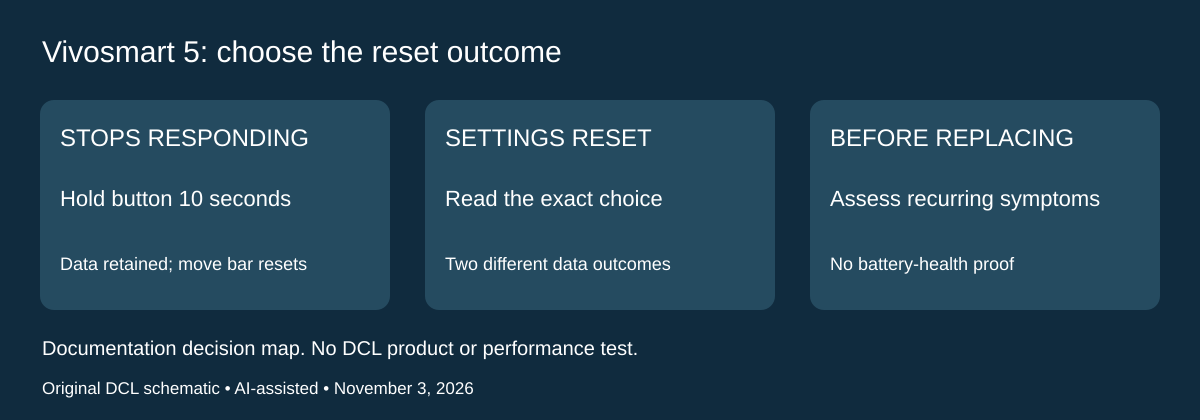
Research checked November 3, 2026. A nonresponsive band during a trip is a different problem from choosing a new tracker. Garmin’s vívosmart 5 manual, printed page 29 documents a button reset for a watch that stops responding. Hold the physical button for 10 seconds, then release it. The manual says this preserves data, resets the move bar, and briefly shows a triangle before the watch face returns.
That procedure differs from two reset-menu choices on the same page. Reset Default Settings restores settings while retaining user information and activity history. Delete Data and Reset Settings removes that information and history as well. Read the selected action before confirming it; a troubleshooting search for “reset” is not enough to identify which outcome you want.
| Situation | Documented choice or check | Consequence |
|---|---|---|
| Watch stops responding | Ten-second physical-button reset | Data retained; move bar reset |
| Intentionally restoring preferences | Reset Default Settings | Settings change; user data and activity history retained |
| Intentionally clearing information | Delete Data and Reset Settings | User data and activity history deleted |
| Wrong displayed time after travel | Sync with the Garmin Connect account | Manual’s time/date widget describes automatic setting on sync |
This adds a recovery distinction to the earlier activity-record and alarm advice. Our practical purchase sequence is to try the applicable documented non-erasing response before deciding the band has reached the end of its useful life. A successful reset does not establish healthy battery capacity, restored accuracy or freedom from an intermittent fault. If the problem returns, seek Garmin’s assessment with the exact model and symptom.
For clock concerns, the manual’s widget description on printed page 6 ties time and date to account synchronization. Changing a time-display format is a separate operation. Check the displayed time and any important alarm after travel; this is our preparation advice, not a promise of alarm delivery or a reason to clear activity history.
Budget and drawback: the documented button action requires no replacement purchase. Repair, service, replacement-tracker and cable costs remain unknown. Retaining a working device can avoid buying a second band, but we have not performed this reset, recovered missing records or tested clock synchronization. These procedures belong to vívosmart 5; do not transfer them to Charge 6 or another Garmin model. The earlier phone, app and charging dependencies still apply.
Shop the researched models
These Amazon links are affiliate links. Daily Carry Lab may earn a commission from qualifying purchases. Match the model and included contents to your needs; this guide is based on manufacturer-source research, without hands-on testing.
-
Fitbit Charge 6 (black)
Check Fitbit Charge 6 (black) on Amazon -
Garmin vívosmart 5 (black, S/M)
Check Garmin vívosmart 5 (black, S/M) on Amazon
Sources and limits
This guide compares published specifications and source documentation. Daily Carry Lab has not performed hands-on tests of the products in this guide. Consult the dated sources and verify the exact model and current terms before buying.
- charge6 primary documentation
- charge6-overview primary documentation
- charge6-endurance primary documentation
- charge6-charge primary documentation
- charge6-safety primary documentation
- garmin primary documentation
- garmin-manual primary documentation
- Music controls do not establish phone-free playback primary documentation
- Printed29 reset procedures; printed6 time/date widget
Related guides
iPhone 18 Pro: Wrist Strap or Crossbody Strap, with the right case
Compare exact Apple Wrist and Crossbody strap packages for iPhone 18 Pro by attachment, length, complete cost and limitations.
Portable label makers: choose phone control or a built-in keyboard
Compare Brother PT-P300BT CUBE and PT-H110 by phone dependence, TZe tape widths, power and cable-label workflow.
Travel AA/AAA chargers: match the cells, slots and USB input
Compare four-slot AA/AAA charging systems by exact chemistry and USB input. Includes conditional XTAR BC4 research and explicit operating-manual limits.
USB-C bike front lights: compare modes, mounts and charging
Compare Lezyne Micro Drive 800+ and Fenix BC15R using exact modes, rated runtime, battery design and mounting limits, without road-certification claims.