By Daily Carry Lab. Primary documentation checked October 14, 2026 (Pacific).
October 23, 2026 research update: Slate7 dual2.5GbE and PD power versus BerylAX; kit/weight and per-hop bottleneck comparison, no Wi-Fi7 internet-speed promise. Earlier observations retain their stated dates.
Affiliate disclosure: As an Amazon Associate, Daily Carry Lab earns from qualifying purchases. Retailer links may earn a commission at no extra cost to you. Manufacturer links below are evidence sources.
Research disclosure: This guide uses primary documentation. We have not tested these products and assign no DCL rating or measured performance result.
A travel router is useful when you want your own small local network while changing hotels or work locations. Choose it by the internet connection available to you and the power source you will carry. It cannot supply internet where the upstream connection is absent, guarantee a hotel login works, or turn a slow hotel connection into a fast one.
We selected GL.iNet Beryl AX GL-MT3000 and TP-Link TL-WR1502X V1 because their manufacturers document travel networking, Ethernet/Wi-Fi uplinks and USB-C power. This is a compatibility comparison. We have not measured radio coverage, VPN speed, hotel reliability or power-bank runtime. These models are examples of two documented arrangements rather than a best-speed ranking.
Compare the connection and power kit
| Documented feature | Beryl AX GL-MT3000 | TP-Link TL-WR1502X V1 |
|---|---|---|
| Ethernet connections | 2.5Gbps WAN; 1Gbps LAN | 1Gbps WAN; 1Gbps LAN |
| Wireless family | Wi-Fi 6; listed 574Mbps at 2.4GHz and 2402Mbps at 5GHz link rates | Wi-Fi 6 AX1500 class |
| Travel uplink choice | Ethernet or Wi-Fi repeater; other modes documented | Router/hotspot and other modes documented |
| USB-C power requirement | 5V / 3A | Product page specifies9V / 12V PD/QC power-bank support |
| Built-in battery | Plan external USB power using documented input | Manufacturer explicitly says no built-in battery |
| Size/weight evidence | 120×83×34mm; 196g | Carry mass not established here |
Sources: Beryl AX specifications, Beryl AX setup guide and TL-WR1502X V1 product page. Wi-Fi link categories and Ethernet port maxima do not predict download speed. For Beryl AX, the same page lists power consumption below 8W, but its input requirement is5V / 3A; do not replace the documented supply requirement with that consumption figure.
TP-Link’s retrieved specifications are inconsistent about the auxiliary USB port generation across page sections and a separate datasheet. We omit that speed rather than assign a file-sharing performance tier. If USB tethering or storage-sharing speed is your deciding feature, confirm the exact hardware revision’s manual with TP-Link before purchase. We also have no verified carry-weight comparison for that model.
Choose the uplink first
| Connection at your destination | Router decision | Drawback or prerequisite |
|---|---|---|
| Working Ethernet internet outlet | Use the documented Ethernet WAN arrangement | Bring Ethernet cable;port speed cannot improve upstream service |
| Wi-Fi network with password | Use documented repeater/hotspot mode | You need permission and the upstream credentials |
| Hotel web login | Check captive-portal workflow and firmware | Portal rules can vary;no universal successful login claim |
| No working upstream internet | Router alone does not solve it | A separate suitable internet service is needed |
Beryl AX’s repeater documentation explains joining upstream networks and reconnection behavior. The supported security choices vary by model; a menu example is not proof of compatibility with every enterprise login. Confirm the exact authentication method if you need a business or campus network.
Captive portals have operating caveats
GL.iNet documents an automatic public-hotspot login mode available from firmware v4.6. During that mode, some services are suspended and DNS changes to automatic; its documentation warns that activity may become visible to the hotspot provider. Do not interpret a travel router or enabled VPN feature as an unconditional privacy guarantee during login.
TP-Link describes a captive-portal workflow through its Tether app. That is a documented feature, not evidence that we tried it at your hotel. Keep a phone or laptop available for the login steps, follow the venue’s access terms and confirm internet access before connecting your other devices. Avoid assuming that an authenticated phone proves every client is ready.
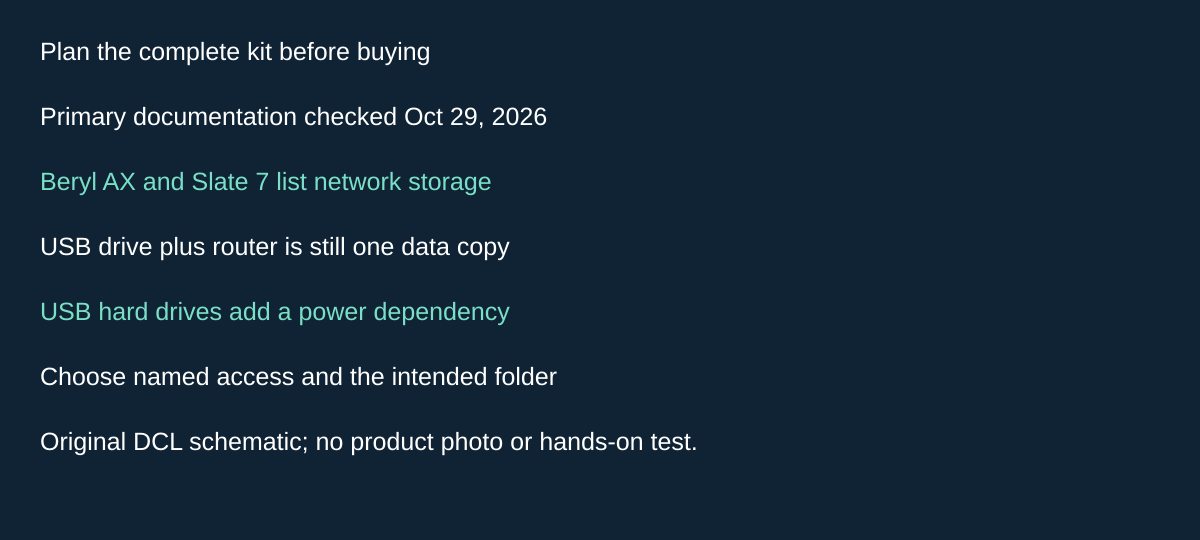
Original DCL research schematic, October 29, 2026; documented choices, not a product photograph or test.
Decide whether router storage actually replaces another travel accessory
A travel router may also share files locally, but that is a separate reason to choose it from sharing hotel internet. If several devices need the same travel files, investigate the router you already plan to carry before buying another wireless storage accessory. If only one laptop needs them, a direct drive connection may avoid another configuration step.
GL.iNet’s Router Docs 4 Network Storage guide, checked October 29, 2026, explicitly lists Beryl AX GL-MT3000 and Slate 7 GL-BE3600 for Samba, WebDAV and DLNA over USB storage. Neither row lists a MicroSD slot. A storage feature on some other GL.iNet model should not become a claim that either router accepts a card directly.
| Proposed use | Compatibility to establish | Drawback to include |
|---|---|---|
| Share existing files with several local devices | Exact router/firmware, detected drive and suitable client protocol | No transfer-speed or simultaneous-user performance measured here |
| Attach a USB hard drive | Follow GL.iNet’s external-power guidance | Another power source may remove the packing advantage |
| Let companions read selected files | Named users, the intended shared folder and read-only access where appropriate | Sharing the entire drive may expose more than intended |
| Use phone tethering and USB storage on the trip | Resolve actual USB connections and supported arrangement first | These separate features do not establish simultaneous operation through an arbitrary hub |
The guide distinguishes read-only and read-write folder permissions and discourages anonymous access. It separately exposes controls for access from the upstream WAN. Our recommendation for a local-sharing need is to verify the intended local folder and users before enabling any broader access. We have not audited the configuration or tested isolation. A VPN internet policy also does not by itself describe who can read a local shared folder.
Router-attached storage is not automatically a backup: exposing one drive to several clients still leaves one copy unless you deliberately make and verify another. That is a file-planning inference, not a new redundancy feature claimed for either router. Keep important originals separately and rehearse access using disposable files before relying on the kit.
Budget and selection: count drive, suitable cable, any external power and setup work alongside the router. Current totals are unknown. Retain an existing direct connection if it already meets the task; investigate local sharing when several clients actually need it. These GL.iNet instructions do not settle the unresolved TP-Link USB specification or establish equivalent TP-Link storage behavior.
Treat VPN as a conditional capability
Both selected product pages document VPN client options including OpenVPN and WireGuard. Client support still requires a working upstream connection, a configured server/service and compatible settings. Those services are separate from the router purchase. GL.iNet qualifies its published VPN speeds as local-network tests, with real-world results depending on the network; do not compare those figures with Wi-Fi signaling rates as if they measured the same path.
If remote work depends on a corporate VPN, check the employer’s requirements before buying. This guide does not certify an enterprise app or promise that VPN routing overrides network restrictions. A travel router adds another device and configuration layer; a direct device connection may be simpler when only one laptop needs access.
| Budget approach | Evidence on October 14, 2026 | Main cost or drawback |
|---|---|---|
| Use existing laptop/phone connection | No router purchase if already adequate | Device-by-device setup may remain |
| Beryl AX kit | Delivered router/charger/cable price not established | 196g router plus accessories;5V / 3A supply |
| TL-WR1502X kit | Delivered price not established | 9V / 12V PD/QC supply check;revision spec conflict |
Measure the whole kit you plan to pack: router, power cable, compatible supply and Ethernet cable. The travel adapter guide addresses wall-socket fit separately. A socket adapter does not establish the router’s USB power profile. Choose the router whose documented uplink and supply fit your trip, then confirm current price and revision before checkout.
Decide what should happen when the VPN stops
Before buying a travel router for work, decide whether an interrupted VPN should stop the affected connection or allow ordinary internet access. That choice is separate from whether the product supports WireGuard or OpenVPN. GL.iNet’s VPN Dashboard guide, checked October 21, describes firmware v4.9.x and above; use its version selector for earlier firmware. Do not assume every Beryl AX ships with that version or that TP-Link uses these controls.
| Intended behavior | Documented GL.iNet control | Constraint to accept |
|---|---|---|
| Stop traffic assigned to a failed VPN tunnel | Enable that tunnel’s Kill Switch | That traffic loses internet access while the tunnel is unavailable |
| Let traffic outside VPN rules use the local WAN | All Other Traffic can allow non-VPN traffic; this is the documented default | Having a VPN tunnel does not mean every device or destination uses it |
| Block traffic that matches no VPN tunnel | Enhanced Kill Switch blocks unmatched internet traffic | It does not override the separate kill-switch choice for each tunnel |
The guide also separates retrying server profiles from changing tunnels. Within one tunnel group, configured profiles are tried in priority order; groups do not automatically fail over to one another. If every profile in a group fails, its kill-switch and All Other Traffic settings determine the next behavior. A second VPN group is therefore not proof of an automatic backup path.
For a managed work device, ask which behavior the employer requires before paying for a router or VPN service. Include any required service in the total budget; the cost remains unknown here. A direct connection may be adequate if no router-based policy is needed. These are documented configuration choices, not DCL packet-leak tests, and they do not remove the separate captive-portal login caveats above. Confirm the installed firmware and test the permitted workflow before relying on it away from home.
Before buying a separate hotspot, check phone tethering
Beryl AX’s model guide documents sharing a phone connection through its USB port. That offers another uplink when hotel internet is unsuitable, but the phone must itself have working service. It does not make the router a standalone cellular modem.
| Phone path | Documented preparation | Dependency |
|---|---|---|
| iPhone over USB | Accept the phone’s Trust prompt and enable Personal Hotspot, Allow Others to Join | Phone permission and working mobile service |
| Android over USB | Enable USB tethering; settings vary by manufacturer | Exact phone’s supported setup |
| Either phone | Connect through the router’s Internet → Tethering control | Data-capable USB cable and suitable router power |
GL.iNet’s tethering instructions, checked October 22, 2026, also warn that carriers can restrict tethering or charge extra. Include that service cost and any missing cable in the budget; current totals are unknown. A charge-only cable is insufficient, and the router still needs its documented supply.
Try the permitted phone/router connection before deciding whether another hotspot purchase is necessary. DCL has not tested carrier compatibility or reliability. These GL.iNet steps do not establish equivalent TP-Link behavior or automatic backup switching.
When Slate 7 changes the wired-network buying decision
GL.iNet Slate 7 GL-BE3600 is a third candidate when a gigabit LAN port would limit a verified faster wired setup. Unlike Beryl AX’s 2.5Gbps WAN and 1Gbps LAN arrangement, Slate 7 documents a 2.5Gbps WAN port and a 2.5Gbps LAN port. That removes one published gigabit port ceiling; it does not promise faster hotel internet.
We selected it for its wired-port and USB-power differences, not a Wi-Fi speed ranking. The June 5, 2025 datasheet, retrieved October 23, 2026, identifies dual-band Wi-Fi 7, a 130 × 91 × 34 mm body and 295 g weight. It documents USB-C PD inputs of 5V/3A, 9V/3A and 12V/2.5A. The current exact-model guide corroborates the ports and power profiles. Do not confuse GL-BE3600 with another Slate revision.
| Buying check | Beryl AX GL-MT3000 | Slate 7 GL-BE3600 | Consequence |
|---|---|---|---|
| Wired client port | 1Gbps LAN | 2.5Gbps LAN | Only useful as a speed upgrade when the upstream and client paths also support it |
| Published router weight | 196g | 295g | Slate adds 99g by subtraction before cables and adapter; not a weighed DCL kit |
| Power requirement | 5V/3A | Listed PD profiles above | Verify the actual supply and cable rather than the charger’s total wattage |
| Buying reason | Existing uplink and LAN meet the task | A documented faster wired path or on-device controls matter | No measured coverage or download-speed winner |
Read the supply specification separately from consumption. The datasheet lists consumption below 18W without USB; that is not permission to substitute any 18W charger or assume a power-bank runtime. USB accessories also change the setup. A charger with enough total watts still needs the required output profile available on the port being used.
The model guide lists a US adapter, EU/UK/AU plug converters, power cable and Ethernet cable. Confirm those contents against the selected regional offer before purchase; a documentation list is not evidence of every seller’s package. The converters address socket connection, while the router still needs its documented USB input.
For an ordinary hotel uplink already slower than gigabit, retain a working router if its login, LAN and power arrangements meet the trip. If you need a faster wired connection, check each hop: upstream outlet, WAN cable, router LAN cable and client Ethernet adapter. A slower hop remains a limit regardless of the Wi-Fi generation printed on the box.
Current complete-kit prices remain unknown. Preserve the existing Beryl/TP-Link retailer mappings; Slate 7 stays linked to primary documentation only. DCL has not tested its VPN throughput, multi-WAN switching, privacy behavior or hotel captive portals. The earlier firmware and login qualifications still apply.
Choose backup internet separately from VPN failover
A second uplink is worth paying for only if you know what the router will do with it. GL.iNet’s Multi-WAN documentation, checked October 24, 2026, distinguishes two mutually exclusive arrangements. Failover gives interfaces a priority and moves to an available alternative when the active link fails; it returns when a higher-priority connection recovers. Load Balance distributes new connections among available interfaces according to configured ratios.
| Purchase goal | Configuration to investigate | Constraint before buying |
|---|---|---|
| Keep a permitted cellular path in reserve | Failover and interface priorities | A second working connection, phone/modem and service are still needed |
| Use several links across concurrent activity | Load Balance and connection ratios | No single-download speed or seamless-call promise follows |
| Recover from a VPN-server outage | Earlier VPN tunnel controls | WAN availability and VPN-server behavior are separate decisions |
The documentation describes connection distribution, not proof that one download combines the full rates of two services. Nor does it establish uninterrupted calls during a transition. Treat either result as something to verify on the exact model, firmware and permitted work setup before relying on it.
Sensitivity also deserves attention: GL.iNet warns that high sensitivity can itself lead to disconnection. Check the installed interface-detection controls rather than treating the most aggressive setting as universally better. This is general Router Docs 4 behavior; it does not certify every illustrated interface on Beryl AX, Slate 7 or TP-Link hardware.
Budget and drawback: include the backup data plan, appropriate tethering cable or modem, and the router’s existing power kit. Current totals are unknown. If the hotel link and phone fallback already meet your needs independently, a router configuration layer may add work without solving another buying problem. We have not tested handoff time, connection survival or consumption of metered data.
Distinguish network repair from erasing the router configuration
Recovery controls matter when your travel setup depends on saved VPN and network configuration. GL.iNet’s Router Docs 4 repair/reset guide, checked October 25, 2026, distinguishes a four-second hold then release for network repair from a ten-second hold then release for factory reset on models without a touchscreen. Do not treat them as equivalent restarts.
| Recovery choice | Documented effect | Preparation |
|---|---|---|
| Four-second network repair | Restarts network interface; Internet interface returns to defaults; Wi-Fi, VPN and system settings preserved | Expect to revisit upstream internet setup |
| Ten-second factory reset | Clears all user data | Have what you need to rebuild the permitted configuration |
| Reset immediately after power-up | May enter U-Boot failsafe | Let the router fully boot before following reset instructions |
A soft reset also re-enables disabled Wi-Fi. For Beryl AX, use its physical reset control and instructions matching installed firmware. Do not transfer this non-touchscreen procedure automatically to Slate 7’s touchscreen workflow or TP-Link.
Budget and drawback: another router is not automatically needed for a configuration fault, but recovery can consume setup time and access to settings or credentials. Current replacement totals are unknown. DCL has not tested recovery or confirmed that either reset resolves your specific fault.
Slate AX: choose two wired LAN clients before chasing faster uplinks
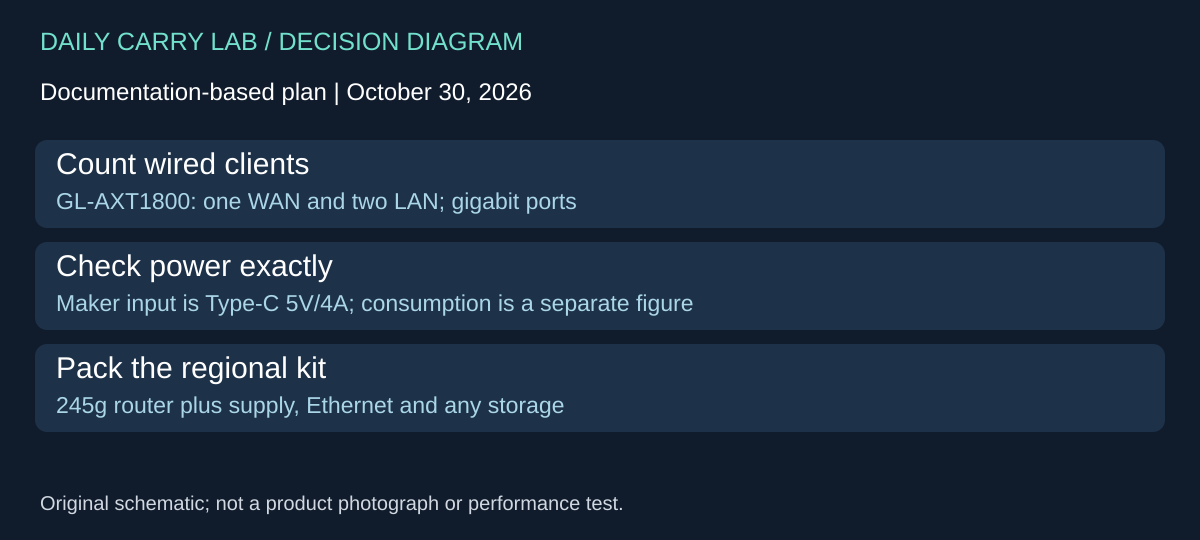
October 30, 2026 research addition: Slate AX GL-AXT1800 changes the router choice when two client devices need wired connections without a separate switch. Beryl AX and Slate 7 above solve different port and power arrangements. Select the number and roles of the Ethernet ports first; a faster WAN socket is not automatically a substitute for another LAN socket.
The Slate AX product specification lists one WAN and two LAN Ethernet ports, each in the 10/100/1000Mbps family. It also lists USB 3.0, a MicroSD slot up to 512GB and a Type-C power connection. The GL-AXT1800 setup guide identifies the same model and describes powering it with the assembled two-piece adapter. These sources were checked October 30; the shared word “Slate” is not evidence that GL-AXT1800 and GL-BE3600 have interchangeable hardware.
| Your proposed setup | Why Slate AX enters the comparison | Tradeoff to resolve |
|---|---|---|
| Ethernet uplink plus two wired clients | Dedicated WAN and two LAN sockets | Gigabit port limits; no measured concurrent-client throughput here |
| One client using a faster wired path | Compare Beryl AX or Slate 7 port roles above | Extra LAN count may provide no benefit for that workload |
| Share files from a memory card | Dedicated MicroSD slot listed up to 512GB | Check card/filesystem and current firmware instructions; slot presence is not a speed guarantee |
| Power the whole kit from USB | Maker specifies Type-C 5V/4A input | Do not assume an arbitrary phone supply or USB-C power bank provides that arrangement |
The page’s consumption figure below 8.75W describes a different quantity from its required input specification. It is not permission to replace the specified supply with a lower-rated one. In particular, a USB-C connector and a large wattage printed elsewhere on a charger do not by themselves prove the required 5V current is available through the intended cable. Use the supplied arrangement or obtain exact compatibility confirmation for a replacement.
Its documented body is 125 × 82 × 36mm and 245g. Those figures exclude the rest of your carried network: adapter, mains converter where supplied, Ethernet leads and any storage. The setup guide lists an Ethernet cable and power adapter, with the converter dependent on shipping country. Confirm regional package contents before ordering extra accessories. We have not weighed a complete package or established that replacing a separate switch makes the overall kit lighter.
Budget and drawbacks: delivered total is unknown. Compare a Slate AX package with the router you already have plus any genuinely required switch, cables and power. Keep the existing router if wireless clients or a single LAN connection already meet the task. Consider Slate AX when a known pair of wired clients makes the second LAN port useful, and accept the gigabit limit and specific supply requirement. The same hotel captive-portal, upstream-service and VPN-policy checks earlier in this guide still apply; extra sockets do not create an internet connection or guarantee a successful venue login.
Choose guest isolation around the devices that must communicate
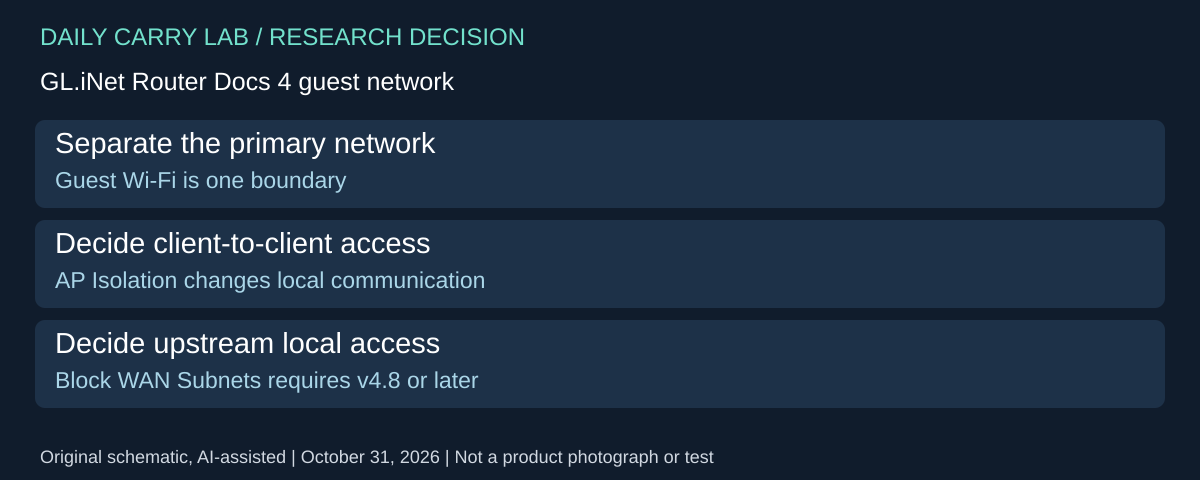
When companions need internet access but should not share your working network, compare the guest controls before adding another router. GL.iNet’s Router Docs 4 guest-network guide, checked October 31, 2026, separates a guest network from two additional isolation controls. Their names do not describe identical boundaries.
| Intended boundary | Documented control | Tradeoff to resolve |
|---|---|---|
| Separate visitor Wi-Fi from the primary network | Dedicated guest network | Confirm the actual router and installed firmware expose the feature |
| Stop guest clients communicating with each other | AP Isolation, documented since v4.5 | A deliberate local sharing or discovery workflow may need a different arrangement |
| Prevent access to the upstream network and its subnet | Block WAN Subnets, documented since v4.8 | Upstream local resources may be intentionally needed |
The guide also says guest settings moved out of LAN beginning with v4.5 and excludes models without Wi-Fi. A generic Docs 4 page therefore does not prove that every model or older firmware offers every control. These are GL.iNet interface instructions, not equivalent TP-Link evidence.
Before a purchase, list the actual communication pairs: companion to internet, companion to companion, and companion to a drive or other local resource. Then decide which pairs should work. For example, a travel kit designed to share files locally has a different requirement from one designed solely to give visitors internet access. Our advice is to check those intended paths on the exact supported configuration using disposable files and ordinary client devices. We have not audited isolation or demonstrated a bypass-resistant security boundary.
Budget and drawback: current replacement and complete-network totals are unknown. Configuration on an existing suitable router may remove the need for another box. Conversely, do not select an isolation feature if it prevents an essential sharing job and no documented alternative meets that job. Guest access does not itself demonstrate a successful hotel login, VPN policy or internet service. Keep those separate checks above.
Beryl AX: choose what the physical switch should control
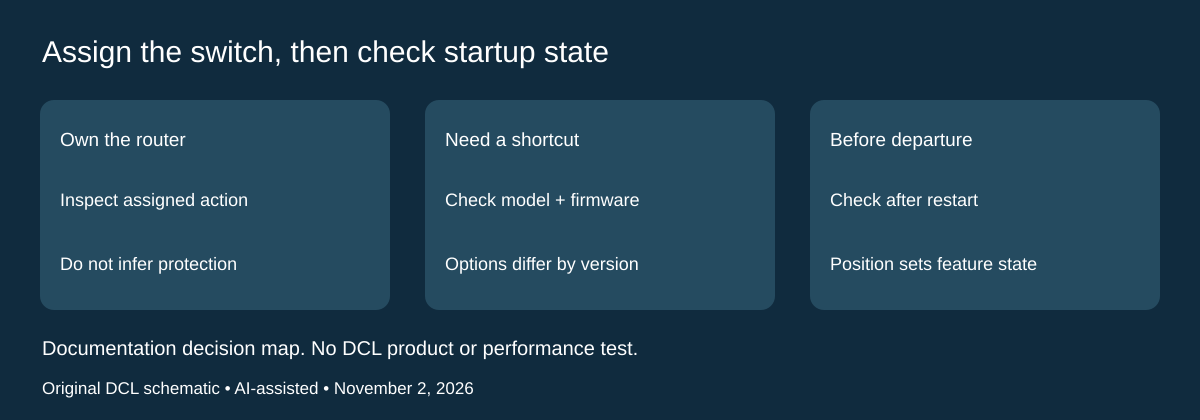
November 2, 2026 research update: A configurable switch is useful only when its assigned action matches the way you work. Before replacing Beryl AX because a side switch appears to do nothing, inspect its configuration. Before buying one for a particular physical shortcut, verify that the model and firmware expose that action. This is a control and setup decision alongside the uplink and VPN-policy choices above.
GL.iNet’s Toggle Button Settings documentation explicitly includes Beryl AX GL-MT3000, Slate AX and Slate 7 among supported models. It directs users to System → Toggle Button Settings in the web Admin Panel. Before firmware v4.8, the documented options cover no action, AdGuard Home, OpenVPN client, Tor and WireGuard client. From v4.8, the menu also offers repeater, Wi-Fi and LED control, with VPN presented as a consolidated option. Check the menu on the unit you own; a current general guide does not establish its installed firmware or configuration.
| What you want from the switch | What to check before assigning it | Practical drawback |
|---|---|---|
| Start or stop a VPN client | The intended client configuration and the separate VPN policy above | A control shortcut does not prove the tunnel is working or that every application is protected |
| Control repeater or Wi-Fi operation | Firmware exposes the option and the selected wireless function is the intended one | Changing the connection you are using can interrupt access to the router |
| Make the switch harmless during packing | Select no function if that suits your setup | You lose a physical shortcut; use the Admin Panel for deliberate changes |
The documentation says applying a setting can immediately apply the feature state from the switch position. After a reboot, the system applies that position again. Its WireGuard example uses left for on and right for off. Read the on/off indication for your assigned action rather than treating an unlabeled position as proof of protection.
Our practical recommendation is to finish configuration where you can reconnect and inspect the Admin Panel, then check the state after a normal restart before relying on the kit away from home. If the wireless connection is what the switch controls, plan an alternate way to reach the router. This is a suggested verification step, not a DCL-tested recovery procedure or instruction to reset firmware.
Package and budget: the GL-MT3000 guide lists the router, Ethernet cable, power adapter, documentation/cards and a converter dependent on shipping country. Confirm the regional adapter before purchase; no current offer price or condition is verified here. The configured switch needs no additional accessory listed in that guide. Keep a router that already supplies the controls and uplinks you need. A new router’s extra functions are worthwhile only when they solve your actual setup constraint; we have not tested the switch, VPN behavior or hotel reliability.
Match DNS controls to firmware before replacing the travel router
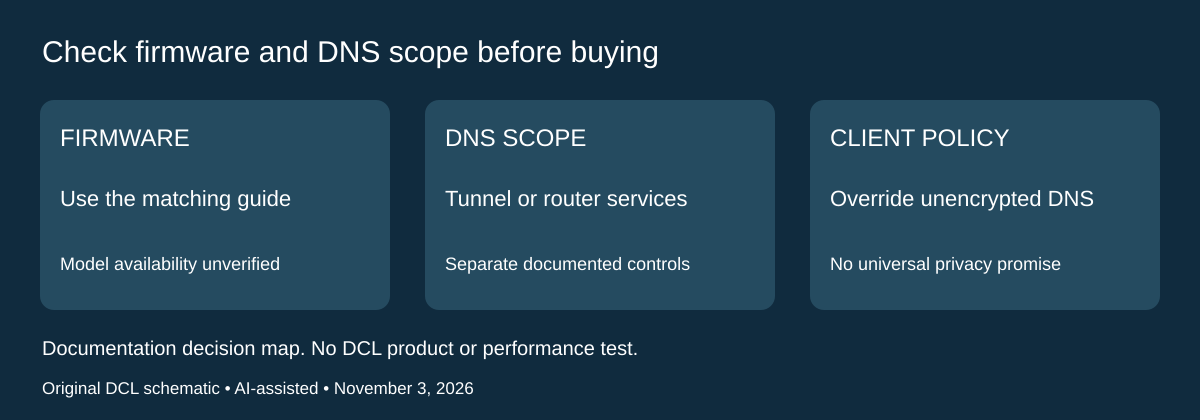
If your buying requirement includes a custom DNS resolver, check the installed firmware and the traffic it must cover before comparing another router. GL.iNet’s DNS guide for firmware v4.11, checked November 3, 2026, explicitly separates that interface from v4.10 and earlier. A current documentation page does not establish that v4.11 is available for every router named in this article. Verify the exact model’s supported release first.
| Desired behavior | v4.11 documentation says | Purchase or setup boundary |
|---|---|---|
| Keep the VPN’s supplied DNS | VPN-policy traffic uses its tunnel’s DNS by default | A custom resolver is a separate choice |
| Use custom DNS inside a VPN tunnel | Apply Manual DNS to VPN tunnels changes that scope | Router-wide marketing language does not prove this setting is enabled |
| Use custom DNS for router services | Apply Manual DNS to Router Itself covers built-in services and is enabled by default | This scope differs from the tunnel setting |
| Override client DNS settings | The override option applies to unencrypted DNS | Do not infer control of every encrypted client request |
GL.iNet documents both static and encrypted Manual DNS choices. That feature list is not a DCL privacy or leak test. Choosing a named resolver does not establish every application’s actual path, account requirements or reliability on a particular hotel connection. Record the intended scopes before changing a working setup, then verify the behavior that matters on your own permitted network. We have not operated these settings or measured DNS behavior.
For the existing captive-portal decision, the same page says DNS rebinding protection can cause private lookup failures and directs users to disable it on a captive-portal network. Treat that as the maker’s troubleshooting guidance for the applicable firmware, not a reason to switch off protections on every network or a claim that it fixes every hotel login. Follow the current version-specific instructions and review the setup after leaving that environment.
Selection and budget: if a currently owned router supports the required firmware and DNS scopes, another chassis may add no useful capability for this task. If a managed device or application controls its own encrypted DNS, establish that policy before buying a router to override it. Current router, resolver-service and complete-kit prices remain unknown; no paid plan or new model is recommended here. These controls are not proof of extra uplink bandwidth, a VPN subscription or universal anonymity. The exact hardware and power comparisons above remain separate gates.
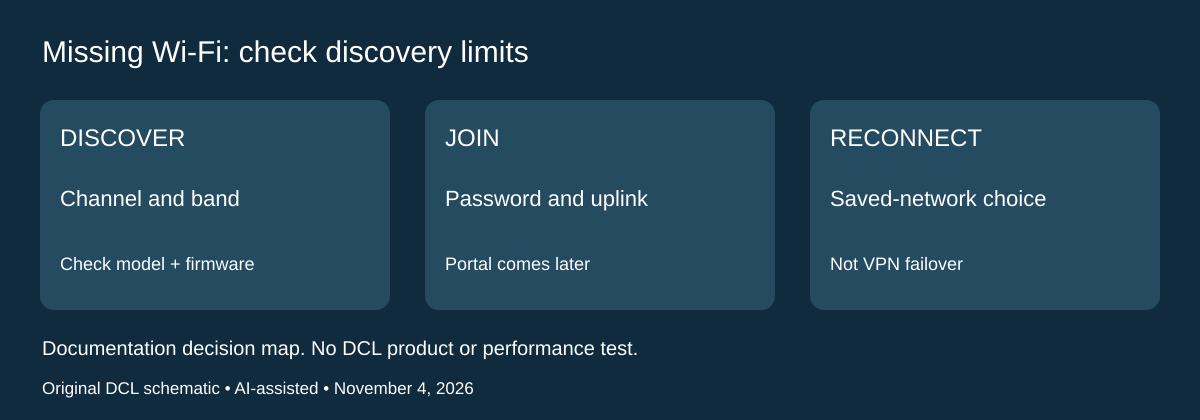
A missing hotel network is a discovery problem before it is a VPN problem
Documentation checked November 4, 2026. If a hotel network never appears in the repeater list, buying a second travel router or changing VPN services may address the wrong stage. Discovery, joining the Wi-Fi network, portal authorization and internet access are separate checks. The earlier portal and DNS sections begin later in that sequence.
GL.iNet’s Repeater interface guide says the upstream network must use a channel the router supports or it may not appear in the available list. It also says that manually selecting a frequency band restricts both scanning and connections to that band. Check the exact router’s supported channels and current firmware interface before deciding its radio has failed; the guide explicitly notes that the page varies with firmware.
| Observation | Documented check | Buying implication |
|---|---|---|
| Intended network absent | Compare the upstream channel with the router’s supported-channel list | A newer headline Wi-Fi standard alone does not prove this network can be joined |
| Only one band’s networks appear | Inspect any manual Band Selection setting | A scan restriction may explain the list without replacement hardware |
| iPhone Personal Hotspot absent | GL.iNet instructs keeping the iPhone screen unlocked during discovery | Check the phone’s discovery condition before buying a separate hotspot |
| Connection moves when the original network disappears | Check Allow Switching to Other Saved Networks | Automatic reconnection is a setting, not proof of a stable upstream service |
The guide says the saved-network switching option can automatically connect to another saved network when the current one becomes unavailable. Consider which networks are retained before relying on that behavior away from home. This is distinct from the earlier Multi-WAN and VPN-failover choices: a router can join a Wi-Fi network without establishing portal access or the intended VPN path.
For a pre-trip check, note the router model, firmware and supported bands/channels, then confirm that the intended phone hotspot can actually be discovered. At a hotel, use the operator’s permitted setup and ask for supported connection details when the required network remains absent. We have not tested scanning, roaming, hotspot reliability or throughput. Do not infer that every GL.iNet model supports every upstream channel from this general interface guide.
Budget and drawback: current replacement-router, separate-hotspot and data-plan totals remain unknown. Check the existing discovery settings first; if the required channel or connection is unsupported, obtain an exact-model alternative with that documented capability. More advertised speed does not settle a compatibility gap. For networks that appear but cannot reach the internet, return to the earlier portal, uplink and DNS checks instead of treating this section as a complete diagnosis.
Shop the researched models
These Amazon links are affiliate links. Daily Carry Lab may earn a commission from qualifying purchases. Match the model and included contents to your needs; this guide is based on manufacturer-source research, without hands-on testing.
-
GL.iNet GL-MT3000
Check GL.iNet GL-MT3000 on Amazon -
TP-Link TL-WR1502X
Check TP-Link TL-WR1502X on Amazon
Sources and limits
This guide compares published specifications and source documentation. Daily Carry Lab has not performed hands-on tests of the products in this guide. Consult the dated sources and verify the exact model and current terms before buying.
- www.gl-inet.com documentation
- docs.gl-inet.com documentation
- docs.gl-inet.com documentation
- www.tp-link.com documentation
- GL.iNet VPN Dashboard firmware v4.9 and above
- router-tether primary documentation
- slate-datasheet primary documentation
- slate-guide primary documentation
- Choose backup internet separately from VPN failover primary documentation
- Distinguish network repair from erasing the router configuration primary documentation
- October 29 editorial-travel-router decision documentation
- October 30 router primary documentation
- October 30 router-guide primary documentation
- Choose guest isolation around the devices that must communicate primary documentation
- GL.iNet supported-model list, firmware-dependent action list, apply/reboot and WireGuard example
- GL-MT3000 exact model, package and setup guide
- Firmwarev4.11 note; defaults; ManualDNS scopes; DNSOptions
- GL.iNet Repeater guide: Connect / Repeater Options / Band Selection / saved networks
Related guides
iPhone 18 Pro: Wrist Strap or Crossbody Strap, with the right case
Compare exact Apple Wrist and Crossbody strap packages for iPhone 18 Pro by attachment, length, complete cost and limitations.
iPhone Duo cases: Apple Case versus Folio with Kickstand
Compare exact Apple iPhone Duo Case and Folio parts by coverage, viewing support, charging arrangements, separate equipment and dated US prices.
Portable label makers: choose phone control or a built-in keyboard
Compare Brother PT-P300BT CUBE and PT-H110 by phone dependence, TZe tape widths, power and cable-label workflow.
Travel AA/AAA chargers: match the cells, slots and USB input
Compare four-slot AA/AAA charging systems by exact chemistry and USB input. Includes conditional XTAR BC4 research and explicit operating-manual limits.