By Daily Carry Lab. Primary documentation checked October 14, 2026 (Pacific).
Affiliate disclosure: As an Amazon Associate, Daily Carry Lab earns from qualifying purchases. Retailer links may earn a commission at no extra cost to you. Manufacturer links support the documented claims.
Research disclosure: We have not tested these products. Selection is based on primary documentation and the compatibility decisions below; no DCL ratings or measured performance are claimed.
A travel speaker earns its bag space when you want shared playback and have somewhere appropriate to use it. Choose JBL Clip 5 for its smaller documented envelope and integrated attachment; consider Bose SoundLink Flex (2nd Gen) if you prefer its strap-based carry shape and Bose pairing options. Neither is selected here as the best-sounding speaker. These two models have useful primary documentation for the practical decisions that matter before a trip.
Match the speaker to the bag
JBL’s specification sheet lists the Clip 5 at 86.3 × 134.5 × 46 mm, 285 g, with an integrated carabiner. Bose lists its Flex (2nd Gen) at 2.06 × 7.93 × 3.56 inches and 1.291 lb for the product itself. Bose also describes a utility loop. These are exterior product measurements, without your additional case or cable. JBL specification sheet, Bose product specifications.
Check the opening of your bag pocket as well as its interior. A speaker that fits the pocket can still catch on the zip or project beyond it. An external attachment saves pocket space but leaves the speaker exposed to knocks and loss; this is a packing tradeoff, not a tested durability judgment. The Clip’s carabiner is a carry feature, with no climbing or load-bearing recommendation in this guide.
Compare battery ratings under their conditions
| Documented battery detail | JBL Clip 5 | Bose Flex (2nd Gen) |
|---|---|---|
| Ordinary playback rating | Up to 12 hours | Up to 12 hours |
| Important condition | Volume and audio content affect runtime | Bose’s 12-hour test uses Bluetooth audio at 50% volume and default EQ |
| Additional rating | Up to 3 extra hours with Playtime Boost | Up to 3 hours at maximum volume in the manual’s test |
| Documented charging reference | 3 hours at 5 V / 1 A | Up to 4 hours at 5 V / 1.5 A, in standby |
Those figures come from the manufacturers, rather than DCL measurements. JBL’s boost rating should not become a blanket 15-hour expectation in normal mode. Bose’s manual makes the volume dependency particularly visible: its stated endurance falls substantially at maximum volume. The figures do not provide a controlled head-to-head comparison. JBL specification sheet, Bose manual, battery section.
For an evening away from an outlet, start charged and plan around your actual listening volume. For repeated days, include charging in the itinerary. A more powerful laptop charger does not establish a shorter charging time for either speaker.
Treat USB-C as a charging connection
Both products document USB-C charging; Bose supplies a USB-C to USB-A cable. Bose’s product comparison marks charging out as unavailable on Flex (2nd Gen). We have not established a phone-charging output on Clip 5. Carry a separate suitable power bank if phone charging is part of your kit; the travel power-bank guide explains that decision.
USB connector shape also does not prove a wired audio input. This guide recommends a Bluetooth playback path and makes no USB audio compatibility claim. Before packing, pair the actual phone, play a downloaded track and confirm the volume controls. If playback depends on a streaming account or connection, resolve that before leaving Wi-Fi.
Water ratings have care requirements
Both manufacturers document IP67. Bose’s manual specifies immersion up to 1 m for up to 30 minutes and says to rinse residue after salt or chlorinated water exposure, then fully dry the connector before charging. Follow each product’s own instructions; a rating does not establish unlimited underwater use or permission to charge a wet speaker. Bose manual, care and water resistance.
Keep the charging cable separate from wet gear. A speaker’s enclosure rating does not protect the rest of a pouch, a phone connected to it, or a charger plugged into an outlet.
Check pairing before buying a second speaker
JBL documents stereo pairing of two Clip 5 units and connection with compatible JBL Auracast-enabled speakers. Bose documents Party and Stereo modes with compatible Bose speakers. Do not buy a mixed JBL/Bose pair on the assumption that both being Bluetooth products makes a common stereo system. Verify the exact second model and mode in the manufacturer’s compatibility instructions. JBL specification sheet, Bose product FAQ.
| Option | Budget status checked October 14, 2026 | Useful choice | Drawback |
|---|---|---|---|
| JBL Clip 5 black, JBLCLIP5BLKAM | Current checkout total unknown; no price ceiling | Smaller documented body and integrated clip | Boost endurance uses a separate mode; pairing requires compatible speakers |
| Bose Flex (2nd Gen) black, 887612-0100 | Current checkout total unknown; no price ceiling | Utility-loop carry and documented Bose pairing | Larger carry envelope; loud listening reduces rated endurance |
| Keep a suitable speaker you own | No new speaker purchase if it meets your needs | Check its battery, cable and bag fit first | Existing ownership does not establish compatibility with a second unit |
Retailer identities were checked for the exact black variants on October 14: Clip 5 B0CTP56C5R and Flex (2nd Gen) B0D6WD2QSQ. Check the model and selected color again at checkout. We have not verified permission to reuse product photography. Choose on carry and connection requirements, then decide whether shared playback is worth the space compared with the travel headphone option.
Check the active source before replacing a silent speaker
For a Flex 2nd Gen that connects but does not play the expected audio, establish which device has the playback connection before replacing the speaker. Bose’s model-specific manual, pages 12–16 and 41, checked October 22, 2026, separates three remedies:
| Situation | Documented action | What changes |
|---|---|---|
| Two phones or a phone and laptop are connected | Pause playback on the first, then play on the second | Changes the audio source; does not erase pairings |
| You want to rebuild remembered pairings | Hold Bluetooth for 15 seconds until the tone and blue blinking light; delete the speaker from the phone’s Bluetooth list | Clears the speaker’s device list; pair again afterward |
| You deliberately need factory settings | Follow the separate factory reset using both volume buttons for 15 seconds, then power on | Also clears language settings; a broader reset |
The manual permits six stored devices, two active connections and playback from one device at a time. It also describes disabling multipoint in the Bose app, which disconnects the second device. Two active connections therefore do not mean mixed audio from two phones.
Our purchase advice is to try the appropriate documented connection check before deciding a suitable speaker needs replacement. A changed pairing list is not evidence that its battery, charging port or driver has been repaired. If the fault remains, use Bose’s troubleshooting and support path; we have not diagnosed or reset a unit.
For a shared travel kit, agree which phone supplies playback and rehearse the handover. Reusing a working speaker may avoid another speaker purchase, but current replacement and repair costs are unknown. These instructions apply to Flex 2nd Gen, not Clip 5 or the original Flex. Keep JBL’s pairing instructions separate. No used-product offer, reset-success guarantee or DCL reliability result is implied.
Separate an idle shutdown from battery protection
A Flex 2nd Gen going quiet after a pause need not mean its battery failed. Bose’s manual, English pages 20 and 25, checked October 24, documents two different power states.
| State | Documented condition and response | Buying implication |
|---|---|---|
| Auto-off on battery power | Audio stopped and no button presses for 20 minutes; wake with Power or by holding Bluetooth | Check this before replacing an apparently idle speaker |
| Battery protection | Battery depleted to 0%; connect power and press Power to reactivate | A remembered Bluetooth pairing alone cannot wake an exhausted power source |
| You need a different idle timer | Change or disable auto-off in Bose app Settings | Establish app access before relying on this adjustment |
Disabling auto-off changes idle behavior; it does not increase the battery’s rated energy. For a travel kit used intermittently, decide whether automatic shutdown or immediate availability matters more. Keep the documented charging supply available. We have not measured standby consumption, recovery time or battery health. These instructions do not diagnose a damaged unit and do not apply automatically to Clip 5. Current repair and replacement totals remain unknown.
Buy the second Bose speaker for the mode you actually need
A second compatible Bose speaker does not automatically give a Flex 2nd Gen owner separate left and right channels. Bose’s manual identifies compatible products as Bose Bluetooth speakers with a Shortcut button, then distinguishes same-model stereo from different-model Party playback. Check the actual second model before ordering it for stereo. Flex 2nd Gen manual, printed pages 30–32, checked October 25, 2026.
| Intended result | Manual’s compatibility boundary | Drawback |
|---|---|---|
| Separate left/right playback | Linked speakers of the same model announce Stereo mode and left/right roles | Another Bose model’s compatibility alone does not establish stereo |
| Same audio in unison | Different compatible models use Party mode | This is not a left/right stereo pair |
| Link more than two speakers | Flex can link to only one other speaker at a time | Do not budget for a larger group using this procedure |
| Place the speakers apart | Both within 30ft/9m of each other and the streaming device | Environment and obstructions affect results; this is not a measured DCL range |
The manual describes pressing Shortcut on the first speaker and then the second compatible speaker. Once linked, the mode is announced and the Shortcut lights remain white. For a same-model pair, pressing Shortcut can switch between Stereo and Party modes; for different models, the manual limits playback to Party mode. If Shortcut has been reassigned, check its current app setting rather than assuming the button still initiates linking.
Plan the pair as a complete carry setup: two charged speakers, charging access and suitable placement for the phone. Bose recommends the same room or outdoor area without obstructions for an optimal experience, while qualifying performance by the device, distance and environment. That is manufacturer guidance, not a reliable-range promise or evidence of a wired backup connection.
Budget and selection: current second-speaker and complete-kit prices are unknown. Keep one suitable speaker if shared mono playback already meets the task. Buy a matched pair only when the documented stereo arrangement provides a useful benefit worth the added space and charging work. We have not compared stereo sound, separation or link reliability. These Bose instructions do not establish compatibility with JBL Auracast or permission to play audio in a shared public space.
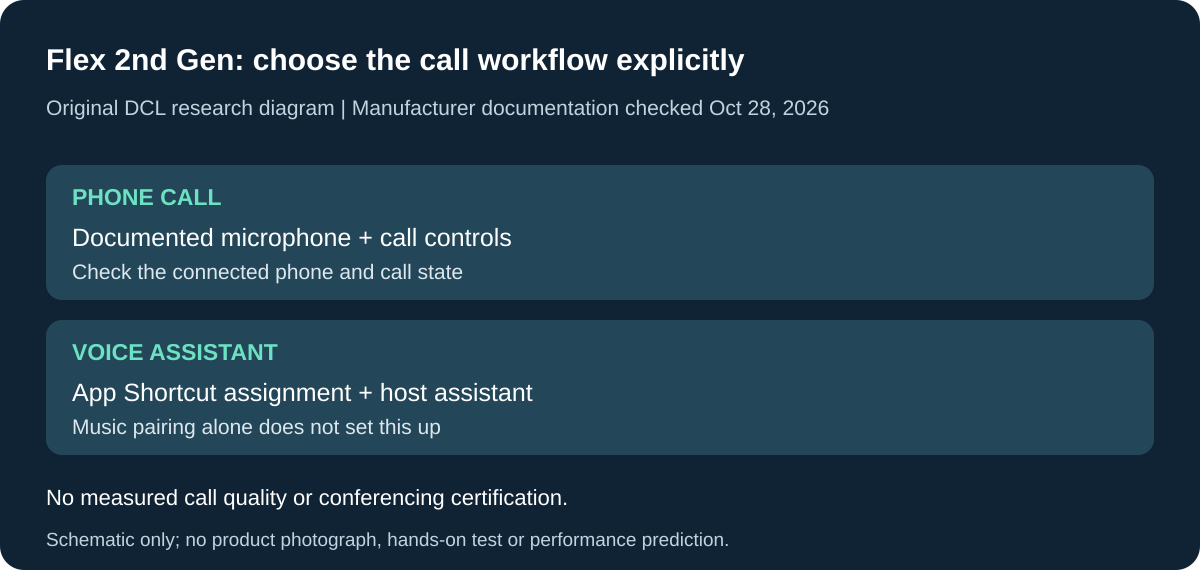
Original DCL research schematic, October 28, 2026. Documented setup boundaries, not a product photo or DCL test; see the source and qualifications below.
Choose a speakerphone for calls, not just a music speaker
If the travel speaker is meant to handle phone calls as well as music, check for a documented microphone and call controls before choosing by carry size. Bose’s SoundLink Flex 2nd Gen manual documents phone calls and a microphone that extends the connected device’s microphone. The existing Clip 5 music comparison does not establish an equivalent call workflow. Flex 2nd Gen manual, printed English pages 22–23, checked October 28, 2026.
| Call requirement | Documented Flex 2nd Gen behavior | Buying limitation |
|---|---|---|
| Answer an incoming phone call | Press Play/Pause once | Music playback support alone would not establish this control |
| Finish the current call or reject an incoming one | Double-press Play/Pause in the relevant call state | A single music-style pause press is not the documented hang-up action |
| Use voice control to place a call | Set Shortcut to voice assistant in Bose app; enable the assistant on the connected device | App configuration and host assistant access are separate prerequisites |
| Expect a complete conference-room system | Manual describes the connected-device call path | No DCL evidence of conferencing-app certification, echo control or room coverage |
The same Shortcut button is also used elsewhere in this guide for linking speakers. Its assigned function matters: a button set up for voice assistant should not be assumed simultaneously configured for the earlier speaker-linking workflow. Check the current Bose app assignment before buying a second speaker for a different task. This is a configuration tradeoff, not a reason to reset the unit.
For private calls, speakerphone playback also exposes the conversation to the people around you. A suitable pair of headphones or the phone itself may better match that setting. We have not measured microphone intelligibility, background-noise handling, echo or call latency. Two paired devices and documented phone-call controls do not prove that every laptop meeting application selects the intended microphone and speaker automatically.
Budget and selection: if shared music is the only requirement, this additional call capability need not justify a larger carry item. If hands-free phone calls are essential, compare the documented call path and the actual host setup before adding a separate microphone or speakerphone. Current complete-kit prices and subscription costs are unknown. No new retailer identity, bundle, used-condition offer or value ranking is asserted.
Keep the exact generation attached to this advice: it applies to Flex 2nd Gen, not automatically the original Flex or JBL Clip 5. DCL has not placed a call or configured the voice assistant; the selection rests on the manufacturer’s documented controls and their limits.
Check SimpleSync before buying another room speaker
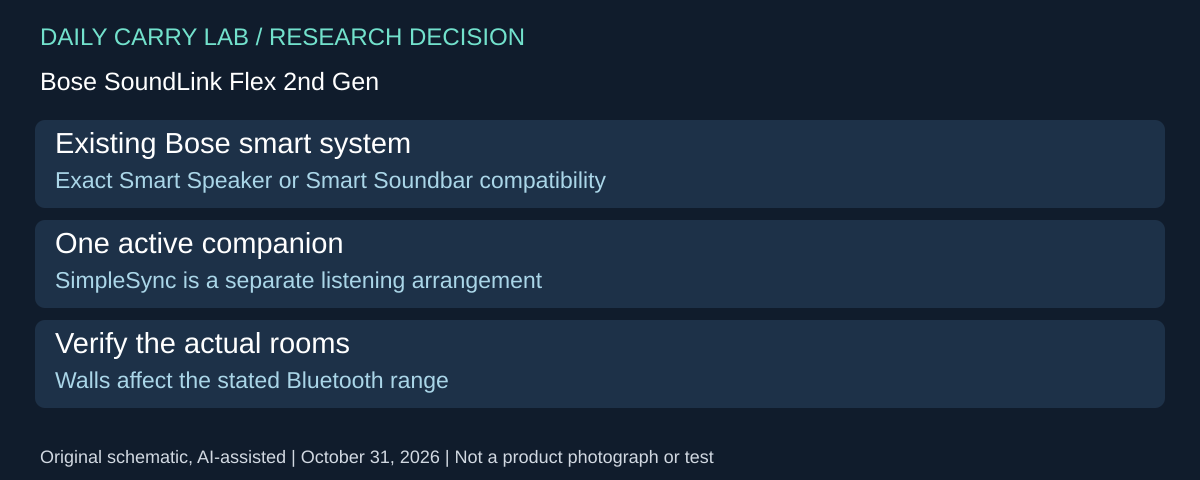
A Flex 2nd Gen may have a second job with an existing Bose smart sound system. Its manual, printed pages 33–35, checked October 31, 2026, documents SimpleSync with Bose Smart Speakers and Smart Soundbars for the same audio in two rooms. This is a separate arrangement from the matched portable-speaker stereo pair above.
| Existing equipment | Question before buying | Limit |
|---|---|---|
| Bose Smart Speaker or Smart Soundbar | Confirm the exact compatible product | Brand name alone is insufficient |
| Rooms separated by walls | Check actual reception | Manual gives up to 30ft/9m; construction affects it |
| Several intended companion products | Plan the one active partner | Flex connects to one product at a time in this procedure |
The manual provides both Bose-app and product-control connection paths; reconnection uses the app. Check the existing system before adding another room speaker solely for this job.
Selection and budget: this could reuse equipment already owned, but compatibility does not establish stereo channels, TV lip-sync or reliable coverage throughout a building. DCL has not tested synchronization or range. Current additional-speaker and full-system totals are unknown. These instructions do not apply to JBL pairing or every Bose product.
Check the charge fault before buying another Flex 2
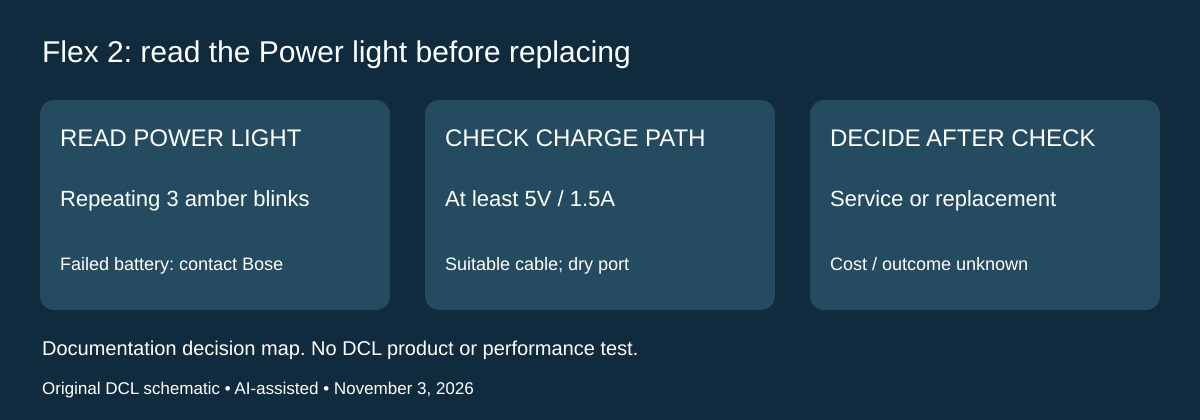
Research checked November 3, 2026. An owned SoundLink Flex Portable Speaker (2nd Gen), model 442591, deserves a different decision when its Power light signals a fault rather than ordinary low charge. Bose’s manual, English pages 24, 26 and 39 supplies that distinction. Observe the Power light, not the adjacent Bluetooth or Shortcut light.
| Power-light pattern | Manual’s meaning | Next decision |
|---|---|---|
| Amber blinking without the repeating three-blink grouping | Needs charging | Check the documented charging path |
| Slowly pulsing white | Charging | This alone does not establish battery failure |
| Repeating groups of three amber blinks | Failed battery | Contact Bose customer service |
| Rapid alternating white and amber | Error | Contact Bose customer service |
For a speaker that does not charge, the manual calls for secure cable connections, the supplied or similar USB cable, and a source providing at least 5V / 1.5A. Try another suitable source and cable. After high or low temperature exposure, let it return to room temperature before retrying. After water exposure, wait until dry; the USB-C port must be fully dry before charging. These checks differ from clearing Bluetooth pairings or changing the idle timer.
Use a suitable source and cable already available before buying a more powerful charger. If the fault alert appears or the documented checks do not resolve the problem, seek the manufacturer’s support assessment before choosing a replacement speaker. This is a purchase decision sequence, not a remote diagnosis or a claim that a particular battery can be repaired. Bose’s safety instructions say not to remove the rechargeable battery yourself.
| Choice | Budget position on November 3 | Limitation |
|---|---|---|
| Check an owned suitable cable and source | No new accessory purchase if available | Does not repair a confirmed battery fault |
| Ask Bose to assess the fault | Service cost and turnaround unknown | Warranty eligibility and remedy need assessment |
| Buy a replacement speaker | Delivered price unknown | Could be unnecessary if the charging path caused the symptom |
Keep this advice model-specific. We have not run these checks on a unit, measured battery health or verified a service quote. It does not establish the same light patterns for the original Flex or JBL Clip 5.
Shop the researched models
These Amazon links are affiliate links. Daily Carry Lab may earn a commission from qualifying purchases. Match the model and included contents to your needs; this guide is based on manufacturer-source research, without hands-on testing.
-
JBL Clip 5 (black)
Check JBL Clip 5 (black) on Amazon -
Bose SoundLink Flex (2nd Gen, black)
Check Bose SoundLink Flex (2nd Gen, black) on Amazon
Sources and limits
This guide compares published specifications and source documentation. Daily Carry Lab has not performed hands-on tests of the products in this guide. Consult the dated sources and verify the exact model and current terms before buying.
Related guides
iPhone 18 Pro: Wrist Strap or Crossbody Strap, with the right case
Compare exact Apple Wrist and Crossbody strap packages for iPhone 18 Pro by attachment, length, complete cost and limitations.
Portable label makers: choose phone control or a built-in keyboard
Compare Brother PT-P300BT CUBE and PT-H110 by phone dependence, TZe tape widths, power and cable-label workflow.
Travel AA/AAA chargers: match the cells, slots and USB input
Compare four-slot AA/AAA charging systems by exact chemistry and USB input. Includes conditional XTAR BC4 research and explicit operating-manual limits.
USB-C bike front lights: compare modes, mounts and charging
Compare Lezyne Micro Drive 800+ and Fenix BC15R using exact modes, rated runtime, battery design and mounting limits, without road-certification claims.