
By Daily Carry Lab. Primary documentation checked October 14, 2026 (Pacific).
Affiliate disclosure: As an Amazon Associate, Daily Carry Lab earns from qualifying purchases. Retailer links may earn a commission at no extra cost to you.
Research disclosure: We have not tested these products. Selection uses primary documentation and the compatibility decisions below; no DCL ratings or measured performance are claimed.
A pocket translator is worth comparing when you want a separate device to pass between speakers, but connection requirements come before a language-count headline. Verify the countries and the exact language pair in each mode before assuming it will work away from Wi-Fi.
We selected Pocketalk S2 and Vasco Translator V4 for their documented mobile-data arrangements and separate voice/camera modes. DCL has not measured translation accuracy, latency, microphones or reliability. Neither selected model is recommended here as an offline translator.
Network access is part of the device
| Exact model | Documented connection arrangement | Mode/language evidence | Battery and charging |
|---|---|---|---|
| Pocketalk S2, not S/S2 Plus | Maker includes five-year LTE data plan, with coverage in over 170 countries/regions; Wi-Fi/hotspot also documented | Marketing says 92+ languages; S2 manual distinguishes 91 voice/text languages and 1 text-only language, plus 56 camera languages | Manual: 1200mAh, USB-C up to 5V/2A; 179h continuous standby, not active translation |
| Vasco Translator V4, not Q1 | Built-in SIM; maker describes lifetime translation data in nearly 200 countries; internet required | Current page: 112 photo/82 voice; text count differs between 107 and 108 on the same page | Current spec: 2400mAh, USB-C; active-use runtime not established here |
Sources: Pocketalk current device comparison, Pocketalk S2 specifications, Vasco V4 current specifications. Coverage counts are manufacturer descriptions, not a guarantee of signal at a particular address. Language counts can change with software and mode; check the maker’s actual language list for the pair you need.
Pocketalk S2: smaller device, finite included data term
Pocketalk’s S2 manual requires mobile-network or Wi-Fi internet for translation. The included data term matters if you expect to keep the hardware longer than five years: check renewal options and costs before purchase rather than assuming cellular service is included indefinitely. Wi-Fi and a personal hotspot are documented alternatives, subject to availability.
Drawback: the current marketing page lists a 2.7in display, while the S2 manual lists 2.8in. We retain the disagreement rather than presenting one as an independently measured diagonal. The manual’s 179-hour figure is continuous standby; it must not become a claim of 179 hours of conversations. S2 Plus has different size, battery and standby figures.
Vasco V4: translation data differs from a general-purpose hotspot
Vasco describes a built-in SIM with included lifetime internet for translation in nearly 200 countries. Check the destination coverage list and current service terms. That description is not permission to tether a laptop or a guarantee that service works in a remote area without mobile coverage.
Drawback: internet is still required. Features or offline-language packs advertised for another Vasco model should not be assigned to V4. The current V4 page lists a 5in display and 2400mAh battery; confirm the exact sold revision and physical size if screen dimensions drive the choice. Its inconsistent 107/108 text-language counts do not justify declaring a precise all-mode language total.
We do not repeat either maker’s accuracy percentages or turn language breadth into a quality ranking. A device listing a language does not prove it will reliably understand every accent, technical term or noisy setting.
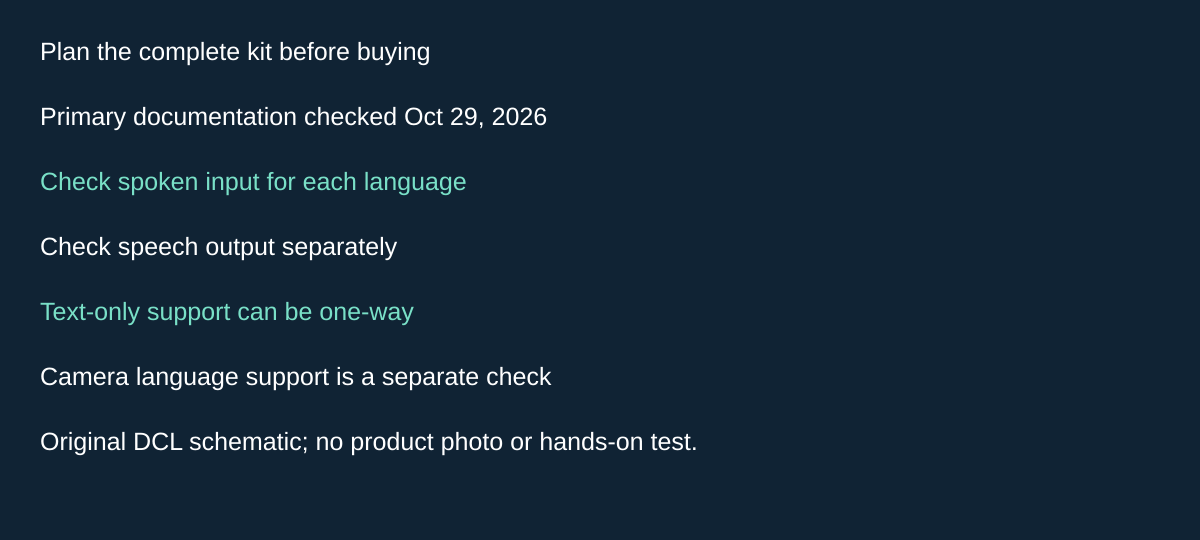
Original DCL research schematic, October 29, 2026; documented choices, not a product photograph or test.
Check both speaking directions before choosing a translator for conversation
A language appearing on the screen is insufficient evidence that two people can have the spoken exchange you intend. Before choosing Pocketalk S2 for conversation, separate recognizing each person’s speech from displaying and speaking the answer. A text-only result may suit showing a short phrase, while leaving the return conversation unsupported.
The S2-series manual, checked October 29, 2026, says some translation results have text without speech playback. Pocketalk’s device support explanation, “Understanding Translations in Text” makes the distinction concrete with Hmong: speech from a supported input language can become Hmong text, but the text-only language has neither spoken output nor voice input for the reverse exchange. The same explanation limits camera recognition in the reverse direction. Check the current exact language list rather than treating this example as a complete list.
| Intended task | Evidence needed before buying | Boundary |
|---|---|---|
| Show someone a translated phrase | Readable target-language text | A displayed result does not promise audio playback |
| Hear the answer spoken aloud | Speech output for that target language | Check separately from text support |
| Let the other person answer by speaking | Voice input for their language and the reverse pair | Text-only target support does not establish this |
| Read a sign back into your language | Camera recognition for the written source | Voice totals and text-output lists do not settle camera support |
Our suggested selection check is to write down both directions of one ordinary exchange: your language to theirs, then theirs back to yours. Mark speech input, text output and audio output separately. Repeat the check for the camera task if menus or signs are a buying reason. Use non-sensitive sample phrases before depending on the device; we have not performed this exercise or measured its accuracy.
Budget and drawback: a bigger data allowance does not add a missing language mode. Compare a dedicated device with an existing phone workflow only after the required directions are documented; hardware and ongoing-service totals remain unknown. This Pocketalk evidence does not define Vasco V4’s language modes. Keep its own current language list and the existing internet requirement in the comparison. A named language or a successful short example is not a guarantee for every accent, context or important conversation.
Compatibility and trip preparation
| Need | What to verify |
|---|---|
| Translation without any internet | Neither selected model has verified offline translation here; use another documented solution for that requirement |
| Conversation in an exact language pair | Check spoken input/output separately from text-only support |
| Menu or sign translation | Check camera-mode languages; broad voice totals are insufficient |
| Included mobile data | Confirm destination, activation date, service scope and renewal rules |
| Charging from your existing kit | Pocketalk manual specifies USB-C 5V/up to 2A; obtain V4 exact input requirements rather than inferring fast charging |
| Long day of active conversations | Charge before leaving and plan access to power; standby hours are not an active-use estimate |
| Important information | Check understanding with the other person; an automatic translation is not professional interpretation |
Before travel, set up the device, update its software, check the intended network and try the actual language pair. Keep addresses or key information in another accessible form. This is a preparation checklist, not a report of DCL testing.
Our travel-router guide covers a different decision: sharing an available connection among your devices. A translator’s built-in SIM is not interchangeable with a travel-router data plan. The USB-C cable guide covers charging-cable capability separately.
Budget for hardware and continued connectivity
| Situation | Costs to compare | Current total |
|---|---|---|
| Phone already answers the translation need | Existing app/network arrangements | Separate hardware may be unnecessary |
| Want Pocketalk S2 for frequent conversations | Exact device, protection/accessories, cellular service after included term | Unknown |
| Want Vasco V4 with included translation data | Exact device and terms/coverage for the itinerary | Unknown; no savings promise |
| Need reliable offline use | A solution with documented offline modes/language pairs | These two do not establish that capability |
Choose around the actual connection and language-mode requirement. Hardware separation can be convenient, but a bigger language total or a long standby rating cannot settle translation quality or active battery life.
Check the hotel network before relying on Wi-Fi as the fallback
Pocketalk S2’s Wi-Fi instructions, checked October 21, exclude networks requiring a connection app and warn that browser-authenticated networks may not work. A hotel advertising Wi-Fi therefore does not establish a usable fallback for this translator. Ask about the actual access method before choosing a device around that connection.
| Trip requirement | What to establish before purchase | Decision if unresolved |
|---|---|---|
| Hotel Wi-Fi is the planned fallback | Whether access needs an app or a browser sign-in | Keep another documented connection option; do not assume the translator can complete that sign-in |
| Included cellular service must last through the trip | Check the actual device’s remaining contract period | Resolve extension terms before depending on included service |
| Software maintenance away from home | Access to a suitable Wi-Fi network and sufficient charge | Update while a working connection is available |
The Data Plan instructions locate the remaining contract period under Settings, Data Plan. They say an extension can be purchased when less than one year remains. This does not establish today’s extension price or restart the included term when a device changes owners. For a previously activated unit, obtain the actual displayed term rather than relying only on a listing’s five-year headline.
Translation connectivity and maintenance connectivity are also different requirements. The software-update instructions require Wi-Fi and at least 30% battery for downloads. Included cellular translation data is not a substitute for that documented update path. We have not established the current firmware version or tested any hotel network.
These details refine the buying choice: choose a dedicated online translator only when you can support its connection and maintenance requirements. If the trip requires operation with no network, the two selected models still do not establish that capability. This new Pocketalk evidence supplies no corresponding hotel-network claim for Vasco V4. Keep the exact S2 and V4 identities above; it does not validate another generation or retailer bundle.
Budget for any required network access and service extension separately; current totals are unknown. Try the actual language pair and connection before departure, while an alternative remains available. That is an owner preparation check, not a DCL accuracy or reliability result.
Decide what remains visible when a translator changes hands
A separate translator may be passed between people. Before buying Pocketalk S2 for that routine, decide whether you want a saved conversation reference and how you will control access to the device. These are different settings; a translation-history option is not a screen-lock setting.
Pocketalk’s S2 history instructions, checked October 25, 2026, describe enabling Save History in Settings. Recorded translations can then be revisited, translated into another language or added to favorites. This can help when you need to refer back to a phrase; it also means you should decide what to retain before lending the device. We have not established deletion, export or cloud-retention behavior from this page.
| Shared-use requirement | Documented S2 control | Drawback or boundary |
|---|---|---|
| Revisit earlier translations | Enable Save History in Settings | A useful reference is different from an ephemeral exchange |
| Restrict casual access between uses | Enable the lock screen and its separate PIN option | Lock timing follows Sleep Settings; immediate locking is not established here |
| Limit information visible while locked | Review the clock-history display setting | The manual permits showing the previously visited location and time |
The S2 lock-screen instructions also document optional battery and network-status displays. Choose the visible information deliberately. These controls do not establish encryption, remote erasure or an enterprise access policy, and this S2 evidence does not establish the corresponding controls on Vasco V4.
Our practical recommendation is to rehearse handing the actual device to another person, letting it sleep and unlocking it before travel. Decide who needs the PIN and whether saved phrases suit the intended use. That is a preparation exercise, not a DCL security or usability test. If an existing phone workflow already answers these needs, a dedicated translator is not required solely for a history feature. Current hardware and service totals remain unknown; compare them only after checking language, connectivity and shared-use requirements together.
Shop the researched models
These Amazon links are affiliate links. Daily Carry Lab may earn a commission from qualifying purchases. Match the model and included contents to your needs; this guide is based on manufacturer-source research, without hands-on testing.
-
Pocketalk S2 (white)
Check Pocketalk S2 (white) on Amazon -
Vasco Translator V4 (Cobalt Blue)
Check Vasco Translator V4 (Cobalt Blue) on Amazon
Sources and limits
This guide compares published specifications and source documentation. Daily Carry Lab has not performed hands-on tests of the products in this guide. Consult the dated sources and verify the exact model and current terms before buying.
- pocketalk-device primary documentation
- pocketalk-spec primary documentation
- pocketalk-manual primary documentation
- vasco-v4 primary documentation
- October 21 compatibility documentation: wifi
- October 21 compatibility documentation: plan
- October 21 compatibility documentation: update
- Decide what remains visible when a translator changes hands primary documentation
- Decide what remains visible when a translator changes hands primary documentation
- October 29 editorial-pocket-translator decision documentation
- October 29 editorial-pocket-translator decision documentation
- October 29 editorial-pocket-translator decision documentation
Related guides
iPhone 18 Pro: Wrist Strap or Crossbody Strap, with the right case
Compare exact Apple Wrist and Crossbody strap packages for iPhone 18 Pro by attachment, length, complete cost and limitations.
Portable label makers: choose phone control or a built-in keyboard
Compare Brother PT-P300BT CUBE and PT-H110 by phone dependence, TZe tape widths, power and cable-label workflow.
Travel AA/AAA chargers: match the cells, slots and USB input
Compare four-slot AA/AAA charging systems by exact chemistry and USB input. Includes conditional XTAR BC4 research and explicit operating-manual limits.
USB-C bike front lights: compare modes, mounts and charging
Compare Lezyne Micro Drive 800+ and Fenix BC15R using exact modes, rated runtime, battery design and mounting limits, without road-certification claims.