By Daily Carry Lab. Primary documentation checked October 13, 2026 (Pacific).
Affiliate disclosure: As an Amazon Associate, Daily Carry Lab earns from qualifying purchases. Retailer links may earn a commission at no extra cost to you. The manufacturer links here are evidence sources.
Research disclosure: This is a primary-documentation guide, not hands-on testing. Specifications and battery figures come from manufacturers. We assign no DCL rating, fit-test result or performance score.
For commuting earbuds, choose the phone features and noise modes you need before comparing battery headlines. A runtime quoted with noise control off cannot be applied to an ANC commute, and a feature supported on one phone platform may be limited on another.
We compare AirPods 4 with Active Noise Cancellation and Sony WF-C710N because their current primary documentation makes these differences inspectable. The October 30 addition below separately compares both AirPods 5 packages. These are documented candidates, not a complete market ranking. We have not listened to them, measured ANC strength, tested call microphones or assessed fit. The old guide’s sound-quality rankings and unverified offers are removed.
Match platform and listening controls
| Documented feature | AirPods 4 with ANC | Sony WF-C710N |
|---|---|---|
| Active Noise Cancellation | ✓ | ✓ |
| Ambient or Transparency listening | ✓ | ✓ |
| Apple’s Adaptive Audio and Conversation Awareness | ✓ | — |
| Two-device Bluetooth multipoint in cited guide | — | ✓ |
A dash means the cited documentation does not establish that feature; it is not a claim about every possible connection behavior. Sony documents Ambient Sound Mode and Quick Attention, while Apple lists Transparency.
Sources: Apple’s exact AirPods 4 ANC specifications and Sony’s WF-C710N help guide. This is the ANC AirPods variant, not the ordinary AirPods 4. Inspect the exact product identity before comparing an offer.
Apple lists Adaptive Audio and Conversation Awareness with compatible devices running iOS 18, iPadOS 18 or macOS Sequoia and later, plus current firmware. Its general system requirements call for the latest operating systems. Earlier Apple software and non-Apple devices can have limited functionality. Do not buy based on a feature name until your actual host qualifies. Apple feature footnotes.
Sony’s guide includes connecting the headset to two devices simultaneously through multipoint. If switching between a phone and computer matters, set up that documented function and check the current app/firmware instructions. It does not prove simultaneous audio mixing or that every work application handles call transitions as you want. We make no tested switching claim.
Compare the mode you will actually use
| Model and setting | Manufacturer listening figure | What the number excludes |
|---|---|---|
| AirPods 4 ANC, ANC enabled | Up to 4 hours per charge; up to 20 hours with case | Not the longer noise-control-off figure |
| AirPods 4 ANC, noise control off | Up to 5 hours per charge; up to 30 hours with case | Does not describe an ANC commute |
| WF-C710N, AAC and ANC | Maximum 8.5 hours | Not a DCL battery test or case-inclusive total |
| WF-C710N, SBC and ANC | Maximum 8 hours | Codec and settings matter |
| WF-C710N, AAC/SBC with noise functions inactive | Maximum 12 hours | Does not describe ANC or Ambient Sound Mode |
| WF-C710N, ambient mode | Maximum 8 hours with AAC; 7.5 hours with SBC | Not the inactive-mode maximum |
Sources: Apple battery specifications and test conditions and Sony mode-specific operating time. Case-inclusive time requires recharging the earbuds; it is not uninterrupted listening duration. Calls and media can also use different battery budgets.
Sony says equalizer, DSEE and Service Link settings shorten operating time, and combined settings can shorten it further. Its documented communication time is a maximum 4.5 hours in the listed modes. Apple qualifies its figures by settings, environment and use. Leave a margin around your actual day rather than timing a connection to the manufacturer’s maximum.
Check fit, charging and awareness
| Practical check | Why it affects selection | Limit of this guide |
|---|---|---|
| Ear fit and retention | Poor fit can make a documented feature unpleasant or ineffective for you | No DCL comfort, seal or retention test |
| Ambient/Transparency control | You may need to hear announcements or switch listening modes | No guarantee a mode preserves awareness in every setting |
| Charging access | Case totals assume repeated earbud recharge | Do not compare a case total to another model’s single-charge figure |
| Included cable and accessories | Apple says its USB-C charge cable is sold separately | Exact retailer bundles remain unverified |
Apple’s ANC case supports USB-C, Qi-certified charging and an Apple Watch charger. That feature belongs to the exact ANC variant. Sony’s specifications describe USB charging and a commercially available USB AC adapter; the cited document does not establish wireless charging. Check your existing equipment instead of assuming both cases work on the same pad. Apple charging case, Sony charging specifications.
For overnight charging equipment, see the travel wireless-station guide and confirm the case/module match. These earbuds are not a substitute for checking surroundings when your route requires attention; no hearing-protection certification is established in this guide.
Budget and selection limits
| Choice | Price evidence, October 13, 2026 | Selection reason | Drawback |
|---|---|---|---|
| Existing suitable earbuds | No new earbud purchase if already owned; maintenance costs unknown | You know the actual controls and fit | Existing battery condition may differ from launch figures |
| AirPods 4 with ANC | Exact current US checkout price not established | Documented Apple-specific adaptive features and case charging options | Non-Apple/older software features can be limited; shorter ANC figure |
| Sony WF-C710N | Exact current US checkout price not established | Documented mode/codec battery table and multipoint | App/settings affect runtime; no wireless case charging established |
Select for your phone, mode and recharge opportunities. We do not infer better sound or stronger noise cancellation from a longer battery figure, and there is no DCL score or universal commuting winner.
Test the source-switching workflow you need
For WF-C710N, two Bluetooth connections do not mean two music streams mixed together. Sony instructs you to stop playback on the first device, then start playback on the other. Starting the second device while the first is playing leaves the first device’s music audible. This distinction matters if you expect a laptop video to interrupt phone music automatically. Sony’s WF-C710N manual, multipoint section, checked October 21, 2026.
| Situation | Documented behavior | Buyer check |
|---|---|---|
| Move from phone music to laptop media | Stop the first source, then start the second | Is that manual step acceptable for your commute/work routine? |
| Connect a third paired device while two are connected | Last music-playing device stays connected; the other connection drops | Do not plan for three simultaneous host connections |
| Expect combined audio | The documented workflow switches sources | Select another setup if mixing is a requirement |
Try the actual phone, computer and required application during a return or evaluation opportunity available to you; no return terms are verified here. These manufacturer rules do not establish conferencing-app priority, transition latency or microphone quality. We have not tested switching, and we do not transfer Sony’s rules to the AirPods candidate.
Check care and charging contacts before replacing WF-C710N
A charging problem after a commute deserves a care check before a replacement purchase. For Sony WF-C710N, model YY2986, the maker describes contact contamination as one possible charging obstacle. This does not diagnose a worn battery or a broken case. The procedure below belongs to this Sony model; do not transfer it to the AirPods candidate.
| Observation | Documented care action | Decision boundary |
|---|---|---|
| Dirty earbud or case charging contacts | Gently clean with a soft dry cloth or cotton swab | Cleaning may help charging; it does not establish battery health |
| Wearing detection behaves unexpectedly | Wipe the IR sensors with a soft dry cloth | Sensor dirt is distinct from a Bluetooth pairing problem |
| Components were cleaned or became damp | Allow thorough drying at room temperature before returning them to the case | Do not charge wet components |
Sony also advises against compressed-air dusters. When drying, orient the IR sensors sideways or upward: contact with the table can trigger worn detection and consume battery. After maintenance and drying, return the units to the case and close its lid. WF-C710N Help Guide, printed pages 116–119, checked October 22, 2026.
Use this as a keep-or-replace checkpoint: identify the actual symptom, follow the model’s care instructions, then reassess charging. If it persists, seek the manufacturer’s support rather than repeatedly cleaning or assuming a new charging cable will repair the earbuds. No repair success rate, service price or remaining battery capacity is established here. Keeping an otherwise suitable pair avoids a new earbud purchase; any consumable or service cost remains unknown.
For a trip, leave time to confirm charging before packing. A full case-runtime headline cannot resolve a contact problem, and our documentation review does not establish that your own pair is working.
Before replacing WF-C710N, distinguish reset from initialization
A connection fault does not by itself establish that you need new earbuds. Sony documents two different recovery operations for WF-C710N: reset preserves pairing and settings, while factory initialization deletes pairing information and resets volume and other settings. Documentation checked October 24, 2026; these instructions do not apply to AirPods.
| Recovery choice | Documented distinction | Preparation before travel |
|---|---|---|
| Reset after failure to turn on or operate | Retains paired devices and other settings | Use the exact reset instructions before assuming replacement is necessary |
| Initialize after reset has not resolved the fault | Erases pairing information | Leave time and access to pair your phone and computer again |
| Fault persists after initialization | Sony directs the owner to support or a dealer | Obtain a diagnosis before treating another cable or new pair as the answer |
The button timing is consequential. With both units in the open charging case, Sony’s reset procedure holds the rear button for about 20 seconds or more, through the orange flashing, until the indicator turns off. Initialization instead releases during the five-second orange-flashing window after about 15 seconds; successful initialization produces four green flashes. Follow the linked procedure for the intended operation rather than treating any long press as equivalent.
Initialization requires sufficient case charge. It also requires removing the old pairing entry on the connected device and pairing again. It retains updated headset software; “factory” does not mean a firmware downgrade. We have not carried out these operations or established their success rate.
Keep-or-replace budget: a documented reset can be a useful checkpoint for equipment you already own, but it is not a diagnosis or repair guarantee. Current support, service and replacement costs are unknown. Before departure, establish that the actual pair charges, connects and plays in your intended mode. The longer battery figure above cannot resolve a setup fault, and a replacement purchase is premature until the symptom and recovery result are clear.
Check single-ear controls before planning a one-ear routine
If you prefer one earbud for a call or plan to keep one unit in its case, compare the controls in that arrangement before buying. Sony’s WF-C710N guide permits either unit to operate alone, but the factory touch assignments differ: playback control is assigned to the right. With only the left unit worn, Sony directs you to operate the connected device to start music, or change touch assignments in Sound Connect. WF-C710N Help Guide, Using only one headset unit, printed page 20, checked October 25, 2026.
| One-ear decision | Documented behavior | Purchase check |
|---|---|---|
| Use only the right unit | Factory playback control is available there | Decide whether that side fits your actual routine |
| Use only the left unit | Start music from the host with factory assignments, or configure controls | Keep permitted access to the host/app for setup |
| Listen to stereo material through one unit | Left and right channels are mixed into mono | No stereo separation in this arrangement |
| Expect the last ANC setting to persist with one earbud | Sony enables Ambient Sound Mode when only one is worn | One-ear use is not the same noise-mode plan as two-ear ANC |
Sony says putting on the other unit establishes the left/right connection automatically and returns audio to both. Its noise-canceling section says wearing both enables noise cancellation after the one-unit Ambient Sound behavior. That is a mode rule, not a guarantee that wearing one earbud preserves awareness in every environment or provides hearing protection. Follow the demands of the activity and surroundings independently.
The guide permits hands-free calls with one unit and tells users to answer using the unit being worn. Put the unused unit in the charging case. Left and right remaining charge can differ in this routine, so do not assume the ordinary two-ear battery headline proves a particular all-day alternating schedule. We have not measured switching, charging rotation, call quality or one-ear endurance.
Budget and drawback: current purchase, replacement-unit and service totals are unknown. A suitable pair you already own may be enough once its controls are configured. If single-ear playback without reaching for the phone is essential, verify the chosen side’s assignments before depending on it. These are exact Sony instructions; they do not establish AirPods 4 behavior, that strangers can share the pair as independent headsets, or that each unit can maintain an unrelated host connection.
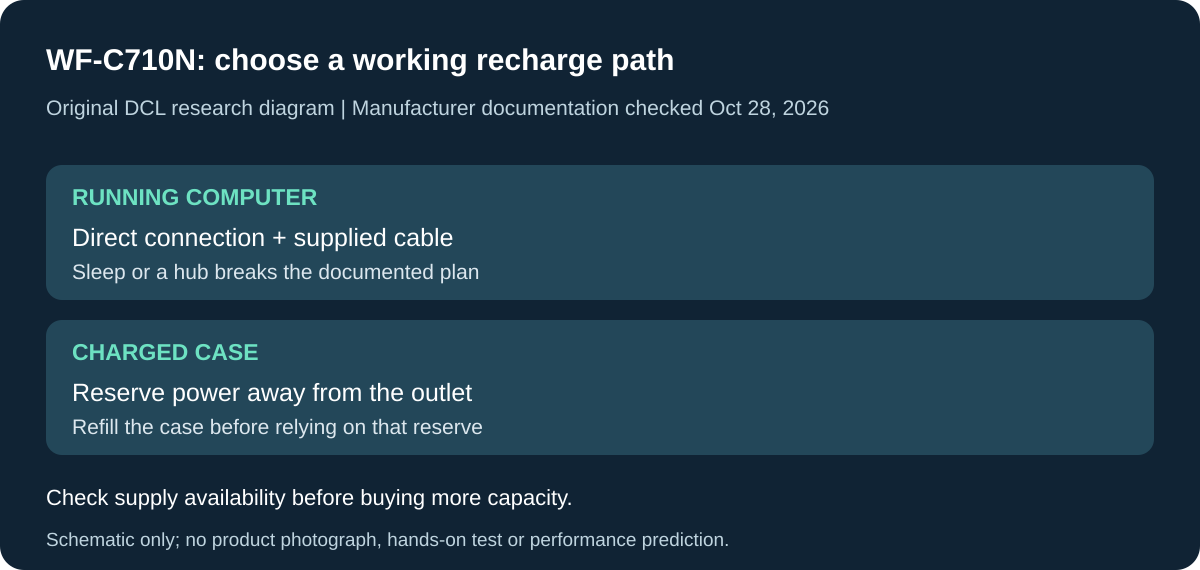
Original DCL research schematic, October 28, 2026. Documented setup boundaries, not a product photo or DCL test; see the source and qualifications below.
Make the laptop charging plan work before buying more battery capacity
For WF-C710N, a laptop left asleep is not a dependable recharge plan. Sony says the headset cannot charge from a computer in sleep or hibernation, and instructs a direct computer connection rather than a USB hub. That changes the complete commuter kit: an available USB socket is not enough if your intended arrangement is a closed, sleeping laptop and a travel hub. WF-C710N Help Guide, printed pages 25–26, checked October 28, 2026.
| Planned recharge arrangement | Documented condition | Decision before spending |
|---|---|---|
| Running computer | Supplied USB cable connected directly to the computer; Sony does not guarantee every computer | Check this actual arrangement before treating it as your daily recharge source |
| Sleeping computer or a hub | Sleep/hibernation prevents charging; Sony excludes the hub path from proper completion | Do not buy a bigger hub as the assumed cure for an empty case |
| USB AC adapter | Sony specifies an output-current capability of at least 0.5A, but also qualifies adapter compatibility | Verify the adapter and supplied cable together; advertised wattage alone is not approval |
| Charged case away from an outlet | The case can replenish the earbuds from its own battery | Charge the case beforehand; it is a finite reserve, not continuous external power |
Sony gives approximately 3.5 hours for empty headset and case batteries to reach full charge, and about 1.5 hours for the left and right units. These are manufacturer figures with use-condition qualifications. Do not apply the case-inclusive listening headline as a deadline for an empty case to become ready during a short stop. Keep the lid closed during charging, as Sony directs, to avoid wasting case battery.
The practical selection question is whether your existing supply stays available while you are away from the earbuds. If it does, another charger may add no useful function. If it does not, include a separately verified charging arrangement in the purchase budget. Current charger, cable and earbud checkout totals are unknown; no replacement accessory or bundle is endorsed here. This section concerns Sony’s documented setup and does not transfer its cable or sleep-state rules to AirPods.
DCL has not timed charging, tested a USB hub, or diagnosed a battery. A completed connection check is separate from battery health. Use the existing care/support guidance if charging remains unreliable; additional advertised playback hours cannot resolve a supply that stops when its host sleeps.
AirPods 5: the charging-case choice also changes the earbuds you select
Research addition checked October 30, 2026. Apple’s newer AirPods 5 comes in two named packages: AirPods 5 and AirPods 5 with Wireless Charging Case. Compare the entire package before deciding whether to replace the documented AirPods 4 ANC or Sony options above. The similar names do not establish equal charging or controls.
The AirPods 5 technical specifications list ANC for both packages. The wireless-case package also gets stem volume swiping; the base package should not be bought on that assumption. Apple’s case specifications distinguish USB-C-only charging for the base case from USB-C, Apple Watch charger and Qi-certified charging for the wireless case. The latter includes a Find My speaker. This does not transfer those features to a base case or certify every third-party charging stand.
| Requirement | AirPods 5 | AirPods 5 with Wireless Charging Case |
|---|---|---|
| Active Noise Cancellation | ✓ | ✓ |
| Case charging over USB-C | ✓ | ✓ |
| Qi or Apple Watch charger case charging | — | ✓ |
| Stem volume swipe | — | ✓ |
| Case speaker for Find My | — | ✓ |
Ticks reflect Apple’s listed features, not DCL tests. A dash means the feature is not listed for that package. Do not assume the distinction can be erased by buying a replacement case: the cited page does not establish such an upgrade path for the earbuds or their controls.
For a commute with ANC, Apple quotes up to four hours per charge for the base package and five for the wireless-case package; corresponding case-inclusive ANC figures are 20 and 22 hours. These are manufacturer estimates under their test conditions. Case totals involve recharging and do not describe one uninterrupted journey. We have not established that either package lasts that long in your call, volume or temperature conditions, or that its sound or ANC beats Sony.
Budget and fit decision: current delivered package prices and complete charger costs are unknown. Compare each exact package plus the cable and supply you actually lack; the listed boxes contain earbuds, case and documentation, rather than a charging lead. A wireless-capable case may reuse your existing compatible charger, but a new pad adds another purchase. If USB-C charging already fits the day, decide whether volume swipe or the other documented differences solve a real problem before paying more.
Apple calls for current Apple operating systems and says older Apple software or non-Apple hosts may limit functionality. Do not transfer AirPods 4 software minima to AirPods 5. Translation and other region-dependent features need their own current hardware, language and regional checks; they are not reasons for our selection here. For the charging-equipment decision, use the wireless-station guide. We have not tested comfort, retention, case placement or device switching, and no universal upgrade recommendation follows from this comparison.
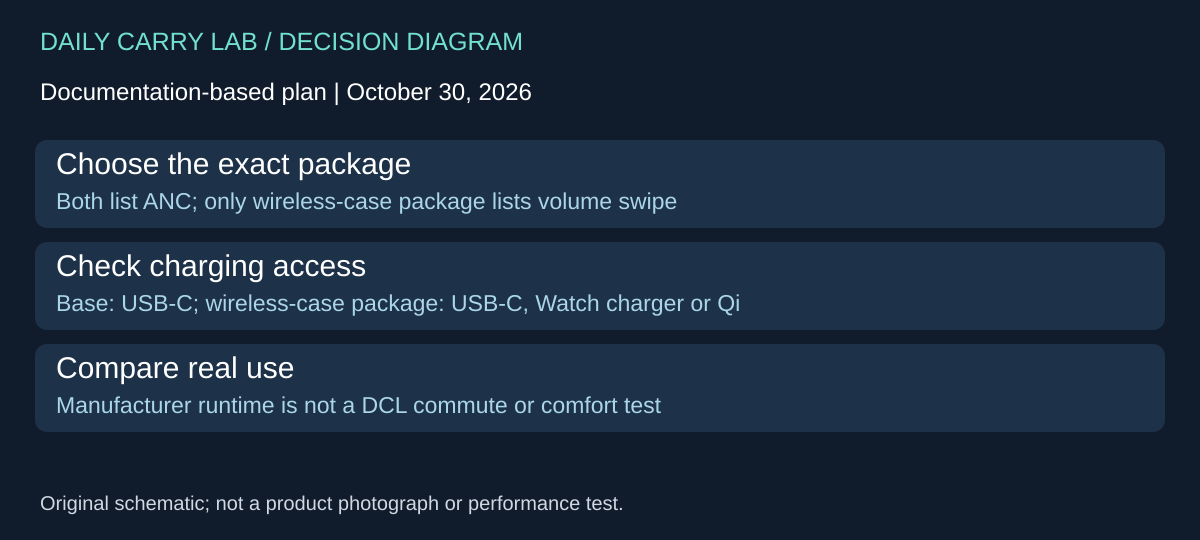
WF-C710N: configure the noise-mode cycle before a phone-free commute
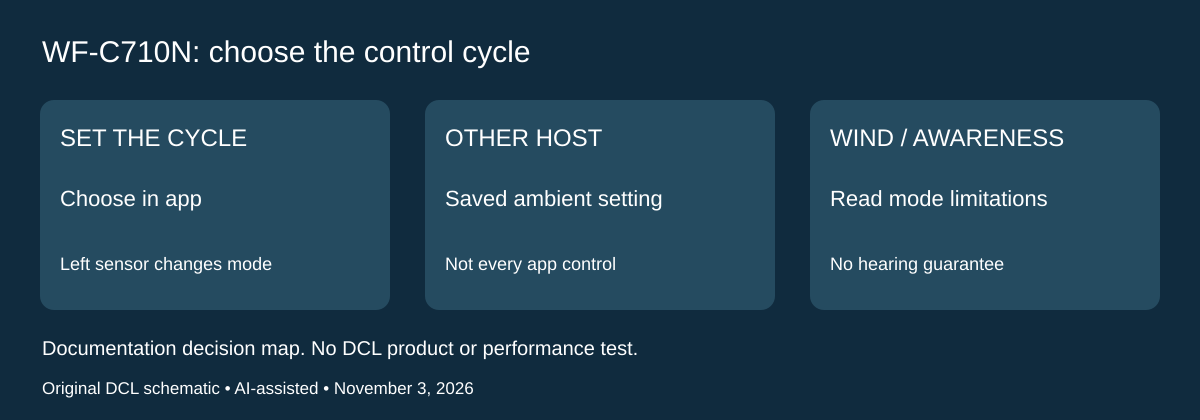
Research checked November 3, 2026. A mode listed in a specification table is useful only if your carry routine lets you select it. Sony’s WF-C710N Help Guide, printed page 90, says Sound Connect can configure the combination of noise cancellation, Ambient Sound Mode and both functions off that the left touch sensor cycles through. Ambient settings made in the app are stored in the headset and can be used while connected to another device without that app.
| Intended routine | Documented setting or limit | Practical drawback |
|---|---|---|
| Change noise modes without reopening the phone app | Configure the left-sensor cycle in Sound Connect | Check the selected cycle before packing the phone away |
| Use saved ambient settings with another host | Settings remain in the headset | This does not prove every app control is available on that host |
| Deal with increased wind sound in ambient mode | Sony says disable Ambient Sound Mode in that situation | No measured wind-reduction result is established here |
| Hear surroundings reliably | Ambient sounds can still be inaudible depending on conditions and playback | A mode label is not an awareness guarantee |
Sony specifically says not to use the headset where inability to hear surroundings would be dangerous, including roads with vehicle or bicycle traffic. Disabling a listening mode does not make an otherwise unsafe situation suitable. Its guide also warns against covering the microphone areas, which can impair the noise functions or cause feedback. These are exact-model limitations, not a comparison proving another earbud safer or quieter.
Our selection advice is to check the physical interaction as well as the feature list. In a suitable quiet setting, identify the left control, verify the selected sequence and confirm that the state you want is accessible. Do that separately from comparing multipoint or battery life. A phone-free control routine may matter more to you than another headline feature, but we have not tested touch reliability with clothing, gloves, rain or movement.
Budget and drawback: first check whether an owned WF-C710N can provide the required cycle through its documented settings. Current replacement and accessory totals remain unknown. If you require a particular control without app setup, obtain exact evidence before purchasing on that requirement. Do not transfer these Sony controls to AirPods 4 or AirPods 5; their platform conditions remain separate earlier in the guide.
Sources and limits
This guide compares published specifications and source documentation. Daily Carry Lab has not performed hands-on tests of the products in this guide. Consult the dated sources and verify the exact model and current terms before buying.
- AirPods 4 with Active Noise Cancellation - Tech Specs - Apple Support
- WF-C710N | Help Guide | Available operating time
- WF-C710N | Help Guide | Specifications
- sony-manual added primary documentation
- Before replacing WF-C710N, distinguish reset from initialization primary documentation
- Before replacing WF-C710N, distinguish reset from initialization primary documentation
- October 30 airpods-spec primary documentation
- Printed90: saved Ambient Sound settings, mode cycle and wind limitations
Related guides
iPhone 18 Pro: Wrist Strap or Crossbody Strap, with the right case
Compare exact Apple Wrist and Crossbody strap packages for iPhone 18 Pro by attachment, length, complete cost and limitations.
iPhone Duo cases: Apple Case versus Folio with Kickstand
Compare exact Apple iPhone Duo Case and Folio parts by coverage, viewing support, charging arrangements, separate equipment and dated US prices.
Portable label makers: choose phone control or a built-in keyboard
Compare Brother PT-P300BT CUBE and PT-H110 by phone dependence, TZe tape widths, power and cable-label workflow.
Travel AA/AAA chargers: match the cells, slots and USB input
Compare four-slot AA/AAA charging systems by exact chemistry and USB input. Includes conditional XTAR BC4 research and explicit operating-manual limits.