By Daily Carry Lab. Primary documentation checked October 15, 2026 (Pacific).
Affiliate disclosure: As an Amazon Associate, Daily Carry Lab earns from qualifying purchases. Retailer links may earn a commission at no extra cost to you.
Research disclosure: We have not tested these products. We select exact models using manufacturer documentation, documented compatibility and the practical decisions below. No DCL ratings, measured results or health outcomes are claimed.
For travel, start by choosing between soundcore Sleep A30 (D1301) with documented active noise cancellation and Ozlo Sleepbuds 2 with passive sealing and masking audio. Then choose the playback mode you intend to use. A headline battery figure does not necessarily describe continuous Bluetooth streaming with ANC running.
We selected these two to compare ANC with a masking-focused design and to expose phone, case and charging dependencies. This is an equipment guide. We make no claim about sleep quality, treatment, snoring reduction or health benefits.
Compare the exact model and mode
| Specification or dependency | soundcore Sleep A30, D1301 | Ozlo Sleepbuds 2 |
|---|---|---|
| Noise approach | ANC plus local masking audio | Passive silicone-tip seal plus masking audio; not ANC |
| Continuous Bluetooth with ANC | UK product FAQ says 7 hours at 50% volume; separate support page says up to 6.5 hours | ANC comparison does not apply |
| Local playback | UK FAQ says 9 hours with ANC, 16 hours without; support page says about 9.5 hours with ANC | Simple Mode plays sound stored in buds with Bluetooth streaming off |
| Headline runtime | UK page’s 10 hours uses a transition between modes | Up to 14 hours; maker footnote uses streaming and Sleep Sounds at 50% volume |
| Configuration | soundcore app | Ozlo Sleep app; current product lists Android 12+ or iOS 17+ |
Sources: soundcore D1301 product FAQ, soundcore battery support, Ozlo Sleepbuds 2 technical information, Ozlo generation and mode comparison. These are manufacturer estimates, not a controlled DCL comparison.
Sleep A30: decide whether ANC must stay on
The D1301 documentation separates local audio from Bluetooth audio and ANC on from ANC off. Its UK ten-hour example starts with 1.5 hours of Bluetooth and ANC, then switches to local audio with ANC off. That is materially different from a full session streaming a podcast with ANC enabled.
Drawback: primary pages disagree slightly on continuous runtimes. We preserve the discrepancy rather than choosing the larger number. Check the exact regional model and app settings before relying on a session length. Sleep A30 Special documentation and a retailer’s D1301Z21 imagery are not evidence that every D1301 variant has identical runtime. Battery support details.
Sleepbuds 2: decide whether you want stored audio or streaming
Ozlo’s Simple Mode plays the selected sound from memory with streaming off. Auto Mode starts the stored sound after streaming stops; Sensing Mode changes from streaming to the selected sound based on device sensing. Choose those behaviours deliberately if you want an audiobook to continue rather than transition.
Drawback: Sleepbuds 2 are not ANC earbuds. The current product page also specifies keeping the Smart Case within 10 feet and the phone within 30 feet for the documented connection arrangement. Plan where both will sit; do not assume the buds alone can stream from a phone anywhere in a hotel room. Original Sleepbuds support mentioning ten hours is a different generation. Ozlo modes.
Check fit and travel workflow before purchase
| Travel check | What to verify | Practical consequence |
|---|---|---|
| Pillow and ear contact | Exact tip sizes and a usable fit/return process | A maker’s side-sleeper claim is not proof of your comfort |
| Phone access | Install the correct app and set the intended mode before travel | Setup is a separate step from nightly playback |
| Playback duration | Compare the same audio and ANC setting | Maximum local runtime cannot stand in for streaming runtime |
| Case placement and charge | Pack the case and its charging cable | Case reserve charges do not extend one uninterrupted bud session |
| Audio source | Verify the specific phone/application path | Bluetooth support alone does not establish aircraft-seat or wired compatibility |
For general travel listening, compare our over-ear headphone guide. That decision includes different playback and wearing requirements; these small in-ear devices are not automatically substitutes.
Budget for the complete playback kit
| Requirement | Buying decision | Budget status on October 15 |
|---|---|---|
| Existing audio kit already meets your need | Keep it | No additional purchase required |
| ANC and local playback | Compare exact D1301 revision and mode | Current delivered total unknown |
| Stored masking audio with optional streaming | Compare Sleepbuds 2, not original Sleepbuds | Current delivered total unknown |
| Replacement tips, cable or power adapter | Check supplied items and exact compatibility | Complete accessory total unknown |
Neither documented runtime nor low-profile marketing establishes personal comfort or a sleep benefit. Choose the audio path and power arrangement first, then evaluate fit under the seller’s actual terms.
Choose the alarm workflow separately from overnight audio
If an alarm is part of your travel purchase decision, check setup before treating a playback timer or a long battery estimate as an alarm feature. soundcore’s Sleep A30 alarm instructions, checked October 22, specify connecting the earbuds to the phone and opening the app. The control called Bedtime Reminder & Alarm Clock permits up to five alarms, with time, date and sound set individually. This is documentation for Sleep A30, not proof of identical behavior on every similarly named revision.
There is a second preparation step. In its Sleep A30 clock-accuracy support note, soundcore identifies clock drift as a possible explanation and says connecting to the app automatically calibrates the earbuds’ clock. That is a stated correction path, not a guaranteed accuracy tolerance or DCL timing test. An apparent timing problem is therefore a reason to check setup and exact-model support before buying different earbuds.
| Travel requirement | Check on the intended setup | Buying limit |
|---|---|---|
| Several scheduled alarms | The documented five-alarm limit and each selected date/time/sound | A reminder title does not establish every scheduling option you might need |
| Correct timing after time away from the app | Reconnect and verify the alarm on your actual setup | The support note does not specify a guaranteed drift interval |
| A new destination or changed phone time | Verify the displayed alarm and a short trial before relying on it | Automatic time-zone or daylight-saving behavior is not established by these two sources |
| An important departure | Maintain another suitable alarm you already know how to use | Earbud charge estimates do not guarantee that a person will hear or respond to an alarm |
Set up and check the intended workflow before the trip, while the phone and app are available. The source instructions do not establish every phone-alarm routing rule, app-background requirement, Bluetooth-disconnection outcome or behavior after battery depletion. Leave those questions open until the exact current manual or manufacturer answers them. We have not tested any of those conditions.
For the budget decision, compare the whole access and charging workflow rather than buying solely for an alarm label. Current hardware and accessory totals remain unknown; keeping existing suitable equipment may avoid a purchase. Ozlo’s modes above remain a separate comparison: this soundcore procedure does not certify Ozlo alarms or transfer an A30 function to Sleepbuds 2. No sleep benefit, hearing outcome, wake-up guarantee or measured reliability is claimed.
Check the charging method before packing a wireless-only bedside kit
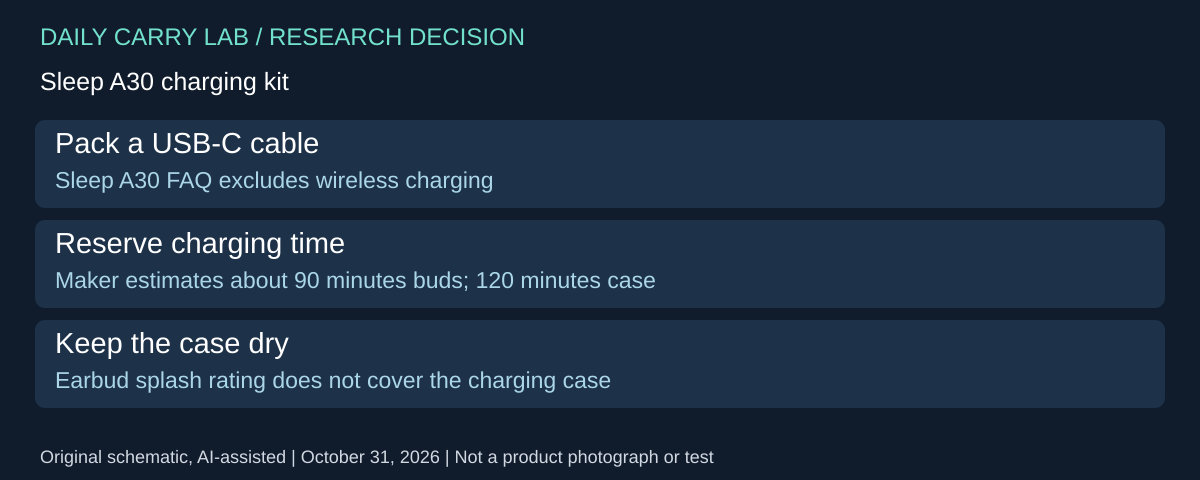
If your travel kit uses a wireless pad for everything, check Sleep A30 before adding it to that plan. soundcore’s Sleep A30 FAQ, checked October 31, 2026, specifies USB-C wired charging and says wireless charging and a fast-charge function are unsupported. This is a different decision from choosing local or streamed playback.
| Charging requirement | Manufacturer documentation | Packing implication |
|---|---|---|
| Refill from a bedside wireless pad | Wireless charging unsupported | Retain a suitable USB-C cable and power source |
| Refill the earbuds | Approximately 90 minutes to full | Do not plan from an assumed quick-charge feature |
| Refill the case | 120 minutes; FAQ lists 5V/1A input | Allow a charging opportunity for the case as well |
| Keep the kit near water | Earbuds IPX4; charging case not water resistant | Do not transfer the bud rating to the complete kit |
Those times are manufacturer estimates, not measured DCL charging results or promises from a nearly empty state with your adapter. The FAQ’s input statement also should not be turned into a measured power draw. Follow the exact unit’s charging instructions; this addition neither certifies a new power adapter nor resolves the different runtime examples in the comparison above.
Selection and budget: compare the complete evening arrangement: available outlet or USB source, cable, case placement and time before you next need the buds. Keep the charging case and cable separate from wet toiletries. If carrying another cable defeats your intended setup, resolve that mismatch before buying. If your existing cable and suitable source already cover it, a separate wireless pad adds no documented A30 charging capability. Current accessory and delivered product totals remain unknown.
We have not tested charge time, waterproofing, fit or overnight operation. These A30 FAQ statements are not a transfer of charging features to A30 Special or Ozlo Sleepbuds 2; check their own exact documentation.
Sleep A30: choose the local track before leaving phone setup behind
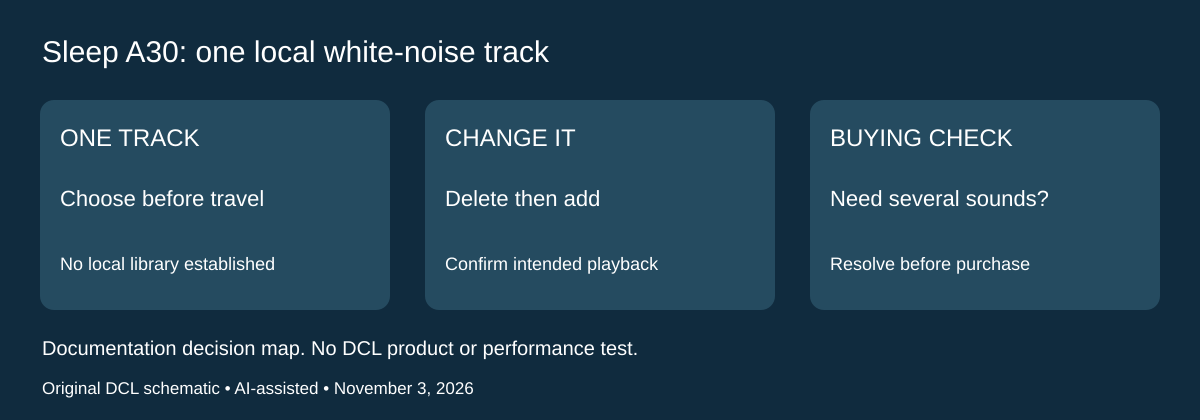
Research checked November 3, 2026. The local-playback option above does not establish that Sleep A30 holds a library of interchangeable sounds. soundcore’s exact Sleep A30 storage support note says it stores one white-noise track locally. Changing that selection requires deleting the existing track and adding the replacement. This can change the purchase decision for someone expecting several stored choices during a trip.
| Your audio requirement | Documented A30 boundary | Decision before packing |
|---|---|---|
| Use one chosen local white-noise sound | One track stored locally | Choose and check that track before departure |
| Switch among several stored white-noise tracks | The support note establishes one, not a local library | Do not purchase on an assumed multi-track capacity |
| Replace the current local sound | Delete it, then add the preferred replacement | Leave time to complete setup and confirm playback |
| Keep a particular streamed recording | Local white-noise storage is a separate feature | Verify the intended streaming path rather than assuming arbitrary downloads |
The manufacturer attributes this limit to larger files and its claimed improvement in white-noise quality compared with A20. That explanation does not establish superior sound to the listener, and DCL has not compared either model. We also do not infer a storage size, arbitrary personal-file import or a way to retain the deleted selection from this note. The restriction concerns the documented A30 white-noise feature; it is not an Ozlo storage specification.
For selection, write down whether your requirement is one repeatable sound or several choices that remain accessible away from setup. If one sound is sufficient, the existing local-playback candidate may still fit. If a library is essential, resolve that requirement before buying; the runtime table alone cannot answer it. Our suggested owner check is to finish selection while the phone and app are available, then confirm the intended playback mode with an unimportant trial. We have not tested download completion, disconnected operation or recovery after a failed change.
Budget and drawback: an owned audio device that already provides the choices you need may avoid a replacement purchase. Current device, accessory and delivered totals remain unknown. Do not treat an extra case charge or a longer runtime estimate as extra local-track capacity. Keep the charging, alarm and mode qualifications earlier in this guide when comparing the complete travel routine.
Sources and limits
This guide compares published specifications and source documentation. Daily Carry Lab has not performed hands-on tests of the products in this guide. Consult the dated sources and verify the exact model and current terms before buying.
- soundcore primary documentation
- soundcore-battery primary documentation
- ozlo primary documentation
- ozlo-modes primary documentation
- October 22 primary documentation
- October 22 primary documentation
- Check the charging method before packing a wireless-only bedside kit primary documentation
- Manufacturer support: one local track and replacement procedure
Related guides
iPhone 18 Pro: Wrist Strap or Crossbody Strap, with the right case
Compare exact Apple Wrist and Crossbody strap packages for iPhone 18 Pro by attachment, length, complete cost and limitations.
Portable label makers: choose phone control or a built-in keyboard
Compare Brother PT-P300BT CUBE and PT-H110 by phone dependence, TZe tape widths, power and cable-label workflow.
Travel AA/AAA chargers: match the cells, slots and USB input
Compare four-slot AA/AAA charging systems by exact chemistry and USB input. Includes conditional XTAR BC4 research and explicit operating-manual limits.
USB-C bike front lights: compare modes, mounts and charging
Compare Lezyne Micro Drive 800+ and Fenix BC15R using exact modes, rated runtime, battery design and mounting limits, without road-certification claims.