By Daily Carry Lab. Primary documentation checked October 14, 2026 (Pacific).
Affiliate disclosure: As an Amazon Associate, Daily Carry Lab earns from qualifying purchases. Retailer links may earn a commission at no extra cost to you.
Research disclosure: We have not tested these products. Selection uses primary documentation and the compatibility decisions below; no DCL ratings or measured performance are claimed.
For a checked bag, choose the tracker network you can set up and use on your own phone. Apple AirTag first generation, MX532AM/A, is the Apple Find My candidate. Chipolo POP, black C24W, is the candidate when you want a tag that can be paired with Apple Find My or Google’s Find Hub, one network at a time. Neither is a live GPS luggage tracker or a guarantee that an airline can recover your bag.
How we selected
We compared two documented replaceable-coin-cell tags for bag location, network setup, local finding and travel restrictions. We did not test airport detection, tracking latency, battery life or recovery rates. This guide replaces the legacy page’s unsupported product ranking and ratings; the original July 31 publication date is preserved.
| Compatibility decision | AirTag MX532AM/A, first generation | Chipolo POP black C24W |
|---|---|---|
| Owner network | Apple Find My | Apple Find My or Android Find Hub, one at a time |
| Setup requirements documented | Apple Account; iOS/iPadOS 14.5 or later on supported devices | Find My: iOS 14.5+; Find Hub: Android 9+ with Google Play Services and stated network conditions |
| Local finding | Speaker; U1 Ultra Wideband Precision Finding on compatible iPhones | Ringing and network/app finding; no equivalent UWB Precision Finding claim made |
| Battery | User-replaceable CR2032 | Replaceable CR2032; manufacturer says up to one year |
| Main drawback | Owning an Android phone does not provide AirTag owner setup | Supports either network at a time, not both simultaneously |
| Fit check | Attachment/holder must secure the tag in the bag | Verify the attachment point and keep it secure |
Sources: Apple’s first-generation specifications and Chipolo POP specifications. The POP companion app has separate higher requirements—Android 12+ or iOS 17+—for extra features; don’t confuse those with basic network pairing.
Network location is different from an airline scan
A Bluetooth tag relies on nearby participating devices to report a location through its network. If no suitable device detects it, or a report is delayed, the app may show an older location. We have no measured airport coverage or update interval, so “worldwide” network marketing is not a real-time tracking promise.
Pair the tag before departure, name the bag clearly in your app, check that you can ring it, and confirm the battery is functioning. Secure it to or inside your own luggage so it is not easily separated during handling. Keep your airline bag-tag receipt and follow the carrier’s missing-bag process if the bag does not arrive. A location report is useful context for that process, not permission to enter restricted areas or proof of theft.
AirTag’s Precision Finding is a nearby function dependent on a compatible iPhone; Apple lists exceptions to its broad iPhone-model wording. Check the current compatibility footnote rather than buying solely because your phone runs the minimum iOS version. We do not transfer second-generation AirTag range or hardware claims to MX532AM/A.
For POP on Android, Chipolo states that Find Hub requires location services and Bluetooth enabled, plus cellular service or internet; country/age eligibility can apply. Choose the network you intend to use before the trip. POP’s ability to work with either platform does not create one shared cross-platform location feed.
Battery and airline guidance
FAA baggage guidance, updated April 13, 2026, gives checked-baggage battery thresholds of 0.3g lithium metal content or 2.7Wh for lithium-ion and specifically tells travellers with baggage-location devices to check with the airline. Its page also states a general checked-device power-off rule. Do not turn that into a universal claim that every Bluetooth tag may stay powered on.
British Airways’ current policy explicitly allows smart luggage tags such as AirTag to remain energised within those small-battery limits. It says spare batteries go in cabin baggage. This is a dated BA example, not clearance from every operating carrier or for every replacement cell.
Verify your airline’s exact tracker exception, route rules and the installed battery’s documented lithium content or Wh. A cell’s total weight is not its lithium content. Both selected models specify CR2032, but that designation alone is not the evidence we use to certify every replacement cell for flight. Keep cells protected and away from children; confirm the compartment closes correctly after replacement.
A rechargeable tag would require its own documented lithium-ion capacity/Wh and charging routine. We have not selected or certified a rechargeable model here. A small location tag is also different from a suitcase power bank: don’t transfer a bag-tag exception to a large battery built into luggage.
Unwanted-tracking alerts remain part of the design
Apple describes alerts and sounds for compatible trackers separated from their owner and moving with someone over time. Google’s unknown-tracker guidance covers supported Find Hub devices and AirTags on Android 6+. That alert capability does not make an Android phone an AirTag owner device.
Alerts are not promised instantly or for every circumstance. Keep the relevant software and notification settings current, and use tags only for your belongings with appropriate consent where others carry them. If an unfamiliar-tracker alert appears, follow the platform’s instructions. Google says turning off your phone’s Bluetooth or using airplane mode does not stop the tracker’s owner finding the tracker; device-specific disabling instructions matter. Do not alter a tag to defeat its unwanted-tracking safeguards.
Budget and drawbacks
| Option | Budget evidence | Useful selection reason | Check before buying |
|---|---|---|---|
| AirTag first-gen MX532AM/A | Current delivered total unknown | Apple owner setup and compatible-iPhone nearby finding | Exact generation; holder; airline/battery evidence |
| Chipolo POP black C24W | Current delivered total unknown | Android Find Hub or Apple Find My choice | One-network limit; app/device requirements; secure attachment |
| No tracker | No purchase total assessed | Airline labels and contact details still support the carrier process | No additional crowdsourced location information |
We do not rank by price or promise saved baggage. Verify generation, colour and pack count at checkout; our evidence establishes listing identity, not availability.
For a card-shaped tracker or wallet fit, use the separate wallet-tracker guide. This page’s decision is bag-network setup and airline battery handling, not card thickness or wallet selection.
Reuse a tag only after its ownership can transfer
Before buying another tracker for a shared or second-hand suitcase, establish who can actually register the tag. Apple’s Find My removal guide separates removing an item from an Apple Account from resetting its hardware. The existing owner can remove it even when it is elsewhere, but an item removed while out of range must then be reset before another person can register it.
| What you are considering | Evidence to obtain first | Purchase consequence |
|---|---|---|
| Reusing your own first-generation AirTag | Confirm it appears in your own Find My Items and can be located locally | A new tag may be unnecessary |
| Taking over another person’s AirTag | Previous owner removes the association with their Apple Account | Physical possession or a new battery alone is insufficient |
| A tag removed remotely | Complete the documented reset before registration | Allow setup time before checking the bag |
| A used tag whose owner cannot remove it | Resolve the account association before paying | Do not assume a hardware reset bypasses ownership |
Apple’s reset instructions, dated May 22 and checked October 22, 2026, contain separate first- and second-generation procedures. For the first-generation MX532AM/A selected here, Apple describes removing and replacing the battery, pressing until it sounds, and repeating for five sounds in total; the fifth is different. Follow its complete cover-removal, battery and closure directions. The second-generation paragraph adds different timing and must not be substituted merely because both products are called AirTag.
This is a complete-ownership check for an existing exact model, not a new used-product endorsement or a promise of lower cost. Current new and used offer totals, condition and return terms are unknown. Keep the existing approved new-product mapping; this section introduces no renewed or second-hand retailer link. Keep the tag, cover and coin cell away from small children, as Apple’s warning requires.
We have not performed a reset or tested transfer reliability. Account enrollment also does not change the airline battery guidance or the network’s location delays above. For another manufacturer such as Chipolo, use its own reset instructions rather than transferring Apple’s battery sequence. Finish registration and a local finding check before relying on the tag for a trip.
Check the airline handoff before choosing a tracker network
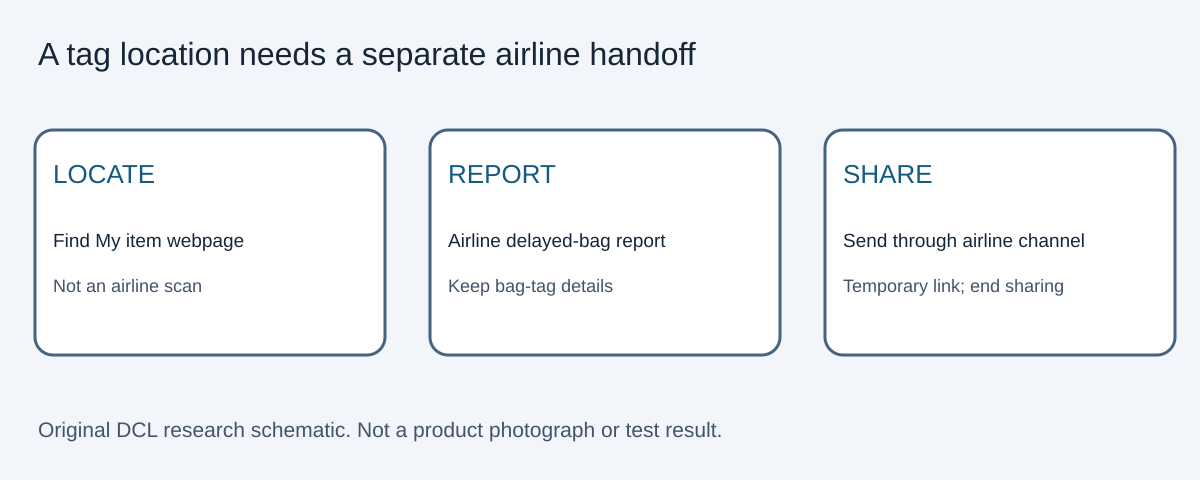
If your buying goal is helping an airline trace a delayed bag, check its accepted sharing method before choosing the tag’s network. A map you can see on your phone is not automatically a location feed the carrier can use. Apple’s Share Item Location guide, checked October 30, 2026, describes creating a temporary webpage in Find My for a lost AirTag or supported item. This is different from sharing an item with a personal contact.
| Decision before buying | Documented path | Practical limit |
|---|---|---|
| You want a carrier to see Find My location updates | Check whether that carrier accepts Apple’s temporary item webpage | Do not assume every airline uses the same channel |
| You plan to use POP on Android Find Hub | Confirm the airline’s procedure for that network separately | Apple’s procedure does not verify an Android handoff |
| You will be offline after arrival | Plan access to an online Apple device signed into your account | Apple requires at least one such device online for updated locations |
Apple says the location cannot be shared while the item is near the device sharing your location. Sharing stops on reunion, after seven days, or when ended manually. These are useful boundaries for planning the service; they do not establish tracking frequency or baggage recovery.
For a concrete carrier example, Delta’s delayed-baggage instructions, checked October 30, require the delayed-bag report first. They then describe entering the Find My link, the ten-digit bag tag number and trip confirmation in Delta Bag Tracking; the Fly Delta app has a corresponding field. Use the airline’s current official channel rather than putting the link on a public page. Delta describes sharing as optional.
The purchase implication is narrow: choose a network you can operate and, if airline handoff matters, a workflow your carrier documents. There is no need to buy an extra tag merely to recreate the same supported feed. Tracker price, holder cost and any replacement-cell cost remain unknown here. Neither this example nor DCL promises faster recovery, and it does not replace the carrier report. We have not submitted a bag report or tested this handoff.
Check replacement-cell compatibility before retiring an AirTag
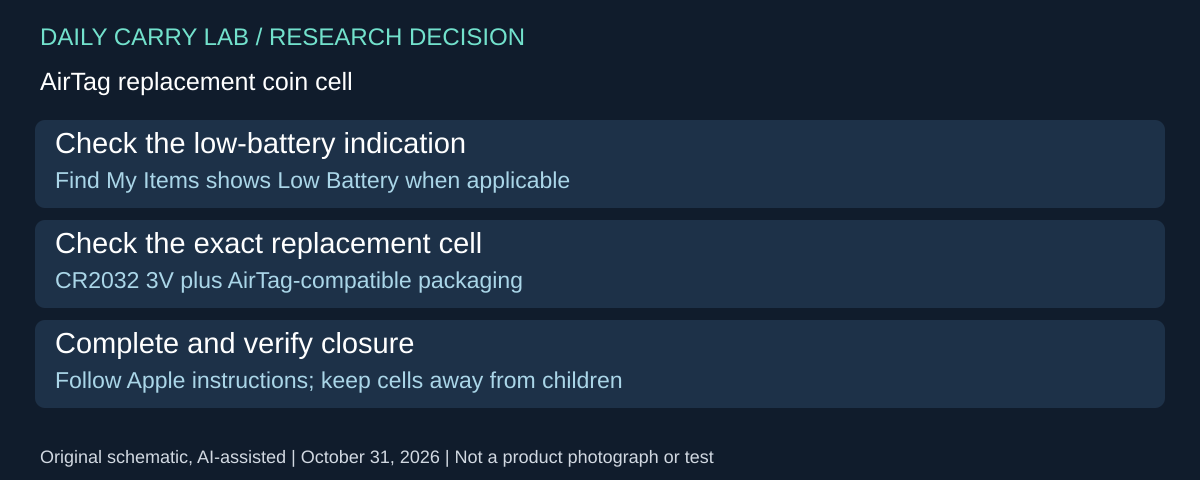
A low-battery tag does not automatically require a new tracker. Apple’s battery replacement guidance, published October 14 and checked October 31, 2026, describes checking the selected AirTag in Find My’s Items tab and replacing its cell. That is a maintenance decision, separate from transferring account ownership or sharing a delayed-bag location.
| Before buying | Apple documentation | Practical boundary |
|---|---|---|
| Decide whether the cell needs replacement | Low-battery notification or Low Battery under the selected item | Do not infer a failed battery merely from a delayed network location |
| Select a replacement | CR2032 lithium 3V; look for AirTag-compatible packaging | The size designation alone does not establish compatibility |
| Choose a coated cell | Apple recommends bitterant coating to discourage ingestion but warns some coated cells may not work | Select explicitly compatible packaging; do not remove the coating |
| Reassemble the tag | Positive side up; connection sound, three cover tabs aligned and cover rotated closed | Complete the manufacturer’s procedure before packing |
Keep the tag, cover and cell away from small children, as Apple’s warning requires. Follow the complete illustrated instructions rather than improvising a contact modification. The connection sound does not establish a new battery-life duration or airport detection performance. It also does not resolve another owner’s account association.
For travel planning, obtain the compatible cell and allow time for replacement and a local finding check before departure. If the tag still cannot be found locally after the documented procedure, record that outcome and use the manufacturer’s next support step rather than buying on the assumption that every stale location means dead hardware.
Budget and drawback: current cell, tag and holder totals are unknown. A maintenance purchase may be the relevant comparison instead of a complete new tracker, but no savings figure or repair success is established. This Apple cell guidance does not establish Chipolo POP’s replacement procedure or airline approval for an arbitrary replacement cell; the battery-content and carrier checks above still apply. We have not replaced or tested a cell.
A missing Find button is a setup question before a replacement purchase
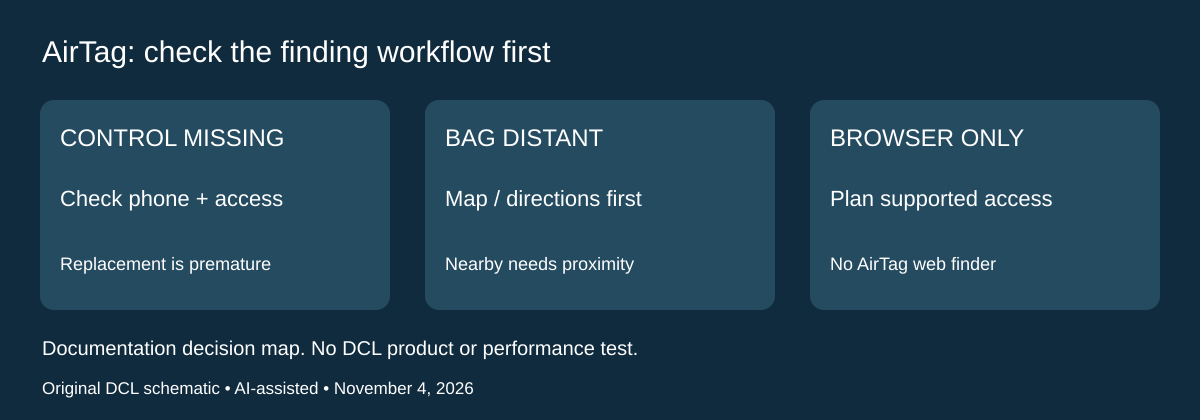
Research checked November 4, 2026. If an owned AirTag appears in Find My but the nearby-finding control is absent, buying another tag is premature. Apple’s current finding instructions direct owners to check the phone’s Precision Finding requirements and Find My location access. The same page says an out-of-range tag may need map, directions or sound finding before nearby finding can be used. It also states that AirTag is not shown at icloud.com/find.
| Situation in your luggage kit | Check before spending | Limit of that check |
|---|---|---|
| Find or Find Nearby is absent | Exact phone support, then Location Services and Find My location access | Minimum iOS alone does not prove every hardware feature |
| You are using a borrowed browser | Arrange access to a supported Find My device | The iCloud web device finder is not an AirTag locator |
| The bag is still distant | Use the available map or directions workflow | A distant network report is not a nearby connection |
| Finding works inconsistently nearby | Consider objects and walls between phone and tag | This does not identify a failed tag or prove a replacement will help |
Apple recommends Precise Location for the most accurate location and notes environmental effects. Follow its complete current steps on the supported phone; the names here are a check list, not a universal screen-by-screen procedure. This support page covers multiple generations and now includes second-generation software requirements. Those newer requirements and any expanded range claim must not be assigned to the first-generation MX532AM/A compared above. We deliberately do not derive a new exact phone compatibility list from this mixed-generation page.
For a traveller, the practical selection question is who can actually use the finding workflow after the bag goes missing. A working tag may still be a poor fit for someone planning to rely only on a web browser. Conversely, an owner with the right phone may first need to correct a permission or change proximity, rather than purchase another tracker. These are documentation-based decisions; DCL has not diagnosed a tag or tested radio performance.
Budget and drawback: current tag, phone and complete-kit totals are unknown. Do not assume a phone upgrade is warranted by one missing button. Check the documented setup, then seek maker support if the problem persists. A tag that can be found locally still does not guarantee airline recovery, a fresh network location or delivery of the bag. The luggage-scale guide addresses weight before check-in, a separate decision from locating a bag afterward.
Shop the researched models
These Amazon links are affiliate links. Daily Carry Lab may earn a commission from qualifying purchases. Match the model and included contents to your needs; this guide is based on manufacturer-source research, without hands-on testing.
-
Apple AirTag (1st gen, MX532AM/A)
Check Apple AirTag (1st gen, MX532AM/A) on Amazon -
Chipolo POP (black, C24W)
Check Chipolo POP (black, C24W) on Amazon
Sources and limits
This guide compares published specifications and source documentation. Daily Carry Lab has not performed hands-on tests of the products in this guide. Consult the dated sources and verify the exact model and current terms before buying.
- airtag-first-generation primary documentation
- chipolo-pop primary documentation
- faa-luggage-trackers primary documentation
- ba-web primary documentation
- apple-unwanted-tracking primary documentation
- google-unknown-trackers primary documentation
- airtag ownership and setup documentation
- remove ownership and setup documentation
- October 30 decision update primary documentation
- October 30 decision update primary documentation
- Check replacement-cell compatibility before retiring an AirTag primary documentation
- Apple finding instructions: missing Find control; location access; web exclusion; mixed-generation caveat
Related guides
iPhone 18 Pro: Wrist Strap or Crossbody Strap, with the right case
Compare exact Apple Wrist and Crossbody strap packages for iPhone 18 Pro by attachment, length, complete cost and limitations.
Portable label makers: choose phone control or a built-in keyboard
Compare Brother PT-P300BT CUBE and PT-H110 by phone dependence, TZe tape widths, power and cable-label workflow.
Travel AA/AAA chargers: match the cells, slots and USB input
Compare four-slot AA/AAA charging systems by exact chemistry and USB input. Includes conditional XTAR BC4 research and explicit operating-manual limits.
USB-C bike front lights: compare modes, mounts and charging
Compare Lezyne Micro Drive 800+ and Fenix BC15R using exact modes, rated runtime, battery design and mounting limits, without road-certification claims.