By Daily Carry Lab. Manufacturer research checked October 13, 2026 (Pacific).
October 28, 2026 research update: Apple documents accessory power coming from the USB-C host and recommends one device or cable at a time. Decide whether you need to preserve a Lightning accessory or charge while using it before buying an adapter; a passive-looking connection does not establish a simultaneous powered hub.
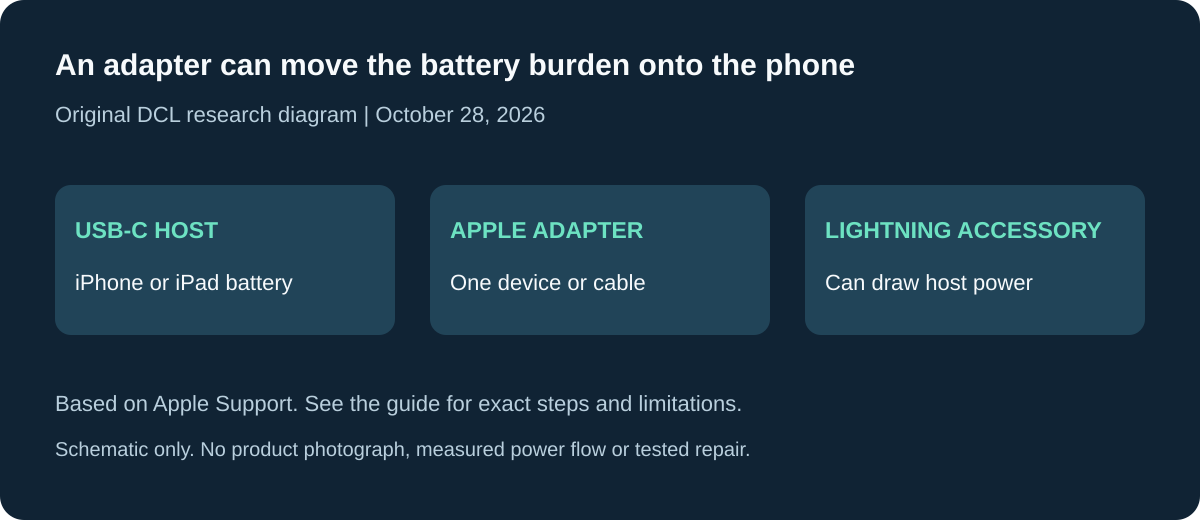
Original DCL research diagram, October 28, 2026. Schematic only; no product photograph, measured power flow or tested repair.
Affiliate disclosure: As an Amazon Associate, Daily Carry Lab earns from qualifying purchases. Retailer links may earn a commission at no extra cost to you. Manufacturer links here document our sources.
An adapter is useful only when its direction and supported function match your setup. For a USB-C iPhone or iPad with an existing Lightning accessory, Apple’s USB-C to Lightning Adapter is a documented option. It does not answer the opposite question of connecting an arbitrary USB-C accessory to a Lightning phone.
We selected this single manufacturer-documented example because its charging, audio and data functions are specified. We have not tested the adapter, its sound quality, vehicle compatibility or charging performance. A longer list would be less useful if the products lacked exact direction and function evidence.
Start with your device and accessory
| Your device | What you want to connect | Decision |
|---|---|---|
| USB-C iPhone or iPad | Existing Lightning charging cable or accessory | Apple’s documented direction; check the particular accessory and software |
| Lightning iPhone or iPad | USB-C accessory | Opposite direction; obtain exact adapter documentation before buying |
| Mac | Lightning accessory through this adapter | Not established by the support document used here |
| Phone or tablet | Portable monitor | No video capability established by the charging, audio and data specifications |
The names “Lightning to USB-C” and “USB-C to Lightning” can be used loosely in listings. Look for a diagram showing the host device, adapter and accessory. A photograph of two connector shapes does not establish which side acts as the host or which functions survive.
What Apple’s adapter documents
Apple lists charging, data and audio support. Its support page specifies a maximum of 24W when charging USB-C iPhone or iPad models and data transfer up to 480Mbps, identified as USB 2. Some functions require iOS 17 or iPadOS 17 or later. Those are published limits, not DCL measurements. Apple adapter support.
For charging, trace the complete chain: power adapter, existing Lightning cable, converter and phone. A higher-rated charger does not remove the converter’s ceiling. If keeping the old cable offers little value, compare the cost and complexity of a direct USB-C cable before adding another connection. See our USB-C charging and data cable guide for that separate decision.
For audio, verify the exact accessory you intend to keep. “Audio supported” is not a promise that every microphone, control button or accessory feature works. Write down the accessory model and required feature before checking the manufacturer documentation. We do not rate noise, volume or latency without listening or measurement evidence.
For data, decide whether the task is occasional synchronization or moving large files. The documented 480Mbps ceiling is a signalling specification, not a guarantee of sustained file-copy speed. Do not buy it on the assumption that it preserves a faster accessory interface.
CarPlay needs its own check
Apple says wired CarPlay can work in most vehicles, while some adapter, cable and entertainment-system combinations can disrupt the connection. It suggests a direct USB-A to USB-C cable when appropriate. A direct connection still needs the vehicle’s documented wired CarPlay port and a suitable cable. Apple’s CarPlay guidance.
Before a trip, confirm the vehicle model, head-unit instructions and the connection you will actually use. If CarPlay is essential, leave time to verify that complete chain; an adapter specification alone is insufficient. We have not performed a vehicle compatibility test.
Budget and drawbacks
| Option | Budget evidence | Useful when | Drawback |
|---|---|---|---|
| Apple USB-C to Lightning Adapter | Current US purchase price not retained in this guide | Reusing a documented Lightning accessory has value | Extra connection; specified charging and data ceilings |
| Direct USB-C cable | Compare the exact length and functions needed; no price band asserted | You primarily need charging or ordinary synchronization | Does not preserve a Lightning-only accessory |
| Reverse-direction third-party adapter | Exact model, functions and current cost unknown here | Only after its documentation matches your host and accessory | Connector appearance cannot establish compatibility |
Compare total cost, including any replacement cable, rather than treating an adapter as automatically cheaper. No model is ranked by sales, user ratings or imagined testing. Unsupported historical MFi, 36W, Mac and monitor claims are excluded.
Before ordering
Record the host connector, accessory connector, desired function and software version. Match those against the exact product documentation and a retailer’s variant, rather than an inherited image or product identifier. This guide provides manufacturer evidence; it does not verify an Amazon ASIN. If you also need to replace the power adapter, the multiport wall-charger guide covers shared power separately.
Check accessory power before replacing a Lightning accessory
Apple’s USB-C to Lightning Adapter support page, rechecked October 28, 2026, makes an important distinction: the adapter requires no power itself, but an attached device can draw power from the iPhone or iPad. Keeping a Lightning accessory can therefore shift part of the power burden onto the host. The document does not give a universal accessory-power allowance or establish how much your particular accessory draws.
Apple also recommends using only one device or cable at a time for best results. Treat that as a limit on the arrangement documented here. Do not plan on a splitter or a chain of adapters to add charging while an accessory occupies the connection without exact support for that complete setup.
| What you need on the trip | Decide before buying | Drawback to resolve |
|---|---|---|
| Reuse a Lightning audio accessory | Exact accessory function, software and whether host power suits the session | Audio support does not establish every microphone or control function |
| Keep a data accessory connected for a long session | Accessory power needs and the phone/tablet’s reserve | An adapter does not add stored energy |
| Charge the host and use another wired accessory together | A separately documented complete connection for that job | This single-adapter article does not establish a powered multi-device hub |
| Charge only | Whether an owned direct USB-C cable already meets the need | Reusing a Lightning cable adds an adapter and its existing 24W ceiling |
The practical buying question is whether the Lightning-only accessory is valuable enough to keep, given its functions and power needs. If it is, write down the exact model and intended session before checking compatibility. If the task is simply charging, compare a suitable direct cable with the extra adapter purchase. We have not measured battery drain, accessory current or a simultaneous charging arrangement.
For an event or journey where the accessory must work continuously, check the complete connection ahead of time using the actual software and accessory. Leave a suitable reserve and an independently documented fallback for the task. This is preparation advice, not proof that any particular accessory needs a replacement battery or external supply.
Budget and selection limit: current adapter, replacement-accessory and complete connection costs are unknown. A new adapter may avoid replacing a useful accessory, but it cannot establish functions or power capacity that its documentation does not provide. The retained charging/audio/data and CarPlay boundaries above still apply. No new retailer identity, measured power saving or universal Lightning-accessory recommendation is added.
Sources and limits
This guide compares published specifications and source documentation. Daily Carry Lab has not performed hands-on tests of the products in this guide. Consult the dated sources and verify the exact model and current terms before buying.
Related guides
iPhone Duo wired charging kit: adapter, included cable and complete cost
Build a complete iPhone Duo wired kit using the included cable; understand Apple A3351/MGKN4AM/A, dated cost and fast-charge test conditions.
Ethernet wiremap testers: what PASS does and does not tell you
Use an RJ45 wiremap tester to investigate wiring faults while keeping network speed, PoE and cable certification separate.
Action-camera microSD cards: match class, capacity and exact revision
Compare exact 256GB SanDisk Extreme and Samsung PRO Plus revisions by camera requirements, speed classes and offload limits, without speed-test claims.
USB-C cable testers: wiring checks, e-markers and their limits
Compare Bit Trade One Checker 3 and Lite by cable wiring, e-marker readout and port diagnosis. Learn what neither establishes about throughput or sustained power.